comparison · 2026-05-27
AI-Generated Spritesheet VFX vs Hand-Authored Niagara: When to Use Which
A practical decision guide for UE5 developers choosing between AI flipbook effects and bespoke hand-built Niagara systems.
AI VFX vs hand-made VFX: framing the real choice
If you are weighing ai vfx vs hand made vfx for a UE5 project, the honest answer is that they solve different problems. A hand-authored Niagara system is a living simulation: emitters, modules, curves, collision, GPU sims and ribbon trails that react to the world in real time. An AI-generated spritesheet flipbook is a baked, pre-rendered loop of frames played back on a sprite. One is procedural and reactive; the other is a flat animated texture. Knowing which you actually need is the whole game.
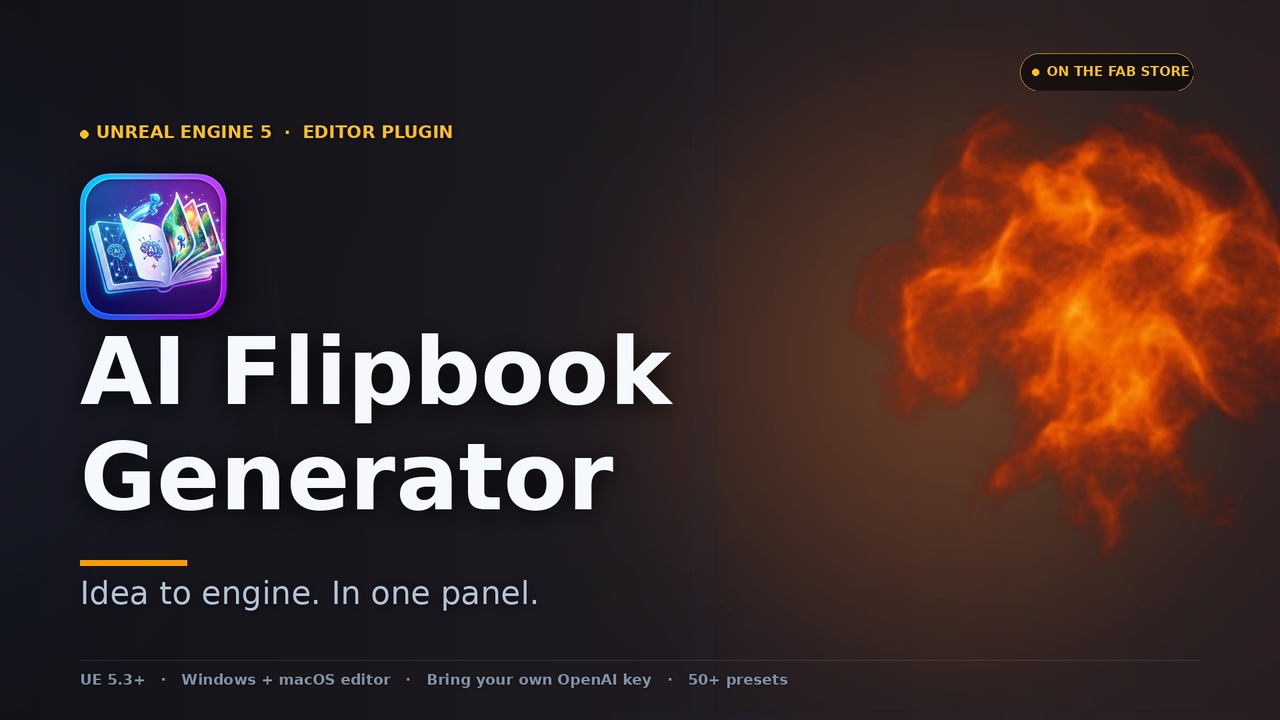
The AI route in this article is AI Flipbook Generator, a UE5 editor plugin that turns a plain-English prompt into a game-ready Niagara spritesheet. You describe an effect, pick a grid size, and it composes a strict prompt, sends a grid template plus a gutter-locking mask to OpenAI's image-edits endpoint, post-processes the returned sheet, and one-click bakes it into a Texture2D, a Material Instance, and a fully configured Niagara System with sub-UV cycling. It runs on your own OpenAI API key, billed directly by OpenAI, so nothing is proxied through the seller.
Because the output is a flipbook, it is perfect for the cases where you want a convincing animated effect fast and do not need it to physically simulate. It is not a replacement for a senior VFX artist building your boss-fight ultimate. The rest of this guide draws that line precisely so you reach for the right tool each time.
Speed: prototype effects in minutes, not days
The single biggest argument for AI flipbooks is iteration speed during pre-production. Generation is typically under two minutes per effect, so you can stand up placeholder VFX for an explosion, a fireball, a heal aura or a water splash in the time it takes to write the prompt. That is the difference between blocking out a combat prototype today versus waiting on a hand-authored hero effect that has not been scheduled yet.
You are not limited to one shot at a time, either. Multi-variant batching fires one to four variants per Generate click in parallel, sharing a single cancel token, and each lands in the in-panel gallery as it returns. So a single click can give you four takes on the same fireball, and you keep the best. There is a per-job choice of grid: 4x4 for a 16-frame loop, 6x6 for 36 frames, or 8x8 for 64 frames, trading sheet resolution for animation smoothness.
Cost is modest and transparent for prototyping. The plugin shows an in-panel cost preview and a session running total, with an estimate of around four cents per 1024x1024 image and roughly a cent per vision critique. Treat those as estimates only: they are in-code figures, and your OpenAI invoice is the authoritative number. Even so, the order of magnitude makes it cheap to throw away ten variants to find one keeper.
If you track your prototype backlog inside the editor, Easy Kanban Board can sit alongside this: park a card per effect that still needs a final hero pass and drag it to Done as the real VFX lands, keeping the placeholder-to-final swap visible without leaving Unreal.
Consistency via style axes
A scattershot set of AI images will not survive contact with an art director. AI Flipbook Generator addresses this with four optional style-axis dropdowns layered onto the prompt: Visual Style (eight options including realistic, pixel art and anime), Palette (eight, such as warm, cool, toxic, arcane, vivid, pastel, monochrome and dark), Mood (eight) and Detail Level (three). Each defaults to None, so the prompt is left untouched until you pin an axis.
Pinning the same axes across a batch of effects is how you get a coherent set rather than a grab-bag. Lock Visual Style to pixel art and Palette to toxic, and your poison cloud, acid splash and corrosion decal read as one family. There is also a built-in, editable effect library (EffectCatalog.json) with starter prompts grouped across Fire, Smoke, Water, Magic, Impact, Beam, Lightning, Decal and Buff, browsable with a category filter, substring search and one-click append. Because the catalogue is user-editable, treat its exact entry count as approximate; it ships with well over fifty starter prompts and you can add your own.
When a generation lands close to your intent but not quite there, you do not have to start over. The vision-assisted Refine with feedback sends the latest image plus your written critique to a vision chat model and returns a diagnosis paragraph along with a revised prompt ready to fire, which is usually faster than rewriting the prompt by hand. Note that which underlying models are available depends on your own OpenAI account and OpenAI's current offerings; if you request a model your account cannot reach, the plugin surfaces a clean error rather than guessing.
Where hand-authored hero VFX still wins
A flipbook is a baked loop, and that is its ceiling. It cannot react to the world. If your effect needs particles that collide with geometry, GPU simulation, attractors, ribbons that trail a moving weapon, mesh particles, dynamic colour driven by gameplay, light emission, or precise timing synced to an animation montage, that is hand-authored Niagara territory. No spritesheet will give you a beam that bends around cover or sparks that bounce off the floor.
Parallax and viewing angle are the other tell. A side-on flipbook is a camera-facing sprite, and the plugin includes side-on and top-down view presets, each with a tuned prompt preamble; the top-down preset is built for ground decals like AoE rings, runes, scorch marks and ripples. That covers a lot of ground, but a sprite still reads as flat if the camera orbits it freely in 3D. For a centrepiece effect the player will study up close from any angle, hand-built volumetric and mesh-based VFX hold up where a flat sheet does not.
Finally, your signature moments deserve bespoke craft. The ultimate ability, the game's title-screen effect, the set-piece explosion in the trailer: these are where a VFX artist's curve-shaping and layering pay for themselves. Use AI flipbooks to fill the long tail of secondary effects so your artist's hours go to the hero work that sells the game.
A hybrid workflow that ships
The pragmatic answer to ai vfx vs hand made vfx is to use both, in sequence. Here is a workflow that holds up from prototype to ship.
1. In pre-production, generate placeholder VFX with AI Flipbook Generator for every effect your prototype needs. Pin a consistent set of style axes up front so the placeholders already read as a family, and bake each straight to a Niagara System so it drops into the level immediately.
2. Drop the baked Niagara System into your scene. Sub-UV cycling, sprite size and animation duration are exposed as runtime-overridable User parameters, so you can tune playback speed and scale per placement without re-baking. Pick the material blend mode at bake time: Translucent, Additive or AlphaComposite, with the premultiplied-alpha output ready for AlphaComposite.
3. Triage which effects stay as flipbooks and which graduate to hand-authored Niagara. Secondary, distant, or top-down decal effects often ship as-is. Hero effects, anything that must collide or react, and anything the camera studies up close go on the artist's list.
4. Replace the hero effects with bespoke Niagara while the AI flipbook holds the slot. Because the placeholder is already a Niagara System with named User parameters, swapping it for the hand-built version is a drop-in, not a refactor of every call site.
5. Verify the result rather than eyeballing it. Mythic Dev Assist can drive and observe the editor for an AI coding agent, and its Niagara Preview Capture spawns a system, advances it to percentage intervals, screenshots each via a SceneCaptureComponent2D, and returns per-frame brightness, blank ratio and dominant colour plus VFX diagnostics, no Play-In-Editor needed.
If light response matters for the scene, Lumen Meter measures local scene brightness in the editor as a raw and dynamically normalised 0-1 value, so you can confirm an additive flipbook is not blowing out a dim room before you commit. Together, this loop lets a small team ship a complete, consistent VFX set with hand-built craft reserved for the moments that earn it.
AI flipbook VFX vs hand-authored Niagara
| Factor | AI Flipbook Generator | Hand-authored Niagara |
|---|---|---|
| Time to first usable effect | Typically under two minutes per effect | Hours to days per effect |
| Output | Baked spritesheet flipbook on a sprite | Live, reactive particle simulation |
| Reacts to the world (collision, GPU sim, attractors) | No | Yes |
| Style consistency across a set | Pin style axes for a coherent family | Depends on artist discipline |
| Best for | Placeholders, secondary effects, decals | Hero effects, reactive set-pieces |
| Skill required | Write a prompt, pick a grid, bake | VFX artistry in Niagara |
| Cost model | Your own OpenAI key, per-image (est. ~$0.04/1024px) | Artist time |
Both bake to a Niagara System; the difference is what the effect can do at runtime.
FAQ
When should I use AI VFX vs hand-made VFX in UE5?
Use AI-generated spritesheet flipbooks for speed: placeholder VFX for prototyping, secondary effects, and top-down ground decals where the effect does not need to physically react. Use hand-authored Niagara for hero effects and anything that must collide, simulate on the GPU, trail a moving object, or sync precisely to an animation. A flipbook is a baked loop on a sprite; Niagara is a live simulation.
Can I use AI-generated flipbooks as placeholder VFX for prototyping and replace them later?
Yes, that is the ideal fit. AI Flipbook Generator bakes each effect straight to a Niagara System with sub-UV cycling, sprite size and duration exposed as runtime User parameters, so the placeholder drops into the level immediately. When the hand-built hero version is ready, swapping it in is a drop-in replacement rather than a refactor.
How do I keep a set of AI-generated effects looking consistent?
Pin the four style-axis dropdowns, Visual Style, Palette, Mood and Detail Level, to the same values across every effect in the set. Each defaults to None, so the prompt stays untouched until you pin an axis. Locking, say, pixel art plus a toxic palette across a poison cloud, acid splash and corrosion decal makes them read as one family.
Does AI Flipbook Generator need a separate AI subscription?
It uses your own OpenAI API key, billed directly by OpenAI, with the key stored per-user on your machine and never proxied through the seller. The in-panel cost preview estimates roughly four cents per 1024x1024 image, but your OpenAI invoice is the authoritative figure. Which underlying models are available depends on your OpenAI account.
How can I verify a baked flipbook actually looks right?
Inspect it in-editor and, if you drive your project with an AI agent, use Mythic Dev Assist's Niagara Preview Capture, which spawns the system, advances it through percentage intervals, screenshots each frame, and reports per-frame brightness, blank ratio and dominant colour with no Play-In-Editor needed. Lumen Meter can additionally confirm an additive effect is not blowing out the local scene brightness.
AI Flipbook Generator
Type a prompt, get a game-ready effect. AI Flipbook Generator turns text into flipbook spritesheets via OpenAI image models, then bakes them to Texture2D, Material Instance and a ready-to-drop Niagara System — with a 55-entry effect library, style presets and multi-variant batching. Uses your own OpenAI API key; nothing is proxied through us.