article · 2026-04-30
Diegetic Sci-Fi HUDs and Terminals in UE5: A Practical Walkthrough
Build in-world screens, hacker terminals and retrofuture interfaces using spawnable Niagara glyphs rather than flat UMG overlays.
Diegetic vs screen-space UI for sci-fi
Most sci-fi interfaces in Unreal start life as a UMG widget pinned to the player's screen, and for a lot of games that is exactly right. But the moment you want a terminal the player can walk up to, a wall of falling code behind a hacker, or alien signage glowing across a corridor, a screen-space overlay fights you. It cannot be occluded by geometry, it does not catch the scene's lighting or bloom, and it never feels like it belongs in the world. That is the problem a diegetic HUD solves: the interface lives inside the level as an object, so it casts and receives the same light, sits behind props, and reacts to the camera like everything else.
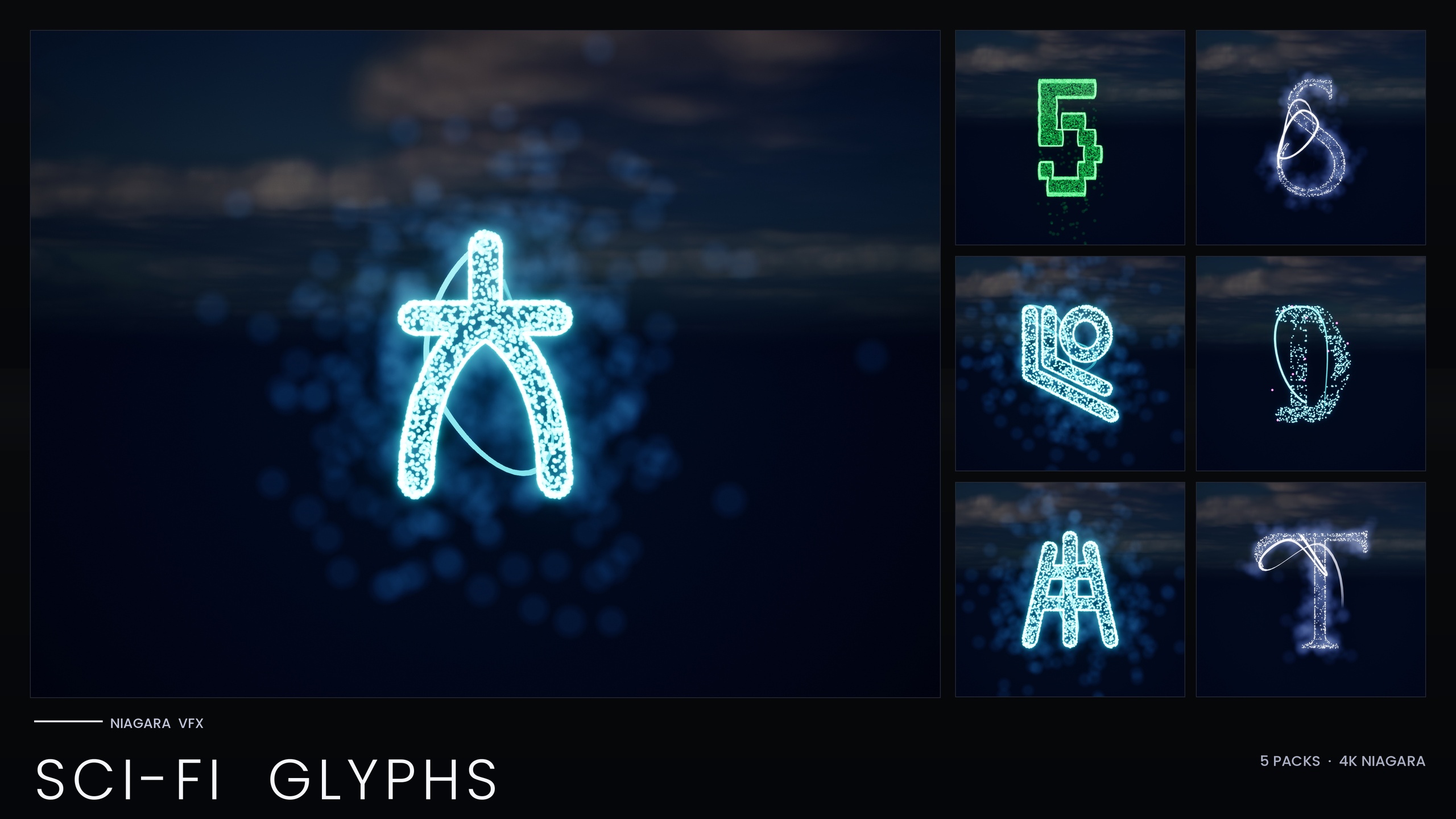
If you are searching for how to build a diegetic HUD or terminal UI in Unreal Engine, the practical question is what you draw the glyphs with. You can author bespoke materials and shaders, but that is a lot of work for text that needs to spell different things, recolour per faction, and react to gameplay events. The approach in this walkthrough uses spawnable particle text instead. The Niagara SciFi Glyphs Bundle ships 147 Niagara Systems and 147 matching static meshes across five futuristic scripts, and every single glyph is an independently spawnable CPU Niagara System. Because each character is its own system, you can place them in the world, spell arbitrary strings, and drive them from Blueprint rather than baking a fixed loop into a texture.
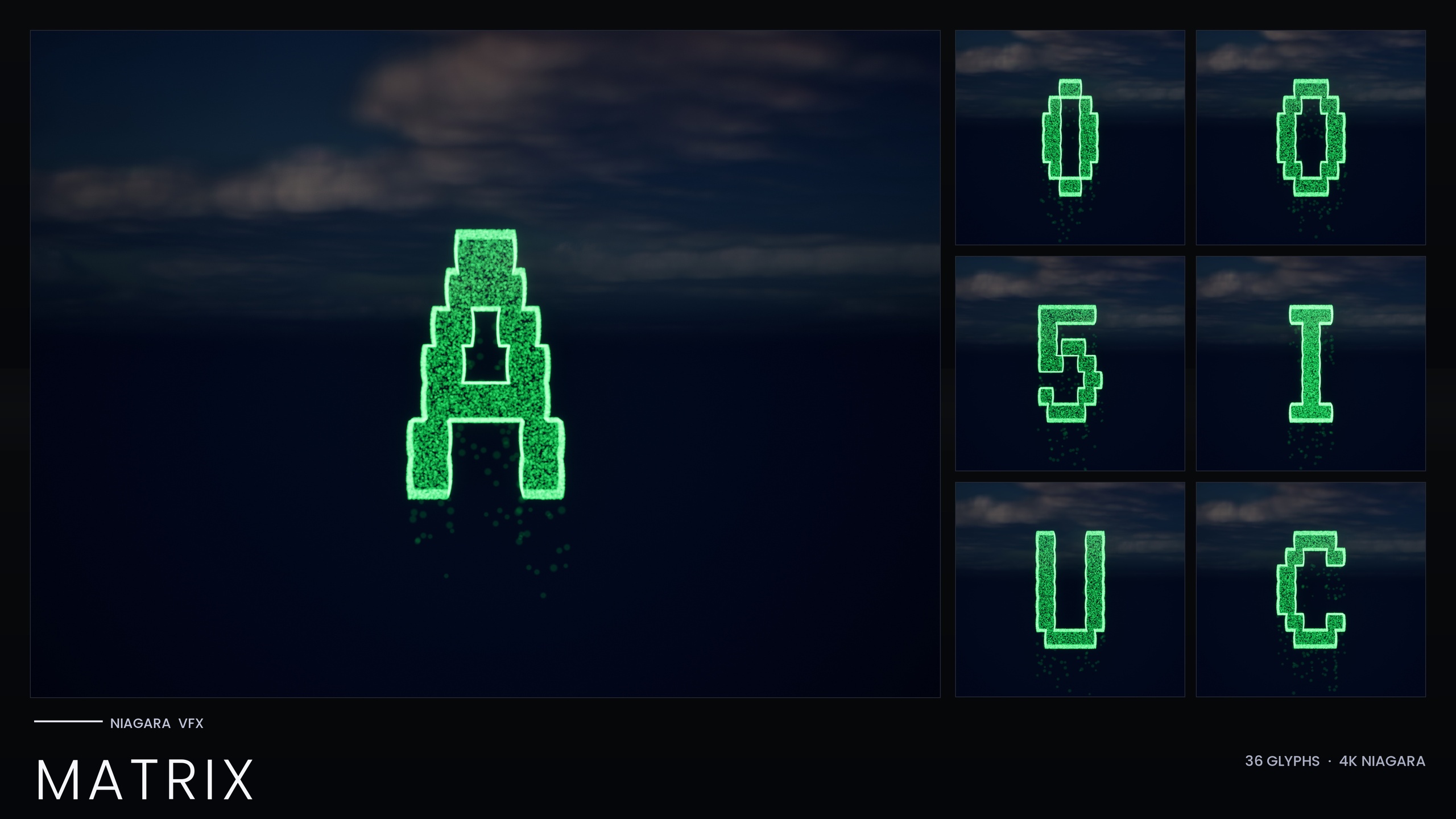
The bundle's listed use cases are squarely diegetic: terminals, hacker scenes and retrofuture UIs, alongside neon street signage, alien transmissions and ship registries. The five scripts are Alien (first-contact xenoglyphs), Cyberpunk (a neon-signage alphabet styled after Audiowide), Matrix (falling-code glyphs), Starforged (a far-future spacefaring script) and Circuit (PCB-trace patterns). Each one is built on a unified Niagara backbone, and every glyph also ships as a static mesh so you can carve the same characters into hull plating or signage geometry when you want a physical, unlit version.
Placing glyph systems on in-world screens
Start by installing the content pack and opening one of the five per-theme demo maps, one per script, to preview each writing system before you commit to a look. When you have picked a script, building a terminal is a matter of arranging individual glyph systems in world space rather than rendering text into a render target.
1. Create or select the surface that will act as your screen. This can be a flat plane, a curved console mesh, or the face of an existing prop. Give it a dark, slightly emissive base material so the glyphs read against it.
2. Drag the glyph systems you need from the content browser into the level. Each system is named with the NS_ prefix; place one per character and position them in a grid across the screen surface to spell your line of text. Because they are world-space actors, they will be occluded correctly when the player moves behind cover.
3. To build text procedurally instead of by hand, spawn the systems from Blueprint. Use the 'Spawn System at Location' node to place a glyph in the world, or 'Spawn System Attached' to parent it to your terminal actor so it moves with the prop. Drive the transform from a layout function that walks along the screen surface one character at a time.
4. Enable bloom in your post-process volume. The glow on these glyphs comes from HDR colour driving Unreal's bloom rather than from a custom emissive shader, so with bloom disabled the neon and holographic looks fall flat. Keep it on for any of the screens to sell the HDR glow.
5. For a steadier hologram, mind the Circuit script in particular. Circuit's holographic cyan and magenta identity uses very short, sub-0.2-second particle lifetimes to produce a stuttering flicker. That is great for a glitching diagnostic panel, but if you want a calm, readable terminal, tune the lifetime and spawn rate up so the characters hold rather than strobe.
Four of the five scripts read their style from the pack's Niagara Parameter Collection, so once your terminal is laid out you can recolour and re-time the entire script from a single asset edit. Tint a whole console amber for one faction or alarm-red for a breach state by editing the NPC rather than touching every glyph. The Matrix script is the exception, covered next.
Mixing scripts for layered worlds
A convincing sci-fi setting rarely speaks one language. A salvaged alien terminal bolted into a human ship, cyberpunk street signage flickering over a circuit-trace billboard, a Starforged navigation chart annotated in falling Matrix code: the five scripts in this bundle are designed to be mixed for layered cyberpunk-meets-alien-tech scenes, and because each glyph is its own system you can interleave them freely on a single surface.
The workflow difference to plan around is style control. The Alien, Cyberpunk, Starforged and Circuit scripts share the single-NPC recolour model, so each of those reads from the Parameter Collection and recolours as a unit. The Matrix sub-pack is built differently: it bakes its style as inline constants and ships with no Parameter Collection, so recolouring Matrix is done per system by editing the emitter colour or duplicating the system with a new tint, not by editing one NPC. Keep that in mind when you script faction palettes, because the Matrix rain will not follow an NPC swap the way the other four scripts do.
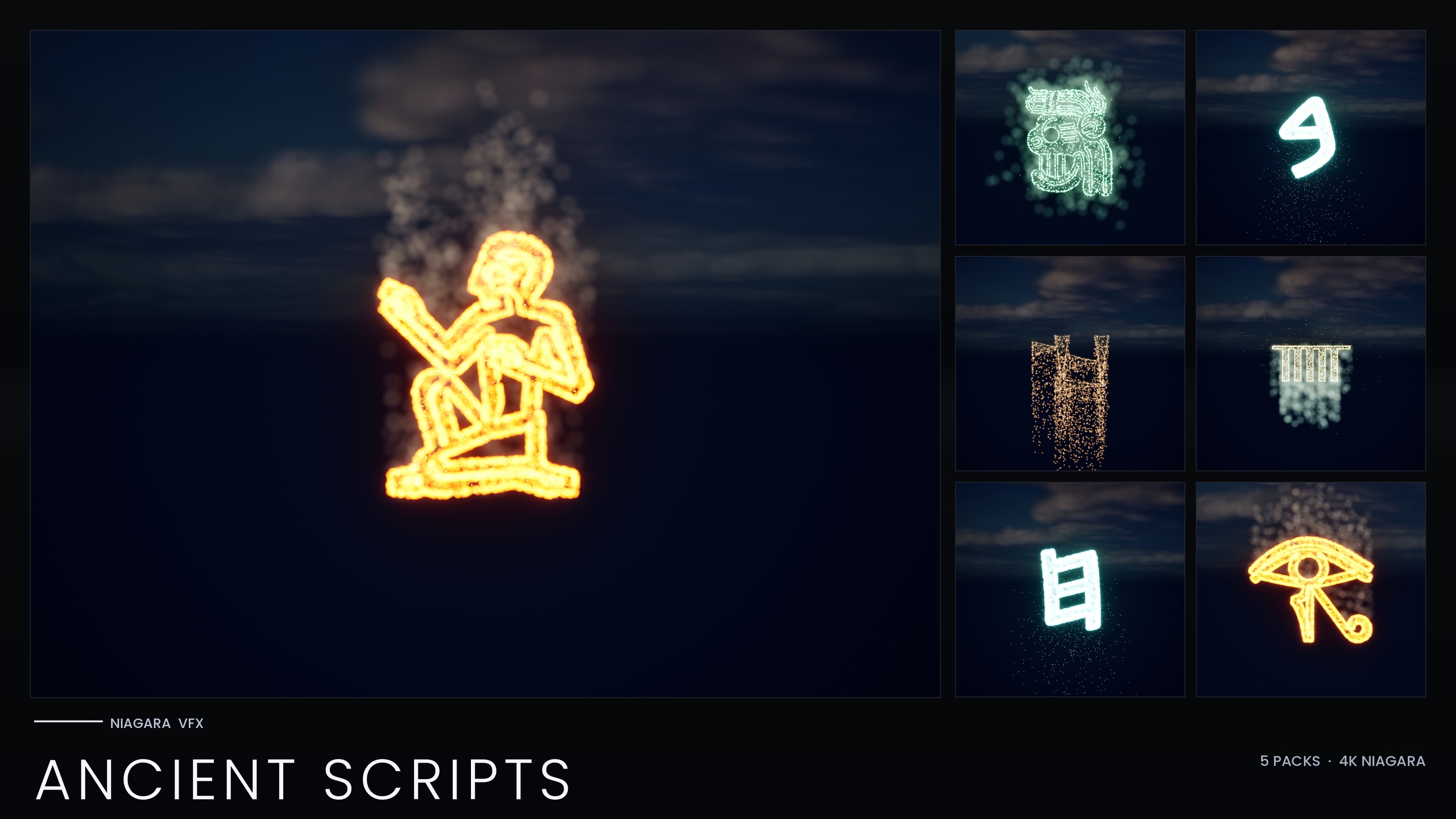
If your world needs writing systems beyond the five sci-fi scripts, this bundle is a themed subset of a much larger library. The full Niagara Alphabet and Symbols Bundle holds 687 Niagara Systems and 688 static meshes across 25 themed sets, and it contains this Sci-Fi Glyphs subset along with the standalone Matrix pack. If you want a single character to spell with, the standalone Niagara Matrix Pack is the 36-glyph A-Z and 0-9 digital-rain set on its own. And if a level mixes futuristic tech with ancient ruins, the Niagara Ancient Scripts Pack adds 114 systems of Hieroglyphics, Cuneiform, Mayan, Ogham and Phoenician, built on the same spawnable backbone so they drop into the same terminal-building workflow.
Performance budgeting for many on-screen systems
The thing that makes this approach flexible, one Niagara System per character, is also the thing you have to budget for. A line of text is a handful of systems; a full terminal is dozens; a corridor of signage plus a wall of code can be hundreds. All the effects in this bundle are CPU-simulated, so the cost scales with how many systems you have live at once and how many particles each is spawning, and it lands on your CPU and game thread rather than purely on the GPU.
The pack's own demo content gives you the strongest hint about budgeting: it is deliberately split across five maps, one per theme, rather than crammed into a single level. That split exists to keep per-map particle load manageable, and it is a sound model to copy in production. Treat each terminal or signage cluster as a budget unit, stream or activate them by relevance, and avoid having every screen in a level simulating at full spawn rate when the player can only see one.
Two concrete levers help. First, the Circuit script's sub-0.2-second lifetimes mean its particles churn quickly; if you do not need the flicker, raising lifetime and lowering spawn rate both cuts particle count and calms the look. Second, lean on the static meshes. Every glyph ships as both a spawnable system and a matching static mesh, so for distant signage, background lore text, or any character that does not need to animate, carve it as a static mesh instead of running a live Niagara System. Reserve the simulated glyphs for the screens the player is actually reading.
There are no published benchmark or frame-rate figures for this pack, and none are claimed here. The right way to size it is to profile your own scene with Unreal's particle and stat tooling on your target hardware, then dial spawn rates and active-system counts to fit your frame budget. The architecture, CPU systems with zero custom materials and zero textures using engine-default materials, keeps the asset footprint small, but on-screen cost is always a function of how many you run.
The five sci-fi scripts and how to control them
| Script | Visual identity | Style control | Typical diegetic use |
|---|---|---|---|
| Alien | First-contact xenoglyphs | Parameter Collection (single-asset recolour) | Alien transmissions, decode scenes |
| Cyberpunk | Neon signage alphabet (Audiowide-styled) | Parameter Collection (single-asset recolour) | Street signage, megacity holograms |
| Matrix | Falling-code glyphs | Inline constants, recoloured per system | Hacker terminals, code-rain walls |
| Starforged | Far-future spacefaring script | Parameter Collection (single-asset recolour) | Ship registries, navigation charts |
| Circuit | Holographic cyan/magenta PCB traces | Parameter Collection; sub-0.2s lifetime flicker | Glitch panels, retrofuture UIs |
Style control differs by script: four read from the Niagara Parameter Collection, while Matrix bakes style as inline constants. Per-theme glyph counts are approximate per the product notes.
Where the Sci-Fi Glyphs Bundle sits in the wider library
| Pack | Niagara Systems | Scope |
|---|---|---|
| Niagara SciFi Glyphs Bundle | 147 | Five sci-fi scripts for terminals, signage and HUDs |
| Niagara Matrix Pack | 36 | Standalone A-Z and 0-9 digital rain |
| Niagara Ancient Scripts Pack | 114 | Hieroglyphics, Cuneiform, Mayan, Ogham, Phoenician |
| Niagara Alphabet & Symbols Bundle | 687 | Full superset: 25 themed sets across 26 source fonts |
The Sci-Fi Glyphs Bundle is a themed subset of the full Alphabet & Symbols library; counts are from the product listings.
FAQ
How do I build a diegetic HUD or terminal UI in Unreal Engine with these glyphs?
Place individual glyph Niagara Systems on an in-world screen surface rather than drawing into a UMG overlay. Drag the NS_ systems into the level or spawn them from Blueprint with 'Spawn System at Location' or 'Spawn System Attached', arrange one per character to spell your text, and enable bloom so the HDR glow reads. Because they are world-space actors they occlude correctly behind geometry and catch the scene's lighting.
Can I recolour a whole terminal at once?
For the Alien, Cyberpunk, Starforged and Circuit scripts, yes: each reads its colour and timing from the pack's Niagara Parameter Collection, so editing that one asset recolours and re-times the entire script. The Matrix script is the exception; it bakes its style as inline constants and ships with no Parameter Collection, so you recolour Matrix per system by editing the emitter colour or duplicating the system with a new tint.
Will running many glyph systems hurt performance?
The cost scales with how many systems are live and how many particles they spawn, and all effects are CPU-simulated, so it lands on the game thread. The pack splits its demo content across five maps to keep per-map load manageable, which is a good model to copy. Use the matching static meshes for distant or non-animated text, calm Circuit's short lifetimes when you do not need the flicker, and profile on your target hardware. There are no published benchmark figures for this pack.
Do I need to make custom materials or import textures?
No. The systems use Unreal's default materials with zero custom materials, zero material instances and zero textures. The glow comes from HDR sprite colour driving the engine's bloom, so the main requirement is having bloom enabled in your post-process volume.
What engine versions and platforms does it support?
The pack was authored in UE5.4 and the product listing states UE 5.4 to 5.7. Listing platforms are Windows and Mac. Treat anything outside what the listing states as untested rather than guaranteed.
Niagara SciFi Glyphs Bundle
147 Niagara glyph systems across five sci-fi themes — Alien, Cyberpunk, Matrix, Starforged and Circuit — for futuristic UI, terminals and FX. CPU-simulated with a Parameter Collection and demo map.