
tutorial · 2026-05-24
How to Scatter Rocks in Unreal Engine From One Mesh
Turn a single UE5 boulder into a believable, varied rock field using the Foliage tool, randomised transforms and a few grounding tricks.
The problem: one rock, a whole field to fill
You have a single boulder and a barren stretch of terrain that needs to read as a natural rock field. Hand-placing dozens of copies of the same mesh is slow, and worse, they end up sitting at the same height, the same scale and the same rotation, so the eye instantly spots the repeat. The good news is that you do not need a pack of fifty unique rocks to fix this. If you know how to scatter rocks in Unreal Engine from one mesh, a single well-made boulder will carry an entire scene.
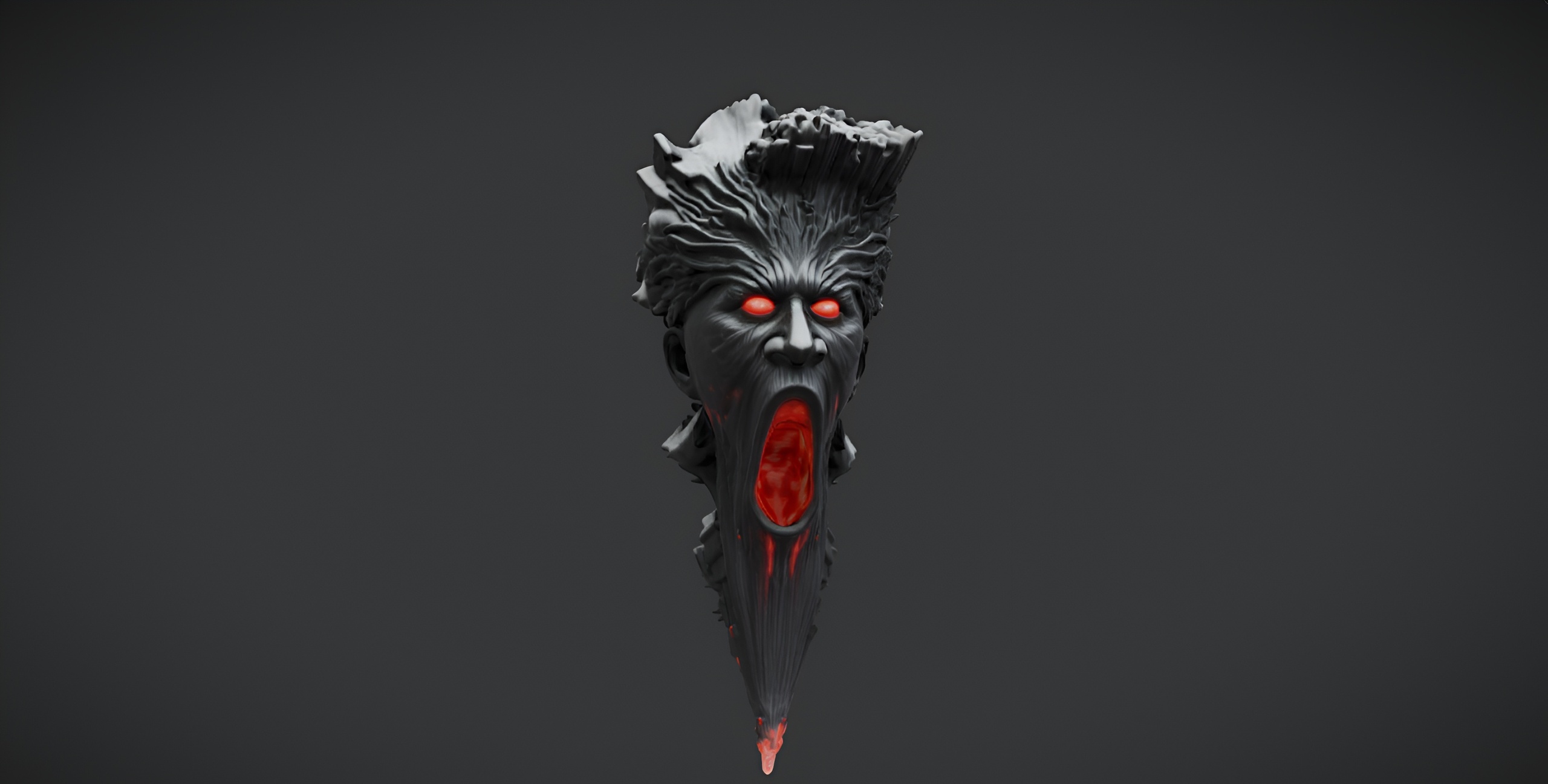
This tutorial uses the free Demonic Wailstone, a drop-in dark-fantasy boulder static mesh with 2K PBR textures (a 2048x2048 base colour, metallic, normal and roughness set). It costs nothing to add to a project, which makes it a perfect candidate for learning the workflow. Everything below applies to any single rock mesh you already own, so once you have the technique you can reuse it across every environment you build.
Paint the boulder with the Foliage tool
The fastest way to instance one mesh many times is the Foliage tool. It places every copy as an instanced static mesh, so you can put down hundreds of boulders that render far more cheaply than hundreds of individual actors.
1. Download the Demonic Wailstone from Fab and add it to your UE5 project, then locate the boulder static mesh in the Content Browser.
2. Open the Foliage mode from the toolbar mode dropdown (or press Shift+3), which shows the 'Foliage' panel.
3. Drag the boulder mesh from the Content Browser into the empty drop zone at the top of the 'Foliage' panel. Unreal creates a foliage type for it automatically.
4. Select the foliage type, set a 'Paint Density' and a 'Brush Size' to taste, then left-drag across your terrain to scatter the rock. Hold Shift and drag to erase. In a few seconds you have a field built from one mesh.
Randomise scale and rotation so it never looks tiled
Out of the box, every painted instance is identical, and identical is the enemy of a natural look. The fix lives in the same foliage type settings.
1. With the boulder foliage type selected, find the 'Scale X' (and Y, Z) fields and set a 'Min' and 'Max' so each instance is randomly sized within that range, for example 0.6 to 1.8. Keep 'Lock' on uniform scaling so the rock does not stretch.
2. Under the placement settings, enable 'Random Yaw' so every boulder faces a different direction.
3. Set a 'Random Pitch Angle' of a few degrees so the rocks tip slightly rather than sitting perfectly upright, and enable 'Align to Normal' if you want them to follow sloped ground.
Because the Wailstone is a single asymmetric boulder, varied scale and yaw alone are enough to disguise the repeat across a surprising number of copies. The bigger the scale spread, the more readable the variety.
Sink them in and break up the repetition
Rocks that rest exactly on the surface look like they were dropped there. Real boulders are partly buried. In the foliage type, set a small negative 'Z Offset' (a 'Min' and 'Max' range works best) so instances sink into the ground by a varying amount. A handful of rocks pushed deeper than the rest sells the idea that they have been there for centuries.
To finish breaking up the pattern, vary your painting rhythm: cluster a few large boulders together as a focal outcrop, then thin the density out toward the edges instead of an even carpet. Paint a second pass at a lower scale range to add small scattered stones between the big ones. If your terrain has a colour-matched ground material, the buried bases will blend in and the field will read as one continuous formation rather than repeated copies.
For an alternative to hand-painting, you can add the same boulder to a PCG graph and let it scatter procedurally with rules for slope and density, or place it through an Instanced Static Mesh component if you are scripting placement. The Foliage route, though, is the quickest way to a good-looking result from a single mesh.
Where to go next
Once the boulder field is grounded, the same one-mesh-many-instances workflow extends to the rest of your set dressing. Statues make natural landmarks placed as instanced meshes, and ground-cover plants scattered through the Foliage tool add the small detail that makes a rock field feel lived-in. Build the scatter discipline once on a free rock, and you can dress an entire environment from a handful of meshes.
FAQ
How do you scatter rocks in Unreal Engine from one mesh?
Add the rock as a foliage type in the Foliage tool, then paint it across your terrain. Each painted copy is an instanced static mesh, so hundreds of boulders render efficiently. Randomise the scale, yaw and pitch in the foliage type settings so the copies do not look identical.
Will one rock mesh look repetitive across a whole field?
Not if you randomise it. Setting a wide min/max scale range, enabling random yaw, adding a few degrees of random pitch and varying how deep each rock sinks into the ground disguises the repeat. An asymmetric boulder like the Demonic Wailstone hides repetition especially well.
Should I use the Foliage tool or PCG to scatter rocks?
The Foliage tool is the fastest route for hand-painted, art-directed placement and it instances the mesh automatically. PCG is better when you want rule-driven procedural scatter (by slope, density or exclusion zones). Both work from a single mesh; start with Foliage for quick results.
Is the Demonic Wailstone free to use commercially?
Yes. The Demonic Wailstone is a free download under the Fab Standard licence, which covers both personal and commercial use, and it includes free updates. It ships as a single UE5 static mesh with a 2K PBR material.
Demonic Wailstone
A free dark-fantasy boulder prop — a brooding wailstone for cursed groves, ruins and underworlds. Drop-in ready for Unreal Engine 5.