article · 2026-04-24
Designing Around Unusual Terrain: Spiral Mountains and Deep Canyons in UE5
How to let a single striking landform - a spiral mountain or a deep canyon - carry the structure, story and player flow of a UE5 level.
When a stylised landform drives a level
Most fantasy levels start from a brief - a goblin warren, an unnatural ritual site, a mountain crossing - and the terrain gets sculpted to fit afterwards. There is another way that often produces stronger, more memorable spaces: start from an unusual landform and let it dictate the level. Spiral mountains, deep canyons and ringed islands are not shapes that occur by accident, and that strangeness is exactly what makes them read as story rather than scenery.
This is the heart of unusual fantasy terrain spiral mountain canyon level design in Unreal. A landform with a clear silhouette gives players an immediate read on where they are and where they are going, which means you can lean on the geometry to do navigation and pacing work that you would otherwise have to bolt on with markers and waypoints.
The MythicLemon Fantasy Landscape Pack is built for exactly this kind of work. It ships 15 maps across multiple biomes - 11 regular maps and 4 huge open-world maps - as grayscale, import-ready heightmaps, with two of those maps purpose-built around striking, non-natural shapes: Spiral Mountain and Canyon Landscape. Each map comes with a textured demo level and an included AutoMaterial that auto-paints terrain by configurable height and slope rules, so you can get a landform standing and readable in minutes rather than days.
Spiral Mountain for an 'unnatural' storyline
Spiral Mountain is described in the pack as a large spiral mountain, and it is a perfect fit for an unnatural storyline - somewhere a god, a cult or an arcane catastrophe has bent the land into a shape no erosion would ever produce. The ascending spiral is doing a lot of design work for free: it is simultaneously a landmark visible from anywhere on the map, a single legible route to a summit objective, and a built-in difficulty ramp as the player climbs.
Use the spiral as your critical path. Place the inciting event or boss at the peak and the player understands the whole level at a glance - up and around. Each turn of the spiral becomes a natural beat: a checkpoint, an ambush, a piece of environmental storytelling. Because the route doubles back on itself, you also get cheap verticality and sightlines, letting players look up at where they are heading and down at where they have been.
To get it in-engine, import the Spiral Mountain grayscale heightmap through the Landscape panel under 'Manage', using 'create from file' and choosing a resolution that suits the level - 512, 1K, 2K or 4K for the regular maps. Apply the included AutoMaterial; expect an initial black landscape, which is normal. Then open the 'Paint' tab, use 'Create Layers from Assigned Material', and 'Fill Layer' the base layer to paint the terrain by height. From there, tune the height and slope intensity in the Material Instance and use the five custom layers to hand-paint ritual scarring, ash or unnatural growth along the spiral path.
Canyon Landscape for goblin and orc warrens
Canyon Landscape is described as a large canyon and is well suited to goblins and orcs - a sunken, defensible world of switchbacks, ledges and chokepoints. Where the spiral pushes players up, the canyon pulls them down and inward, which changes the entire feel of encounter design. Sightlines are short, ambushes come from above, and the floor of the canyon becomes a corridor you can gate, flood or collapse.
Read the canyon as a series of rooms connected by narrows. Wide basins are where you stage camps, totems and set-piece fights; the narrows between them are where you control pacing, drop in patrols and force the player past defenders perched on the rim. Because the walls block long views, you can place reveals - a war camp, a captured ally, a hoard - so they land only when the player rounds a bend, which is far harder to achieve on open terrain.
Import and texture it the same way as Spiral Mountain: bring in the Canyon Landscape grayscale heightmap via 'Manage' and 'create from file', apply the AutoMaterial, and paint by height. The included demo project shows the map textured, lit and with oceans added where appropriate, so open that first to see the canyon's scale and where the playable floor sits before you start dressing it with rocks, camps and lighting.
Reading the terrain for player paths
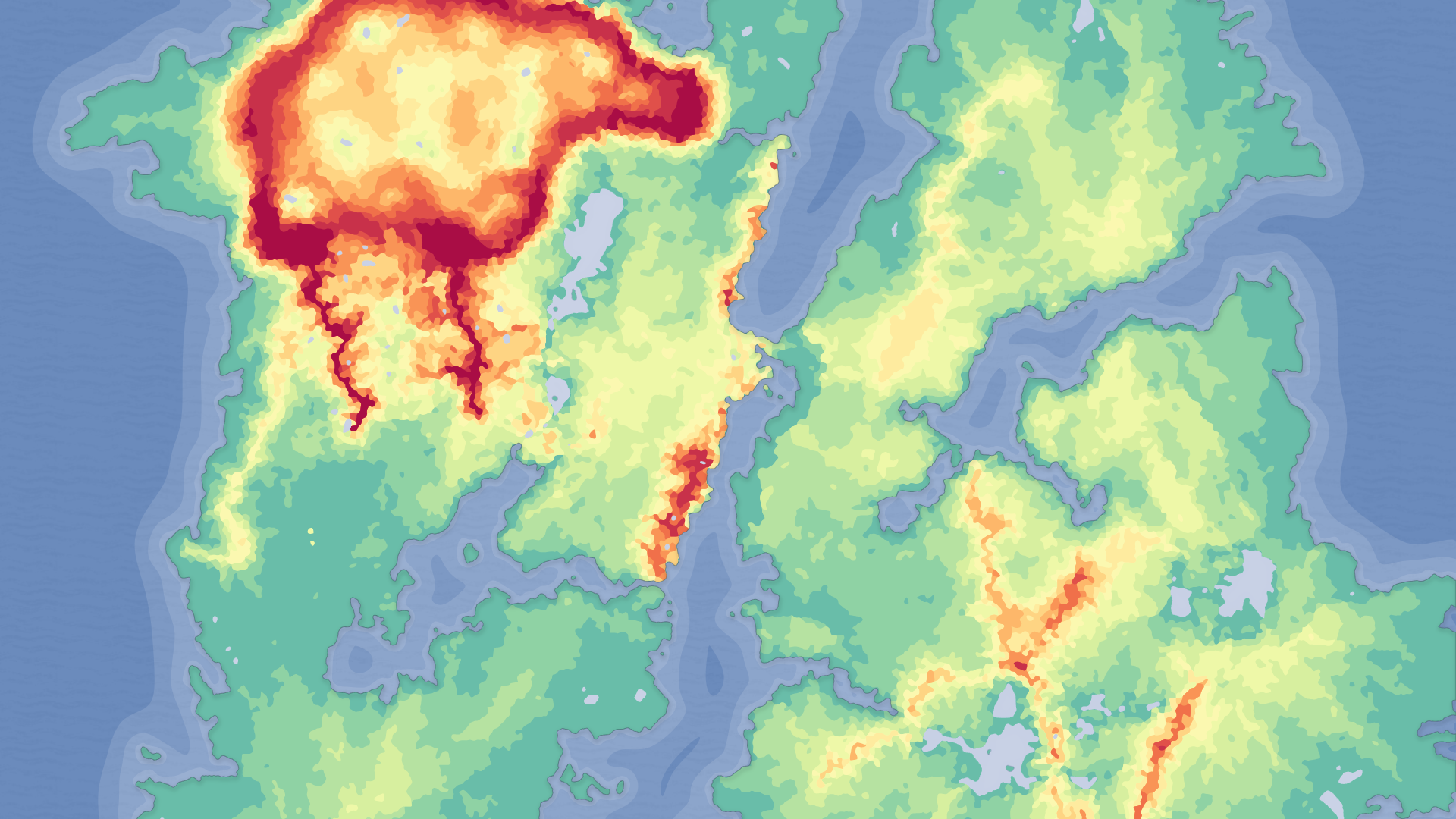
Whichever landform you build around, the discipline is the same: read the heightmap before you decorate it. In a grayscale heightmap whiter means higher, so you can study a map's structure at a glance and decide where the playable floor, the walls and the natural gates are. The spiral's ridge is your route; the canyon's floor is your route. Everything else is barrier or backdrop.
Let slope do your blocking for free. The AutoMaterial paints by height and slope, and the same incline that drives a cliff texture is the incline a player cannot climb - so the terrain's own geometry tells you where movement is and is not possible. Walk the demo level, find where the player naturally funnels, and place encounters, loot and story beats on those funnels rather than fighting them. Reserve invisible collision and blocking volumes for the few spots where the silhouette lies about where the player can go.
When you need to push a landform further than its shipped shape, you have two honest options. You can re-edit the supplied Gaea source maps to deepen the canyon or tighten the spiral before re-importing, since the pack includes the Gaea grayscale source files. Or, if you want to compose macro landforms non-destructively inside the editor - dropping extra mountains, canyons or craters as editable stamps - reach for a dedicated stamping tool and treat the Fantasy Landscape Pack maps as your base terrain.
Next step: open the Fantasy Landscape Pack demo project, load the Spiral Mountain and Canyon Landscape demo levels, and trace the critical path on each with your own eyes before importing a fresh heightmap into your project. Designing around the landform is far easier when you have already seen how it wants to be played.
Two unusual landforms, two design languages
| Aspect | Spiral Mountain | Canyon Landscape |
|---|---|---|
| Shipped description | Large spiral mountain, perfect for an unnatural storyline | Large canyon, suited to goblins and orcs |
| Player movement | Ascending, around a central peak | Descending, inward along the floor |
| Critical path | The spiral ridge to a summit objective | The canyon floor through narrows and basins |
| Encounter feel | Verticality, long sightlines, climb-as-difficulty-ramp | Chokepoints, ambush from the rim, short sightlines |
| Best for | Rituals, cults, unnatural set-pieces | Warrens, camps, defensible enemy strongholds |
Both maps ship in the Fantasy Landscape Pack as import-ready grayscale heightmaps with a demo level and the AutoMaterial.
FAQ
How do I approach unusual fantasy terrain spiral mountain canyon level design in Unreal?
Start from the landform, not the brief. Import a striking heightmap such as Spiral Mountain or Canyon Landscape, apply the AutoMaterial so the structure is instantly readable, then trace the critical path the geometry suggests - the spiral ridge or the canyon floor - and place your encounters, loot and story beats on the funnels the terrain already creates.
What resolution should I import these maps at?
The regular maps in the Fantasy Landscape Pack, including Spiral Mountain and Canyon Landscape, are available at 512, 1K, 2K and 4K. Use a smaller resolution for a tight, focused level and a larger one when you need more detail or a bigger playable footprint. The four huge open-world maps in the pack are provided at 8K for full explorable worlds.
Why is my landscape black after I apply the AutoMaterial?
That is expected. The AutoMaterial paints by height and slope only once its layers exist. Open the Landscape tool's 'Paint' tab, use 'Create Layers from Assigned Material', then 'Fill Layer' on the base layer to paint the whole landscape by height. After that you can tune height and slope intensity in the Material Instance and hand-paint with the five custom layers.
Can I change the shape of the canyon or spiral?
Yes. The pack includes the Gaea grayscale source files, so you can re-edit a map - deepening the canyon, tightening the spiral - and re-import it. If you would rather compose terrain non-destructively inside the editor instead of re-baking, a dedicated landscape stamping tool lets you drop additional editable landforms over the base heightmap.
Fantasy Landscape Pack
A collection of diverse fantasy heightmap landscapes across multiple biomes — drop-in terrains for RPGs and open worlds, ready to dress and play.