comparison · 2026-02-28
Stylised vs Realistic Dark-Fantasy Props: Picking an Art Direction in UE5
How to choose a prop fidelity that matches your camera, your scope and your team — and dress a gothic scene fast without breaking coherence.
Defining your project's prop fidelity
Before you buy a single asset, the most consequential decision you make for a gothic or dark-fantasy game is not which props to use but how those props should read. Stylised vs realistic art style for fantasy game props in Unreal is rarely a question of taste alone; it is a question of camera distance, team size, performance budget and how much bespoke work you can realistically afford. Get this decision wrong early and every asset you import afterwards fights the ones around it.
It helps to drop the binary framing. In practice almost every shipped UE5 game sits somewhere on a spectrum between hyper-real and heavily stylised, and the real skill is deciding where on that line your project lands and then refusing to drift off it. A grounded, physically-based look — full PBR maps, real-world material response, sober proportions — pulls toward the realistic end. Exaggerated silhouettes, hand-painted detail and pushed colour pull toward the stylised end. What matters is that whatever you pick is applied consistently across set dressing, hero assets and lighting.
The good news is that a physically-based prop pack is not automatically locked to photoreal. The Dark Fantasy Props Bundle, for example, ships its 100+ themed meshes as standard PBR assets at 2048x2048 — base colour, metallic, normal and roughness — which gives you a neutral, grounded starting point. Whether the final frame reads as gritty realism or stylised gothic comes down to how you light it, how you grade it and what proportions you build the rest of your scene to. The texture set is honest material data; the art direction is yours to impose on top of it.
How 2K PBR props read at different camera distances
Texture resolution only matters relative to how many screen pixels a prop occupies, and that is governed by your camera. A 2048x2048 map on a thrown, a tome or a cauldron is generous for anything the player walks past, glances at across a room, or sees as mid-ground set dressing. At those distances the eye simply cannot resolve more texel density than a 2K map already provides, so the realistic-vs-stylised question is decided almost entirely by lighting and grade rather than by raw map size.
The pressure point is the close-up. If your camera pushes right onto a prop — an inspect mechanic, a first-person item examine, a macro cinematic insert — a 2K texture can start to feel soft, and that softness reads as 'cheaper' regardless of which art direction you chose. The fix is rarely a bigger texture and more often staging: keep your highest-fidelity props out of the camera's face, reserve genuine hero close-ups for assets authored specifically for that role, and let a broad set-dressing pack like the Dark Fantasy Props Bundle do the mid-ground and background work it is sized for.
Nanite changes the silhouette half of this equation. Because the bundle ships Nanite-enabled static meshes, the geometry itself holds up under a close camera even when the texture is working at its limit — clean edges on a throne's filigree or an obelisk's chamfers stay crisp, and you do not have to hand-author LODs to keep high-poly props affordable. That decoupling is useful: it means a realistic look can lean on dense geometry for its detail while the 2K maps handle material response, rather than asking the textures to carry everything.
A note on honesty: we have not measured per-mesh triangle counts for this pack, so treat 'high-poly' as a design intent supported by Nanite rather than a specific number. What you can rely on is the documented spec — Nanite static meshes and 2048x2048 PBR maps — and the practical rule that 2K is comfortable for walk-by and mid-ground props and tightens up only when a camera gets unusually close.
Mixing a large prop bundle with hero assets
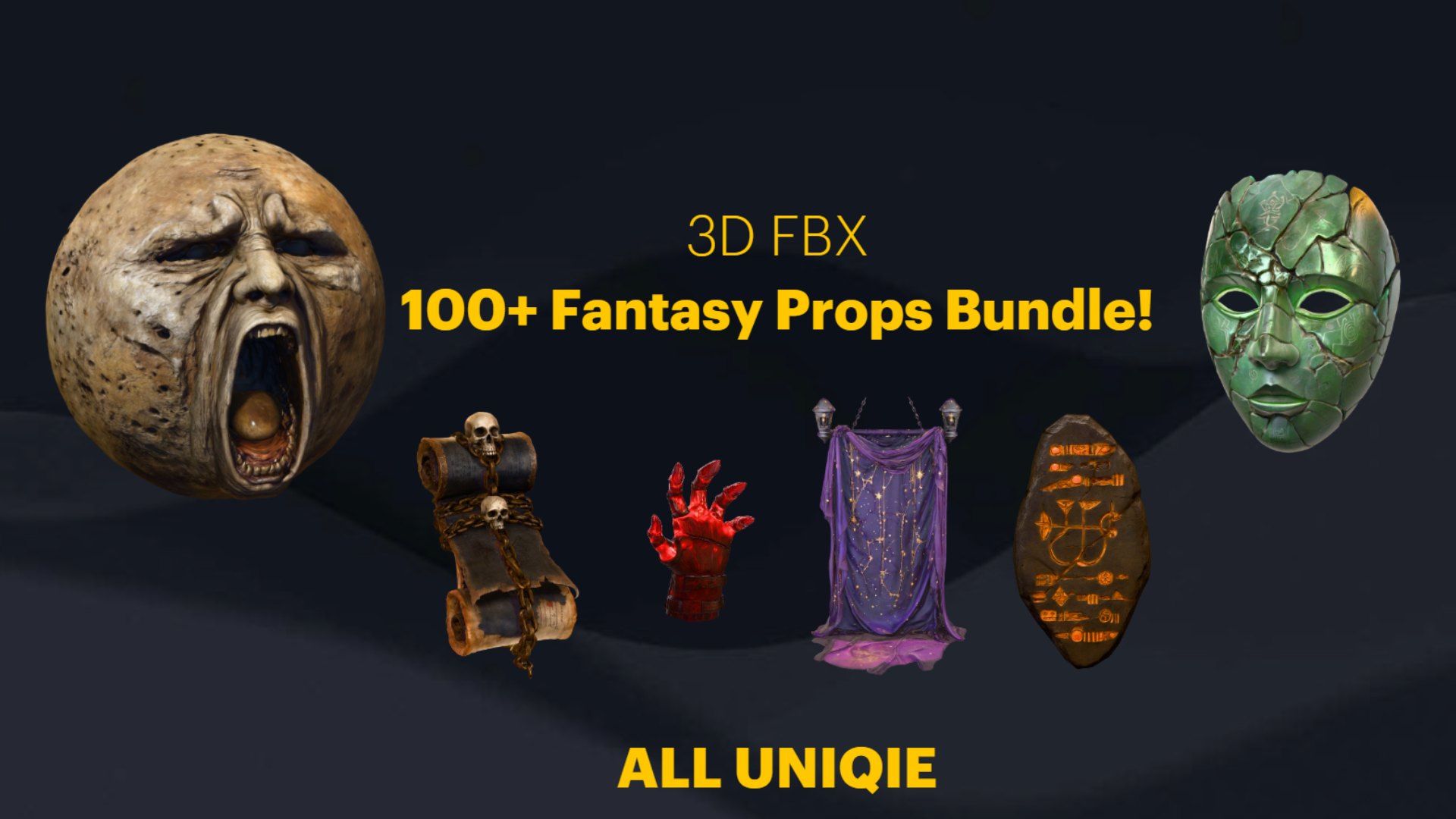
The most reliable way to ship a coherent dark-fantasy scene on a real budget is a two-tier approach: a broad set-dressing pack to fill volume, plus a small number of deliberately chosen hero assets where the camera lingers. The Dark Fantasy Props Bundle is built for the first tier — 100+ gothic artefacts spanning thrones, tomes, lanterns, obelisks, masks, crystals, altars, cauldrons and scrolls — which lets you dress a crypt, a wizard's study or a throne room in a single pass instead of modelling each object from scratch.
Hero assets are where you spend your bespoke effort, and where matching art direction matters most. If your project leans realistic, the marble Fantasy Statue Bundle gives you 18 weathered statues across a Nature series and a Tormented Souls series, all as Nanite meshes with automatic collision and 72 textures at 2048x2048 — ideal as landmarks lining a cathedral interior or marking points of interest in an open-world graveyard. Drop one at the end of a sightline and let the broad bundle handle everything around it.
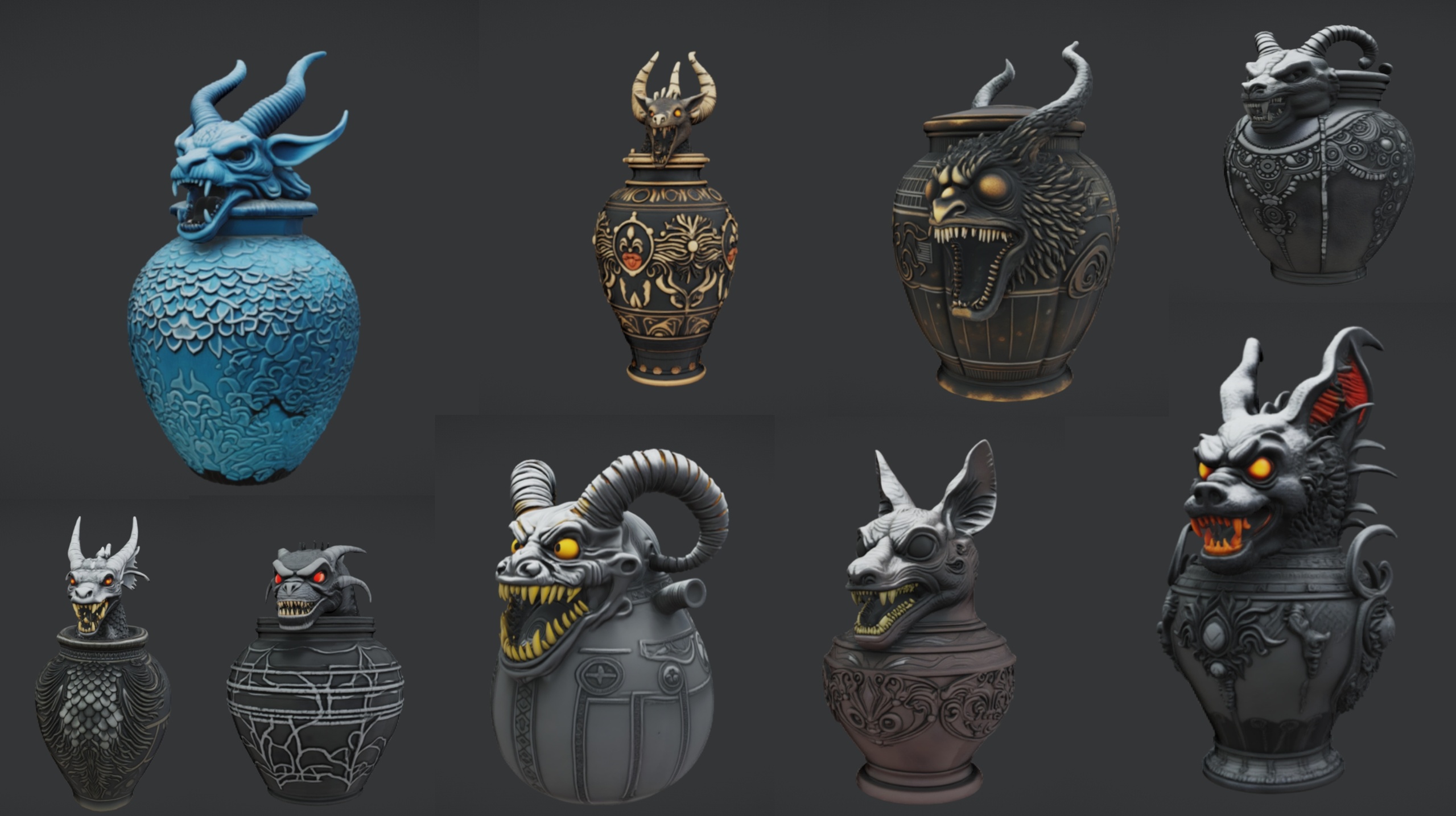
For tighter occult and tomb staging, the Ritual Jars pack supplies 9 ornate canopic-style jars (plus a large table prop and a grass material) as Nanite meshes with automatic collision and 2K PBR textures. Arrange the jars on the table to build an altar centrepiece, then surround it with cauldrons, scrolls and tomes from the main bundle. One caveat worth planning around: Ritual Jars is authored for Unreal Engine 5.7, which is newer than the 5.6 the props bundle and statue bundle target, so combining them may trigger an engine-version upgrade prompt — decide your project's engine version before you mix packs.
If your gothic scene needs organic relief from all the stone and metal, the Fantasy Flower Pack adds 51 unique hand-modelled flowers and plants — including nightshade, blood lotus and ember blooms suited to a cursed environment — as Nanite-ready meshes with automatic collision and 2K PBR sets. Scatter them as foreground detail or ground-cover variety. Note that no wind or vertex animation ships with these meshes, so treat them as static dressing rather than swaying foliage, and reach for Foliage or PCG tools yourself if you want dense procedural scatter.
Keeping a coherent gothic palette
Coherence in a dark-fantasy scene is more about restraint than about any single asset. Because every mesh in the Dark Fantasy Props Bundle ships with one bespoke material — 105 distinct M_* materials across the pack — you have per-prop control, but that flexibility is also a trap: it is easy to end up with a hundred slightly different blacks, golds and stone greys that never quite agree. Pull them together with scene-level tools rather than retexturing each prop.
Lean on a post-process volume to set the master grade — desaturated cools for a crypt, warmer ambers for a candlelit study — so that disparate props inherit a shared tonal language regardless of their individual base-colour maps. A consistent key-light colour temperature and a single dominant practical source (a brazier, a shaft of moonlight) do more for unity than any amount of per-material tweaking, and they cost nothing per additional prop.
Mind the seams between packs, too. The main bundle, the statue bundle and the flower pack all share a 2048x2048 PBR foundation, which keeps material response consistent when they sit in the same frame; the ritual jars match that fidelity but target a newer engine version, so resolve engine compatibility first. Where a free single statue or an outlier prop looks slightly off against the rest, fix it in the grade and the lighting before you touch its material — the cheapest correction is almost always the scene-wide one.
Finally, choose your art direction once and write it down. Decide your camera ranges, your fidelity tier per asset, your engine version and your palette, then judge every new prop against that brief. With a broad bundle for volume and a few matched hero packs for the moments that count, a small team can dress a convincing gothic world fast — and, just as importantly, keep it looking like one world rather than a pile of unrelated assets.
Dark-fantasy prop packs compared
| Pack | Meshes | Texture res | Nanite | Engine | Best role | Price |
|---|---|---|---|---|---|---|
| Dark Fantasy Props Bundle | 100+ artefacts | 2048x2048 PBR | Yes | UE 5.6 | Broad set dressing / volume | 34.99 USD |
| Fantasy Statue Bundle | 18 statues (+1 table) | 2048x2048 PBR | Yes | UE 5.6 | Landmark / hero statues | 7.99 USD |
| Ritual Jars | 9 jars (+1 table) | 2048x2048 PBR | Yes | UE 5.7 | Altar / occult centrepieces | 7.99 USD |
| Fantasy Flower Pack | 51 flowers/plants | 2048x2048 PBR | Yes | UE 5.6 | Organic foreground / ground cover | 21.99 USD |
Counts and specs are taken from each pack's verified product facts. Triangle counts were not measured and are not quoted.
FAQ
Stylised vs realistic art style for fantasy game props in Unreal — which should I choose?
Decide by camera distance and team capacity rather than taste. Realistic suits projects with grounded lighting and dense geometry where the camera stays at mid-range; stylised suits exaggerated silhouettes and pushed colour. A standard PBR pack like the Dark Fantasy Props Bundle gives a neutral grounded base, and your lighting plus colour grade pushes it toward either end of the spectrum.
Are 2048x2048 textures high enough resolution for dark-fantasy props?
For walk-by, mid-ground and background dressing, yes — 2K is comfortable because the eye cannot resolve more texel density at those distances. The maps only tighten up under unusually close cameras, such as an inspect mechanic, where you should stage a dedicated hero asset instead of a broad set-dressing prop.
Do these props need manual LODs?
No. The Dark Fantasy Props Bundle, Fantasy Statue Bundle, Ritual Jars and Fantasy Flower Pack all ship Nanite-enabled static meshes, so you do not author LODs by hand for high-poly props. Drag a mesh in and Nanite handles geometric detail at distance.
Can I mix these packs in one project?
Yes, and they share a 2048x2048 PBR foundation that keeps material response consistent. Watch the engine versions: the props bundle, statue bundle and flower pack target UE 5.6, while Ritual Jars targets UE 5.7. Settle on your project's engine version first, as mixing may trigger an upgrade prompt.
How do I keep a coherent gothic palette across so many different props?
Use scene-level tools rather than retexturing. A post-process volume for a master grade and a consistent key-light colour temperature unify disparate base-colour maps far more cheaply than editing each of the 105 per-mesh materials individually.
Dark Fantasy Props Bundle
A comprehensive collection of gothic and dark-fantasy props — artefacts, oddities and set dressing for horror, RPG and dungeon environments. Game-ready, atmospheric, and built to fill a scene fast.