tutorial · 2026-02-07
How to Make a Rotating Arcane Summoning Glyph in Unreal Engine 5
Build a ritual-ready summoning circle with rotating, fading runic glyphs that stay readable against any background.
The summoning-circle look: rotate and fade the glyphs
Every UE5 magic rune glyph summoning circle effect in Niagara lives or dies on motion. A static ring of symbols reads as a painted decal; players walk past it. The moment those glyphs start to turn slowly and breathe in and out of visibility, the same ring stops being scenery and starts reading as an active ritual - an enchantment in progress, a circle being charged, a spirit being called. That slow rotate-and-fade is the single most important cue you can give a summoning scene, and it is exactly what the ProjectedGlyph family in Spell Garden VFX is built to deliver.
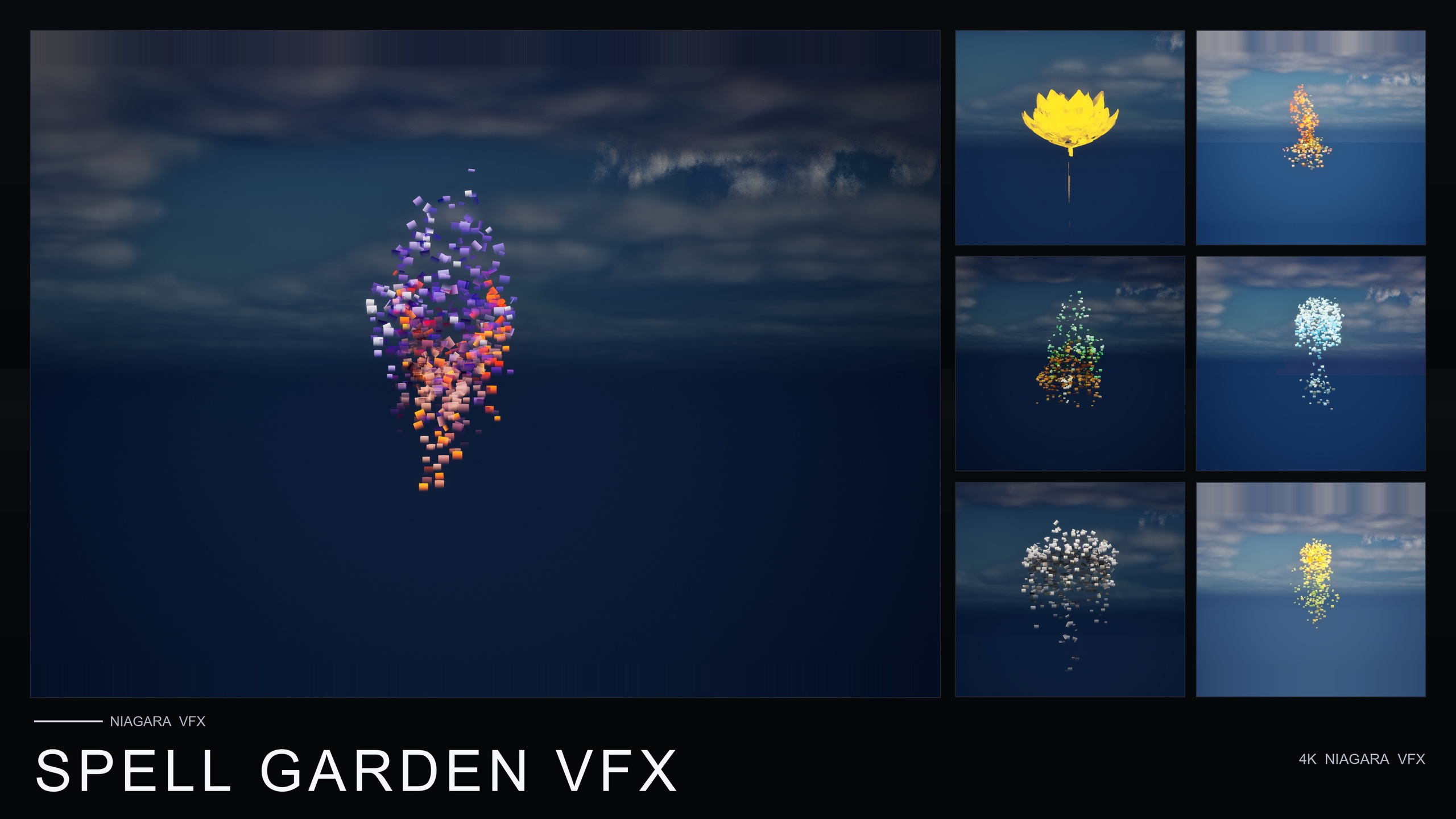
Spell Garden VFX is a content-only Niagara pack covering three spell families - UnfoldingBloom, ProjectedGlyph and VineGrow - applied across all 51 stylised flower meshes, for 150 ready-to-use NiagaraSystems in total. ProjectedGlyph is the relevant family here: it surrounds each flower with arcane runic glyphs that slowly rotate and fade. Because it ships no C++, no Blueprints and no plugin dependencies, you are not building the emitter from scratch - you drop a finished system into the level and then arrange and trigger it. This tutorial walks through placing ProjectedGlyph as a ritual focal point, keeping it readable against any background, and layering it with the pack's other families for a full active-enchantment hero read.
Placing a ProjectedGlyph system as a ritual focal point
Start from a known-good preview rather than guessing. Spell Garden VFX ships pre-built, pre-lit demo levels - one per family - laid out under dynamic sky lighting, so before you place anything in your own map, open the ProjectedGlyph demo to see how the rotating, fading glyphs are tuned around the flowers. That tells you which NiagaraSystem you are reaching for and what the intended motion looks like at the source.
1. In the Content Browser, open the SpellGardenVFX/Niagara folder. It is split into UnfoldingBloom, ProjectedGlyph and VineGrow subfolders. Go into ProjectedGlyph and pick the system for the flower mesh you want at the centre of your ritual.
2. Drag that ProjectedGlyph NiagaraSystem into the level and position it where the ritual focal point should sit - the centre of an altar, a summoning dais, or the spot on the ground where the circle forms. The glyphs play automatically; this is a content-only, drop-in pack with no parameter tuning required to get the base effect running.
3. Decide whether the glyphs orbit a visible flower or stand alone. The ProjectedGlyph family is authored around the flower meshes, so placing the matching SM_ mesh underneath gives you a natural ritual prop at the centre of the ring. If you want only the rune circle and no plant, place the Niagara System on its own at the focal point.
4. Parent the system to an actor if your focal point needs to move - a floating summon, a carried relic, a rising platform. Attaching the system to a moving actor keeps the rotating glyphs locked to it as it travels, so the ritual read follows the object instead of staying pinned to a world location.
Keeping glyphs readable against any background
The hardest part of selling a summoning circle is legibility. Runes that look crisp over dark stone vanish over a bright sky or a busy texture, and a glyph the player cannot actually read does not communicate ritual - it just adds noise. ProjectedGlyph is built specifically for this: the glyphs work in screen space, so they stay readable against any background rather than getting lost in whatever happens to be behind them.
Because the screen-space behaviour is baked into the family, your job is mostly to avoid fighting it. Place the focal point where the camera will actually frame it during the ritual beat, and let the glyphs hold their read regardless of the backdrop - dark crypt wall, open sky, or cluttered foliage. You do not need to author a separate readability pass per scene.
Lighting still matters for mood. The demo levels are lit with dynamic sky lighting, and the pack as a whole targets the Deferred render path with Dynamic lightmaps and no baking. That means you can drop a ProjectedGlyph circle into a moody ritual chamber or a daylit grove without re-baking lighting; adjust your scene's dynamic lights to taste and the glyphs continue to read in screen space on top of whatever you set up.
Layering glyphs with bloom bursts and creeping vines
A rotating glyph circle is a strong ambient read on its own, but Spell Garden VFX is designed so all three families can stack on a single flower for a powerful active-enchantment look. Combining them turns a quiet circle into a ritual with a beginning, a middle and a climax.
1. Use ProjectedGlyph as the persistent base layer - the rotating, fading runes that say the enchantment is ongoing. This is the read you want present for the whole ritual, not just a single frame.
2. Fire an UnfoldingBloom system as the punctuation. UnfoldingBloom is a one-shot burst of petals and motes radiating outward, and it is specifically tuned for one-shot triggers from gameplay code - your 'spell cast' or 'flower opens' moment. The pack ships no Blueprints, so you wire the trigger yourself: spawn the UnfoldingBloom NiagaraSystem from your gameplay code on the cast event, for example with a 'Spawn System at Location' node in Blueprint, while the ProjectedGlyph circle keeps turning underneath.
3. Add VineGrow if your ritual is nature-magic or druidic. VineGrow is an animated vine and leaf trail that sprouts from the base and creeps outward across nearby surfaces, and the vines respect simulation bounds, so the growth stays contained rather than sprawling across the whole level. Layered under the glyph circle, it reads as the spell taking root.
4. Sequence the layers to taste: glyphs rotating before the cast, an UnfoldingBloom burst on the trigger, vines creeping out in the aftermath. Because every effect is its own NiagaraSystem, you control each one independently from gameplay rather than untangling a single monolithic emitter.
Pushing the ritual further with sibling packs
Spell Garden VFX shares the same 51-flower roster and the same content-only, CPU-emitter, no-dependency architecture as the rest of the Fantasy Flower VFX line, which makes the packs easy to mix on one map. If your summoning circle needs more than rotating glyphs, the siblings extend the same ritual without changing your workflow.
Cosmic Bloom VFX adds two celestial families - Constellation, which traces each flower's silhouette in star points connected by line segments, and LumenLight, soft warm-white volumetric light puffs that orbit the bloom. Layer LumenLight under a ProjectedGlyph circle and the runes appear to float in a soft halo, which suits star-magic or divination summoning. Note that the LumenLight name refers to that effect family, not to any specific Unreal Lumen global-illumination configuration.
For a darker ritual, Dark Garden VFX is the line's villain pack: its single BlackMist family wraps any of the 51 meshes in slow-creeping, ground-hugging dark smoke for curse, corruption, necromancy and plague reads, and it is cross-pack compatible, so you can drift BlackMist across the same flower your glyph circle orbits to read a summoning as forbidden. Ambient Garden VFX, meanwhile, supplies three naturalistic atmospherics - BloomingMotes, FireflySwarm and Mist - and its low-lying Mist family is the obvious partner for a ground-hugging summoning circle, settling fog around the rotating glyphs.
Whichever you reach for, the next step is the same: open the matching family folder, drop a system at your focal point, and let the screen-space glyphs of ProjectedGlyph carry the ritual read while the sibling effects build the atmosphere around them.
Spell Garden VFX effect families and their ritual use
| Family | What it does | Use in a summoning ritual |
|---|---|---|
| ProjectedGlyph | Arcane runic glyphs that slowly rotate and fade; read in screen space against any background | The persistent rotating rune circle - the core summoning read |
| UnfoldingBloom | One-shot burst of petals and motes radiating outward; tuned for one-shot gameplay triggers | The cast punctuation, spawned from gameplay code on the summon event |
| VineGrow | Animated vine and leaf trails that sprout from the base and creep outward; respect simulation bounds | The aftermath - the spell visibly taking root around the circle |
Three families, each applied across all 51 flower meshes for 150 NiagaraSystems total. Counts and descriptions from the product listing.
FAQ
How do I make a UE5 magic rune glyph summoning circle effect in Niagara?
Open the SpellGardenVFX/Niagara/ProjectedGlyph folder, drag a ProjectedGlyph NiagaraSystem onto your ritual focal point, and it plays automatically with rotating, fading arcane glyphs. The glyphs work in screen space so they stay readable against any background. Layer an UnfoldingBloom one-shot on the cast event and VineGrow afterwards for a full active-enchantment read.
Will the glyphs stay readable against a bright or busy background?
Yes. The ProjectedGlyph family is authored to work in screen space, so the rotating runes hold their read against any background - dark stone, open sky or cluttered foliage - rather than getting lost behind whatever is in the scene.
Does this pack need C++ or Blueprints to work?
No. Spell Garden VFX is content-only and drop-in, with no C++, no Blueprints and no plugin dependencies. The base ProjectedGlyph effect needs no parameter tuning. You only write gameplay code yourself if you want to trigger the one-shot UnfoldingBloom burst on a cast event, for example with a Spawn System at Location node.
Can I combine the rotating glyphs with other effects?
Yes. All three families can be combined on a single flower for a powerful active-enchantment look. Use ProjectedGlyph as the persistent rotating circle, fire UnfoldingBloom as the one-shot cast burst, and add VineGrow for creeping vines in the aftermath. Each effect is its own NiagaraSystem, so you control them independently.
Which engine version and platforms does Spell Garden VFX support?
The product listing states UE 5.4 to 5.7 and the pack is compile-clean on UE 5.4. It targets the Deferred render path with CPU Niagara emitters and Dynamic lightmaps, and lists Windows, Mac and Linux support.
Spell Garden VFX
150 ready-to-use Niagara systems — spell blooms, arcane glyphs and growing vines — across 51 stylised flower meshes and 131 material instances. CPU-simulated for Windows, Mac and Linux, with three demo levels included. Content-only: no C++, no Blueprints, no plugin dependencies.