
tutorial · 2026-02-21
How to Add Voiced NPC Dialogue to Your UE5 RPG: The Complete Guide
A grounded, end-to-end walkthrough of a DataTable-driven dialogue system in Unreal Engine 5 — from importing voice audio to barks, cutscenes, subtitles and a full voiced cast.

The pattern: DataTable-driven dialogue
If you want to know how to add NPC voice dialogue in Unreal Engine for an RPG, the single most important decision is not which voice you buy — it is the data structure that sits behind every line. Hard-wiring SoundWave references onto individual NPC Blueprints does not scale: by the time you have ten characters reacting to combat, greetings, shop events and quest beats, you are drowning in spaghetti. The pattern that scales is to keep every line as a row in a DataTable and query that table by context at runtime.
This is exactly how the MythicLemon Lore Pack collection is built, and it is why this guide doubles as the hub for the whole audio line. Every pack — from the free Assassin Dialogue Lore Pack up to the 21-archetype Fantasy NPC Voices megabundle — ships a DataTable called 'DT_Dialogue' whose rows carry the same fields: Name (the row key), DialogueName, ResponseText, CharacterName, EmotionalTone, ContextTags, NPCType, and VoiceAudio. Crucially, VoiceAudio is a 'TSoftObjectPtr<USoundWave>', so the audio is not loaded into memory until the line is actually played.
The field that makes the whole system work is ContextTags. Lines are tagged with a hierarchical string in the form category/subcategory/size — for example 'combat/battle_cry/sm', 'social/greeting/md' or 'story/dragon/xl'. The size suffix maps to four length tiers: SM is one to five words, MD is one or two sentences, LG is two to four sentences, and XL is a paragraph or more. To play the right line you simply pick a row whose ContextTags contains the situation you are in, at the length you want.
Because the row struct is identical across every character, you write one query helper and reuse it for every NPC in your game. That is the headline architectural benefit of the collection: in the Fantasy NPC Voices megabundle the five row schemas are byte-identical across all 21 packs, so a single code path can voice a paladin, a goblin and a deity without special-casing any of them.
Importing and organising voice audio
The packs ship as Unreal Engine 5.3 projects, so you do not import raw WAV or MP3 files yourself — the audio arrives as ready-made 'USoundWave' assets. The clips are PCM, 44,100 Hz, mono, one-shot (no loop). That is CD-quality mono; do not expect stereo, and do not need it, because dialogue is almost always spatialised from a single point in the world. UE compresses the audio per target platform at cook time, so your shipped build is far smaller than the editor project.
Bringing a character into your game is a migration, not an import. Open the pack project, find the character's self-contained folder under its content root, right-click it and choose 'Asset Actions' then 'Migrate', and point it at your own project's Content directory. Each character folder is fully self-contained, which is what makes cherry-picking possible: you can migrate one archetype, several, or the whole cast, and nothing breaks because every reference lives inside that folder.
Inside each pack the layout is asset-type-first: you will find 'Audio', 'AudioCues', 'DataTables', 'DialogueVoices', 'Structs' and 'Textures' folders. The naming conventions are consistent across the collection — 'A_' for SoundWaves, 'T_' for Texture2D, 'DT_' for DataTables, 'ST_' for the UScriptStruct row schemas, and 'DV_' for DialogueVoice assets. Keep that structure when you migrate; resist the urge to flatten it, because the DataTable's soft references resolve by path.
A practical tip on scale: the complete megabundle is a large download (the zip is roughly 30.7 GB) and contains tens of thousands of assets. If you only need a handful of characters, migrating their folders into a lean project keeps your editor responsive and your source control sane. Start with the archetypes your design actually calls for and add more as the cast grows.
Triggering barks and greetings
A 'bark' is a short, fire-and-forget line: a battle cry, an enemy-spotted callout, a shopkeeper's hello. This is where the DataTable pattern pays off immediately. The whole flow is five steps and you can build it once as a reusable Blueprint function or a C++ helper.
1. Reference the character's 'DT_Dialogue' DataTable.
2. Get all row names with 'Get Data Table Row Names', then 'ForEach' over them calling 'Get Data Table Row' to read each row.
3. Keep only the rows whose ContextTags contains the substring you want — for a greeting that is 'social/greeting', for a combat shout that is 'combat'.
4. Pick a random row from the filtered set so the NPC does not repeat itself.
5. Call 'Load Synchronous' on that row's VoiceAudio soft pointer to resolve the SoundWave, then 'Play Sound 2D' for non-diegetic lines or 'Play Sound at Location' / 'Play Sound Attached' for an in-world NPC. Optionally display ResponseText on screen at the same time.
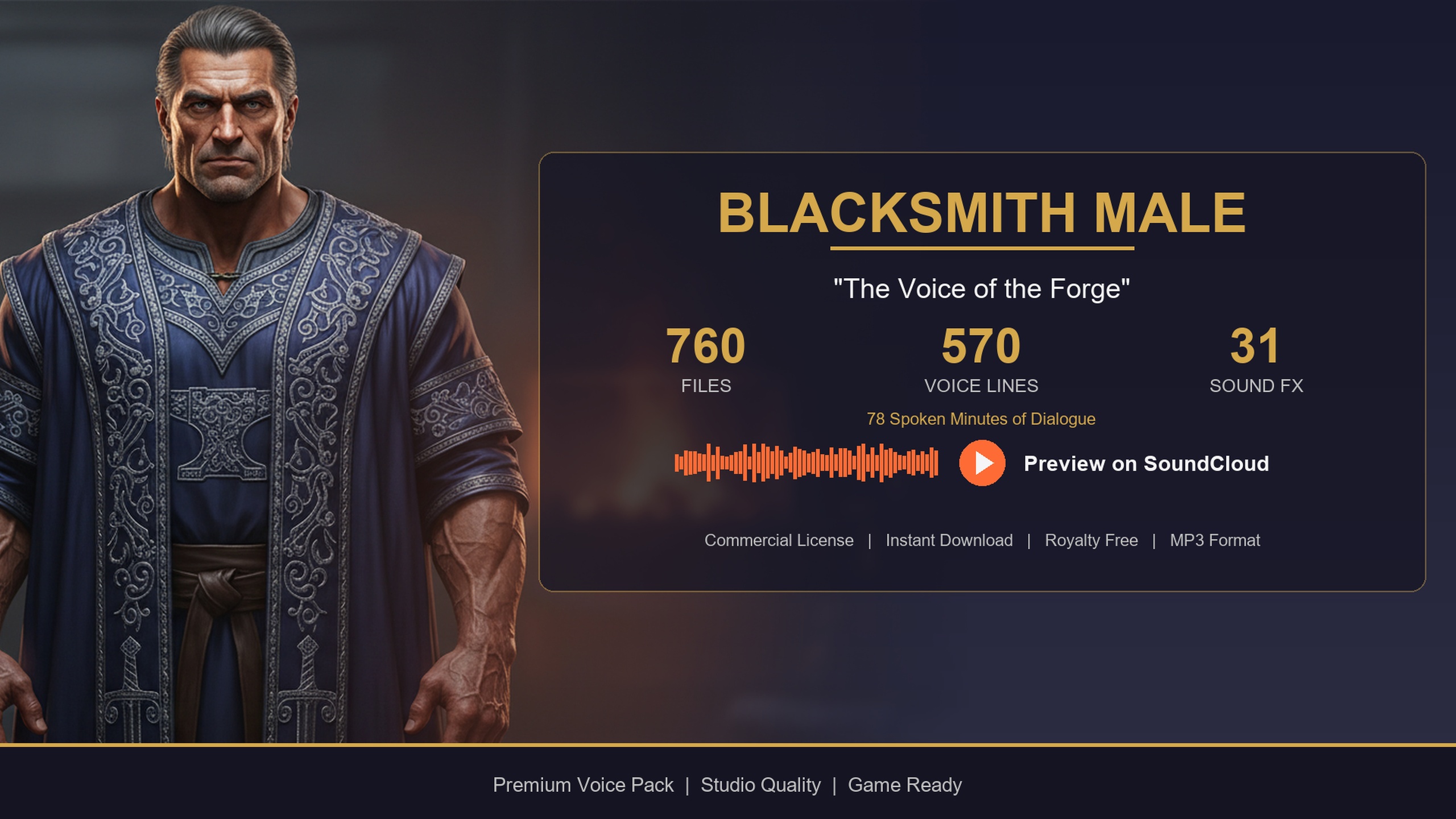
In C++ the equivalent is concise: load the table, call 'GetAllRows<FDialogueRow>()', filter on 'Row->ContextTags.Contains(Context)', and play a random entry's 'VoiceAudio.LoadSynchronous()'. Wire greetings to an overlap or 'shop-open' event and farewells to the 'shop-close' event. The Blacksmith Dialogue Pack is built for exactly this — gravelly forge-warm greetings on store enter, farewells on exit — and the Assassin pack ships dedicated combat barks (battle cries, enemy-spotted callouts, ally-down reactions and taunts) ready to hang off your AI's perception events.
One performance note that matters in hot paths: DataTables load synchronously, and reading a character's few-hundred rows is cheap, but you do not want to scan the whole table every frame. Cache the row pointers (or a pre-filtered list per category) at init, and only re-query when the context actually changes.
Cutscene lines in Sequencer
Barks cover reactive, gameplay-driven lines, but scripted story beats belong in Sequencer. Because the audio is plain 'USoundWave', it drops straight onto an Audio track in a Level Sequence — there is no special integration to learn. Add the SoundWave to the track, position it on the timeline against your camera cuts and character animation, and you have a fully timed cutscene line.
For authored scenes you usually want a specific line rather than a random pick, so reference the exact DataTable row by its Name key instead of filtering by context. Lean on the longer length tiers here: the LG and XL lines are written as two-to-four-sentence beats and full paragraphs, which is what cutscenes and quest hand-offs need. The Bard Dialogue Pack skews narrative for precisely this reason — its story-focused long-form lines suit quest-giving and campaign-intro narration, and it includes performance and song flavour for festival or tavern scenes.
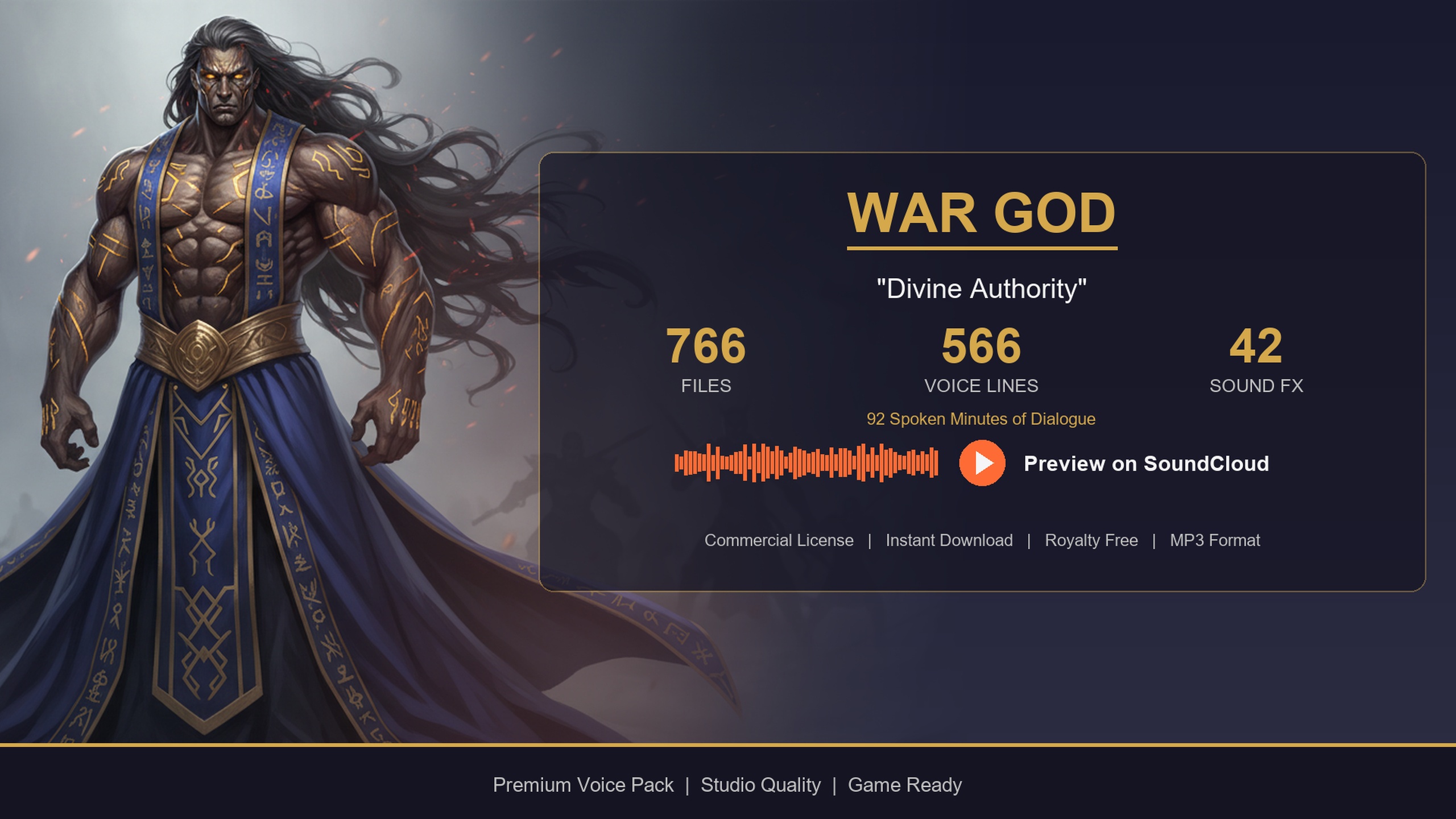
Divine or larger-than-life moments are a slightly different staging problem. For a 'voice of god' prologue or a boss reveal, prefer a non-diegetic 'Play Sound 2D' (or a 2D audio track in Sequencer) and skip spatial attenuation entirely, so the line fills the mix rather than emanating from a point in the level. The Deity Dialogue Pack is written for this — booming proclamations and cinematic divine narration for shrines, rituals and boss arenas. Reserve attenuated, in-world playback for when the speaker is physically present.
Sequencer also lets you fire a subtitle and a camera shake on the same frame as the line, which is the cleanest way to keep audio, text and presentation in lockstep for authored content.
Subtitles and accessibility
Every dialogue row already carries its own ResponseText, so subtitles are essentially free — the text that matches the audio is sitting in the same row you just played. The simplest approach is to read ResponseText at the moment you play the SoundWave and push it to a subtitle widget, clearing it when the clip finishes.
For barks and reactive lines, driving the subtitle from your own ResponseText is usually enough and gives you full control over styling and timing. For authored, accessibility-grade subtitles, Unreal's native Subtitle system can display timed text bound to a SoundWave's own subtitle data; you can populate that from the same ResponseText so you have a single source of truth for what each line says.
Whichever route you choose, keep the line text and the audio coupled through the DataTable row. The cardinal sin is letting subtitles drift out of sync with the spoken line because they live in a separate spreadsheet — here they do not, because ResponseText and VoiceAudio are columns in the same row.
Scaling from one NPC to a whole cast
The moment you have your bark helper working for one character, scaling to a full cast is almost free — and this is the real argument for the collection over a pile of one-off SoundWaves. Because all packs share the same five row structs ('ST_DialogueRow', 'ST_CharacterProfileRow', 'ST_EquipmentRow', 'ST_QuestRow' and 'ST_WrittenContentRow'), the only thing that changes per NPC is which 'DT_Dialogue' table you hand to the helper.
A clean pattern is to store a reference to the relevant DataTable (or a soft pointer to it) on each NPC, or to map an NPCType / archetype enum to its table. Your greeting, bark and combat-line logic stays identical; you are simply swapping the data source. This is what lets the Fantasy NPC Voices megabundle voice an entire cast on day one: 21 distinct archetypes spanning heroic and noble, arcane and mystical, divine, dark and villainous, and common-folk roles, all queryable through one code path.
The collection also includes more than just spoken lines. Each character ships five DataTables, including 'DT_WrittenContent' for readable in-world documents — journals, letters, recipes, scriptures and the like — plus character profile and quest tables. That means the same data layer that voices your NPC can also populate the lore books the player picks up, with no second system to build. Across the full bundle there are 1,796 written-lore items.
When you reach a scene that needs an archetype you do not yet own, you have two grounded paths: buy the single-character pack (the Bard, Blacksmith and Deity packs are individual archetypes that also live inside the megabundle) or, if you anticipate needing many, buy the complete bundle and migrate characters as you go. The free Assassin Dialogue Lore Pack is the ideal way to prototype the whole system end-to-end before you spend anything — it has the full five-table data layer, so anything you build against it works unchanged against every paid pack.
Memory and streaming
A fully voiced RPG can hold a lot of audio, so the architecture is deliberately lazy. Every VoiceAudio reference in 'DT_Dialogue' is a 'TSoftObjectPtr<USoundWave>', which means the SoundWave asset is not pulled into memory when the DataTable loads — only when you call 'Load Synchronous' (or async-load) on that specific pointer to play it. You can hold the table for an entire 777-line character and still have almost no audio resident until a line actually fires.
For the rare very long lines — the XL paragraph tier used in cutscenes and lore monologues — enable audio streaming on those SoundWaves so they stream from disk rather than loading whole. Reserve that for the long-form assets; short barks are tiny and are fine to load synchronously on demand.
Combine lazy soft references with a little pre-warming for the best feel. The documented performance recipe is: cache the DataTable reference rather than re-finding it, pre-filter rows by category at init so you are not scanning at play time, pre-cache the categories you know a level will use at load (so the first greeting or first battle cry is not the one that hitches), and use streaming for the longest lines. Follow that and a cast of dozens of voiced NPCs stays well within budget on Windows and Mac, the two supported platforms.
Finally, remember that the editor footprint and the shipped footprint are different beasts. The uncompressed project is large, but cooked builds compress the audio per platform, so what the player downloads is a fraction of the source. Plan your source control around the editor size; judge your runtime budget by the cooked, streamed reality.
MythicLemon dialogue packs at a glance
| Pack | Voice / role | Voice lines | Audio | Engine | Price (USD) |
|---|---|---|---|---|---|
| Assassin Dialogue Lore Pack | Male assassin / rogue | 570 | ~72 min | UE 5.3 - 5.7 | Free |
| Bard Dialogue Pack | Theatrical male bard | 570 | ~112 min | UE 5.3 - 5.7 | $3.99 |
| Deity Dialogue Pack | Thunderous war-god / deity | 566 | ~92 min | UE 5.3 - 5.7 | $9.99 |
| Blacksmith Dialogue Pack | Forge-warm male smith | 570 | ~78 min | UE 5.3 - 5.7 | $14.99 |
| Fantasy NPC Voices (Complete Pack) | 21 archetypes in one drop | 12,111 dialogue lines | ~33 hours voiced | UE 5.3 - 5.7 | $99.99 |
Line and minute figures are the authoritative User Guide / listing values for each single-character pack. The megabundle totals are measured from the Complete Pack reference. All packs share the same five-DataTable schema, so one query helper works across every one.
FAQ
How do I add NPC voice dialogue in Unreal Engine for an RPG?
Keep every line as a row in a DataTable ('DT_Dialogue') with the audio stored as a 'TSoftObjectPtr<USoundWave>', then query that table by a ContextTags string at runtime. To play a line you get the table's row names, filter for rows whose ContextTags contains your situation (such as 'social/greeting' or 'combat'), pick a random match, 'Load Synchronous' the VoiceAudio, and 'Play Sound 2D' or 'Play Sound at Location'. The MythicLemon Lore Pack collection ships exactly this structure, so you build the helper once and reuse it for every character.
Do I need to record or import audio myself?
No. The packs arrive as Unreal Engine 5.3 projects with the audio already as 'USoundWave' assets (PCM, 44.1 kHz, mono, one-shot). You migrate a character's self-contained content folder into your project rather than importing raw files, and the DataTable's soft references resolve automatically.
Which pack should I start with?
Start free with the Assassin Dialogue Lore Pack. It includes the full five-DataTable data layer, so you can build and test your entire bark, greeting, cutscene and subtitle pipeline end-to-end. Anything you build against it works unchanged against every paid pack, because all packs share the same row schema.
Will dozens of voiced NPCs blow my memory budget?
Not if you use the built-in laziness. Every VoiceAudio reference is a soft object pointer, so SoundWaves only load when a line actually plays. Cache DataTable references, pre-filter rows by category at init, pre-cache the categories a level will use, and enable audio streaming on the long XL cutscene lines. Cooked builds also compress the audio per platform, so the runtime footprint is far smaller than the editor project.
How do I scale from one NPC to a whole cast without rewriting everything?
Because every pack uses byte-identical row structs, the only thing that changes per character is which 'DT_Dialogue' table you pass to your helper. Store a reference to the right table on each NPC (or map an archetype enum to its table) and your greeting, bark and combat logic stays the same. The Fantasy NPC Voices megabundle takes this furthest, voicing 21 archetypes through one code path.
Fantasy NPC Voices
The complete fantasy voice megabundle: roughly 33 hours of dialogue across 13,668 voiced WAVs at 44.1 kHz — paladins, vampires, witches, wizards, bards, goblins, necromancers and more. One library to voice an entire RPG cast.
Related on Fab


Related reading