
tutorial · 2026-01-10
Create an Alien Transmission / First-Contact Decode Effect in UE5
Build a believable xenoglyph signal in Niagara, then animate it decoding into meaning for a first-contact or xenoarchaeology reveal.
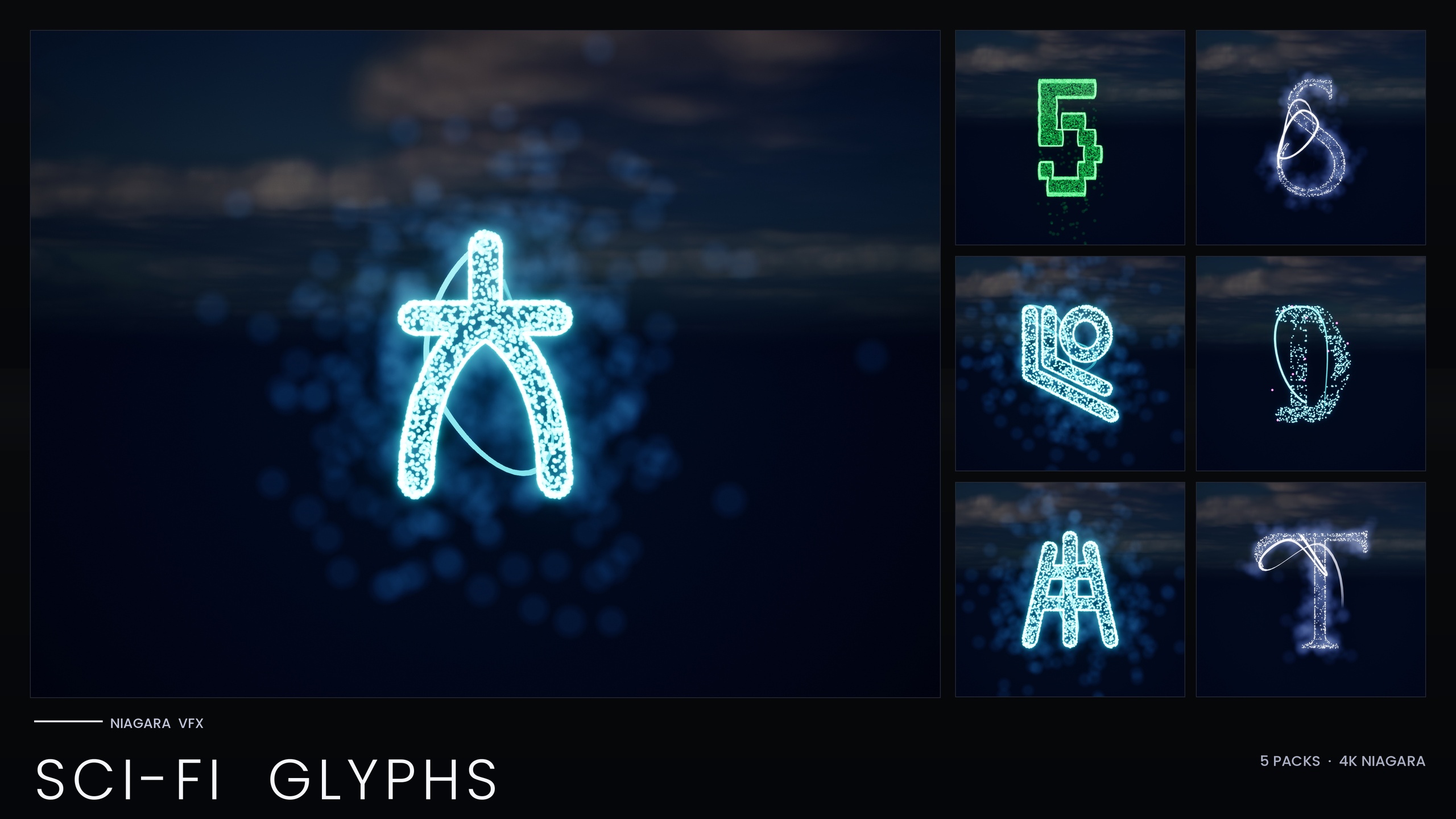
Why a real alien transmission needs real glyphs
If you are searching for an alien language transmission effect in Unreal Engine, the quick answers tend to be a scrolling sci-fi font on a UMG widget or a panning material that fakes text in screen space. From a static screenshot it reads fine. The moment your scene needs the signal to occupy real space, react to a decode event, or resolve from gibberish into meaning on cue, a flat shader has nothing left to give. You end up with set dressing, not a story beat.
What sells first contact is the sense that the message is an alien artefact: a writing system you have never seen, suspended in the world, flickering as your characters try to make sense of it. To get that in UE5 you want the transmission built from particles in world space, where every glyph is a real, placeable, animatable thing rather than pixels painted on a plane. That is the approach this tutorial takes, and the design the Niagara SciFi Glyphs Bundle ships ready-made through its Alien script.
The Alien set is a first-contact xenoglyph script of roughly 26 glyphs, each an independently spawnable CPU Niagara System with a matching static mesh. Because the glyphs are separate systems you can arrange them into any sequence, animate them one at a time, and swap or recolour them, which is exactly what a decode sequence demands. Alien transmissions, first-contact decode scenes and xenoarchaeology reveals are among the set's listed use cases, so you are not bending the asset to a job it was not built for.
Laying out the xenoglyphs as a transmission
Start by treating the transmission as a string of discrete characters rather than one effect. Open the Alien theme's demo map (each of the bundle's five scripts ships its own) to see the xenoglyphs lit and arranged, then pick the handful you want as your signal. With around 26 Alien glyphs to draw from, you have enough variety to make a line of them feel like genuine syntax rather than the same symbol repeated.
1. Drag the Alien glyph systems you want into the level. Each glyph is an NS_ Niagara System, so place them side by side along a line, an arc, or a grid to suggest a message. Vary spacing slightly so the row does not read as a mechanical font.
2. Decide where the signal lives in the world. A floating holographic line above a terminal, a column of glyphs projected onto a cave wall, or a ring of symbols around a probe all work; the point is that the glyphs are in world space, so the camera can move around them and they hold up.
3. Spawn from Blueprint when you need the layout to be data-driven. Use the 'Spawn System at Location' or 'Spawn System Attached' node to place each glyph relative to an anchor actor, which lets you generate different transmissions from the same set without hand-placing every symbol.
Keep an eye on count. These are CPU-simulated systems and stack per instance, so build the density you need where the camera is looking rather than carpeting a level with glyphs. A transmission is usually a tight cluster, which plays to the asset's strengths.
Animating a decode / translate sequence
A decode reads as a transition from alien to understood. Because every glyph is its own system, you control that transition glyph by glyph instead of being stuck with one prebaked loop. The cleanest pattern is to drive the sequence from Blueprint: spawn the Alien glyphs first as the raw, untranslated signal, then resolve them one at a time as the decode progresses.
1. Present the raw signal. Spawn or activate the row of Alien glyph systems so the audience sees the full untranslated transmission flickering in place. This is your baseline state, the message before anyone understands it.
2. Resolve glyphs in sequence. Step along the row on a timer or Timeline, and as each position is decoded, deactivate or destroy the Alien glyph there and spawn the translated character in its place. If your translated text is Latin script, the bundle is a subset of the larger Alphabet and Symbols library, so you can pull a standard alphabet from that superset to land on; if the reveal stays in-universe, swap one Alien glyph for another to suggest reordering rather than translation.
3. Sell the moment of change. Time the swap with a brief brightness spike on the incoming glyph so each character lands with a beat. Because the glow comes from HDR sprite colour driving the post-process bloom, a short push on the colour value reads as a flash of recognition, then settles.
If you want the whole signal to shift mood at once rather than character by character, edit the script's Niagara Parameter Collection. The Alien script shares one unified Niagara backbone and reads its style from the bundle's Parameter Collection, so changing colour or timing on that single asset re-skins or re-times the entire script in one edit, for example pushing the untranslated signal cold and the decoded state warm.
Pairing the transmission with a terminal UI
First contact lands harder when the glyphs are tied to something diegetic. Diegetic terminals and retrofuture UIs are listed uses for the bundle, so the natural move is to frame the world-space transmission against an in-fiction screen rather than a HUD overlay. Mount the Alien glyph cluster in front of, or projected onto, a terminal mesh, and let your UMG terminal text react to the same decode events that drive the glyph swaps. Keep the heavy lifting in the Niagara systems and let the UI narrate, printing status lines while the alien characters live as particles in the scene, with both driven from one Blueprint timeline so they stay in lockstep.
Because the effect leans on bloom for its glow, confirm bloom is enabled in your post-process settings before judging the look. The colour comes from the particle, but the halo that makes a holographic terminal feel alive comes from bloom reading that HDR value. If the transmission looks dim against a bright UI, check bloom before reaching for higher intensity, since over-driving the HDR value clips your colour toward white.
Staging a xenoarchaeology reveal
The same toolkit covers the quieter cousin of first contact: discovering an alien script that has been waiting rather than broadcasting. For a xenoarchaeology reveal you carve the glyphs into the environment instead of floating them, using the matching static meshes. Every Alien glyph ships as both a spawnable system and a static mesh, so you can emboss the xenoglyphs into a hull plate, a monolith, or a buried artefact and light them with emissive materials.
Stage the discovery as a transition from dormant to active. Place the static-mesh glyphs as cold, dead carvings, then trigger the matching Niagara systems on the same positions when the player approaches or scans the surface, so the inscription wakes up and begins to glow and drift. That dormant-to-active beat turns a prop into a moment, and having both the mesh and the system for every glyph is what makes it possible from one asset. Ramp colour and spawn rate on the script's single Niagara Parameter Collection over the course of the reveal to take the carving from a faint ember to a fully active signal without touching each glyph individually.
Where the Alien script fits, and when to size up
The Niagara SciFi Glyphs Bundle is the right scope when your project wants a sci-fi look beyond just the Alien script. It packs 147 Niagara Systems and 147 static meshes across five futuristic writing systems, Alien, Cyberpunk, Matrix, Starforged and Circuit, with a demo map per theme, so the same purchase that gives you first-contact xenoglyphs also gives you neon signage, falling code, a spacefaring script and circuit-trace patterns. One note on recolouring: the single Parameter Collection drives the non-Matrix themes, while the Matrix sub-pack bakes its style inline.
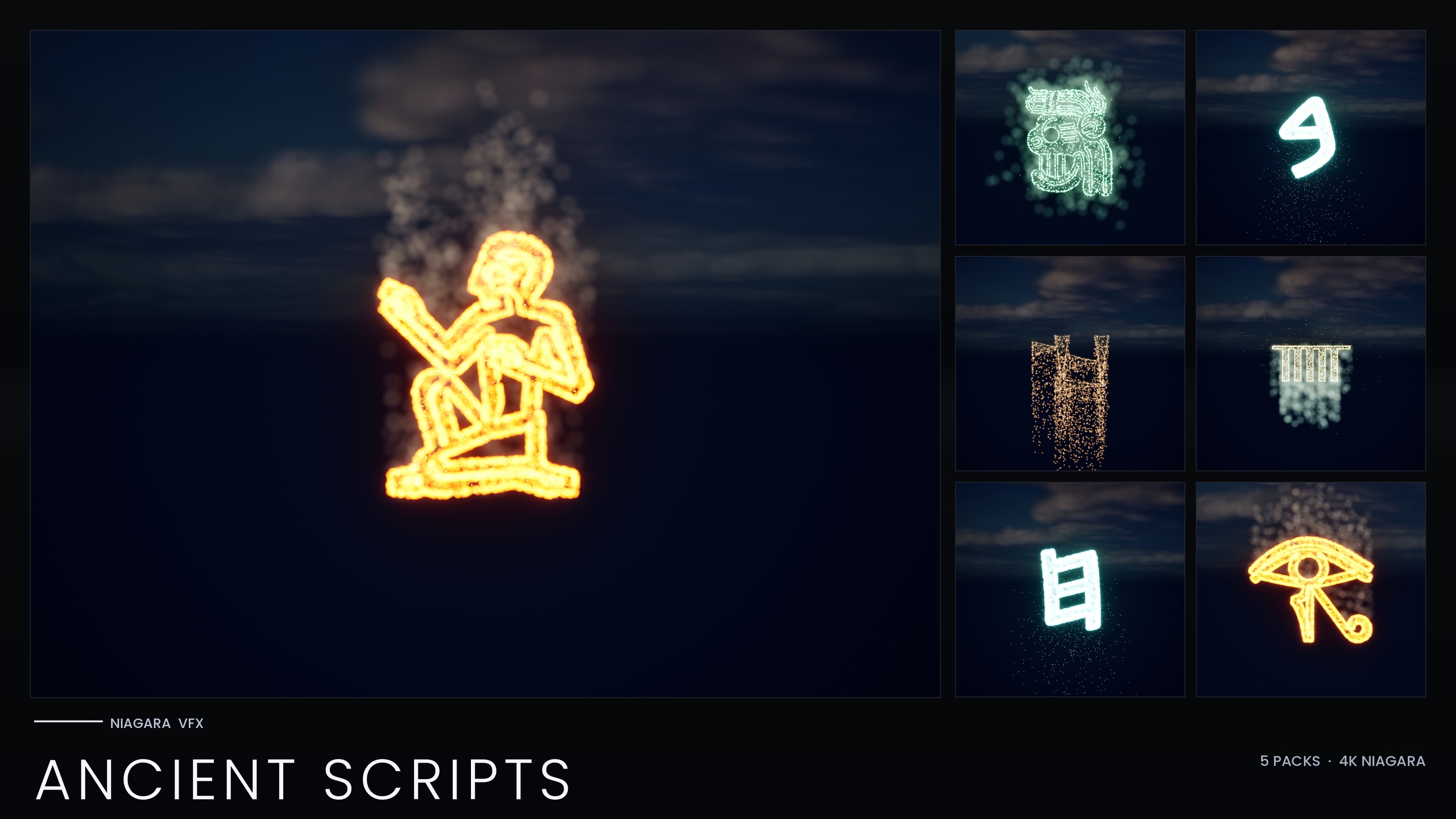
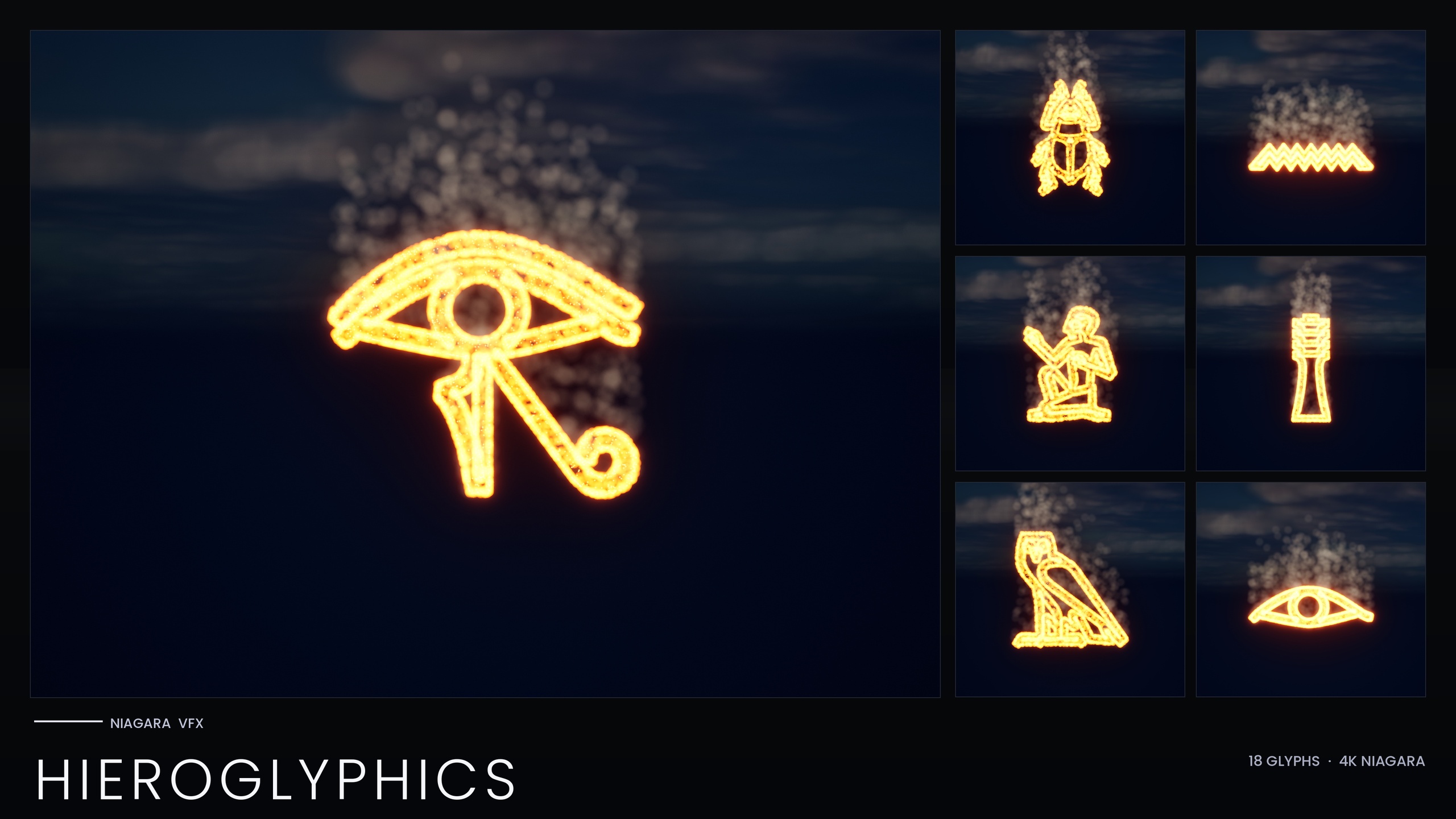
If your needs are ancient rather than futuristic, the Niagara Ancient Scripts Pack covers five real ancient writing systems (Egyptian Hieroglyphics, Cuneiform, Mayan, Ogham and Phoenician) as 114 systems and 114 meshes; for Egyptian work specifically, the Niagara Hieroglyphics Pack is the focused 18-glyph entry point. And if you keep reaching for new alphabets across a project, the Niagara Alphabet and Symbols Bundle is the superset that contains the Sci-Fi Glyphs (and therefore the Alien script) along with everything else in the line: 687 Niagara Systems and 688 static meshes across 25 themed sets. If you only need alien transmissions, the Sci-Fi bundle is the targeted buy; if your scenes keep demanding fresh writing systems, the full library is the cheaper path overall.
Your next step
Open the Alien theme's demo map in the SciFi Glyphs Bundle to see the xenoglyphs running, then drag a row of them into a level to rough out your transmission. Wire a Blueprint timeline that resolves the glyphs one at a time, pair it with a diegetic terminal, and edit the script's Niagara Parameter Collection to set the colour and timing for the untranslated and decoded states. The same glyphs, as static meshes, give you the xenoarchaeology reveal for free, so you have a depth-aware, animatable first-contact effect in an afternoon rather than fighting a flat shader.
Which glyph pack for an alien or ancient reveal
| Pack | Niagara Systems | Coverage | Best for |
|---|---|---|---|
| Niagara SciFi Glyphs Bundle | 147 | Alien, Cyberpunk, Matrix, Starforged, Circuit | First-contact transmissions and sci-fi UIs |
| Niagara Ancient Scripts Pack | 114 | Hieroglyphics, Cuneiform, Mayan, Ogham, Phoenician | Earthly archaeology and ritual scenes |
| Niagara Hieroglyphics Pack | 18 | Egyptian hieroglyphs only | Focused Egyptian tomb and cartouche work |
| Niagara Alphabet & Symbols Bundle | 687 | Full library, 25 themed sets (contains Alien) | Projects that keep needing new scripts |
Counts are from each product's listing. The Alien script lives in the Sci-Fi bundle and the full bundle. Engine support listed as UE 5.4-5.7 (product JSON); platforms Windows + Mac (JSON also adds Linux).
FAQ
How do I make an alien language transmission effect in Unreal Engine?
Build the signal from individual xenoglyphs in world space rather than a flat font. The Alien script in the Niagara SciFi Glyphs Bundle is a first-contact xenoglyph set of roughly 26 glyphs, each an independently spawnable Niagara System. Place them side by side to form the transmission, then drive a decode sequence from Blueprint that resolves the glyphs one at a time.
How do I animate the glyphs decoding into readable text?
Because each glyph is its own system, step along the row on a Timeline and, as each position is decoded, deactivate or destroy the Alien glyph and spawn the translated character in its place. Time each swap with a brief HDR brightness spike so the moment of recognition reads as a flash, then settles.
Can I recolour or re-time the whole alien script at once?
Yes. The Alien script shares one unified Niagara backbone and reads its style from the bundle's Niagara Parameter Collection, so editing that single asset recolours or re-times the entire script. Note the Matrix sub-pack bakes its style inline, so the single-Parameter-Collection workflow applies to the non-Matrix themes.
Can I use the same glyphs for a xenoarchaeology reveal instead of a broadcast?
Yes. Every Alien glyph ships as both a spawnable Niagara System and a matching static mesh, so you can carve the xenoglyphs into a hull, monolith or artefact, then trigger the matching systems on the same positions to wake the inscription up from a dormant carving into a glowing, active signal.
Which Unreal Engine versions and platforms does the bundle support?
The bundle was authored in UE5.4 and its product JSON lists support for UE 5.4 through 5.7. Listed platforms are Windows and Mac (the JSON also adds Linux). It is a CPU-simulated content pack that uses Unreal's default materials with no custom textures.
Niagara SciFi Glyphs Bundle
147 Niagara glyph systems across five sci-fi themes — Alien, Cyberpunk, Matrix, Starforged and Circuit — for futuristic UI, terminals and FX. CPU-simulated with a Parameter Collection and demo map.
Related on Fab

Related reading