
article · 2026-06-04
The Best UE5 Editor Plugins for Solo Devs & Small Studios
Five editor-only Unreal Engine 5 tools that sharpen your workflow without adding a single byte to your shipped game.
Editor-only tools earn their keep
When you are a solo developer or a small studio, every hour you spend wrestling your toolchain is an hour not spent building the game. The best Unreal Engine editor plugins for a solo developer are not the ones with the longest feature lists; they are the ones that remove a specific daily friction and then get out of the way. This roundup covers five editor-focused UE5 tools, each grounded in its real, shipping feature set, and each chosen because it solves a concrete problem a one- or two-person team actually hits.
There is a second reason to favour this class of tool. Three of the five here do their work entirely in the editor and add nothing to the game you ship: two are editor-only modules with no presence in a packaged game, and Mythic Dev Assist's runtime module is marked UncookedOnly so the engine strips it from cooked builds. A fourth, Lumen Meter, ships as a Blueprint you only include if you decide to use it at runtime. The fifth, a capture plugin, ships a thin runtime module only if you choose to expose recording to players. We will compare them honestly on engine support, platform, and what each one genuinely does, then recommend by use-case so you can pick the one that fits your pipeline.
The tools are: Mythic Dev Assist for AI agent observability, Easy Kanban Board for in-editor task tracking, Markdown 4 Blueprints for living documentation, Lumen Meter for lighting analysis, and Simple Screen Recorder for devlogs and marketing capture. All five are built by Mythic Lemon, all five are Windows editor tools, and none of them ask you to alt-tab out of Unreal to do their job.
AI agent observability: Mythic Dev Assist
If you are pairing with an AI coding agent such as Claude Code, Cursor, or Codex CLI on a UE5 project, the agent's biggest weakness is that it cannot see what the editor is doing. It writes code, asks you to run it, and then guesses at the result. Mythic Dev Assist (MDA) closes that loop. It is an agent-native editor bridge that runs entirely inside the editor process as an Engine Subsystem, exposing an in-editor HTTP server bound to loopback only (default 127.0.0.1:7779, auto-cycling through ports 7779 to 7788 if one is busy) plus a companion Python MCP server. Because it is loopback-only, you do not need to touch firewall rules.
The design thesis is 'glass-box': every response carries the live world state, structured read-backs, and recovery hints so a stateless agent stays grounded. When the agent destroys actors, the response lists their names, classes, and locations; when it sets a property, the response includes the read-back values and any per-property failures; when it moves an actor, it returns the post-collision-adjusted position. A 'World Pulse' block on every reply reports context (PIE, editor, or headless), frame, whether PIE is running, actor count, current map, timescale, paused state, and game time. On the first call you also get a Project Twin describing the engine version, build config, enabled plugins, and capabilities.
Underneath, MDA keeps 18 always-on observability channels (rendering, memory, GC events, compilation events, animation, audio, AI, gameplay, Niagara, physics, UI, entity tracking, log output, and more) streaming into a per-session SQLite database, so the agent can write SQL against the unified session history to find bugs. There is a Niagara preview capture that spawns a system, advances it to percentage intervals, and screenshots each step without needing PIE. Crucially for shipping, the runtime module is marked UncookedOnly, so it is excluded from cooked builds and adds zero cost to packaged games. It is the bridge layer, not an AI itself; you bring your own agent. Note that the standalone MCP-server companion is free but will not work without the paid plugin running the bridge.
In-editor task board: Easy Kanban Board
Most solo developers track work in a browser tab they forget to open. Easy Kanban Board docks a visual Kanban board directly inside the Unreal editor, so planning and tracking live where the work happens. You create cards with a title, a word-wrapped multi-line description, a priority colour (ten options), and custom tags, then drag them between columns to update status, with visual drop-zone feedback as you go. Columns are unlimited, each with its own accent colour and arrow-button reordering.
It ships with three pre-configured board templates so you are not starting from a blank slate: a Default software pipeline (Backlog, To Do, In Progress, Code Review, Testing, Done), a simple TODO board (To Do, In Progress, Done), and an Animation pipeline (Ideas, Research, Drafting, Editing, Review, Published). Real-time full-text search filters cards by title or description as you type, and work auto-saves with dirty tracking and debounced writes to a human-readable, version-control-friendly JSON file under the project's Saved folder.
For lightweight team coordination, you can export a board to JSON and have a teammate import it, keep multiple boards, and switch between them. Cards carry creation and last-modified timestamps that persist across editor sessions. The plugin is built as a Slate UI on top of a pure C++20 core library, which is what enables the clean JSON serialization. One thing to set expectations on: undo/redo support is prepared in the core code but documented as future extension, so do not rely on it as a finished end-user feature yet.
Living documentation: Markdown 4 Blueprints
Design intent rots fast when it lives in your head or in a Notion page you never reopen. Markdown 4 Blueprints adds an editor tab where you write rich notes attached to a specific Blueprint or asset, auto-detected from whatever is active, or as standalone notes. It is a WYSIWYG editor: you get headings, bold, italic, code blocks, tables, images, and links with live preview, without ever typing raw Markdown. Behind the scenes it renders its surface via the engine's built-in WebBrowserWidget, and it is fully offline with no external libraries.
The killer feature for a working developer is auto-detection: open a Blueprint and the tool loads the documentation matching that asset, switching content as you switch Blueprints. Notes are saved as .md files that mirror the content hierarchy under Documentation/Blueprints/{AssetPath}.md, with standalone notes under a Standalone subfolder, so your docs sit right next to your assets and go into source control with them. Auto-save fires 500 milliseconds after you stop typing, there is a visual table editor and a native image picker with inline resize, and Ctrl+B, Ctrl+I, and Ctrl+U handle formatting.
Entry points are everywhere you would want them: the Window menu, the Level Editor toolbar, and the Blueprint Editor toolbar. You can configure the storage path in Project Settings, optionally auto-open the associated Blueprint when you select a note, and one-click Export Notes to dump everything to an external folder that preserves the structure, which is ideal for handoff or archival. One important clarification: despite some marketing copy suggesting otherwise, this is an editor-only documentation authoring tool. It does not render Markdown into in-game UMG at runtime, so do not buy it expecting a runtime quest-log widget.
Lighting analysis: Lumen Meter
Eyeballing exposure is how scenes end up too dark or too bright. Lumen Meter is a drop-in tool for measuring local scene brightness, and the currently-shipping product is a Blueprint actor, BP_LumenMeter, that re-renders the local scene from its position with a SceneCaptureComponent, reads back the average luminance before tonemapping, and reports it as both a raw value and a dynamically-calibrated 0-to-1 normalized value. Because it samples the rendered scene as a post-process, the reading already includes global, static, and dynamic lighting, shadows, skylight, and Lumen GI bounce, with no per-light tracing required.
Drop it into the level or attach it to an existing actor to read brightness as that actor moves. It offers two capture modes: Directional, a single fast 2D capture suited to real-time use, and Omnidirectional, a cube capture averaged over faces for the most accurate reading. Dynamic calibration automatically tracks the lowest and highest values it has seen and normalizes against them, so you never set manual brightness bounds. For consistency across an area, meters can synchronise their calibration across the map or by distance using BP_LumenMeterLock and a data asset, giving you one shared normalized scale.
It works in the editor without entering play, showing the live reading via an in-world TextRender, and outputs Brightness Raw, Brightness Normalised, and a temporally smoothed value. Practical uses include lighting an area to spec against a normalized target, auditing whether a scene reads correctly after a lighting change, and driving stealth-style 'is the player lit or hidden' logic from a measured value. Two honesty notes: the live product is the Blueprint version delivered as a UE project, not a C++ component, so the more advanced component API some teardown notes describe is not confirmed shipped; and the shipped project is a 5.6 project, so do not assume a wider engine range than the asset actually targets.
Capturing devlogs and marketing: Simple Screen Recorder
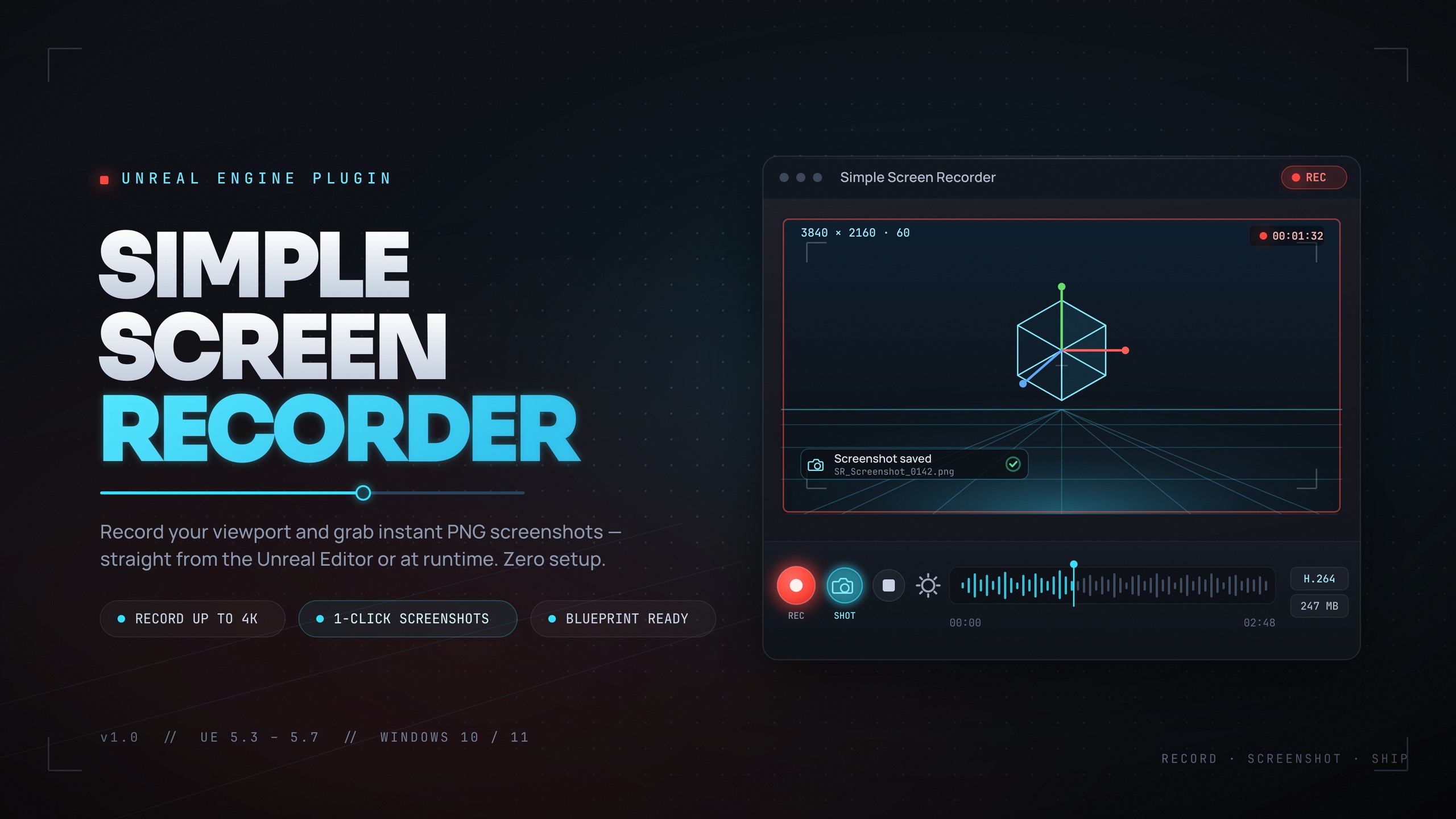
Marketing is a chore solo developers defer until it is urgent. Simple Screen Recorder removes the excuse by recording the editor viewport, PIE sessions, and runtime gameplay to H.264 MP4 with AAC system audio, using Windows Media Foundation with no external dependencies. In the editor it is one-click: a toolbar button or the Ctrl+Shift+R hotkey toggles recording. There is nothing to install beyond the plugin, because the encoder and the WASAPI loopback audio it uses are built into Windows.
You get resolution presets from Match Viewport up through 720p, 1080p, 1440p, and 4K, plus a custom range, a frame rate from 15 to 120 FPS (default 30), and four quality presets at 10, 20, 50, and 100 Mbps. Recording source can be the game window, the editor, or the entire screen, and you can toggle the mouse cursor and system-audio capture. For player-facing features there is a full Blueprint API: a single SimpleScreenRecorder node taking a Start, Stop, Pause, or Resume action; a runtime component with auto-start-on-BeginPlay, auto-stop-on-EndPlay, and a max-duration cap; a SimpleScreenshot node for stills; and OnRecordingStarted, OnRecordingStopped, and OnRecordingError events.
Typical jobs: capturing gameplay trailers straight from PIE without OBS, recording editor walkthroughs for tutorials, auto-capturing QA repro loops, exposing a 'record my run' feature to players, and batching screenshots and short clips for a Fab listing. Two limits to know up front: audio is system loopback only, so you cannot isolate game audio from other application audio, and output is H.264/AAC in an MP4 container, with the editor toggle and toolbar being editor-only. It is Windows-only, in line with the rest of this roundup.
How to compare them and which to pick
These five tools do not compete with each other; they cover different stages of a small-team workflow. The honest way to compare them is on what they cost you at ship time, which platforms and engine versions they target, and the single problem each removes. The table below lays that out using each tool's real, documented specs.
Pick by your bottleneck. If you are working with an AI coding agent and tired of it guessing at editor state, Mythic Dev Assist is the one that fundamentally changes how that collaboration works, and it is excluded from cooked builds so it never touches your shipped game. If your problem is keeping track of what to do next, Easy Kanban Board puts the board where the work is. If design intent keeps evaporating, Markdown 4 Blueprints pins documentation to the asset and to source control. If your lighting is guesswork, Lumen Meter turns it into a measured number you can author against. And if you keep putting off devlogs and store assets, Simple Screen Recorder makes capture a single keypress.
For most solo developers the highest-leverage starting point is whichever tool addresses the thing you avoid most. If you are already running an AI agent against Unreal, start with Mythic Dev Assist, because grounding the agent compounds across every other task on this list.
Why editor-only equals zero shipping cost
The reason this whole category is so attractive for small teams is the runtime footprint, or the lack of one. Easy Kanban Board, Markdown 4 Blueprints, and Lumen Meter's authoring use all happen in the editor; the kanban and documentation tools are single editor-only modules with no presence in a packaged game at all. Mythic Dev Assist goes a step further: its runtime module is explicitly marked UncookedOnly, so the engine strips it from cooked shipping builds, leaving zero runtime cost in your packaged game.
Simple Screen Recorder is the one tool here with a genuine runtime module, and that is by design, because exposing a recording feature to players is one of its use-cases. If you only ever use it for editor and PIE capture, the runtime surface is simply unused. So the trade is clear: you gain real, daily workflow leverage in the editor and you carry none of it into the build, except the recording capability you deliberately choose to ship.
That is what makes editor-focused tooling the right first investment for a solo developer or small studio. It improves the part of your day you actually live in, the editor, without forcing a single compromise on the part the player sees.
Five editor tools for solo devs, compared
| Tool | Solves | Engine | Platform | Runtime cost in shipped game |
|---|---|---|---|---|
| Mythic Dev Assist | AI agent can observe and drive the editor | UE 5.3-5.7 | Windows 64-bit | None (runtime module is UncookedOnly, stripped from cooked builds) |
| Easy Kanban Board | In-editor task tracking and planning | UE 5.5+ | Windows | None (editor-only module) |
| Markdown 4 Blueprints | Living per-Blueprint documentation | UE 5.5-5.7 | Windows | None (editor-only module) |
| Lumen Meter | Measuring local scene brightness | Ships as a UE 5.6 project (Blueprint) | Windows | Optional runtime actor if you use it in-game |
| Simple Screen Recorder | Recording editor, PIE, and gameplay to MP4 | UE 5.3-5.7 | Windows | Runtime module only if you expose recording to players |
Engine and platform from each product's shipped configuration. Where listings and shipped files conflict, the shipped configuration is used.
FAQ
What are the best Unreal Engine editor plugins for a solo developer?
It depends on your bottleneck, but a strong core set is Mythic Dev Assist for grounding an AI coding agent in real editor state, Easy Kanban Board for in-editor task tracking, Markdown 4 Blueprints for documentation that lives next to your assets, Lumen Meter for measuring scene brightness, and Simple Screen Recorder for one-key devlog and marketing capture. All five are Windows editor tools built by Mythic Lemon.
Do these editor plugins add cost to my shipped game?
Mostly no. Easy Kanban Board and Markdown 4 Blueprints are editor-only modules with no presence in a packaged game. Mythic Dev Assist's runtime module is marked UncookedOnly, so the engine strips it from cooked builds. Simple Screen Recorder has a runtime module, but it is only relevant if you deliberately expose recording to players. Lumen Meter ships as a Blueprint you only include if you use it at runtime.
Which plugin should I install first if I use an AI coding agent?
Mythic Dev Assist. It runs an in-editor HTTP bridge on loopback (default 127.0.0.1:7779) plus a Python MCP server, and returns live world state, structured read-backs, and recovery hints so a stateless agent such as Claude Code, Cursor, or Codex stays grounded instead of guessing at what the editor did. It is the bridge, not an AI, so you bring your own agent.
Are these plugins available on macOS or Linux?
Treat all five as Windows tools. Each ships with a Win64 configuration, and Simple Screen Recorder specifically relies on Windows Media Foundation and WASAPI loopback audio, which are Windows-only. If macOS or Linux support matters to you, confirm it independently before purchasing rather than relying on broader claims in marketing copy.
Can Markdown 4 Blueprints render Markdown into my game's UI at runtime?
No. It is an editor-only documentation authoring tool that saves rich notes as .md files attached to your Blueprints and assets under the project's Documentation folder. It does not render Markdown into in-game UMG widgets such as quest logs or patch notes at runtime, so do not buy it for that purpose.
Mythic Dev Assist
Give AI coding agents (Claude Code, Cursor, any MCP client) eyes inside Unreal — a queryable causal world model exposing perception, memory, causality, verification and action through an in-editor HTTP bridge and an external MCP server. Observe, set, create, destroy and watch the editor programmatically.
Related on Fab
Related reading