tutorial · 2026-03-05
Build a Summoning Circle From Real Goetic Seals in UE5
A practical Niagara workflow for arranging authentic Solomonic sigils into a consecrated, performance-safe ritual circle.
The problem: a summoning circle that looks authentic and runs clean
A convincing summoning circle is harder to fake than it looks. Players who care about occult settings notice when the symbols are invented filler, and a ring of glowing scribbles reads as decoration rather than ritual. The other failure mode is technical: stack a dozen glowing, light-emitting particle systems in one tight ring and your frame time falls off a cliff, or worse, the renderer chokes. Building summoning circle magic ritual VFX in Unreal Engine means solving both problems at once - the symbols have to be real, and the scene has to stay inside a sane particle budget.
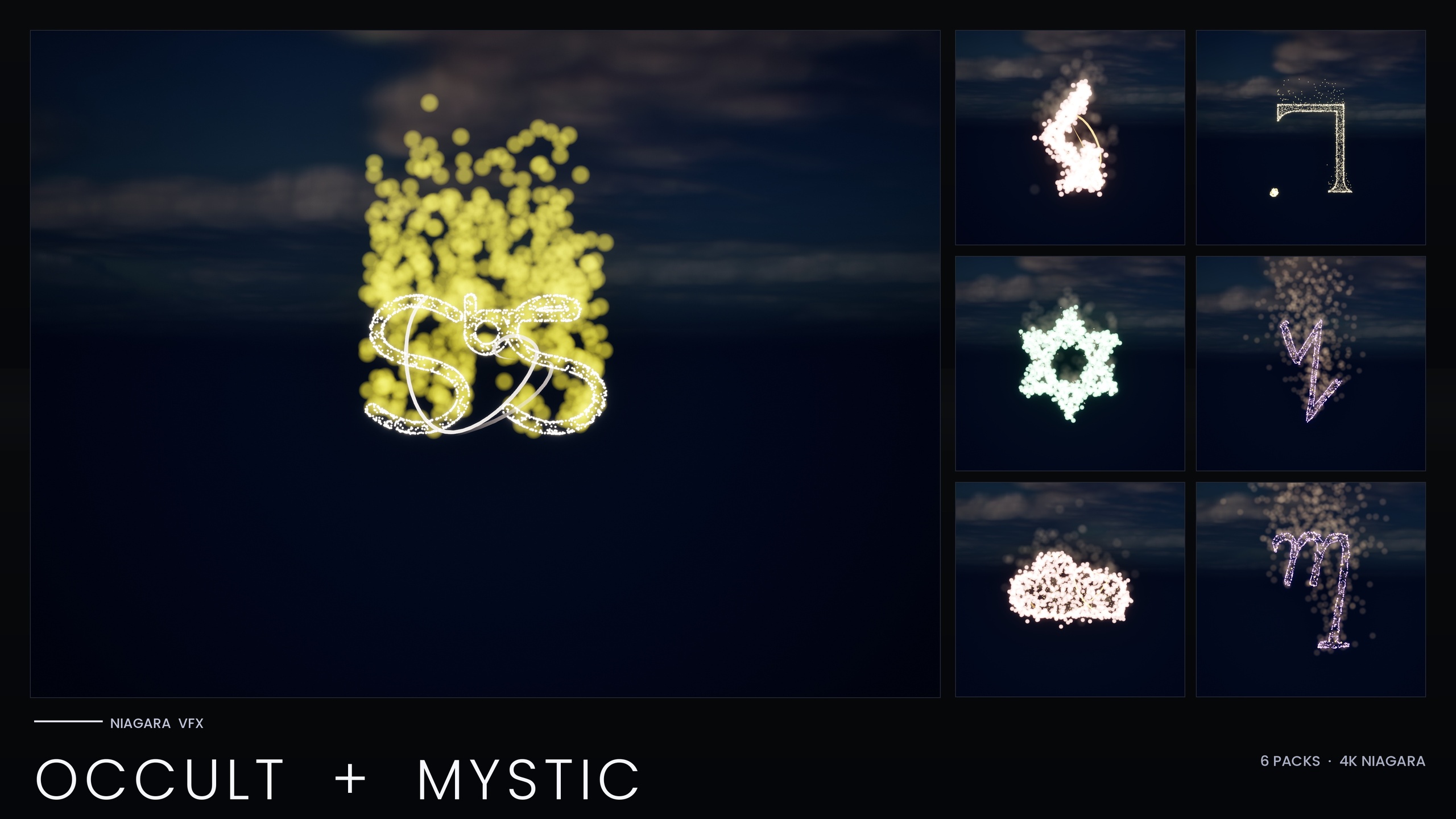
This tutorial uses the Niagara Occult & Mystic Bundle, which ships the seven Seals of Solomon as independently spawnable Niagara Systems drawn from the Goetia sigils, alongside Alchemy, Arcana Tarot, Sigils of the Zodiac, Theban and Enochian. Because each glyph is its own system plus a matching static mesh, you compose a circle by arranging real seals rather than reusing one stock loop. We will lay the seals into a ring, add a consecration spin, recolour the whole tradition from a single asset, and keep the count low enough that the scene holds frame.
Arranging the seal systems into a circle
Start from a known-good preview. The bundle ships 15 themed demo maps, each holding at most around ten systems so you can study a tradition without overloading the scene. Open the demo map that contains the Seals of Solomon and you will see the seven Goetia sigils laid out and lit, which tells you exactly which NS_ systems you are working with before you build anything.
1. In your own level, decide the circle's radius and centre. A ground ritual usually reads best at roughly two to three metres across so the seals are legible from a standing camera.
2. Drag a seal's NS_ Niagara System from the Content Browser into the level and place it on the ring. Repeat for each Solomon seal you want, spacing them evenly around the circle. With only seven seals in the tradition, an evenly spaced ring of all seven is a natural, fully authentic layout.
3. To space them precisely, parent the seals to a single empty Actor at the circle's centre and rotate each one to its angle around the ring, or drive their transforms from a construction script if you prefer a Blueprint. Each system carries its own emitter set plus a dedicated OutlineSparkles emitter - bright HDR pinpoint sprites bound to the mesh surface - so the glyph edges stay crisp once bloom recovers the glow.
4. Keep bloom enabled in your post-process volume. The bundle uses Unreal's default materials with no textures, and the entire look depends on HDR sprite colour driving the engine's bloom; without it the seals will look flat and dim.
Adding a consecration spin
A static ring of seals is a diagram. A slowly rotating ring reads as a ritual coming to life, which is the moment most summoning scenes are built around. The cleanest way to get that is to rotate the parent Actor the seals are attached to, rather than animating each system individually.
1. Select the central Actor that all seven seals are parented to.
2. If you are doing this in Blueprint, add an 'Add Actor Local Rotation' node on the central component inside 'Event Tick', feeding it a small yaw each frame so the whole ring turns as one rigid wheel. Multiply the yaw by 'Delta Seconds' so the spin is frame-rate independent.
3. Keep the rotation slow - a consecration spin should feel ceremonial, not like a fairground ride. Because the seals are children of the rotating Actor, their individual particle simulations keep running normally while the ring orbits, so you get motion without re-authoring any emitters.
4. For a build-up, ramp the yaw speed over time, or trigger the spin from your summoning event so the circle is dormant until the player begins the ritual. Pair the acceleration with a brightness change (covered next) and the circle appears to charge.
Recolouring the tradition via its Parameter Collection
The detail that makes this bundle fast to work with is that each tradition shares one Niagara backbone driven by its Parameter Collection. Editing that one Niagara Parameter Collection recolours and re-times the entire symbol system at once, so you are not opening seven seals one by one to change a colour.
1. Find the Parameter Collection asset that drives the Seals of Solomon tradition and open it.
2. Adjust the colour parameters to set your ritual's palette - a hot brimstone amber for an aggressive summoning, a cold spectral blue for a warding or banishing circle. These are HDR colours, so values above one are what give you the glow once bloom is applied.
3. Edit the size and spawn-rate parameters in the same collection to re-time the whole set - slower, sparser sprites for a calm consecration, denser and brighter for the climax. Every seal in the ring updates together.
4. If a single seal needs to stand out - say the sigil of the spirit actually being summoned - apply a per-system override on just that one system while the rest of the ring stays driven by the shared collection. Mix in seals from another tradition, such as the Sigils of the Zodiac, on the same map if you want a syncretic circle; each tradition keeps its own backbone and collection.
Keeping the scene within a safe particle budget
This is the step people skip and regret. The bundle was re-authored to a performance-optimised V2 after a Fab reviewer hit a UE5.4 renderer crash caused by RDG-handle overflow when many per-particle-light systems were placed together - exactly the pattern a summoning circle creates. The V2 fixes the root cause, but you still need to build inside its guardrails.
1. Follow the bundle's own pre-ship checklist: spawn the systems you actually intend to place together - here, your full ring of seals - and confirm frame time stays stable before you build anything else on top of it. The seven-seal Solomon ring is well within range, but if you mix traditions for a larger circle, re-check at the real count.
2. Lean on the V2 architecture rather than fighting it. High-count core emitters were promoted to GPU, and the old per-particle Light renderer fan-out was replaced with dedicated low-count LightCap emitters, so the lighting cost no longer scales the way V1's did. The documented LightCap target is 24 lights, which the bundle notes should not be exceeded on UE5.4.
3. Use the per-system scalability overrides the bundle ships for Low, Medium and High platforms. On a Low preset, spawn counts are roughly halved and an approximately 25-metre distance cull is added automatically. Test your circle on the Low preset before shipping so you know it degrades gracefully on weaker hardware.
4. Keep your scene's total system count modest. The demo maps deliberately hold at most around ten systems each for a reason; a single seven-seal circle is comfortable, two overlapping circles less so. When in doubt, profile the actual scene rather than trusting a static estimate.
Traditions in the Niagara Occult & Mystic Bundle
| Tradition | Systems | Typical ritual use |
|---|---|---|
| Seals of Solomon (Goetia sigils) | 7 | Summoning circles from real Goetic seals |
| Alchemy | 26 | Transmutation labs, wall inscriptions |
| Arcana Tarot (Major Arcana) | 22 | Tarot reveal animations |
| Sigils of the Zodiac | 18 | Zodiac wheels, astrology rooms |
| Enochian (angelic script) | 21 | Angelic ritual chants, occult HUDs |
| Theban (witches' alphabet) | 21 | Witch-craft scenes, spell text |
Per-tradition Niagara system counts from the product listing; counts sum to 115.
FAQ
How do I build a summoning circle magic ritual VFX in Unreal Engine?
Arrange the bundle's Seals of Solomon Niagara Systems into an evenly spaced ring, parent them to a central Actor, rotate that Actor for a consecration spin, and recolour the whole set from the tradition's Niagara Parameter Collection. Keep bloom enabled so the HDR sprite colour glows, and confirm frame time with all seals placed together before adding more.
Are the seals real Goetic sigils or invented symbols?
They are the seven Seals of Solomon drawn from the Goetia. The bundle's documented use case is summoning circles composed from real Goetic seals, so the symbols read as authentic rather than as generic occult decoration.
Will a full circle of glowing seals crash or tank performance?
The bundle was re-authored to a performance-optimised V2 specifically because a Fab reviewer hit a UE5.4 renderer crash when many per-particle-light systems were placed together. V2 promotes high-count emitters to GPU and replaces the per-particle light fan-out with low-count LightCap emitters. Follow the bundle's pre-ship checklist - spawn your full ring together and confirm frame time is stable - and test on the Low scalability preset before shipping.
How do I change the colour of the whole circle at once?
Each tradition shares one Niagara backbone driven by a Parameter Collection. Open the Seals of Solomon collection and edit its HDR colour, size and spawn-rate parameters; every seal in the ring updates together. Use a per-system override only when you want one specific seal to stand out.
Does this need custom materials or textures?
No. The bundle uses Unreal's default materials with zero custom materials and zero textures. The glow comes entirely from HDR sprite colour driving the engine's bloom, so the only hard requirement is that bloom is enabled in your post-process settings.
Niagara Occult & Mystic Bundle
115 Niagara systems of occult and mystic symbology — sigils, runes, ritual glyphs and arcane marks — CPU-simulated with engine-default materials for a tiny footprint.
Related on Fab

Related reading