
tutorial · 2026-02-24
How to Build a Tomb Altar Scene in Unreal Engine 5
Arrange canopic jars on a stone table, light it with candles and Lumen, and dress the space for scale — a complete altar setup in UE5.
What you need before you start
A tomb altar lives or dies on a single, well-composed focal point: a stone table carrying a row of ritual vessels, lit so the eye is drawn straight to it. The good news is that if you want to know how to make a tomb altar scene in Unreal Engine 5, you do not need to model anything. This guide builds the whole arrangement from one prop set and the engine's own lighting.
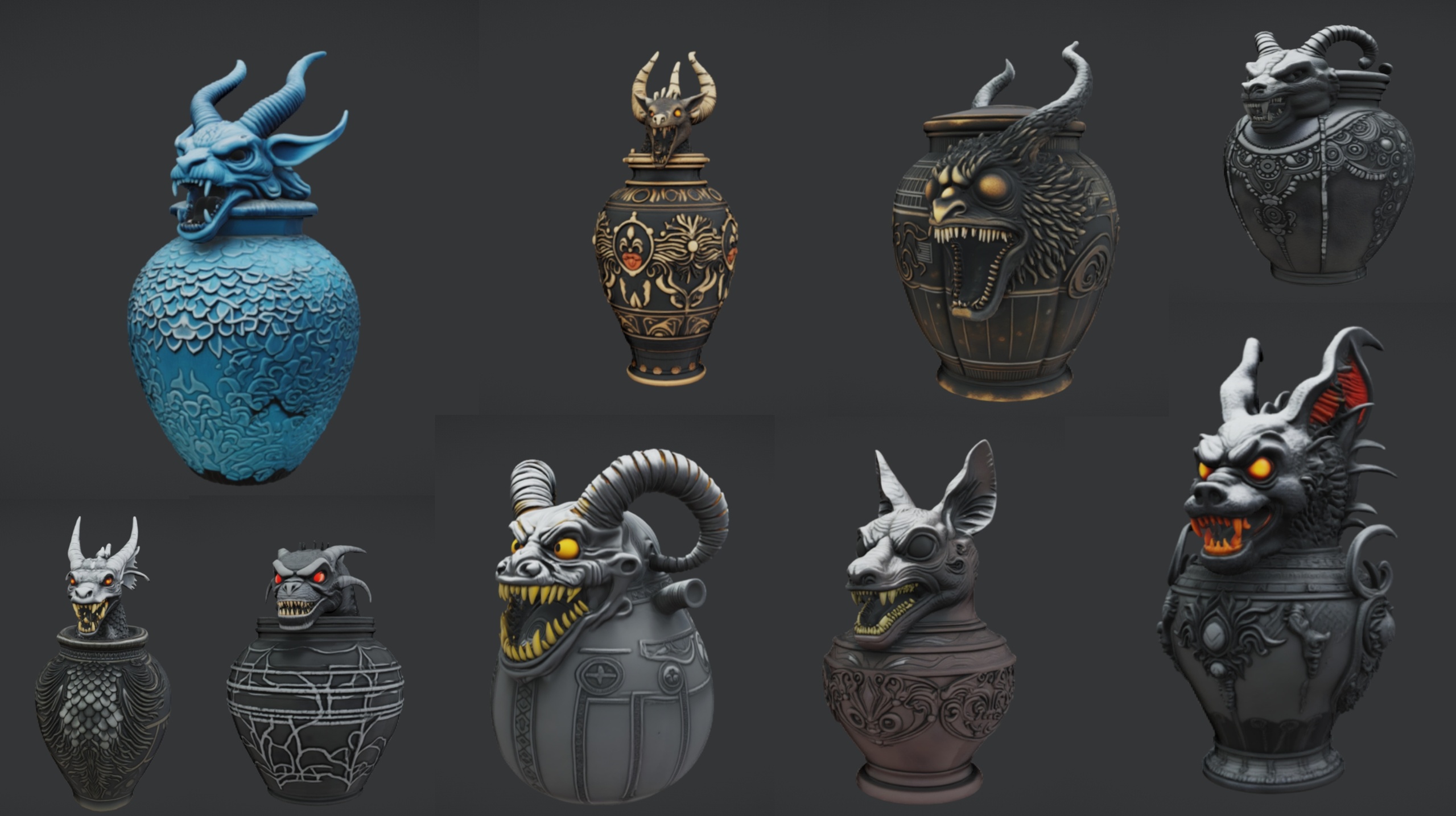
The Ritual Jars pack is the backbone here. It ships 9 ornate canopic-style ritual jar static meshes (SM_RitualJar_1 through SM_RitualJar_9) with an Egyptian, gothic and abyssal aesthetic, plus a large table mesh called SM_LargeTable that doubles perfectly as the altar slab — ten static meshes in total, with eleven materials. Every mesh is a Nanite static mesh with automatic collision and 2K PBR textures, so the props are drop-in ready and you can walk the player camera right up to them without LOD popping.
The pack is authored for Unreal Engine 5.7 and ships as a demo project on Windows. Open the RitualJars project directly in 5.7, or migrate its content into your own 5.7 project. Because it targets 5.7 specifically, opening it in an older engine may trigger a version-upgrade prompt, so plan to work in 5.7 if you can.
Step 1 — Place the altar table and arrange the jars
1. Drag SM_LargeTable into an empty level and set its transform to the world origin so you have a clean pivot to compose around. This single mesh is your altar slab.
2. Drag SM_RitualJar_1 onto the table top and nudge it down in Z until its base sits flush with the surface. The automatic collision on both meshes means you can eyeball contact without anything intersecting awkwardly.
3. Duplicate the jar with Alt-drag, or pull in SM_RitualJar_2 through SM_RitualJar_5, and space them in a row across the slab. With 9 jars to choose from, mix the silhouettes rather than repeating one mesh — varied profiles read as a curated ritual set, not a shop shelf.
4. Give each jar a small, deliberate yaw rotation so they are not all square to the camera. A scatter of three to eight degrees breaks the grid and makes the arrangement feel placed by hand.
5. Hold back two or three jars as outliers — one toppled on its side at the table's edge, one on the floor — to suggest the tomb has been disturbed. This is the cheapest storytelling you will do all day, and it instantly lifts the scene above flat set dressing.
Step 2 — Light it with candles and Lumen
Mood is everything in a crypt, and Lumen is what sells it. Confirm Lumen is your active method under 'Project Settings', 'Rendering' — set both 'Dynamic Global Illumination Method' and 'Reflection Method' to 'Lumen'. With Lumen on, warm light from a candle will bounce off the stone slab and the jars' metallic glaze on its own, which is exactly the soft, enclosed feel a tomb wants.
Add two or three 'Point Light' actors at table height, sitting just above where candle flames would be among the jars. Give them a warm temperature, drop the intensity low, and pull the attenuation radius in tight so each pool of light falls off quickly into darkness. Tight, dim, warm pools beat one bright lamp every time for this kind of scene.
Enable 'Cast Shadows' on those point lights so the jars throw long, overlapping shadows across the slab and up the back wall. Those shadows are doing the heavy lifting — they give the 2K PBR normal and roughness detail on each jar something to catch, and they tie the loose objects into a single grounded composition.
Keep any ambient or sky light extremely low, or omit it entirely. A tomb should be lit almost wholly by the candles you placed; let the corners of the room fall to black so the altar reads as the one bright, sacred thing in the dark.
Step 3 — Add statues and urns for scale
An altar in isolation has no sense of size. Flanking it with larger, weightier shapes tells the player how big the space is and how small they are within it. This is where the sibling props earn their place.
Bring in the Fantasy Statue Bundle and stand a pair of its weathered marble statues to either side of the altar as guardians. The bundle holds 18 dark-fantasy statues split into a 'Nature' series (SM_NatureStatue_1..9) and a 'Tormented Souls' series (SM_TormentedStatue_1..9); the Tormented series suits a tomb especially well. Like the jars, the statues are Nanite meshes with automatic collision and 2K PBR maps, so they drop straight in and you can walk around them immediately. The bundle targets UE 5.6, so migrate its content into your 5.7 project rather than expecting both to share one engine version.
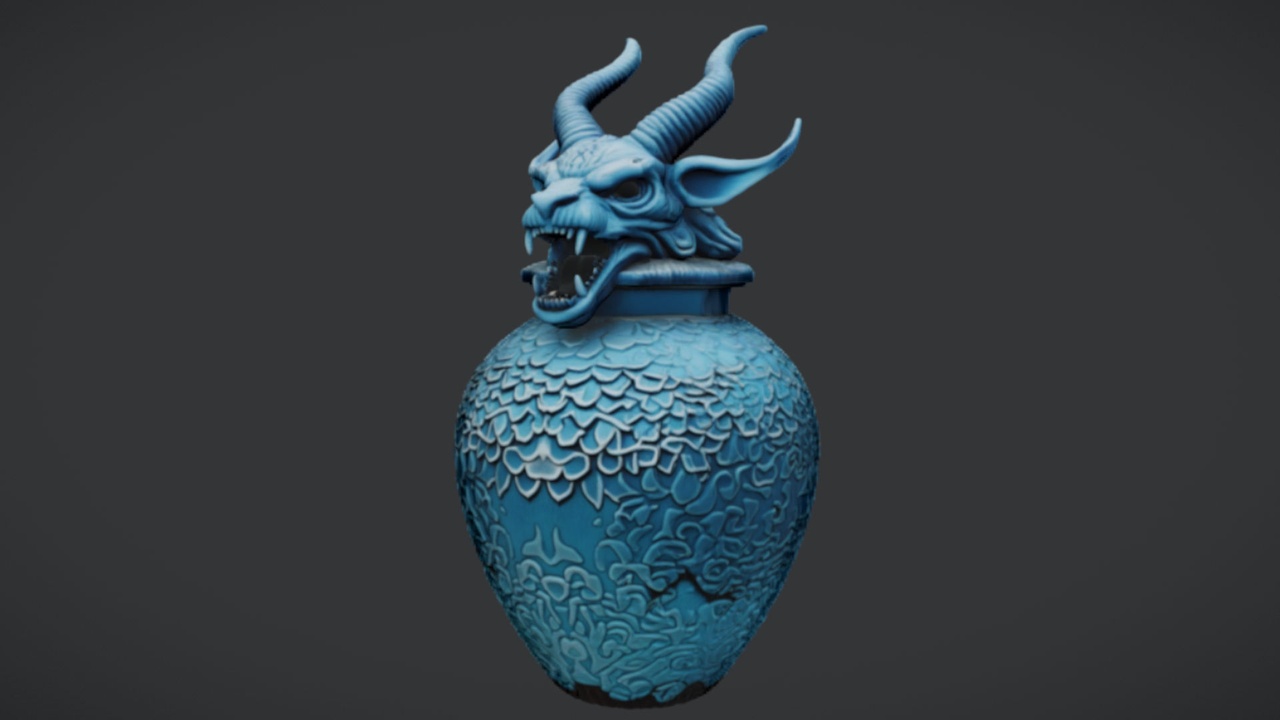
For a smaller funerary accent, place The Azure Gargoyle Urn — a free single static mesh with 2K PBR textures — on a plinth or shelf beside the altar to vary the vessel shapes without crowding the slab. It pairs naturally with the canopic jars and costs nothing to try.
If you would rather dress the whole crypt around the altar in one pass, the Dark Fantasy Props Bundle adds 100+ gothic static meshes — thrones, tomes, lanterns, obelisks, cauldrons and more — as a complete UE 5.6 content project with a Demo map. Migrate its content folder in, then scatter lanterns and obelisks at the room's edges to frame your lit altar from the dark.
Bringing it together
Stand the player camera at the room's entrance and check the read: the altar should be the brightest, busiest point in frame, the flanking statues should give it scale, and everything beyond the candlelight should fall away into shadow. If the eye wanders, your light pools are too wide or your ambient is too high — pull them both down.
From here the scene scales in any direction. Swap jar materials between the eleven supplied to retheme the set from Egyptian gold to abyssal black, instance the statues along a longer approach corridor, or build a second altar deeper in the tomb. The Nanite meshes mean you can keep adding high-detail props without worrying about LODs, so the limit is composition, not budget.
Props used in this tomb altar scene
| Prop set | Meshes | Engine | Role in the scene | Price |
|---|---|---|---|---|
| Ritual Jars | 9 jars + table (10) | UE 5.7 | Altar slab and the jars on it | $7.99 |
| Fantasy Statue Bundle | 18 statues + table (19) | UE 5.6 | Flanking guardians for scale | $7.99 |
| The Azure Gargoyle Urn | 1 static mesh | UE5 | Funerary accent vessel | Free |
| Dark Fantasy Props Bundle | 100+ static meshes | UE 5.6 | Crypt-wide set dressing | $34.99 |
Counts and engine versions are from each product's verified listing. Migrate sibling content into a single 5.7 project rather than mixing engine versions.
FAQ
How do I make a tomb altar scene in Unreal Engine 5 without modelling anything?
Use the Ritual Jars pack: place SM_LargeTable as the altar slab, arrange the 9 canopic jar meshes (SM_RitualJar_1..9) across it, then light it with a couple of warm point lights and Lumen global illumination. Every mesh is a drop-in Nanite static mesh with 2K PBR textures and automatic collision, so no modelling or LOD work is required.
Which prop in the pack works as the altar table?
The pack includes SM_LargeTable, a large table mesh that doubles as the altar slab. Drag the ritual jars onto its top, nudge them down in Z until their bases sit flush, and use the automatic collision on both to seat them without intersection.
What engine version does Ritual Jars need?
Ritual Jars is authored for Unreal Engine 5.7 and ships as a Windows demo project. Open the project directly in 5.7 or migrate its content into a 5.7 project. Opening it in an older engine may trigger a version-upgrade prompt, so working in 5.7 is the safest path.
Can I mix in the statue bundle and the gargoyle urn?
Yes. The Fantasy Statue Bundle (UE 5.6) gives you 18 marble statues to flank the altar for scale, and The Azure Gargoyle Urn is a free single mesh that pairs well with the canopic jars. Since those are authored for 5.6 and 5.7 respectively, migrate their content into one 5.7 project rather than trying to share a single engine version across packs.
How do I get the candlelight mood right?
Set both the Dynamic Global Illumination and Reflection methods to Lumen, then place two or three warm, low-intensity point lights at table height with tight attenuation radii. Enable shadow casting so the jars throw long shadows, and keep ambient or sky light very low so the altar is the one bright point in the dark.
Ritual Jars
Nine ornate canopic ritual jars — Nanite meshes with automatic collision and 2K textures. Egyptian, gothic and abyssal props for tombs, altars and occult scenes.
Related on Fab


Related reading