
tutorial · 2026-03-22
Stuttering Hologram Flicker: Building Circuit-Trace VFX in Niagara
How the Circuit script's sub-0.2s particle lifetimes produce a holographic glitch effect in UE5 Niagara — and how to dial it in.
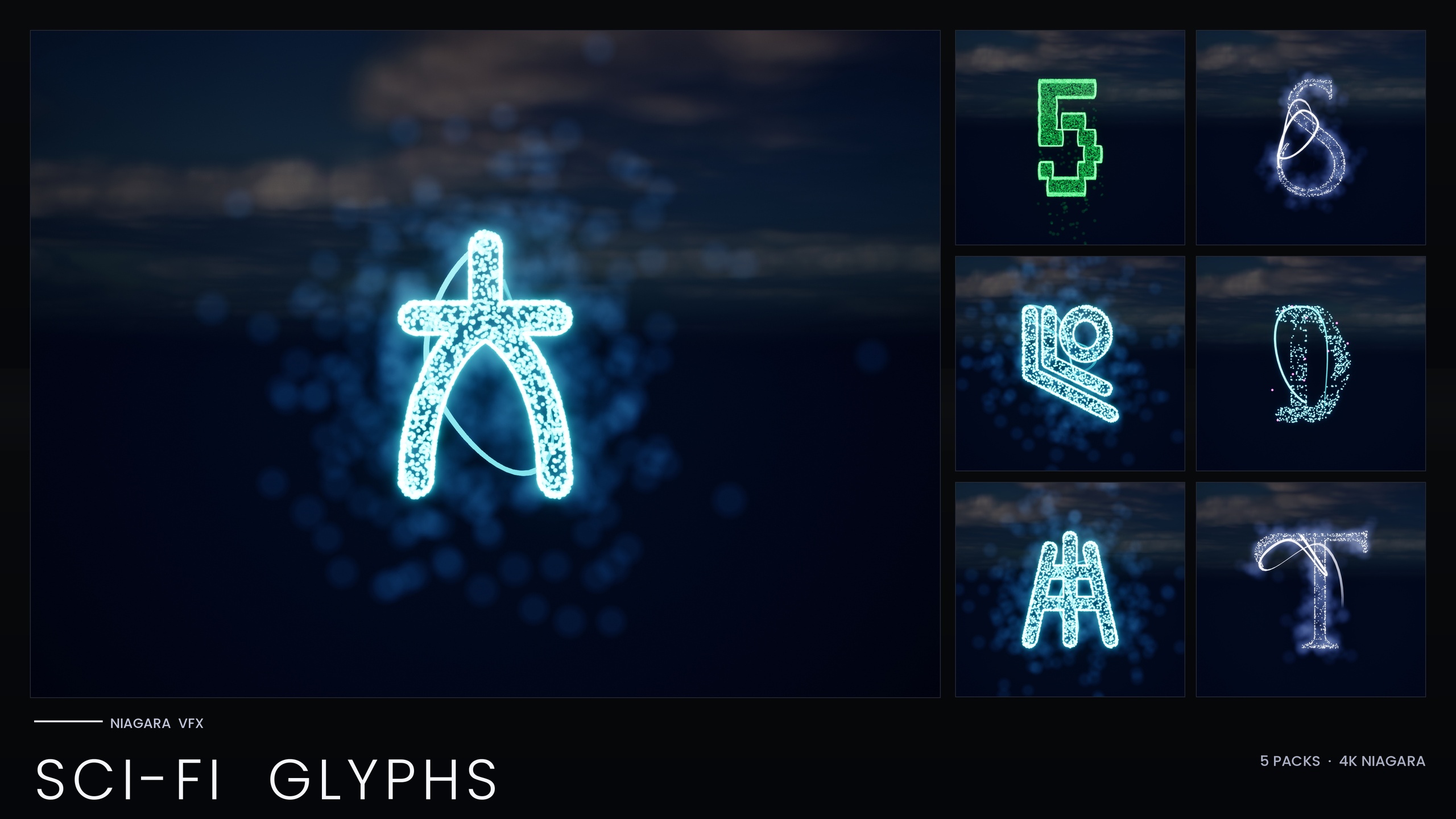
Why a hologram should stutter, not glow steadily
A hologram that holds a clean, constant image does not read as a hologram. It reads as a billboard. The thing that sells a projected, unstable signal to a viewer is the flicker: the image briefly losing coherence, dropping frames of itself, snapping back. If you have searched for a holographic flicker glitch effect in Niagara for UE5 and come away with smooth, fading emitters, the reason is almost always that the particles live too long. Long-lived particles average out into a steady mass, and steadiness is the enemy of glitch.
The Circuit script in the SciFi Glyphs Bundle is built around exactly the opposite instinct. Circuit is one of five futuristic writing systems in the pack — alongside Alien, Cyberpunk, Matrix and Starforged — and its identity is a holographic neon cyan and magenta look with a stuttering, sub-0.2-second-lifetime flicker. The particles that form each circuit-trace glyph are born, burn for a fraction of a second, and die before the eye can lock onto them, so the glyph appears to constantly re-draw itself. That re-draw is the effect.
This tutorial walks through why those short lifetimes produce flicker, how to keep the cyan/magenta palette holding together, where the circuit-trace look fits in a project, and how to steady or intensify the stutter once you understand what is driving it. Everything here is grounded in how the Circuit systems actually ship: CPU-simulated Niagara Systems, engine-default materials, no custom textures.
What the Circuit script actually is
Circuit is one of the five sci-fi scripts inside the 147-system SciFi Glyphs Bundle. The pack as a whole gives you 147 independently spawnable Niagara Systems and 147 matching static meshes drawn from five source fonts. Circuit's slice of that catalogue is roughly two dozen glyphs (the per-theme counts in the source catalogue list Circuit at 24), each one a printed-circuit-board trace pattern rather than a conventional letterform.
Mechanically, every glyph is a CPU Niagara System you can drag straight into a level or spawn from Blueprint. There are no custom materials and no textures anywhere in the bundle — the glow comes entirely from HDR sprite colour driving the engine's bloom, not from an emissive texture. That is why the look depends on having bloom enabled in your post-process volume: switch bloom off and the neon collapses to flat dots.
Each glyph also ships as a matching static mesh, which is useful when you want the same circuit-trace shape carved into a prop or a hull panel rather than projected as live VFX. For a stuttering hologram, though, you want the Niagara System, because the stutter is a property of the particles, not the mesh.
Why short particle lifetimes read as flicker
The Circuit glyphs sample the extruded glyph shape and emit short-lived sprites across it. Because the lifetime is held under two tenths of a second, no individual particle persists long enough to contribute a stable point of light. Frame to frame, a different scatter of sprites is alive, so the silhouette of the glyph is technically complete but visibly unstable — it shimmers and breaks up rather than sitting still. That instability is what your eye interprets as a projected, struggling signal.
It helps to think of it as a duty cycle. Lifetime governs how long each particle stays lit; spawn rate governs how many are coming into existence. When lifetime is very short relative to spawn rate, you get a sparse, twitching population that never fully fills the glyph at any one instant — classic glitch. Push lifetime up and the population overlaps with itself, the glyph fills in, and the flicker smooths toward a solid hologram. Almost all of your control over the effect lives in that one trade-off.
Particle lifetime is an exposed parameter on the Circuit emitters, so you do not need to rebuild anything to change the character of the flicker. To find it, select a Circuit NS_ system, open it in the Niagara editor, and look at the emitter's spawn and lifetime modules in the System Overview — the lifetime value is the dial that turns stutter into steadiness. The next sections cover both directions.
Holding the cyan and magenta palette together
Circuit's colour identity is a holographic neon cyan and magenta. That two-tone palette is doing real work: the contrast between a cool cyan body and warmer magenta accents reads as a refracted projection rather than a single flat colour, which reinforces the hologram illusion. When you recolour, keep both poles present — drifting everything to one hue tends to flatten the effect back into ordinary neon.
Because the glow is bloom-driven, the colour values matter as much as the hue. The sprite colours are authored in HDR, with values above 1.0, so the bloom post-process picks them up and blooms them outward. If you crank the values too high, every glyph saturates toward white and you lose the cyan/magenta separation; too low and there is no glow at all. Adjust in small steps and watch how the bloom responds.
The SciFi Glyphs Bundle ships a Niagara Parameter Collection so you can recolour and re-time an entire script from one asset edit rather than touching glyph by glyph. For Circuit that means you can shift the whole script's palette or timing in one place. One honest caveat: the bundle's Matrix sub-pack bakes its style inline and does not use that collection, so the single-asset recolour workflow applies to Circuit and the other themes, not to Matrix.
Where the circuit-trace look belongs
The Circuit script is listed for tech-fantasy magic, AI manifestations and glitch art, plus diegetic terminals and retrofuture UIs. The stutter is the reason it fits those briefs. An AI manifesting in a room should not arrive as a stable image — it should assemble out of flickering trace patterns, the circuit glyphs stuttering into a coherent presence and breaking up again when it speaks. The sub-0.2-second lifetime gives you that arrival-and-collapse rhythm for free.
For glitch art and corrupted-signal moments, the same instability sells a transmission that is failing. Spell a short message out of Circuit glyphs on a diegetic terminal, leave the lifetime short, and the text reads as a feed that cannot hold its picture — perfect for a hacked console, a dying ship system, or a reality-glitch beat. Keep bloom enabled throughout so the neon and HDR glow survive the stutter.
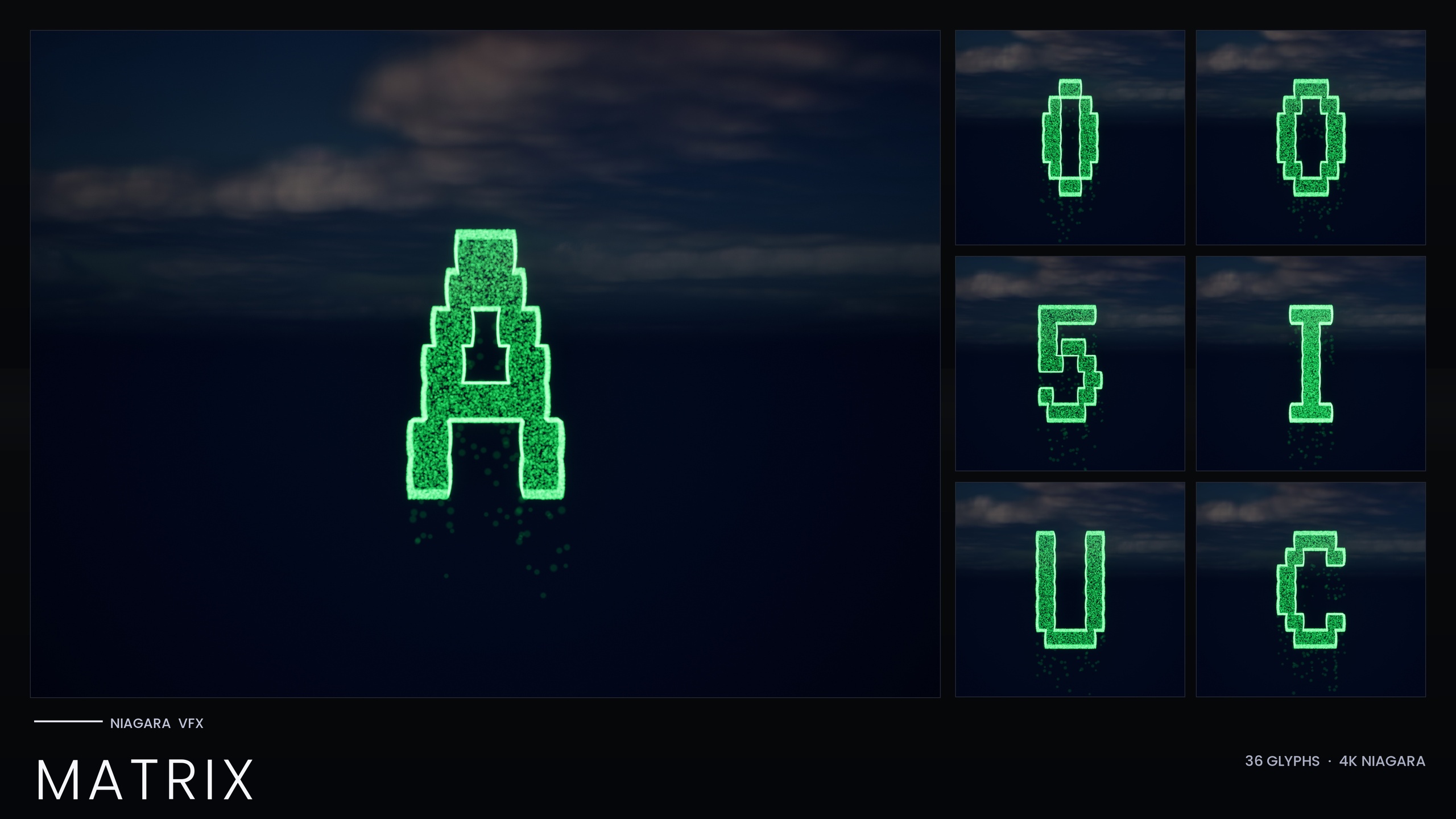
If your scene leans more analogue or arcane than electronic, this is also where the wider bundle pays off: the same backbone drives Alien xenoglyphs, Cyberpunk signage, Matrix code rain and Starforged ship script, so you can mix a stuttering Circuit hologram into a cyberpunk-meets-alien set without leaving the pack.
Steadying or intensifying the stutter
Once you can find the lifetime parameter, both directions are easy. To steady the hologram into something closer to a solid projection, follow these steps.
1. Select the Circuit glyph's NS_ Niagara System and open it in the Niagara editor.
2. In the System Overview, select the emitter and locate the particle lifetime in its spawn/lifetime module.
3. Raise the lifetime above the very short default so particles overlap and fill the glyph; the silhouette will hold more consistently and the flicker will calm.
4. If raising lifetime alone leaves gaps, nudge the spawn rate up to increase the live population, then re-check against your bloom settings.
To push the other way and make the stutter more aggressive, do the inverse. Keep the lifetime short — or shorten it further — and, if anything, reduce spawn rate so fewer particles are alive at once. A sparser, shorter-lived population breaks the glyph up harder and reads as a more violently glitching signal, which suits a corrupting AI or a failing terminal.
Because the pack is CPU-simulated and each glyph stacks per instance, build your message from a manageable number of systems per scene rather than spawning hundreds at once. Start from the per-theme Circuit demo map shipped in the bundle to preview the default stutter, dial lifetime and spawn rate to taste, and then commit your palette and timing through the Niagara Parameter Collection so the whole Circuit script moves together.
Dialling the flicker with lifetime and spawn rate
| Goal | Particle lifetime | Spawn rate | Reads as |
|---|---|---|---|
| Default Circuit stutter | Sub-0.2s (as shipped) | As shipped | Holographic flicker / glitch |
| Steadier hologram | Raise above default | Raise if gaps appear | Coherent projected image |
| Harsher glitch | Keep short or shorten | Reduce | Failing / corrupting signal |
Both parameters are exposed on the Circuit emitters; the effect is the trade-off between them. Bloom must stay enabled for the glow in every case.
FAQ
How do I make a holographic flicker glitch effect in Niagara in UE5?
Use particles with very short lifetimes so no single particle holds a stable point of light. The Circuit script in the SciFi Glyphs Bundle does this out of the box with sub-0.2-second lifetimes, so a Circuit glyph re-draws itself constantly and reads as a stuttering hologram. Keep bloom enabled for the neon glow.
Which parameter controls the flicker?
Particle lifetime, which is exposed on the Circuit emitters. Shorter lifetimes give a sparser, more broken-up glyph (more glitch); longer lifetimes let particles overlap and fill the glyph (steadier hologram). Spawn rate is the secondary dial — raise it to fill gaps, lower it to make the stutter harsher.
Why is there no glow on my circuit glyphs?
The bundle ships zero custom materials and zero textures — the neon comes entirely from HDR sprite colour driving the engine's bloom. If bloom is disabled in your post-process volume the glyphs collapse to flat dots. Enable bloom, and keep the HDR colour values high enough to glow but not so high they saturate to white and lose the cyan/magenta separation.
Can I recolour the whole Circuit script at once?
Yes. The SciFi Glyphs Bundle includes a Niagara Parameter Collection so you can recolour and re-time an entire script from one asset edit. That applies to Circuit and the other themes; the Matrix sub-pack bakes its style inline instead, so recolouring Matrix is done per system.
What is the Circuit script good for?
It is listed for tech-fantasy magic, AI manifestations and glitch art, as well as diegetic terminals and retrofuture UIs. The short-lifetime stutter suits anything that should look like a projected, unstable signal — an AI assembling out of trace patterns, a hacked console, or a failing transmission.
Niagara SciFi Glyphs Bundle
147 Niagara glyph systems across five sci-fi themes — Alien, Cyberpunk, Matrix, Starforged and Circuit — for futuristic UI, terminals and FX. CPU-simulated with a Parameter Collection and demo map.
Related on Fab

Related reading