
article · 2026-03-08
A Unified UI VFX Style Across Cards, Emotes and HUD in UE5
How to give every feedback moment in your game one consistent particle look using a single Niagara library and one parameter collection per pack.
Why a consistent particle style across feedback moments matters
Most UE5 games do not fall apart at the level-design level. They fall apart in the small moments: a card flips, a chess piece is captured, a die settles, a reaction emote pops over a chat window, a settings button confirms a save. Each of these is a feedback moment, and each is an opportunity to either reinforce a single visual identity or quietly fracture it. When the suit reveal sparkles in one motion language and the emote burst sparkles in a completely different one, players cannot articulate why, but the product reads as a collection of parts rather than one game.
The problem is rarely a lack of effects. It is that the effects come from five different places. A card flourish grabbed from one pack, a capture burst hand-built by a gameplay programmer, a notification ping borrowed from a UI kit, an emote effect downloaded separately — they were never designed to sit next to one another, so they do not. Achieving a UE5 unified UI VFX style with a consistent particle library is mostly a sourcing-and-architecture problem, not an artistry problem: you want every symbolic flourish in the game to come out of the same system so they all behave the same way.
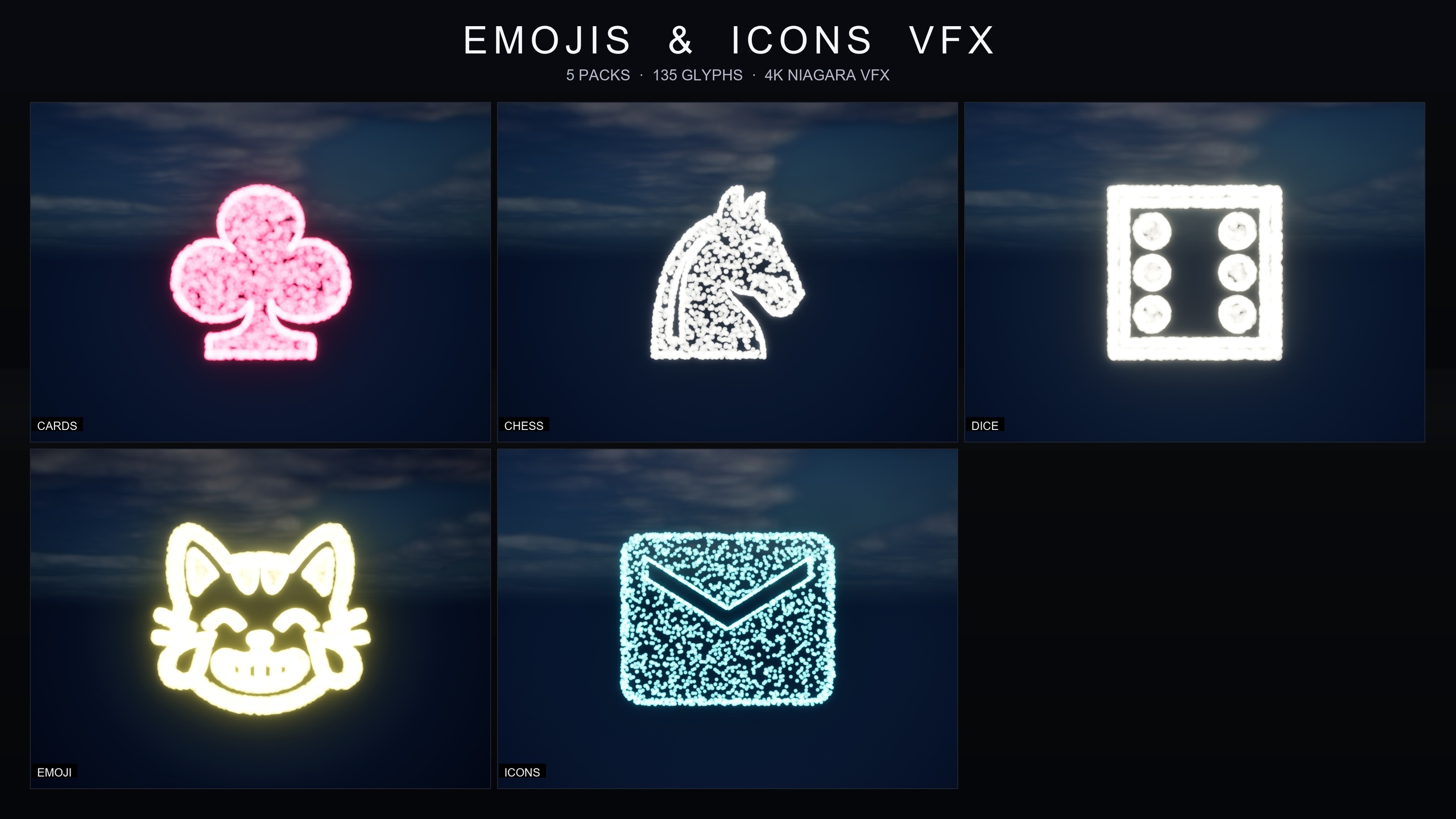
That is the gap the Emojis and Icons VFX Bundle is built to close. It is a content-only Niagara library of 135 effects covering exactly the feedback moments that tend to be sourced piecemeal — card suits, chess pieces, dice pips, reaction emoji and Material Design UI icons — authored to one shared specification so they belong together by construction rather than by luck.
One architecture across five packs
The bundle is split into five themed packs: Card Suits, Chess Pieces, Dice Pips, Noto Emoji and Material Design Icons. What makes it useful for consistency is that all 135 effects share the same underlying technique. Every effect is a Niagara CPU sprite renderer that samples particle positions across a baked 3D glyph mesh, so the symbol itself is literally drawn out of particles rather than shown as a flat sprite. A spade, a knight, a five-pip die face and a search icon are all produced the same way, which is precisely why they read as one family.
Because the architecture is shared, the learning curve collapses. You do not have to understand five different effect systems with five different sets of controls. You learn how one effect is structured and how it is tuned, and that knowledge transfers directly to the other four packs. For a small team, that is the difference between a designer owning the entire feedback layer and a designer owning whichever pack they happened to learn first.
It is also a content-only pack with zero third-party dependencies — no Marketplace prerequisites, no extra plugins, no external content to chase down. Everything lives under a single Content/EmojisAndIconsVFX folder, organised into Fonts, Maps, Meshes and Niagara, with the Niagara folder split into CardsSuits, ChessPieces, DicePips, EmojiNoto and IconsMaterial. The naming is disciplined: Niagara systems are prefixed NS_, static meshes SM_, fonts F_ and parameter collections NPC_, so filtering the Content Browser to find the exact glyph you want is quick.
To get an effect on screen there is no setup ritual. Browse to the relevant Niagara subfolder, drag the NS you want into your level or UI context, and play. There are no missing references to resolve and no compile step, because nothing here is C++ or Blueprint — it is pure content.
Per-pack signature colours, and how to unify them
Out of the box, each pack ships with its own signature colour so the categories are immediately distinguishable: warm gold for the emoji, cool cyan for the icons, pure white for both chess and dice, and pink-red for the cards. That default is a sensible starting point because it lets a team drop the effects in and immediately see which feedback moment is which.
But signature colours per pack are a default, not a constraint, and this is where the consistency story gets practical. If your game has a single accent colour — a brand teal, a faction purple, an amber UI highlight — you almost certainly do not want five different out-of-the-box hues fighting it. The point of a unified style is that the motion language stays shared while the palette is brought into line with your art direction.
You do that without touching individual effects. Each pack ships its own Niagara Parameter Collection: NPC_CardsSuitsStyle, NPC_ChessPiecesStyle, NPC_DicePipsStyle, NPC_EmojiNotoStyle and NPC_IconsMaterialStyle. Open one of those single assets and edit the glyph colour, and the whole pack retints in real time. Retheme each pack's collection to your accent colour and the entire feedback layer — every suit, every piece, every pip, every emote, every icon — speaks one palette while keeping the per-symbol read intact.
The same collection exposes the other levers you need to make the effects sit correctly in different contexts. You can dial spawn rate from a delicate dust up to a dense hero burst, scale particle size from a HUD-corner accent to a screen-filling moment, and set lifetime to choose between a one-shot pop and a persistent ambient glow. Because those controls live in one asset per pack, tuning is a few values rather than a sweep through dozens of systems.
A practical workflow for one unified look
Here is a concrete way to bring the whole bundle into line with a single art direction in one sitting.
1. Add the pack to your project and open Content/EmojisAndIconsVFX/Niagara. Preview the categories you actually need by opening the included demo maps, named with the L_Demo_EmojisAndIconsVFX prefix. The larger emoji and icon sets are split across numbered part maps, so check each part to see the full roster.
2. Decide your unified palette before you place anything. If your game has one accent colour, use it; if it has two, map one to interactive feedback (button presses, confirmations) and one to reward feedback (captures, wins). Resist the urge to keep all five default hues unless your design genuinely wants colour-coded categories.
3. Open each pack's NPC_ parameter collection in turn and set the glyph colour to your chosen palette. Start with the two packs you will use most — for a card game that is Card Suits and Material Design Icons; for a board or strategy game it is Chess Pieces and Dice Pips. Watch the placed effects update live as you edit.
4. Tune intensity to context in the same collection. Lower the spawn rate and particle size for ambient or HUD-corner uses such as a save confirmation, and raise both for a hero moment such as a checkmate or a winning hand. Set lifetime to one-shot for reactive flourishes and longer for any effect you want to linger as ambience.
5. Place the effects against your real backgrounds, not the demo lighting. The effects play nicely with bloom and work under any post-process setup, so confirm the read against your actual UI and scene rather than the pre-lit demo maps. Adjust the parameter collection again if a colour washes out on your busiest screen.
Following that loop, the entire feedback layer of your game ends up authored from a handful of parameter values across five collections, which is exactly what a consistent particle library is supposed to buy you.
Where the bundle fits — and where the rest of the line picks up
The bundle is aimed squarely at symbolic and UI feedback. Card games, casino, tarot and solitaire use it for suit-reveal flourishes; chess and chess-style strategy games use it for selection feedback, move highlights, capture bursts and checkmate hero shots; tabletop, board, RPG and gacha titles use the dice pips for roll feedback and probability UI. The emoji set covers chat overlays, streaming-style reactions and in-game emote bursts, and the Material Design icons cover HUD accents, button-press feedback, notification flair and onboarding pointers.
It is described as 4K-ready and crisp at any scale because it renders glyphs from fonts and baked meshes rather than from a fixed-resolution texture, which is what lets a HUD-corner icon and a screen-filling capture burst use the same source asset. The CPU simulation makes it suitable for PC, console and mobile contexts. It targets Unreal Engine 5.4 and up, having been built clean in 5.4.
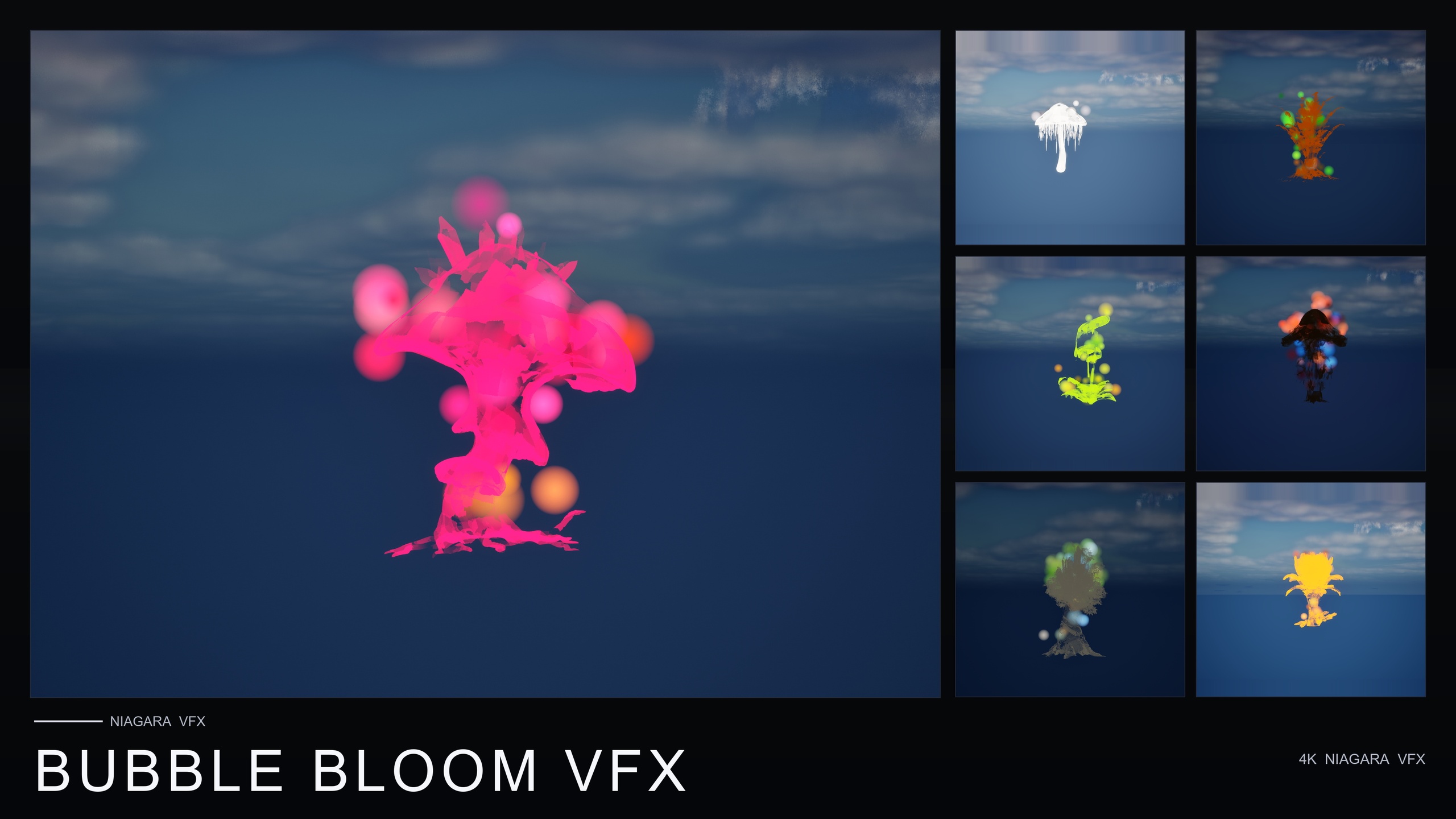
If your consistency problem extends past UI symbols into the environment, the same content-only, parameter-driven philosophy runs through MythicLemon's nature VFX line, all built on the same 51-mesh Fantasy Flower roster. Ambient Garden VFX provides 150 atmospheric systems across three families — floating motes, firefly swarms and low ground mist. Cosmic Bloom VFX provides 100 celestial systems across its Constellation and LumenLight families. Bubble Bloom VFX adds 50 whimsical soap-film bubble systems. Pairing the symbol bundle for feedback with one of the nature packs for ambience keeps both your UI moments and your world dressing inside the same drop-in, no-setup Niagara workflow.
The five packs in the bundle
| Pack | Effects | Default colour | Typical feedback moment |
|---|---|---|---|
| Card Suits | 8 | Pink-red | Suit reveals, dealt-hand flourishes |
| Chess Pieces | 12 | Pure white | Selection, captures, checkmate hero shots |
| Dice Pips | 6 | Pure white | Roll feedback, probability UI |
| Noto Emoji | 80 | Warm gold | Reactions, emote bursts, chat overlays |
| Material Design Icons | 29 | Cool cyan | HUD accents, button feedback, onboarding |
Counts and default colours per the product listing. All five share one Niagara architecture and one parameter collection each.
FAQ
How do I get a UE5 unified UI VFX style from one consistent particle library?
Source every symbolic feedback moment from one library that shares a single architecture, then unify the palette through each pack's parameter collection. The Emojis and Icons VFX Bundle ships 135 effects across five packs that all use the same Niagara CPU sprite-on-glyph-mesh technique, so cards, chess, dice, emoji and UI icons already behave the same way; editing the glyph colour in each NPC_ collection brings them all onto your accent colour without touching individual effects.
Can I change the default per-pack colours?
Yes. The signature colours — gold for emoji, cyan for icons, white for chess and dice, pink-red for cards — are defaults, not fixed. Open the pack's Niagara Parameter Collection (for example NPC_EmojiNotoStyle) and edit the glyph colour value, and the whole pack retints in real time. The same asset also controls spawn rate, particle size and lifetime.
Do I have to learn five different effect systems?
No. All five packs are built on the same architecture, so learning how one effect is structured and tuned teaches you the other four. One designer can own the entire feedback layer rather than just the pack they learned first.
Are there any dependencies or setup steps?
None. It is content-only with zero third-party dependencies — no extra plugins, no Marketplace prerequisites, no external content. Drag the NS you want from Content/EmojisAndIconsVFX/Niagara into your level or UI context and play; there is no compile step and no missing references to resolve.
What engine versions and platforms does it support?
It targets Unreal Engine 5.4 and up, built clean in 5.4. Because it uses a Niagara CPU simulation and renders glyphs from fonts and baked meshes, it is described as 4K-ready and crisp at any scale, and is suitable for PC, console and mobile contexts.
Emojis and Icons VFX Bundle
Five themed Niagara packs in one bundle — Card Suits, Chess Pieces, Dice Pips, 80 Emoji and Material Design Icons — 135 effects in total. Each pack ships a Niagara Parameter Collection so spawn rate, size, colour and lifetime retune across a whole set from a single asset.
Related on Fab


Related reading