
tutorial · 2026-02-28
How to Make a Crypt or Mausoleum Interior in Unreal Engine 5
Lay out the niches and plinths, dress them with funerary vessels, light it cold and blue, and use statues for scale - starting from a free gargoyle urn.
The problem: an empty stone box that has to feel ancient
Greyboxing a crypt is the easy part. You block out a low vaulted room, a few stone walls, maybe a sarcophagus in the middle, and then you walk into it and it reads as a basement, not a tomb. The atmosphere of a real mausoleum comes from the funerary clutter - the urns in the wall niches, the offering jars on the altar, the weathered statues standing watch - and from light that is cold rather than warm. Without that dressing, the geometry is just an empty stone box.
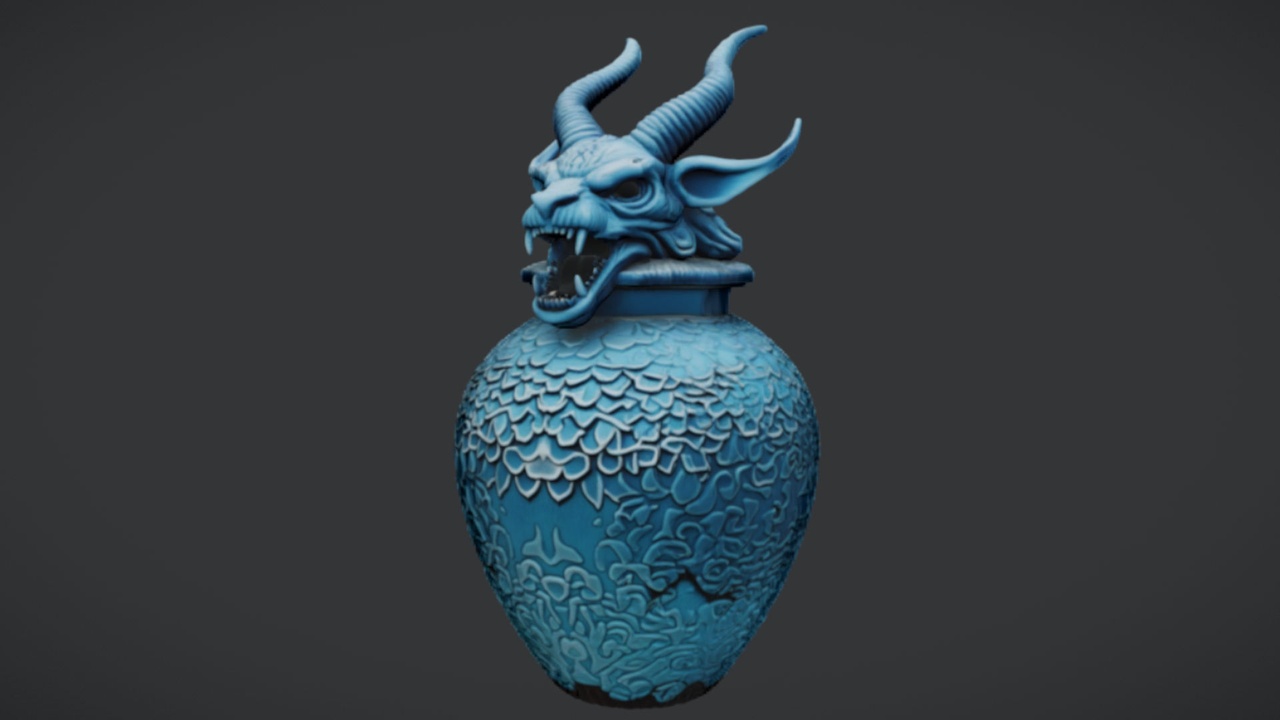
This tutorial shows you how to make a crypt or mausoleum interior in Unreal Engine 5 the practical way: lay out the niches and plinths, populate them with funerary vessels, push the lighting cold and blue, and then use statues to give the room scale and a sense of being watched. We will anchor the scene on The Azure Gargoyle Urn, a free single funerary prop, so you can start dressing immediately at zero cost and decide later which paid packs are worth adding.
The urn is a drop-in UE5 static mesh with 2K PBR textures and an azure-toned gothic look, built specifically as an atmospheric accent for tombs, crypts and gothic scenes. Because it is a single mesh rather than a pack, it is the perfect first focal prop: download it, drop it on a plinth, and you instantly have something the room is built around.
Laying out the niches and plinths
Before you place a single prop, decide where the eye is meant to rest. A mausoleum interior is fundamentally a grid of repeated burial niches broken up by a few hero focal points - an altar, a central tomb, a shrine at the far end. Get that rhythm into the geometry first.
1. In your greybox, build a run of shallow rectangular niches into the side walls at chest-to-head height, evenly spaced. These are where urns and small vessels will sit, so keep them deep enough to hold a prop without it poking out into the walkway.
2. Add a few stone plinths and one larger altar or table surface as your focal points. The plinths give you a place to raise a single hero prop to eye level; the altar is where you will cluster offering vessels later. If you do not have plinth meshes yet, the Ritual Jars and Fantasy Statue Bundle packs each ship an SM_LargeTable mesh you can use as an altar or plinth base.
3. Establish a sight line. Place your strongest focal prop - the gargoyle urn - on the central plinth or the altar so it is the first thing the player sees down the main axis of the room. Everything else dresses around that anchor.
4. Keep the layout asymmetric. Real tombs accrete over centuries; a perfectly mirrored room reads as a game level. Leave some niches empty, tilt the occasional prop, and let the dressing feel like it was placed by many hands over a long time.
Placing the gargoyle urn and other vessels
With the layout decided, start dressing from your anchor prop outward. Download The Azure Gargoyle Urn from Fab and add it to your project; it imports as a static mesh with its 2K PBR material already assigned, so there is no setup beyond dragging it into the level.
1. Drag the urn onto your central plinth or altar and frame it on the main sight line. This is your hero vessel - the prop the lighting and composition will favour.
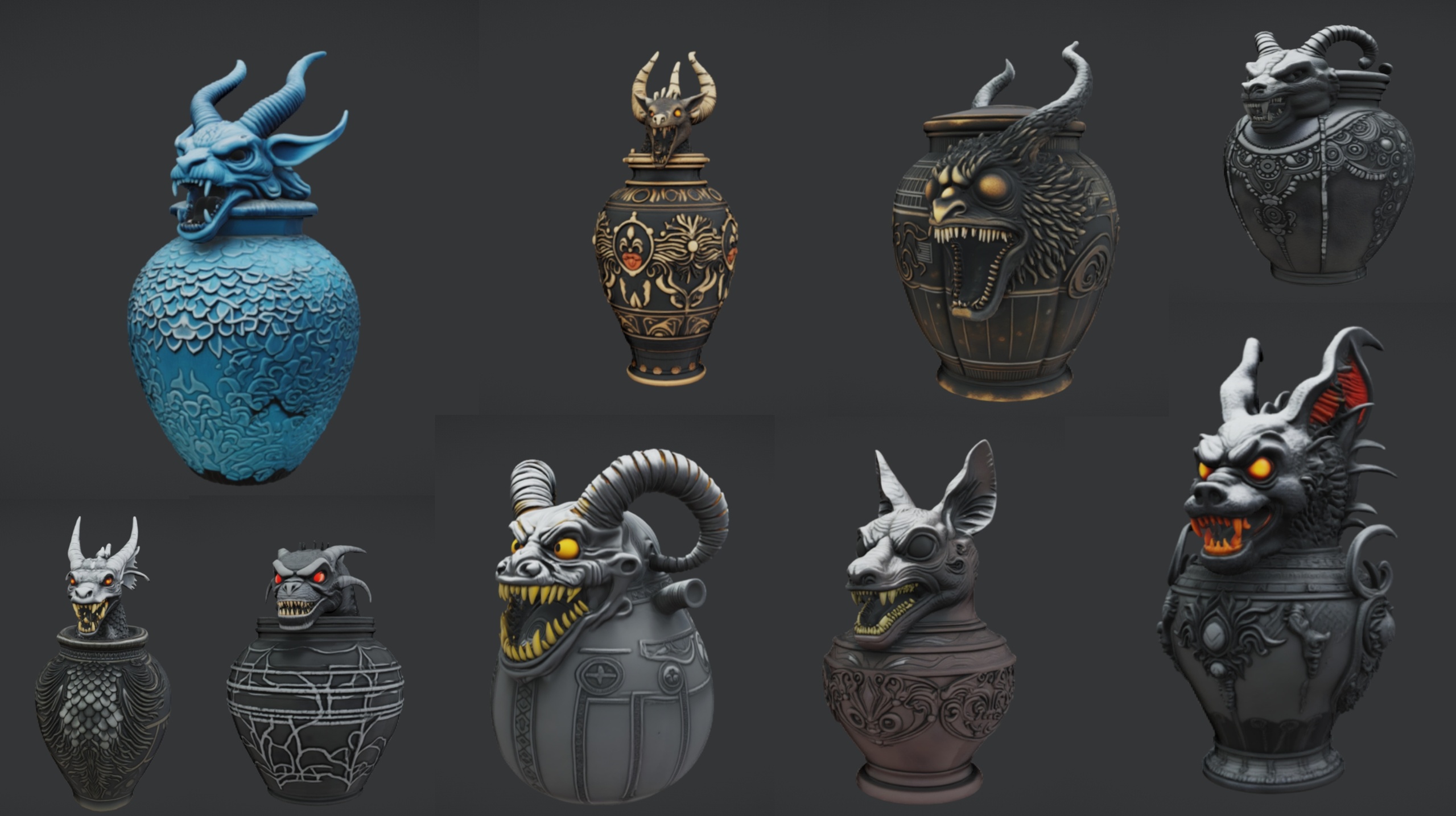
2. Fill the wall niches with funerary vessels. The free urn is a single mesh, so for variety in the niches reach for the Ritual Jars pack, which gives you nine ornate canopic-style jars (SM_RitualJar_1 through SM_RitualJar_9) themed for tomb, gothic and occult scenes. Distribute the nine jars across your niches so no two adjacent niches look identical.
3. Cluster offerings on the altar. Drag several SM_RitualJar meshes onto the included SM_LargeTable to build a believable offering arrangement around the gargoyle urn, varying their rotation and grouping so it looks arranged by ritual rather than by a grid snap.
4. Mind the engine version. Ritual Jars is authored in Unreal Engine 5.7, so opening or migrating it may prompt an engine-version upgrade if your project is older; migrate the content into a 5.7-compatible project to avoid friction. Each jar ships as a Nanite static mesh with automatic collision, so it is walkable straight away with no manual LOD or collision setup.
If you want to fill the room faster and more broadly, the Dark Fantasy Props Bundle is a 100-plus mesh content project of gothic artefacts - tomes, lanterns, obelisks, altars, cauldrons and scrolls - that lets you dress an entire crypt in one pass rather than placing vessels one at a time.
Lighting it cold and blue
Dressing alone will not sell a tomb; the light has to feel like it has not seen the sun in a long time. The default move of warm point lights makes a crypt feel cosy, which is exactly wrong. A mausoleum wants cold, directional, low-key light with deep shadows.
1. Drop your ambient temperature. Use a low-intensity 'Sky Light' or a cool 'Exponential Height Fog' to fill the room with a faint blue-grey wash rather than darkness, so shadowed corners still read as stone and not as voids.
2. Place a few cold 'Point Light' or 'Spot Light' sources high on the walls, tinted blue, to suggest shafts of moonlight or cold magical illumination falling on the niches. Keep their intensity restrained - the goal is pools of light separated by shadow, not even coverage.
3. Favour the hero prop. Aim one slightly stronger cold light at the gargoyle urn on its plinth so the azure-toned material catches the light and the urn becomes the brightest, sharpest object in the room. Its blue aesthetic is built for exactly this cold palette.
4. Let the shadows do the work. Long, hard shadows thrown by statues and plinths add far more menace than any prop does. Position your key lights at a low angle so the statues cast tall shadows up the walls.
Keep bloom enabled and lean on a cool colour-grade in your post-process volume to push the whole room toward blue. The combination of cold light and the urn's azure material is what turns a lit room into a tomb.
Adding statues for scale and dread
The last ingredient is scale. A crypt with only small props on plinths feels like a museum vitrine; a crypt with looming statues feels like somewhere you should not be. Statues give the player a human-sized reference and a sense of being watched.
1. Line the room with the Fantasy Statue Bundle, which ships 18 weathered marble statues split into two themed series of nine - a Nature series (SM_NatureStatue_1 through 9) and a Tormented Souls series (SM_TormentedStatue_1 through 9). For a crypt interior, the Tormented Souls series carries the dread; reserve the Nature series for a sacred-grove or shrine variant.
2. Stand statues at the corners and flanking the central tomb so they frame the player's approach. Each statue is a Nanite static mesh with automatic collision and 2K PBR maps, so it is solid to walk around the moment you drop it in.
3. Use the bundle's SM_LargeTable as a plinth base under a statue, or raise statues on your own greybox plinths, so they tower over the smaller urns and jars and reinforce the size of the space.
4. For repeated landmark placement - a long colonnade of identical sentinels - add a statue to an 'Instanced Static Mesh' component or a Foliage type rather than hand-placing copies, which keeps draw calls and your scene outliner manageable.
Note that the Fantasy Statue Bundle is authored in Unreal Engine 5.6 and the Dark Fantasy Props Bundle in 5.6 as well, while Ritual Jars targets 5.7; if you are mixing all of them, build your crypt in a 5.7-class project and migrate the older content in so everything coexists in one level.
Where to go from here
You now have the full recipe: niches and plinths laid out with a clear sight line, the free Azure Gargoyle Urn as your hero focal prop, funerary vessels filling the niches and altar, cold blue lighting carving the room into pools of light and shadow, and weathered statues giving it scale and menace.
If you only need a single atmospheric accent, the gargoyle urn alone is enough to anchor a scene and it costs nothing. When you want depth, layer in the paid props by job: Ritual Jars for the canopic vessels on your altar and niches, the Fantasy Statue Bundle for the looming sentinels, and the Dark Fantasy Props Bundle when you want to furnish an entire tomb complex in one migration.
The next step in your own level is straightforward: drop the urn on the central plinth, ring the room with cold lights, fill the niches with jars and the corners with statues, and walk the player through the main axis to check that the eye lands on the urn first and the statues loom on either side.
Which props to layer into a crypt scene
| Asset | What it adds | Count | Engine | Price |
|---|---|---|---|---|
| The Azure Gargoyle Urn | Hero funerary focal prop | 1 static mesh | UE5 | Free |
| Ritual Jars | Canopic offering vessels for niches and altar | 9 jars + table | UE 5.7 | 7.99 USD |
| Fantasy Statue Bundle | Looming statues for scale and dread | 18 statues + table | UE 5.6 | 7.99 USD |
| Dark Fantasy Props Bundle | Furnish a whole tomb in one pass | 100+ meshes | UE 5.6 | 34.99 USD |
Counts and engine versions are from each product listing. Triangle counts are not quoted. Mix the older 5.6 packs into a 5.7-class project via Migrate.
FAQ
How do I make a crypt or mausoleum interior in Unreal Engine 5 on a budget?
Start with a free anchor prop. The Azure Gargoyle Urn is a free drop-in UE5 static mesh with 2K PBR textures and an azure gothic look, built as an atmospheric accent for tombs and crypts. Place it on a central plinth as your focal point, lay out wall niches and plinths around it, light the room cold and blue, and only add paid packs - ritual jars, statues - once you know which jobs you still need to fill.
What props fill out the niches and altar of a tomb scene?
For the wall niches and altar, the Ritual Jars pack gives you nine ornate canopic-style jars themed for tomb, gothic and occult scenes, plus an SM_LargeTable you can use as the altar. Drag several jars onto the table to build an offering cluster around your hero urn, and distribute the rest across the niches so no two look alike.
How should I light a crypt interior so it feels cold and ancient?
Use low-key, cold light rather than warm point lights. Fill the room with a faint blue-grey wash from a low Sky Light and a cool Exponential Height Fog, then place a few blue-tinted Point or Spot Lights high on the walls to create pools of light separated by deep shadow. Aim a slightly stronger cold light at your hero urn so its azure material catches the light, and keep bloom and a cool colour-grade enabled in your post-process volume.
How do statues help a crypt scene, and which ones should I use?
Statues give the player a human-sized reference and a sense of being watched, which turns a museum-like room into somewhere foreboding. The Fantasy Statue Bundle ships 18 weathered marble statues in a Nature series and a Tormented Souls series of nine each; the Tormented Souls series carries the dread for a crypt. Each is a Nanite static mesh with automatic collision, so it is walkable the moment you place it.
Do these crypt props work together if they target different engine versions?
They target different versions - Ritual Jars is authored in UE 5.7, while the Fantasy Statue Bundle and Dark Fantasy Props Bundle are UE 5.6, and the Azure Gargoyle Urn is generic UE5. To mix them safely, build your crypt in a 5.7-class project and migrate the older content in via right-click, Asset Actions, Migrate. Compatibility with engine versions below each pack's authored version is not guaranteed without testing.
The Azure Gargoyle Urn
A free azure gargoyle urn — an ornate funerary vessel for tombs, crypts and gothic scenes. Drop-in ready for Unreal Engine 5.
Related on Fab
Related reading

