
tutorial · 2026-06-02
Building a Cursed Garden and Necromantic Grove in Unreal Engine 5
A practical workflow for turning a clean fae glade into a creeping, blighted, dread-soaked environment without authoring a single Niagara emitter by hand.
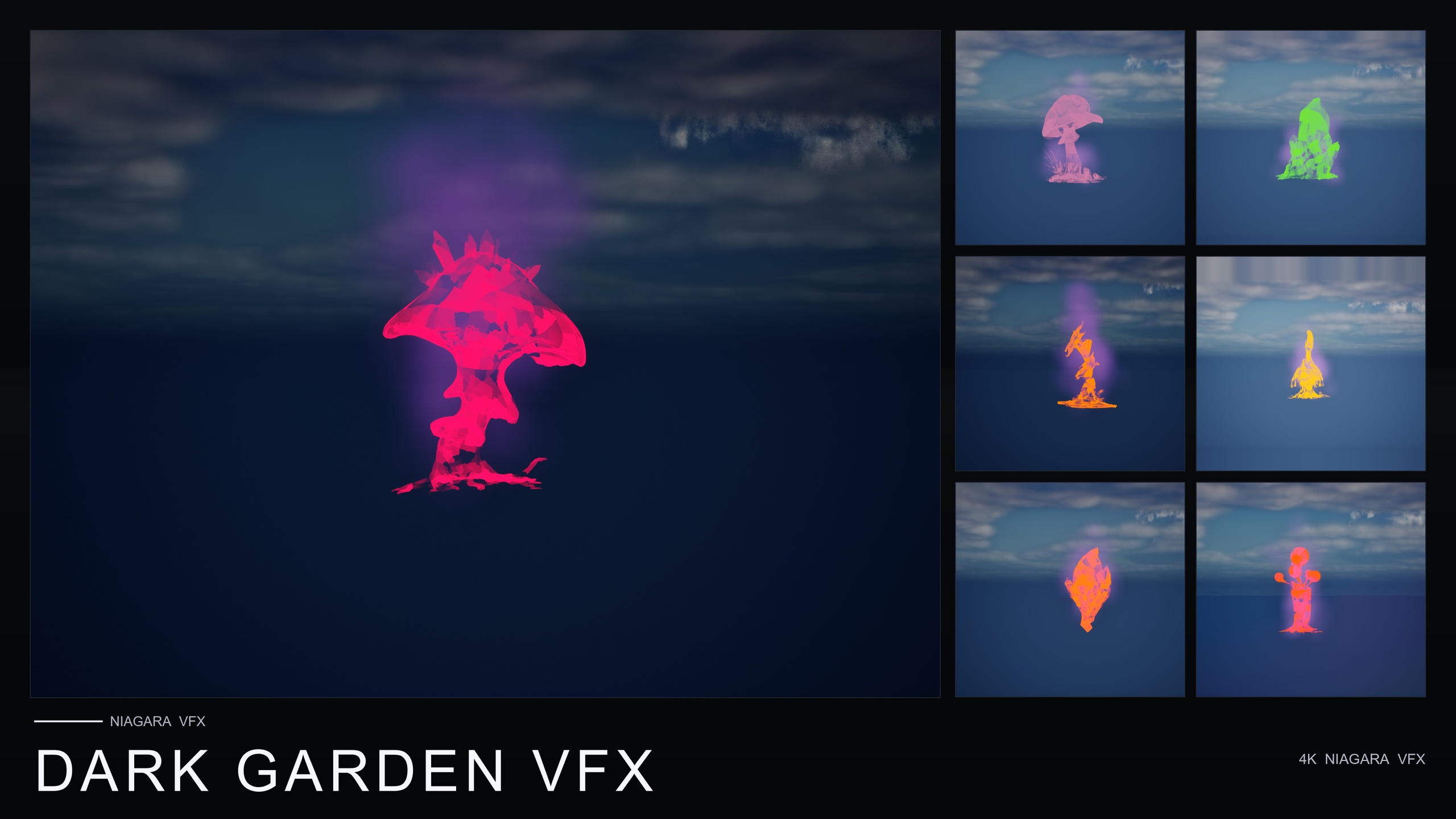
The problem: a clean garden refuses to read as cursed
If you have ever tried to build a dark fantasy cursed garden horror environment in Unreal Engine 5, you already know the trap. You drop in some nice stylised flowers, dim the lights, push the fog grey, and the whole thing still reads as a slightly gloomy meadow rather than a place where something terrible happened. Geometry alone will not sell corruption. The eye needs motion at ground level, a sense that the soil itself is wrong, and a low creeping presence that the player can almost feel pooling around their ankles.
The fastest route to that read is not to model rotting petals or hand-author smoke emitters. It is to take meshes that already look good and wrap them in a single, consistent corruption effect. That is exactly what the Dark Garden VFX pack is for. It is a content-only Niagara pack — no C++, no Blueprints, no plugin dependencies — that ships one BlackMist NiagaraSystem for every flower mesh in the line, so any plant in your scene can be cursed instantly by dragging an effect onto it.
This tutorial walks the full build: choosing the right hero meshes, blanketing the scene in BlackMist, corrupting a previously clean fae garden for a story beat, layering arcane glyphs for a cursed-summoning read, and finally lighting and grading the level so it lands as dread rather than dusk. Everything here is grounded in what the pack actually ships, so you can follow it knowing the assets exist.
Choosing the right plants: the seven dark hero meshes
BlackMist will wrap any flower in the line, but some meshes were designed for the dark from the start, and starting there saves you a lot of fighting against shapes that want to look pretty. The pack's demo level focuses on seven 'designed-for-dark' hero meshes, and these are the ones to lead with when you are establishing your worst, most cursed pockets of the garden.
The seven hero meshes are BloodLotus, EbonBloom, EnchantedNightshade, SpiderToadstool, CrimsonCapToadstool, DrippingCapMushroom and MysteriousFungus. Notice the spread: a couple of sinister blooms, a poison-plant read in the nightshade, and a cluster of toadstools and fungi that already carry rot and decay in their silhouette. Lead your worst corners with the toadstools and fungi, use the BloodLotus and EbonBloom as dark focal flowers, and reserve EnchantedNightshade for the 'this is poisonous' beats.
To place them, add the pack to your project and open the included demo map, which lays the hero meshes out under dynamic lighting tuned for moody, low-key scenes. Use it as both a palette and a reference for spacing — then bring the static meshes you want into your own level and start clustering them. Build in clumps with gaps between, not an even carpet; uneven density reads as something that grew wrong rather than something that was planted.
Blanketing the scene in BlackMist
BlackMist is the heart of the pack and the single effect family it ships. It is slow-creeping, ground-hugging dark smoke that drifts outward across the ground, and that low horizontal drift is what does the heavy lifting for curse, corruption, necromancy, plague and blight reads. The pack provides one BlackMist NiagaraSystem per flower mesh, so you are never tuning particles — you are choosing which plant to corrupt.
1. In the Content Browser, open the DarkGardenVFX/Niagara folder where the BlackMist systems live.
2. Find the BlackMist NiagaraSystem that matches a mesh you have already placed — for example, the system built for BloodLotus.
3. Drag that NiagaraSystem into the level and position it on the flower, or attach it to the flower actor so the two move together.
4. Repeat across your hero clusters, then thin BlackMist out toward the edges of the playable space so the corruption clearly has a centre and a fading perimeter.
Because the smoke creeps and drifts rather than puffing upward, the strongest reads come from placing it at ground level and letting it pool between meshes. Concentrate it densely around your worst corner and let it thin as the player moves away; that gradient is what tells the story of where the rot started and how far it has spread.
Corrupting a clean fae garden for a story beat
One of the most useful things about BlackMist is that it covers every one of the 51 flower meshes in the line, not just the dark hero set. That means a garden you built to look perfectly healthy can be flipped to cursed without re-dressing it — the same flowers, now reading as corrupted. This is the 'this looks normal but it's cursed' beat, and it is hard to achieve any other way.
Set the scene up as a normal, even pretty fae garden first, using whatever stylised flowers you like. When the story calls for the turn — a ritual gone wrong, a necromancer's arrival, a plague spreading — drag the matching BlackMist NiagaraSystem onto each flower. The geometry never changes; only the effect layer does, so the player recognises the same place they walked through earlier, now wrong.
BlackMist is also cross-pack compatible: it can be applied over any flower from any other Fantasy Flower pack. If your clean garden was dressed with blooms from a different pack in the line, you can still corrupt those exact meshes with BlackMist rather than swapping them out. For a timed reveal, wire the spawn of the BlackMist systems to your own gameplay trigger so the corruption rolls across the garden on cue — the pack ships no Blueprints for this, so you author the trigger, but the effect it spawns is ready to go.
Layering with arcane glyphs for a cursed-summoning read
BlackMist alone reads as corruption and decay. To push the scene from 'blighted' to 'something is being summoned here', layer in a second effect from a sibling pack. The Fantasy Flower line is built to be combined, and the recommended pairing for exactly this is BlackMist over a flower together with ProjectedGlyph — the combination reads as cursed-summoning.
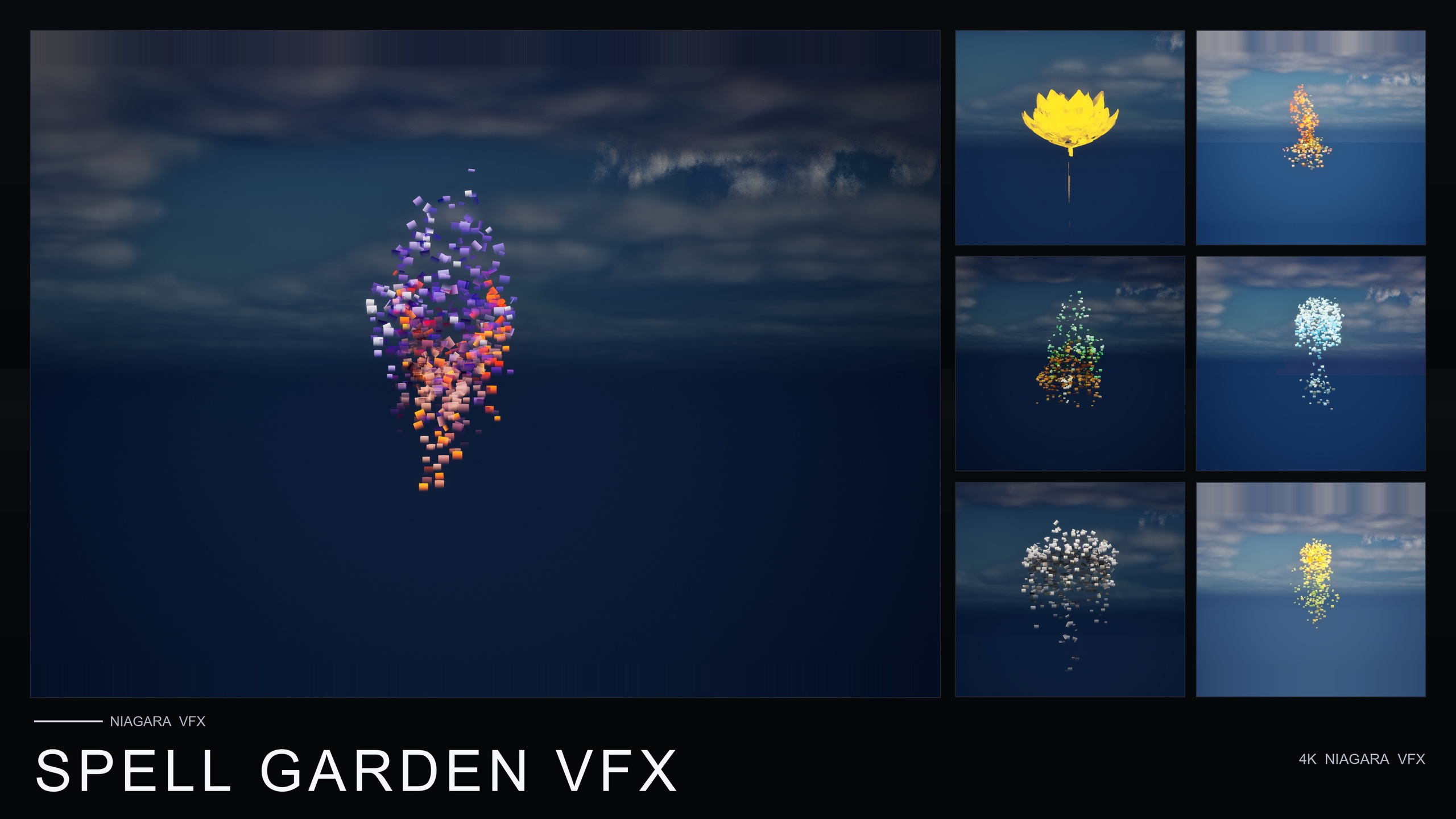
ProjectedGlyph comes from the Spell Garden VFX pack and is one of its three families. It draws arcane runic glyphs that slowly rotate and fade around each flower, the kind of mark you want for summoning circles, enchantments-in-progress and ritual focal points. Crucially, the glyphs work in screen space against any background, so they read cleanly even sitting inside thick BlackMist smoke at the heart of your darkest corner.
Place ProjectedGlyph systems on your hero meshes at the ritual focal point — the spot where the curse is strongest — while leaving the wider garden on BlackMist alone. That contrast does the storytelling: a perimeter of creeping smoke that decays into a glowing, rune-marked centre tells the player exactly where the summoning is happening. If you own the Mega Bundle, both BlackMist and ProjectedGlyph are already in it, and the bundle's own copy explicitly suggests this pairing.
Spell Garden also ships UnfoldingBloom, a one-shot burst of petals and motes tuned for one-shot triggers from gameplay code, and VineGrow, animated vine trails that sprout from the base and creep outward. For a necromantic grove you can fire UnfoldingBloom as the summon completes, or let VineGrow crawl corrupted growth across nearby surfaces — both layer over BlackMist for a more active ritual.
Lighting and post for dread
Effects do most of the work, but lighting decides whether the scene feels ominous or merely dim. The Dark Garden demo level is tuned with dynamic lighting for moody, low-key reads, and the whole pack uses a dynamic lightmap path with no baking required, so you are free to keep your lights moving and adjust them live as you dress the scene.
Go low-key: a single dominant, low-intensity key light raking across the garden at a shallow angle, deep shadows left intact, and almost no fill. Pull your colour toward sickly greens and cold blues rather than warm tones — warmth fights the curse read. Let the BlackMist smoke sit in shadow so it reads as mass and depth rather than a bright grey haze; the darker the surround, the more the creeping smoke feels like a presence.
In post-process, crush the blacks slightly, desaturate the overall grade, and let any glyph glow from ProjectedGlyph be the one warm or saturated accent in the frame — the single point of unnatural light in an otherwise dead landscape. A touch of vignette pulls the eye toward that ritual centre. Keep ambient light low enough that the player has to lean in, because a cursed garden that is fully legible at a glance is far less frightening than one the player has to peer into.
Once the look lands, your next step is breadth: decide whether one corner is enough or whether the corruption should spread through a whole biome. If it is one beat, Dark Garden VFX plus a few ProjectedGlyph systems will carry it. If your project needs many moods across many scenes, the Mega Bundle is the more economical route — covered below — but for a focused cursed garden, the dark pack on its own is the right tool.
Which Fantasy Flower pack for a cursed garden
| Pack | Effect families | NiagaraSystems | Best for | Price (USD) |
|---|---|---|---|---|
| Dark Garden VFX | 1 (BlackMist) | 50 | Corruption, curse, necromancy, plague, blight | $29.99 |
| Spell Garden VFX | 3 (UnfoldingBloom, ProjectedGlyph, VineGrow) | 150 | Summoning circles, rituals, spell casts | $39.99 |
| Ambient Garden VFX | 3 (BloomingMotes, FireflySwarm, Mist) | 150 | Tranquil, naturalistic atmosphere before the turn | $29.99 |
| Fantasy Flower Mega Bundle | 15 (all, incl. BlackMist + ProjectedGlyph) | 750 | Many moods across a whole project | $99.99 |
Counts and prices are from each pack's Fab listing. All packs are content-only Niagara with no plugin dependencies and CPU emitters.
FAQ
How do I make a dark fantasy cursed garden horror environment in Unreal Engine 5 quickly?
Place stylised flower meshes, then drag a BlackMist NiagaraSystem from the Dark Garden VFX pack onto each one. The pack ships one BlackMist system per mesh and covers all 51 flowers, so any plant can be cursed instantly. Concentrate the creeping ground smoke in one corner and thin it toward the edges, then light the scene low-key with cold, desaturated tones.
Can I corrupt a garden I already built with clean flowers?
Yes. BlackMist covers all 51 meshes in the line and is cross-pack compatible, so it can be applied over any flower from any other Fantasy Flower pack. You can keep the same geometry and simply add the matching BlackMist system to flip a clean fae garden to cursed for a story beat — the place the player recognises, now reading as corrupted.
How do I make the scene read as a summoning rather than just decay?
Layer BlackMist with ProjectedGlyph from the Spell Garden VFX pack. The pairing of BlackMist plus ProjectedGlyph reads as cursed-summoning. ProjectedGlyph draws rotating, fading arcane glyphs that work in screen space against any background, so they stay legible even inside thick smoke. Both effects are also included in the Fantasy Flower Mega Bundle.
Does Dark Garden VFX need any plugins, C++ or Blueprints?
No. It is a content-only Niagara pack with no C++, no Blueprints and no plugin dependencies. You drop a NiagaraSystem into the level or onto an actor and it plays with no tuning. If you want corruption to spread on a gameplay cue, you author that trigger yourself, but the effects it spawns are ready to use.
What engine version and platforms does it support?
The product listing states UE 5.4 and up, and the demo level is compile-clean on UE 5.4. It uses CPU Niagara emitters, a deferred render path with dynamic lightmaps, and lists Windows, Mac and Linux support.
Dark Garden VFX
50 ready-to-use Niagara systems — black mist, cursed blooms and creeping plague smoke — across 51 stylised flower meshes and 131 material instances. CPU-simulated for Windows, Mac and Linux, with a demo level included. Content-only: no C++, no Blueprints, no plugin dependencies.
Related on Fab


Related reading
