tutorial · 2026-05-29
Scattering Niagara Particle Effects Densely in UE5 Without Wrecking Performance
How emitter bounds, CPU sim cost and significance decide whether you can drop a hundred small systems into a level or only a handful.
The real problem with scattering many particle systems
You have one Niagara effect that looks lovely on its own, and now you want forty of them dotted across a garden. The instinct is to copy the actor and paste it around the level until the scene feels alive. The instinct is also where frame time quietly disappears. In UE5, running many particle systems and scattering them densely is rarely a problem with any single effect; it is a problem with how those effects interact with the systems that decide what gets simulated, what gets culled, and how much each placement costs the moment the camera moves.
If you have ever placed a dozen identical NiagaraSystems and watched the editor stutter, the culprit is usually not raw particle count. It is the cost of evaluating every system every frame, plus the bookkeeping the engine does to figure out which of them matter right now. The good news is that a content pack built with tight emitter bounds removes most of that cost before you ever open the profiler, and the rest comes down to a few placement habits you can apply in an afternoon.
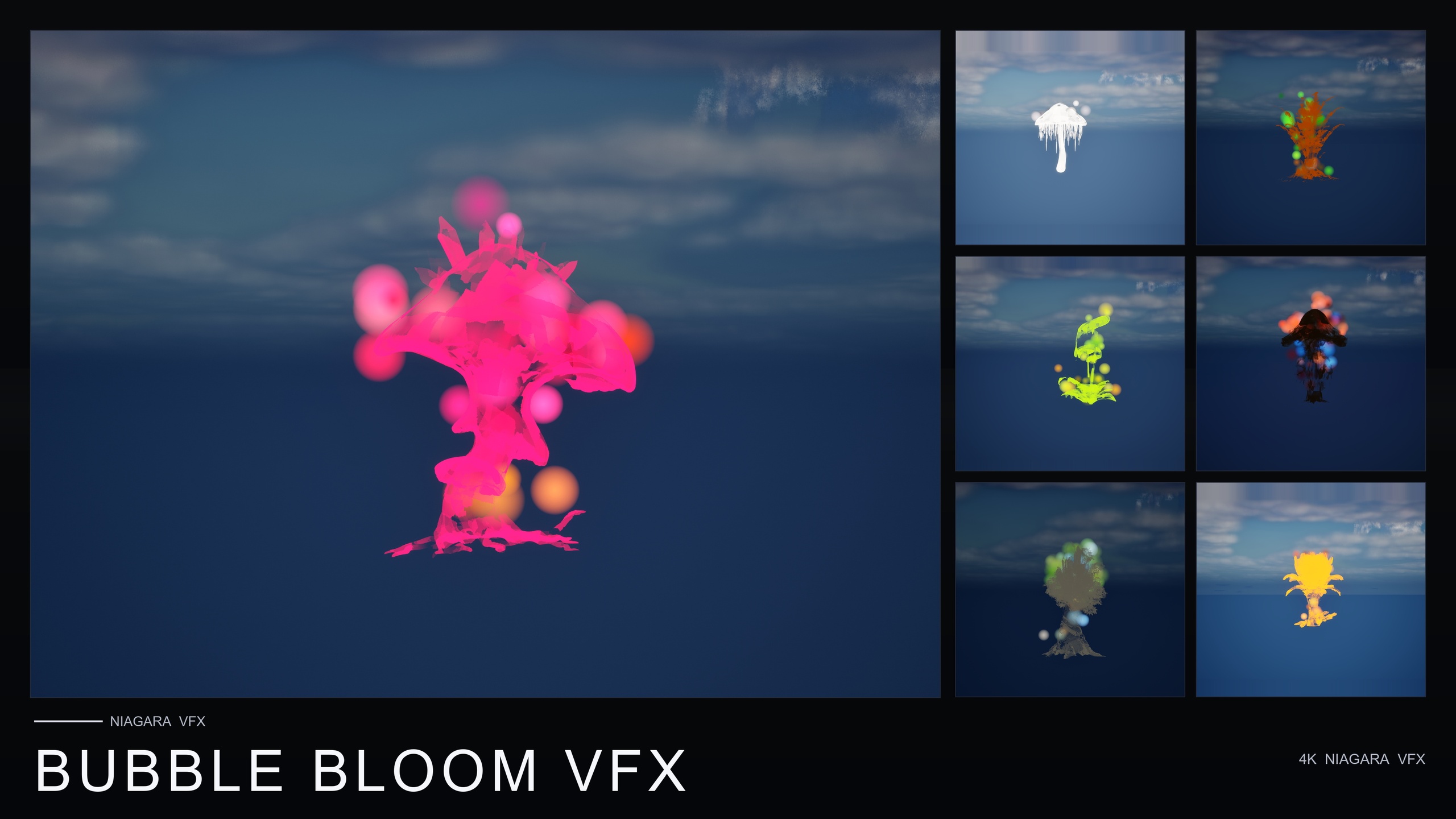
This guide walks through why emitter bounds matter, how to keep CPU Niagara emitters tight, how significance and cost play into a dense scatter, and the placement patterns that let you fill a scene rather than ration it. The worked example throughout is Bubble Bloom VFX, a content-only Niagara pack of fifty drop-in bubble systems whose emitters are deliberately built to be scattered densely.
Why emitter bounds matter when you place many systems
Every Niagara emitter has a bounding volume — the region the engine assumes the effect occupies. That box is what view-frustum and distance culling test against, and it is what the renderer uses to decide whether a system is on screen at all. When the bounds are loose, the engine treats a small effect as if it filled a large region: it stays awake when it should sleep, it survives culling passes it should fail, and it keeps paying for itself even when the camera is nowhere near it. Multiply that by forty placements and you have paid for forty effects that should mostly have been free.
Tight bounds invert the maths. A bubble system whose bounds wrap closely around the column of bubbles rising from a flower will be culled the instant it leaves the frustum, and it will not keep flagging itself as relevant to queries about which effects are nearby and worth simulating. Bubble Bloom VFX leans into exactly this: its emitters are described as well-bounded so they do not broadcast across significance-cost queries, which is the property that makes them safe to scatter densely. That is a design decision baked into the pack, not something you have to retrofit per instance.
This is the single biggest lever for running many particle systems with good performance. Before you optimise anything else, confirm that each system's bounds actually match the visible effect. In the Niagara editor you can view the bounds in the viewport; a box that dwarfs the particles is a warning sign, and a box that hugs them is what lets you place a hundred of them without the engine treating each one as a heavyweight.
Keeping CPU Niagara emitters tight
The bubble systems in this pack run on CPU emitters, which is the right call for small, per-prop ambient effects. A CPU emitter is cheap to spawn, cheap to attach, and predictable across Windows, Mac and Linux without the GPU-readback considerations that GPU sim brings. The trade-off is that CPU sim cost scales with how many particles you ask each emitter to push every frame, so the discipline that keeps a single emitter tight is what keeps a field of them affordable.
1. Open a Bubbles NiagaraSystem from the BubbleBloomVFX/Niagara folder and look at the spawn behaviour. These systems already use a modest, randomised bubble population that rises, drifts in a small radius and pops on a randomised lifetime — keep that restraint when you adapt them. A handful of bubbles per flower multiplied across a scatter reads as a lush field; doubling the spawn rate per system multiplies your cost across every placement.
2. Check the bounds mode in the emitter's properties. Fixed bounds that match the bubble travel envelope are far cheaper than dynamic bounds recalculated every frame, because dynamic bounds force a per-frame pass over the particles just to size the box. If a system already ships with sensible fixed bounds, leave them; if you widen the drift radius, widen the fixed bounds to match rather than switching to dynamic.
3. Lean on the per-bubble variance the pack already bakes in — randomised size, rotation and alpha-fade timing — instead of adding more emitters to fake variety. Because no two systems look mechanically uniform, you can reuse the same handful of NiagaraSystems across a whole scatter and still avoid an obvious tiled look, which keeps the number of distinct systems the engine has to manage low.
4. Remember these are translucent, iridescent materials that pick up scene lighting. Translucency has its own overdraw cost when many bubbles overlap on screen, so the same restraint on spawn count protects your fill rate as well as your sim time. Verify the materials read against your specific background, because a tuning pass on opacity is cheaper than a tuning pass on particle counts.
Significance and cost when scattering densely
Once bounds are tight and emitters are lean, the next question is how UE5 decides which of your scattered systems deserve full simulation at any moment. Niagara's scalability and significance machinery exists precisely so that a level full of small effects does not pay full price for all of them at once: systems that are distant, off-screen or judged less significant can be down-prioritised, throttled or culled. The catch is that this machinery can only do its job when each system reports an honest, tight footprint — which is the whole point of well-bounded emitters.
When a system broadcasts a bloated footprint, it muddies the significance-cost picture: the engine cannot cleanly decide that the bubbles two rooms away are irrelevant, so it keeps them in contention for the simulation budget. Bubble Bloom VFX is explicitly built so its emitters do not broadcast across those queries, meaning a dense scatter resolves into a clear near-versus-far ranking the engine can act on. That is what turns a hundred placements from a hundred always-on costs into a small set of nearby systems doing real work while the rest stay quiet.
Treat this as a contract you should not break. If you customise a system, do not widen its bounds beyond the visible effect to be safe, because oversized bounds are the fastest way to re-broadcast across significance queries and lose the density headroom the pack gives you. Keep the footprint honest and let the engine's own scalability settings — effect quality, distance culling and significance handlers — do the rationing for you across the whole scatter.
Practical placement patterns for a dense scatter
With the cost model understood, placement becomes the easy part. Because Bubble Bloom VFX is content-only and drop-in, the workflow is genuinely as simple as dragging a system onto a flower, an actor or a location: the bubbles rise from the base, drift and pop on their own randomised lifetime with no per-instance tuning. That is what makes a dense scatter practical rather than tedious — you are placing finished effects, not authoring each one.
Scatter by reusing a small rotation of systems rather than one. Pick four or five different Bubbles NiagaraSystems and alternate them across the field; the built-in size, rotation and alpha variance means even repeated systems will not line up into a visible pattern, so you get density and variety without inflating the count of unique assets the engine tracks. Pair the systems with the matching stylised flower meshes from the pack so the bubbles read as belonging to the plant.
Cluster intentionally instead of spreading evenly. Tight emitter bounds mean off-screen and distant clusters cull cleanly, so concentrating bubbles where the player will actually be — a path edge, a clearing, a focal prop — costs you little for the clusters they cannot see. Use the included pre-lit demo level as a reference layout: it lays the flowers out under dynamic lighting so you can judge how a field reads before you commit to a placement scheme in your own level.
Finally, validate with the profiler once, not constantly. Open Niagara's debugger or the GPU/CPU stat views, look at your busiest on-screen cluster, and confirm the off-screen placements really are dropping out. If the bounds are honest and the spawn counts are restrained, a dense field of these systems should cost roughly what the visible subset costs — which is exactly the behaviour a well-bounded, scatter-safe pack is built to deliver.
Where Bubble Bloom fits and what else to layer
Bubble Bloom VFX is the lightest, lowest-priced entry in the Fantasy Flower VFX line and is purpose-built for the dense-scatter case described here: fifty drop-in bubble systems across the fifty-one stylised flower meshes, content-only, with no C++, Blueprints or plugin dependencies, compile-clean on UE 5.4. If your scene wants whimsical fairy-magic, alchemy-lab or cozy-game ambience, it is the pack to scatter.
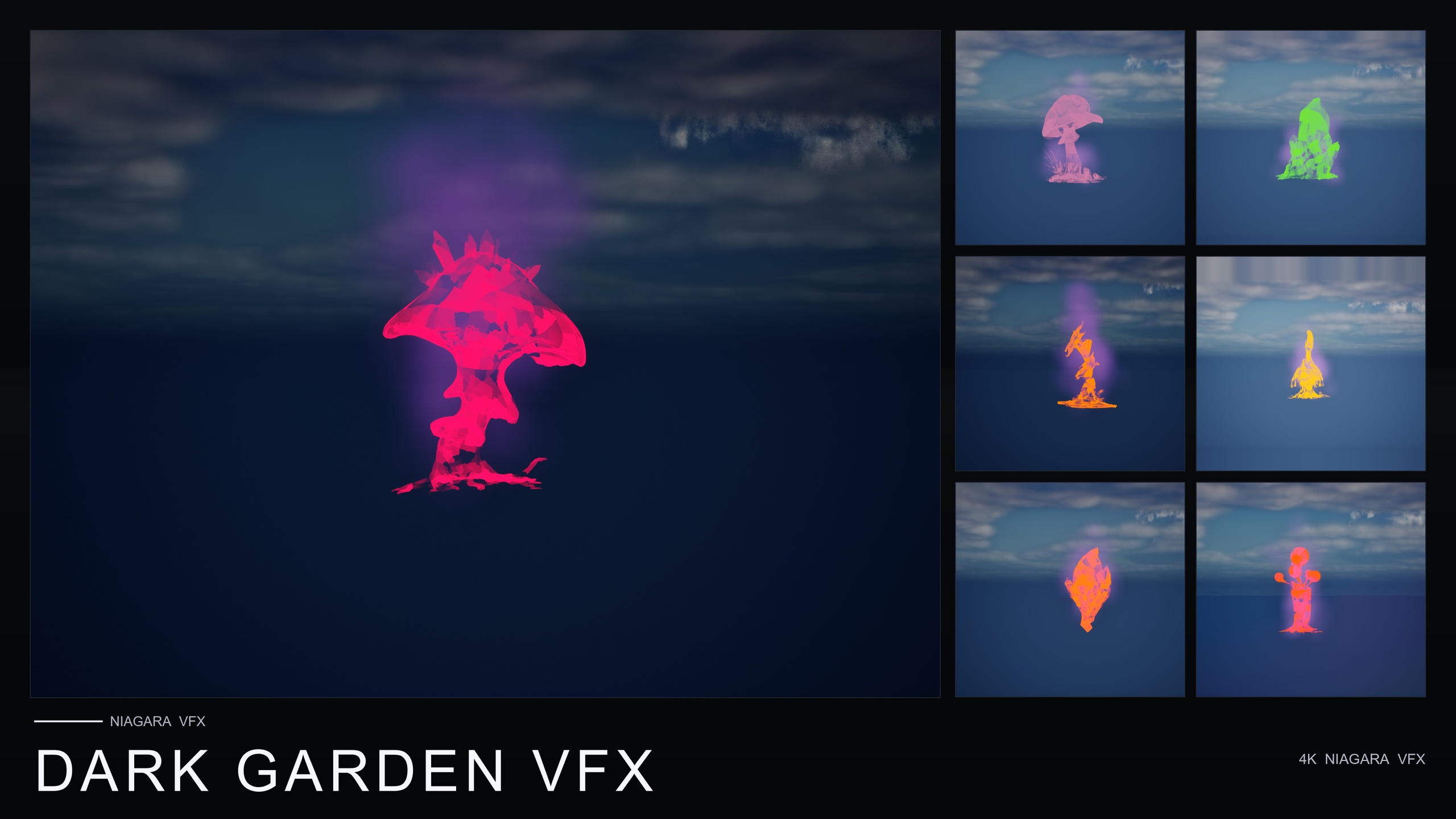
If you need broader atmosphere, the sibling packs in the same line share the same content-only, CPU-emitter, drop-in approach and the same flower roster, so the placement discipline above carries straight over. Ambient Garden VFX adds three ambient families — floating motes, firefly swarms and low ground mist — across the roster for naturalistic outdoor scenes. Cosmic Bloom VFX wraps the flowers in constellation tracing and soft volumetric light puffs for astral and dream sequences. Dark Garden VFX takes the line in the opposite direction with creeping BlackMist for cursed, necromantic and plague reads, and it can be layered over flowers from the other packs.
Whichever you reach for, the rule is the same: keep the emitter bounds honest, keep CPU spawn counts restrained, and let UE5's significance and scalability systems ration a dense scatter for you. Start with Bubble Bloom VFX, drag a few systems into your busiest scene, and watch the off-screen placements cull themselves out of the budget.
Fantasy Flower VFX packs at a glance
| Pack | Effect families | NiagaraSystems | Price (USD) | Best for |
|---|---|---|---|---|
| Bubble Bloom VFX | Bubbles | 50 | $19.99 | Whimsical fairy-magic, alchemy, cozy scenes — built to scatter densely |
| Ambient Garden VFX | BloomingMotes, FireflySwarm, Mist | 150 | $29.99 | Naturalistic outdoor and twilight atmosphere |
| Cosmic Bloom VFX | Constellation, LumenLight | 100 | $34.99 | Astral, celestial and dream sequences |
| Dark Garden VFX | BlackMist | 50 | $29.99 | Cursed, necromantic and plague reads (layers over other packs) |
Counts and prices are from each product's listing. All four are content-only Niagara packs with CPU emitters, no plugin dependencies, compile-clean on UE 5.4.
FAQ
How do I run many Niagara particle systems in UE5 and scatter them densely without tanking performance?
Use systems with tight emitter bounds and restrained CPU spawn counts, then let UE5's significance and scalability systems cull the off-screen ones. Well-bounded emitters report an honest footprint, so the engine cleanly down-prioritises distant and off-screen placements and a dense field costs roughly what the visible subset costs. Bubble Bloom VFX is built specifically this way.
Why do emitter bounds matter so much when placing many systems?
Bounds are what culling and significance queries test against. Loose bounds make a small effect behave like a large one — it survives culling it should fail and stays in contention for the simulation budget even when off screen. Tight bounds let each system cull cleanly, which is the property that makes Bubble Bloom VFX's emitters safe to scatter densely.
Are these CPU or GPU Niagara emitters, and does it matter for a dense scatter?
They are CPU emitters, which suits small per-prop ambient effects and runs predictably on Windows, Mac and Linux. CPU sim cost scales with particles per frame, so keeping spawn counts modest per system is what keeps a whole scattered field affordable.
Do I need to tune each placement after I drop a system in?
No. Bubble Bloom VFX is content-only and drop-in: drag a Bubbles NiagaraSystem onto a flower, actor or location and it rises, drifts and pops on a randomised lifetime. Built-in per-bubble variance in size, rotation and alpha timing means reusing the same few systems across a scatter still avoids a tiled, uniform look.
Can I mix Bubble Bloom with the other Fantasy Flower VFX packs?
Yes. The sibling packs (Ambient Garden, Cosmic Bloom, Dark Garden) share the same content-only, CPU-emitter, drop-in approach and the same flower roster, so the same placement discipline applies. Dark Garden's BlackMist in particular is designed to layer over flowers from the other packs.
Bubble Bloom VFX
Fifty Niagara bubble effects — rising, popping, iridescent soap-film bubbles — with 51 meshes and 81 material instances. CPU-simulated and cross-platform.
Related on Fab


Related reading