
tutorial · 2026-02-17
How to Make a Magical Forest Scene in Unreal Engine 5 with Drag-and-Drop Ambient Particles
Dress a fantasy forest clearing in minutes using three ambient Niagara families — pollen motes, fireflies and low ground mist — with no setup, no compile and no Blueprints.

The problem: empty fantasy forests read as dead, not magical
You have blocked out a forest clearing in Unreal Engine 5 — trees placed, terrain sculpted, a directional light dropped in — and it still looks lifeless. The geometry is fine, but the air is empty. What separates a flat diorama from an enchanted glade is movement in the air itself: drifting pollen catching the light, fireflies looping between the leaves, a thread of mist hugging the ground. That is the difference between a scene a player walks through and one they stop to look at.
Authoring that atmosphere from scratch means building Niagara systems by hand — spawn rates, lifetimes, velocity curves, ribbon trails — for every plant in the level. That is slow, fiddly work, and it is rarely where you want to spend your time when you are trying to make a magical forest scene in Unreal Engine 5 with ambient particles. This tutorial takes the opposite route: you will dress the same clearing entirely by dragging finished, pre-tuned Niagara systems into the viewport.
The pack we use throughout is Ambient Garden VFX, a content-only Niagara set for UE5. It applies three ambient effect families to every one of the 51 stylised flower and plant meshes in the Fantasy Flower line, producing 150 ready-to-use NiagaraSystem assets. There is no C++, there are no Blueprints, and there are no plugin dependencies — you drop a system into the level and it plays. That makes it ideal for dressing a scene fast, whether you are prototyping a fae glade or finishing a hero shot.
The three ambient pillars: motes, fireflies and mist
Ambient Garden VFX is organised around three families, and understanding what each one does is the whole mental model for the tutorial. Get these three roles clear and you can dress almost any tranquil biome by mixing them.
BloomingMotes is your daytime layer. It produces soft floating pollen and light motes that orbit each flower, the kind of drifting specks you see hanging in a shaft of sunlight. This is what sells a sun-dappled clearing and reads as warm, slow and alive.
FireflySwarm is your twilight and night layer. It produces warm, flickering firefly trails that loop around each bloom. Used after the sun drops, it adds points of moving light that draw the eye and give a night-time glade its magic.
Mist is your grounding layer. It produces low-lying, slowly-drifting ground fog that hugs the base of the plant. It anchors everything to the floor, fills the empty volume between trunks, and is what turns a clearing into a swamp, a glen or a dew-heavy morning garden.
Crucially, these are not mutually exclusive. The pillars are designed to stack: motes for the air, fireflies for the lights, mist for the floor. Most convincing magical-forest dressing uses at least two of the three at once.
Getting the pack into your project and finding the systems
Ambient Garden VFX is content-only, so adding it is just an asset install — there is nothing to compile and no engine modification. Add it to your project from Fab the way you would any content pack.
Once it is in, open the Content Browser and navigate to the pack's Niagara folder. It is split into three subfolders that map exactly to the three families above: 'BloomingMotes', 'FireflySwarm' and 'Mist'. This split is deliberate — the systems are prefixed by family precisely so you can find and filter them quickly, which matters a lot when there are 150 of them.
Every system follows one naming convention: NS_<flower>_<family>. So the pollen-mote effect built on the blood lotus mesh is 'NS_blood_lotus_bloomingmotes', and the crimson cap toadstool variant is 'NS_crimson_cap_toadstool_bloomingmotes'. Once you internalise that pattern you can predict the name of any of the 150 systems without browsing for it.
Alongside the Niagara systems, the pack ships the matching geometry it was built around: 51 stylised flower and plant static meshes (the full Fantasy Flower roster), with their material instances and 51 textures sitting in the same flat layout. The meshes are low-poly stylised assets, so they are cheap to place generously while you dress the scene.
Step one: build a sun-dappled clearing with BloomingMotes
Start with the daytime read. Open your forest clearing level, or open the included demo map 'L_Demo_AmbientGardenVFX_BloomingMotes' to see how the pack authors laid the flowers out under dynamic lighting before you commit to your own arrangement.
1. In the Content Browser, open the pack's Niagara folder and go into the 'BloomingMotes' subfolder. Pick a system whose flower suits your clearing — for example 'NS_blood_lotus_bloomingmotes'.
2. Drag that NiagaraSystem straight from the Content Browser into the viewport and drop it where you want the pollen. It plays automatically — there is no parameter tuning required and nothing to wire up.
3. Place several across the clearing at slightly different positions and heights. Effects render correctly at any world location — on the ground, in mid-air, or parented to an actor — so you can lift a few off the floor to catch your key light where it falls.
4. Check the result against your directional light. BloomingMotes reads best as drifting specks lit from one side, so orient your placements so the motes pass through the brightest shafts coming down through the canopy.
5. If you want the actual flower mesh under the effect rather than just the particles, drag the matching SM_ static mesh into the level too; the mesh, its material instances and textures all live alongside the system in the pack's flat folder layout.
Step two: add twilight depth with FireflySwarm
Once the daytime air feels alive, push the same clearing toward dusk. Fireflies are the single most evocative way to say 'this forest is enchanted' once the light starts to drop, and they layer straight on top of your existing mote placements.
1. In the Content Browser, switch to the 'FireflySwarm' subfolder of the pack's Niagara folder.
2. Drag a FireflySwarm system — for instance the firefly variant of a flower you already placed — into the level near your existing BloomingMotes. The warm flickering trails loop around the bloom on their own.
3. Concentrate the swarms where you want the player's eye to travel. Because fireflies are moving points of warm light, a cluster near a path entrance or a focal prop naturally guides attention through the scene.
4. Lower your scene's key light intensity or shift it toward a warmer, dimmer dusk to let the firefly trails register. The effect is designed for twilight and night scenes, and it loses its impact if it has to compete with full midday sun.
5. Preview the family in isolation first if you are unsure of the look by opening 'L_Demo_AmbientGardenVFX_FireflySwarm', which lays the flowers out under dynamic lighting so you can read the motion before placing your own.
Step three: ground the scene with low Mist
The final pillar pulls everything down to the forest floor. Without a ground layer, motes and fireflies can feel like they are floating in a vacuum; a thread of low mist gives them a surface to live above and fills the dead volume between trunks.
1. Open the 'Mist' subfolder in the pack's Niagara folder.
2. Drag a Mist system into the level at the base of a plant or along the low points of your terrain. It produces low-lying, slowly-drifting ground fog that hugs the plant base, so place it where the ground actually is.
3. Run a thin line of mist along a path edge or a dip in the terrain rather than blanketing the whole clearing. A little reads as atmosphere; too much reads as a smoke machine and flattens your depth.
4. Combine it with the demos' lighting recipe for the most convincing read. The included demo maps use a Movable Directional light with SkyAtmosphere, a SkyLight, an Exponential Height Fog and a VolumetricCloud, and the Mist family is tuned to sit inside that kind of dynamic, fogged setup.
5. Step back and look at all three layers together: motes in the shafts of light, fireflies threading between the plants, and mist on the floor. That stacking is what turns a blocked-out clearing into a magical forest scene in Unreal Engine 5 built almost entirely from ambient particles.
Filtering 150 systems by family in the Content Browser
With 150 NiagaraSystems in the pack, scrolling is the slow way to work. Because every system is prefixed by its family and follows the NS_<flower>_<family> convention, the Content Browser search bar becomes a fast filter.
Type a family name into the Content Browser search to narrow the view to just that pillar — search 'bloomingmotes' to see only the pollen systems, 'fireflyswarm' for only the fireflies, or 'mist' for only the ground fog. This is the quickest way to audit what you have placed of each type, or to grab the next variant in a family you are already using.
You can also search by flower name to find every ambient variant of a single plant at once. Searching the flower's name surfaces its BloomingMotes, FireflySwarm and Mist systems side by side, which is handy when you want all three pillars built on the same mesh for a consistent hero plant.
Save the searches you reuse as Content Browser collections so your three families are one click away while you dress the level.
Keeping density manageable per area
Ambient effects are tempting to over-apply, and a forest packed wall-to-wall with motes, fireflies and mist will both look busy and cost you frame time. The pack itself sets a sensible reference point: its listing suggests a cap of around 15 flowers per demo map to keep the demos performant.
Treat that as a per-area budget rather than a hard global limit. The systems use CPU Niagara emitters, so the cost scales with how many you place and how dense each one is. Spread your placements so the eye reads pockets of activity — a cluster of fireflies here, a drift of mist there — rather than a uniform fog of particles across the entire clearing.
Lean on selective placement instead of sheer count. A handful of well-positioned systems in the areas a player actually looks at will read as richer than dozens scattered everywhere, and it keeps your budget free for the geometry and lighting that carry the rest of the scene.
Once your clearing reads the way you want, you have a repeatable recipe: motes for daytime air, fireflies for twilight, mist for the floor, filtered by family and kept to a sane density. From there it is the same three drag-and-drop moves for every biome you dress.
Where to go next: matching packs for spells, stars and the full line
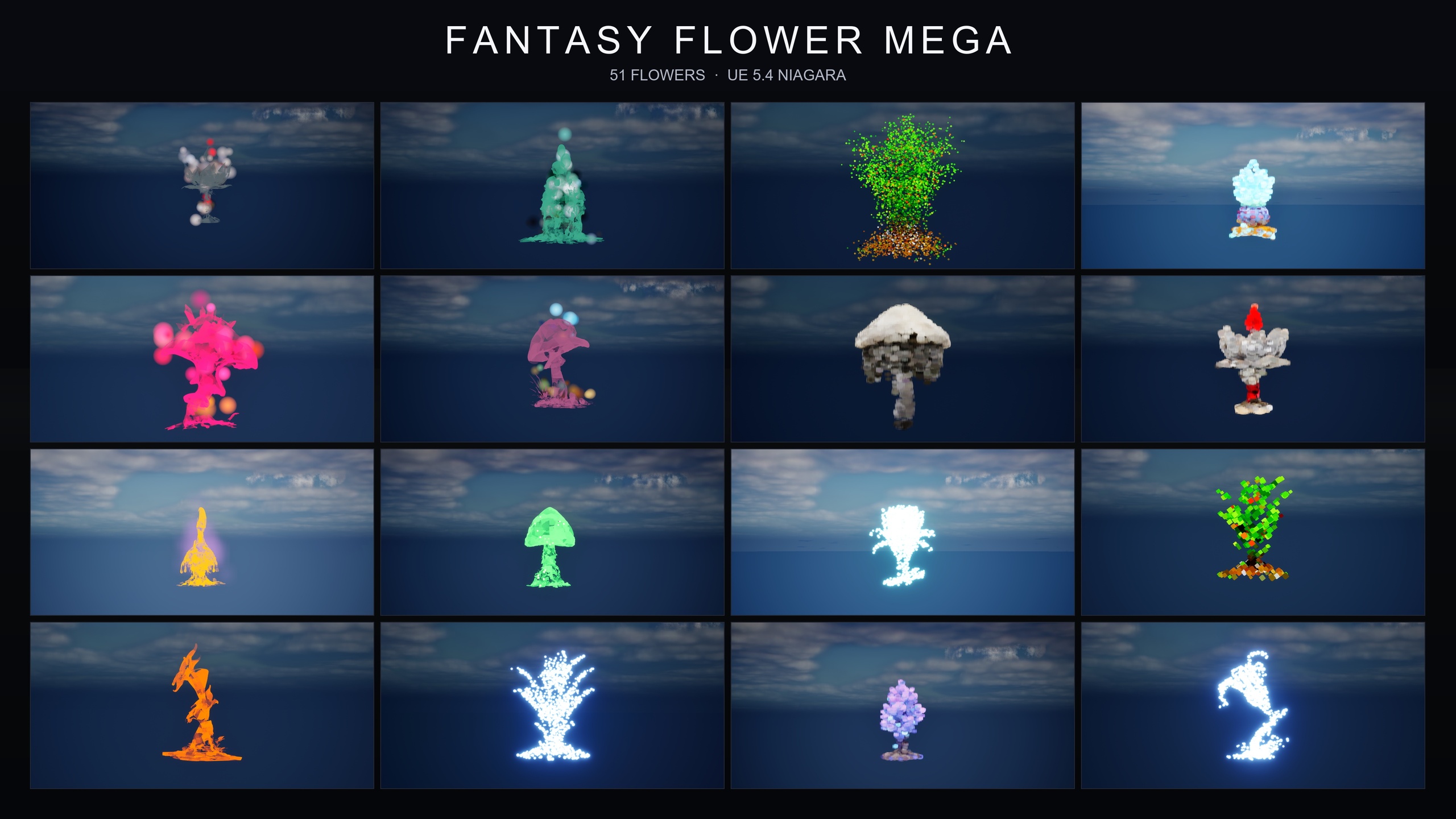
Ambient Garden VFX covers the calm, naturalistic register. When your scene needs something more active or more thematic, the rest of the Fantasy Flower line is built on the same 51 meshes and the same drag-and-drop, content-only workflow, so everything you have learned here transfers directly.
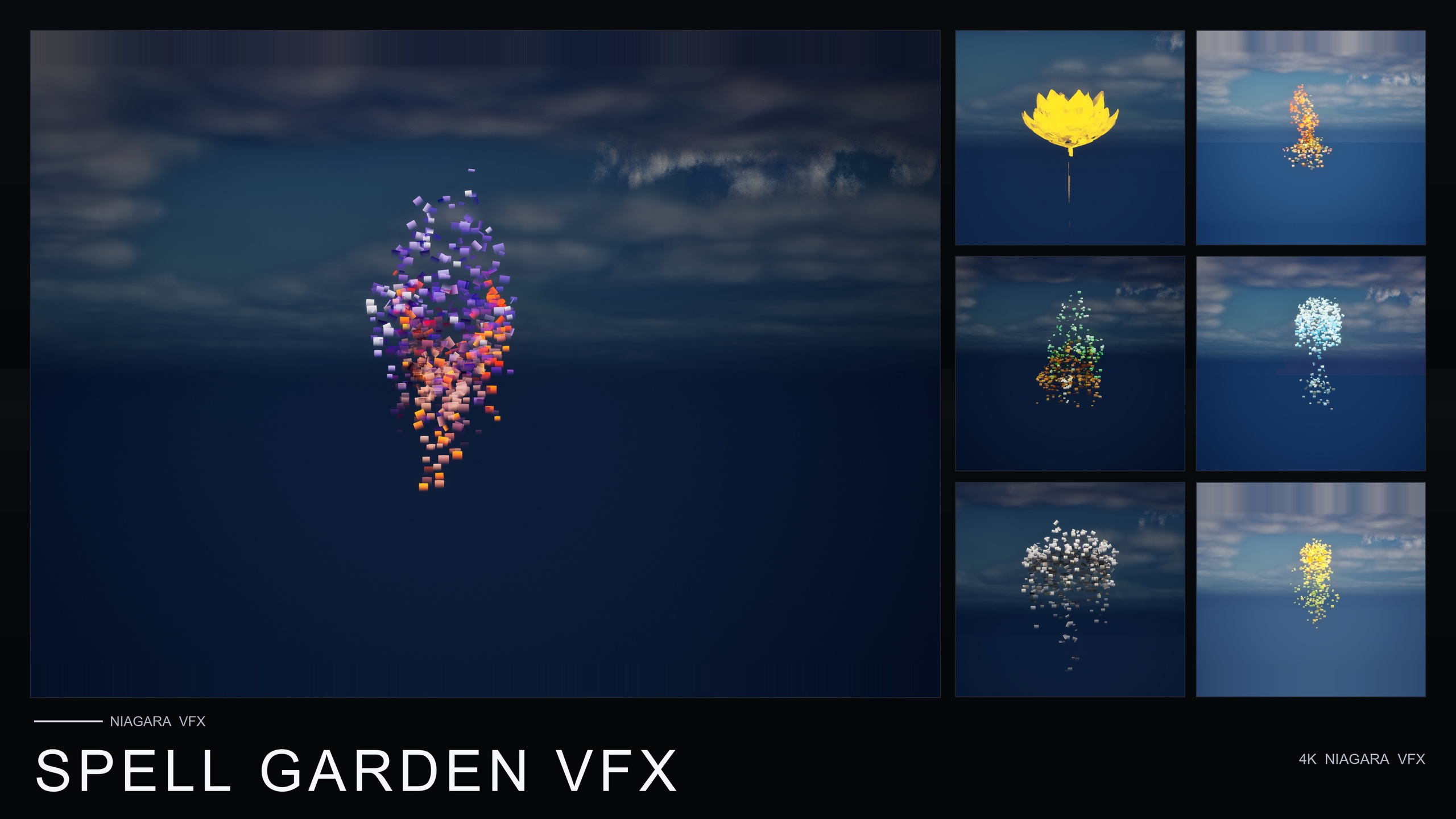
If your forest hosts spellcasting or rituals, Spell Garden VFX adds an arcane register: it wraps the same 51 flowers in UnfoldingBloom (a one-shot petal-and-mote burst tuned to fire from gameplay code), ProjectedGlyph (rotating, fading arcane runic glyphs) and VineGrow (animated sprouting vine trails), for 150 NiagaraSystems.
If you are going for a celestial or astral mood, Cosmic Bloom VFX wraps the same roster in two families — Constellation, which traces each flower's silhouette in star points joined by line segments, and LumenLight, soft warm-white light puffs that orbit the bloom — for 100 NiagaraSystems.
And if you expect to need many moods rather than one or two, the Fantasy Flower Mega Bundle is the complete line in a single purchase: all 15 effect families across all 51 flowers, for 750 NiagaraSystems, including the three ambient pillars you used in this tutorial. It is the practical choice when you are building a broad library to dress many different scenes.
The three ambient families and when to use each
| Family | What it produces | Best for |
|---|---|---|
| BloomingMotes | Soft floating pollen and light motes orbiting each flower | Sun-dappled daytime clearings |
| FireflySwarm | Warm flickering firefly trails looping around each bloom | Twilight and night scenes |
| Mist | Low-lying slowly-drifting ground fog hugging the plant base | Swamps, glens and morning gardens |
Roles and naming for Ambient Garden VFX's three pillars. Systems follow NS_<flower>_<family>.
Choosing the right pack in the Fantasy Flower line
| Pack | Families | NiagaraSystems | Register | Price |
|---|---|---|---|---|
| Ambient Garden VFX | 3 (BloomingMotes, FireflySwarm, Mist) | 150 | Calm, naturalistic atmosphere | $29.99 |
| Cosmic Bloom VFX | 2 (Constellation, LumenLight) | 100 | Celestial / astral | $34.99 |
| Spell Garden VFX | 3 (UnfoldingBloom, ProjectedGlyph, VineGrow) | 150 | Arcane / spellcasting | $39.99 |
| Fantasy Flower Mega Bundle | 15 (all families) | 750 | The complete line | $99.99 |
All packs are content-only, CPU Niagara, built on the same 51 stylised flower meshes, with no plugin dependencies. Prices from product listings.
FAQ
How do I make a magical forest scene in Unreal Engine 5 with ambient particles quickly?
Dress it with finished, drag-and-drop Niagara systems instead of authoring effects by hand. With Ambient Garden VFX you layer three ambient families onto your clearing — BloomingMotes for daytime pollen in the air, FireflySwarm for twilight lights, and Mist for low ground fog. Each system is dragged from the Content Browser into the viewport and plays automatically with no parameter tuning, so a clearing can be dressed in minutes.
Do I need Blueprints or C++ to use Ambient Garden VFX?
No. The pack is content-only: 150 ready-to-use NiagaraSystem assets with no C++, no Blueprints and no plugin dependencies. You drop a system into the level and it plays — there is nothing to compile and no engine modification required.
How are the 150 systems organised so I can find the right effect?
They are split into three subfolders by family — BloomingMotes, FireflySwarm and Mist — and every system is named NS_<flower>_<family>, for example NS_blood_lotus_bloomingmotes. Because they are prefixed by family, you can type a family name into the Content Browser search to filter to just that pillar, or search a flower name to find all three of its ambient variants together.
How many effects can I place before performance suffers?
There is no published framerate figure, but the product listing suggests a cap of around 15 flowers per demo map to keep things performant, so treat that as a sensible per-area budget. The systems use CPU Niagara emitters, so cost scales with how many you place; favour selective placement in the areas players actually look rather than blanketing the whole level.
Which Unreal Engine versions does it support?
The pack is compile-clean on UE 5.4 and opens cleanly on later engine versions, upgrading on open. (The source listing states UE 5.4+, while the product JSON lists 5.4 to 5.7.) It uses CPU Niagara emitters on the deferred render path with dynamic lighting, so no lightmap baking is required.
Ambient Garden VFX
Bring outdoor scenes alive with 150 ambient Niagara effects — drifting pollen, fireflies, floating spores and mist — across 51 meshes and 131 material instances. CPU-simulated for Windows, Mac and Linux.
Related on Fab

Related reading