tutorial · 2026-03-22
How to Place Statue, Ruins and Relic Props in a Fantasy Environment in UE5
Turn a bare mythic heightmap into a scene that reads as a place with a story, using the relic statue meshes that ship with the Mythic Relic Landscape Pack.
Why props anchor a themed landscape
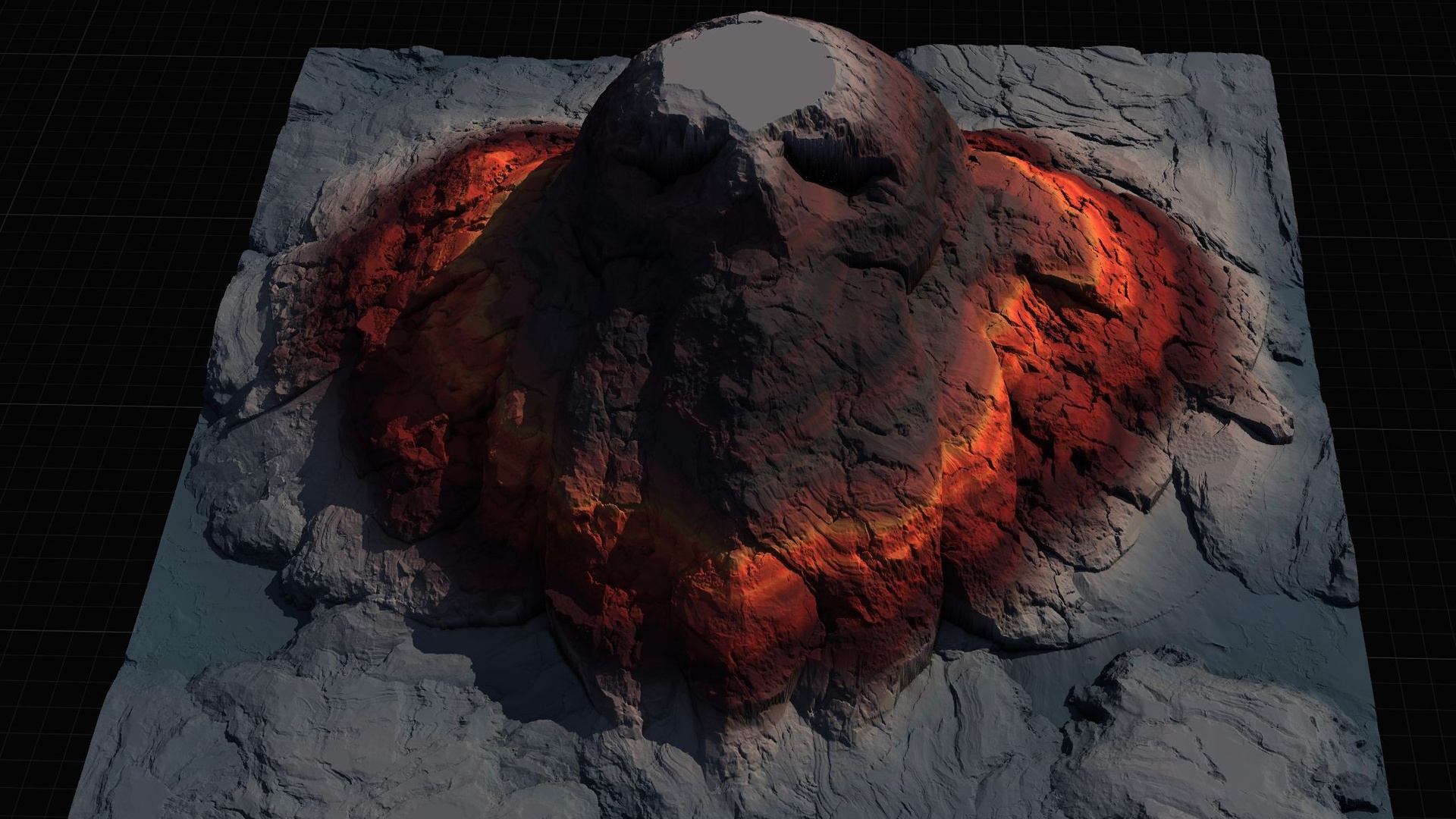
You have imported a mythic heightmap, applied the AutoMaterial, and the terrain already forms its legendary shape - a skull island, a fallen-angel isle, a hand reaching out of the sea. It looks like terrain. It does not yet look like a place. The missing ingredient is human scale and narrative: a single carved relic at the right spot tells the player that someone, or something, was here long before they arrived.
This guide shows you how to place statue, ruins and relic props in a fantasy environment in UE5 using only the bonus meshes that already ship inside the Mythic Relic Landscape Pack, under its Models folder - so you need not source set dressing from anywhere else to finish a set piece.
Props do three jobs on a landscape. They give the eye a fixed reference for scale, so a cliff reads as enormous rather than ambiguous. They create a focal point the terrain's silhouette can frame. And they carry the theme down from the macro shape of the heightmap to something the player can walk up to and inspect. Get those three right and a cheap heightmap stops looking like a tech demo and starts looking like a level.
The relic meshes you have to work with
The pack includes a set of relic-themed FBX meshes intended specifically for dressing these scenes. You will find them under the pack's Models folder once it is imported. The named assets include SM_Statue_Skull_01, SM_Turtle_Statue, SM_Anubis_01a, SM_FallenAngelStatue and the opened tome magic_book2_opened, alongside additional props such as SM_Human_Skeleton_Pose, SM_Oni_head and SM_Medieval_Weapons_Claybeg.
Match the prop to the map and the scene composes itself. The skull statue and skeleton pose belong on Skull Island, Sea Skull Island or the Bone Graveyard. The turtle statue is the obvious crown for Turtle Top Island. SM_Anubis_01a suits an underworld or tomb-flavoured map, while SM_FallenAngelStatue is the natural hero piece for the Island of the Fallen or the Island of Angels. The opened tome reads as a relic in its own right on the Island of Forgotten Tomes or the Book of Life.
These meshes are simple FBX props rather than the focus of the pack, so treat them as set dressing: their exact triangle counts, materials and whether they use Nanite are not documented, so plan to assign your own material and configure collision and LODs to suit your project rather than assuming they arrive game-ready.
Placing relics at the terrain's focal points
Work from the camera the player will actually use. Fly to the spot you expect them to spawn or first see the island from, then look for where the silhouette of the terrain naturally draws the eye - the brow of the skull, the peak of the turtle's shell, the summit of the Stairway to Heaven map. That high, framed point is where your hero relic goes.
1. In the Content Browser, open the pack's Models folder and locate the FBX prop that matches your map, for example SM_FallenAngelStatue.
2. Drag the mesh from the Content Browser into the viewport and drop it near the focal point. It will spawn as a Static Mesh Actor.
3. With the actor selected, use the 'End' key to drop it to the landscape surface, then nudge it in the 'Details' panel so its base sits slightly into the terrain rather than floating - a relic that has stood for centuries should look settled into the ground.
4. Rotate it on the Z axis so its strongest face turns toward the player's approach. A statue read from behind loses all its drama.
5. Place one hero relic, not five. A single Fallen Angel on the summit and perhaps the opened tome at its feet says far more than a field of scattered statues. Reserve secondary props such as the skeleton pose or weapons for the path leading up to the focal point, so they build anticipation rather than competing with it.
Scale and composition tips
Scale is the trap. A statue dragged straight in almost never matches the heroic scale of an 8K heightmap, and a relic that is too small makes the whole island look like a tabletop model. In the 'Details' panel, increase the actor's scale until a human-height character would be dwarfed by it - on a giant skull or hand map, that can mean several times the default import size. Drop a character or capsule in as a temporary reference while you tune it.
Compose with the terrain, not against it. Use the AutoMaterial's cliff and snow layers as a frame: a dark relic silhouetted against a snow cap, or a pale statue against bare cliff rock, reads cleanly from a distance. Avoid placing a prop where the material transitions are busiest, or the eye will lose the silhouette in the texture noise.
Let one relic carry the scene and keep the rest quiet. The terrain already does the heavy lifting, so the props only need to confirm the theme at ground level, not restate it ten times. When you want to go further, the pack also ships per-map demo levels already textured and lit - open one to see how a finished map is composed before you dress your own.
FAQ
How do I place statue and relic props in a fantasy environment in UE5?
Open the Mythic Relic Landscape Pack's Models folder in the Content Browser, drag a relic FBX such as SM_FallenAngelStatue or SM_Statue_Skull_01 into the viewport, press 'End' to drop it onto the landscape, then rotate and scale it in the 'Details' panel so it sits at the terrain's focal point and dwarfs human-height reference.
Which relic meshes are included in the Mythic Relic Landscape Pack?
The bonus FBX props include SM_Statue_Skull_01, SM_Turtle_Statue, SM_Anubis_01a, SM_FallenAngelStatue and the opened tome magic_book2_opened, along with extras such as SM_Human_Skeleton_Pose, SM_Oni_head and SM_Medieval_Weapons_Claybeg, all under the pack's Models folder.
Do the relic props arrive game-ready with Nanite and collision?
Treat them as set dressing rather than hero assets. Their triangle counts, materials and whether they use Nanite are not documented, so plan to assign a material and configure collision and LODs yourself to suit your project.
How big should a relic statue be relative to the landscape?
Scale it up until a human-height character is clearly dwarfed. On a giant skull or hand-of-god map that often means several times the default import size. Drop a character or capsule into the scene as a temporary scale reference while you tune it.
Can I dress these maps with props from other packs?
Yes. The Dark Fantasy Props Bundle adds 100+ gothic static meshes - thrones, tomes, lanterns, altars and obelisks - for dungeon and ruin interiors, and migrates into a 5.6+ project, so it pairs well when you want denser set dressing than the bonus relics provide.
Mythic Relic Landscape Pack
Fourteen fantasy landscapes with an auto-material — 52 heightmaps spanning islands, underworlds and mythic terrain. Beginner-friendly, paint-your-own-textures, ready for any RPG world.
Related on Fab



Related reading