
tutorial · 2026-03-09
Prototyping an Enchanted Forest or Shrine Scene in UE5 for Free
Block out a magical shrine in an afternoon using twelve free flowers and a golden Niagara aura — no compile, no plugins, no spend.
The cheapest way to test a magical scene in UE5
You want to know whether an enchanted forest or shrine idea reads before you commit hours to it. The trouble is that magical ambience lives almost entirely in the VFX and the lighting, and authoring bespoke Niagara from scratch just to find out if a layout works is a slow, expensive way to answer a cheap question. What you actually need is a handful of stylised plants and a believable magical glow you can drop in, look at, and judge in minutes.
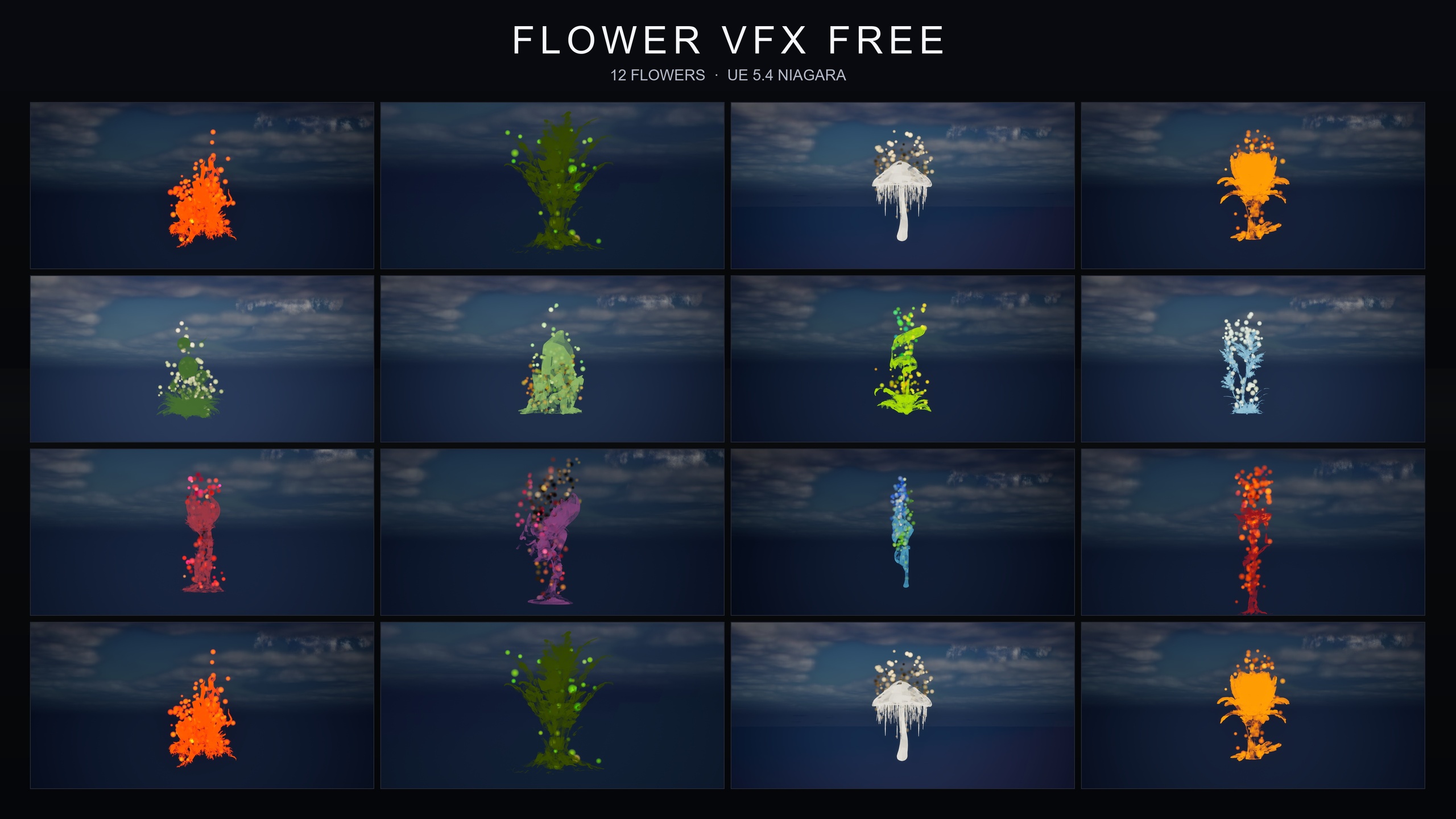
This tutorial does exactly that, and it does it for nothing. We will build an enchanted forest shrine scene in UE5 using free assets and VFX from the Fantasy Flower VFX free sampler — twelve stylised flower meshes paired with the GildedBloom Niagara family, a warm golden particle aura that swirls around each bloom. The pack is content-only: no compile step, no plugin dependencies, no engine modification. You add it, drag things into the level, and they play. That is the whole point of prototyping this way.
One honest note up front so you know what you are working with. The free sampler ships twelve flower static meshes and twelve GildedBloom Niagara systems — one aura per flower. It is the lead-in to a larger paid line, so the naming and folder structure deliberately match the paid packs, which is what makes scaling up later painless. We will come back to that at the end.
Blocking out the shrine with the twelve free flowers
Start by getting the assets in front of you. The fastest way in is the bundled demo level: it lays out all twelve flowers side by side under dynamic sky lighting and opens immediately, so you can eyeball every mesh and its golden aura before you place a single thing. Treat it as your palette.
1. Add the Fantasy Flower VFX free sampler to your project and open the FlowerVFXFree content folder in the Content Browser. The twelve flower static meshes and the twelve GildedBloom Niagara systems live here.
2. Create a fresh level for your shrine, or duplicate the demo level if you want to keep its lighting rig as a starting point. Drop a simple ground plane or a piece of placeholder terrain to stand in for the forest floor.
3. Decide on a focal point. A shrine reads best when there is an obvious centre — a raised stone, a pedestal, a clearing — and everything else clusters around it. Block that centre out with any prop you have to hand; the flowers will do the dressing.
4. Drag the flower static meshes from the FlowerVFXFree folder into the level and arrange them around the focal point. Because the meshes carry PBR materials and each has its own colour palette, you can build visual rhythm by alternating warmer and cooler blooms rather than scattering them at random. Cluster a few tightly at the base of the shrine and let them thin out toward the edges of the clearing — density falloff is what sells a 'wild but tended' fae-garden look.
5. Vary scale and rotation as you place. Twelve unique meshes is plenty for a prototype, but uniform transforms read as a kit; small per-instance rotation and a little scale variance break that up instantly.
Placing GildedBloom auras for focal points
With the layout blocked out, the magic comes from the GildedBloom family. These are the twelve Niagara systems in the pack — golden particles swirling around each bloom in a warm aura — and they are designed to be completely plug-and-play. There are no parameters to tune and no setup to perform.
1. In the FlowerVFXFree folder, find the GildedBloom NiagaraSystem that matches the flower you want to highlight. Drag it straight into the level, or attach it to the flower actor so the two move together. The effect plays automatically the moment it is in the scene.
2. Be selective. The instinct is to put an aura on every flower, but a shrine reads more clearly when the glow guides the eye. Reserve GildedBloom for your hero blooms — the ring around the pedestal, the single flower on the altar stone — and leave the supporting plants un-glowing. Restraint is what makes the lit ones feel sacred rather than busy.
3. Position the auras so they cluster toward your focal point. Because the golden particles are warm, a tight knot of them at the shrine's centre will naturally pull attention there, which is exactly what you want from a focal effect.
4. The systems use CPU Niagara emitters and the pack is content-only, so there is nothing to compile and nothing to break. If you want to compare a flower with and without its aura, just toggle the Niagara actor's visibility and look. Iterating is this fast precisely because you never leave the editor.
Lighting for an enchanted read
Layout and VFX get you most of the way, but lighting decides whether the scene feels enchanted or just decorated. The free sampler ships a movable lighting setup that works with both static and dynamic scenes, and the demo level uses dynamic sky lighting with no baking required — which is ideal for prototyping, because you can move lights and props freely and see the result without waiting on a build.
1. Keep your key light low and warm. A directional light raked across the clearing at a shallow angle throws long shadows between the flowers and gives the GildedBloom particles something to glint against. Enchantment lives in contrast, not in flat ambient fill.
2. Let the golden auras do some of the lighting work. Since the GildedBloom particles are warm and bright, they read as their own small light sources around your hero blooms, reinforcing the focal point without you placing extra fixtures.
3. Lean cool everywhere the gold is not. A faint blue or teal ambient or sky tint in the surrounding forest makes the warm shrine centre pop by simple colour contrast. This warm-centre, cool-surround split is the single most reliable trick for an enchanted read.
4. Because the lighting is dynamic, dim the overall exposure and let the scene sit in twilight. Magical scenes almost always read better darker — the glow has more to push against, and the eye is drawn straight to the lit shrine. Adjust, look, adjust again; nothing here needs to bake.
Scaling up with paid families later
Once the prototype convinces you, the free sampler is built to grow with the scene rather than be thrown away. It shares its naming convention and folder structure with the paid packs in the Fantasy Flower line, so dropping in a paid family later is seamless — the assets land exactly where you expect them and slot into the workflow you already learned.
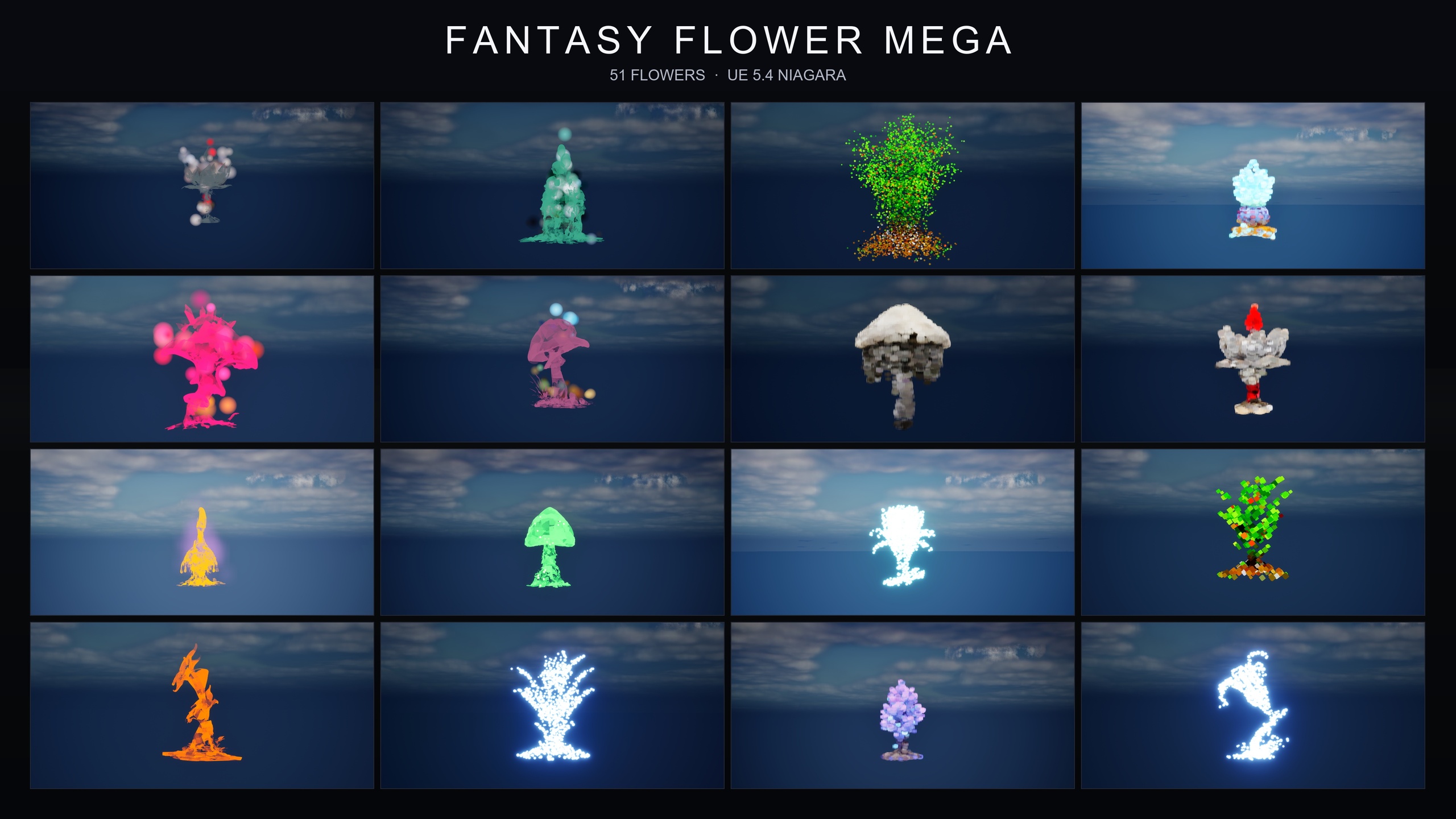
If you want more plants to dress a larger forest, the paid packs extend the roster to fifty-one stylised flower meshes — the full Fantasy Flower line. For broad atmosphere, Ambient Garden VFX wraps three ambient families (BloomingMotes soft floating motes, FireflySwarm warm flickering trails, and a low-lying drifting Mist) across all fifty-one meshes for 150 ready-to-use Niagara systems — the natural next step when you want drifting pollen, fireflies, or ground fog filling out the forest around your shrine.
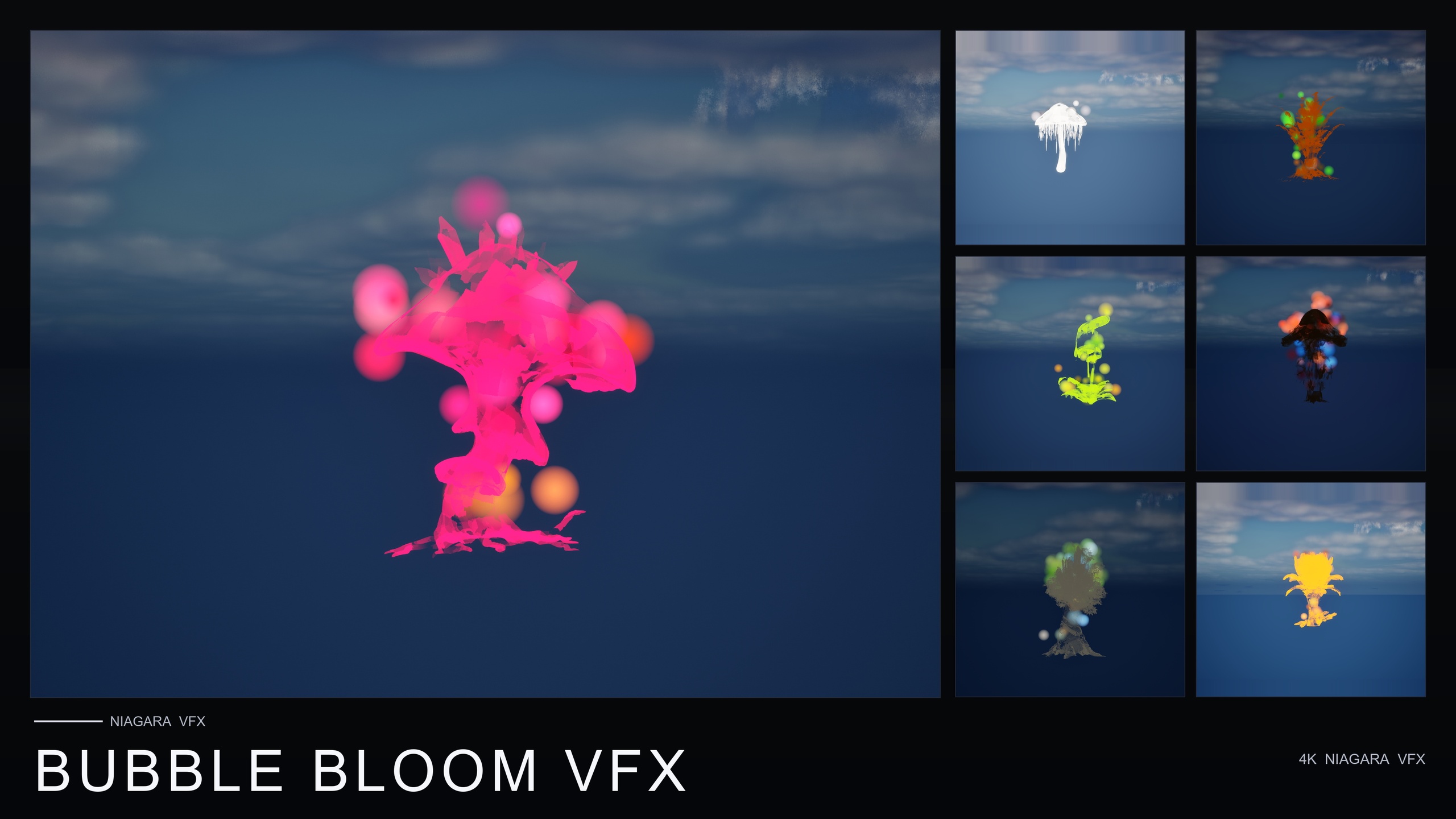
For a softer, whimsical register, Bubble Bloom VFX adds fifty Niagara systems of translucent, rainbow-tinted soap-film bubbles rising from each flower — well suited to a fae garden or alchemy-lab variation of the same scene, and it is the lowest-priced paid pack in the line. And if you expect to range across many moods rather than commit to one or two families, the Fantasy Flower Mega Bundle pairs all fifty-one meshes with all fifteen effect families for 750 Niagara systems, and explicitly supports layering families on a single flower for compound effects.
The honest path is the one you have just walked: prove the layout and the enchanted read for free, then buy only the family the scene actually calls for. Your next step is to open that demo level, drag twelve flowers into a clearing, and see whether your shrine idea holds up before you spend anything at all.
Where to go after the free sampler
| Pack | Flower meshes | Niagara systems | Best for | Price |
|---|---|---|---|---|
| Fantasy Flower VFX (free sampler) | 12 | 12 (GildedBloom) | Trying the line; golden hero auras | Free |
| Bubble Bloom VFX | 51 | 50 (Bubbles) | Whimsical fae / alchemy ambience | $19.99 |
| Ambient Garden VFX | 51 | 150 (3 ambient families) | Drifting motes, fireflies, ground mist | $29.99 |
| Fantasy Flower Mega Bundle | 51 | 750 (15 families) | Maximum range; layered effects | $99.99 |
Niagara-system counts and prices are from each pack's product listing. All packs are content-only, CPU Niagara, with no plugin dependencies. Material and texture counts vary by source, so they are omitted here.
FAQ
Can I really build an enchanted forest or shrine scene in UE5 with free assets and VFX?
Yes. The Fantasy Flower VFX free sampler is genuinely free and ships twelve stylised flower meshes plus twelve GildedBloom Niagara auras and a fully-lit demo level. It is content-only with no plugin dependencies, so you can block out and light a magical shrine prototype without spending anything or writing any code.
Do I need to set up or tune the Niagara effects?
No. The GildedBloom systems are plug-and-play: drag one into the level or onto a flower and the golden aura plays automatically with no parameter tuning. There is no compile step because the pack is content-only.
Which engine versions does the free pack support?
The product listing states UE 5.4 to 5.7, while the source listing describes it as UE 5.4 and later. It is compile-clean on UE 5.4. If you are on an older engine version, you will need to upgrade.
How do I light the scene so it actually feels enchanted?
Keep your key light low and warm, let the GildedBloom auras read as their own small warm light sources at the focal point, and lean the surrounding forest cool. A warm-centre, cool-surround split plus a dim, twilight exposure is the most reliable way to get an enchanted read. The pack's movable lighting and the demo's dynamic sky make this fast to iterate.
What do I buy when I outgrow the free pack?
The free sampler shares naming and folder structure with the paid packs, so upgrading is seamless. Ambient Garden VFX adds drifting motes, fireflies and mist across fifty-one meshes; Bubble Bloom VFX adds whimsical soap-film bubbles; and the Fantasy Flower Mega Bundle bundles all fifteen families for the widest range. Pick the family your scene actually needs.
Fantasy Flower VFX
A free sampler from the Fantasy Flower VFX line: 12 Niagara effects with matching meshes and 2K textures, CPU-simulated for Windows, Mac and Linux. A no-cost taste of the full collection.
Related on Fab

Related reading