
article · 2026-03-12
Fantasy Flower VFX & Mesh Packs for UE5: The Complete Range
Every SKU in the Fantasy Flower line, what each one actually contains, and how to pick the right one for your scene.
One line, several SKUs — which fantasy flower pack do you actually need?
If you searched for fantasy flower Unreal Engine VFX and meshes, you have probably already noticed that there isn't one product to buy — there's a whole range, and the names blur together. The line splits cleanly along a single axis: some packs are geometry (the flowers themselves, as static meshes you place and light), and some packs are Niagara effects (the particle systems that swirl, bloom and glow around those flowers). Knowing which side of that line you're standing on is the fastest way to stop overpaying or under-buying.
All of these packs share one roster of stylised blooms and one folder convention, so they slot together without surprises. This guide walks the whole range — the free sampler, the mesh-only pack, the spell-focused VFX pack and the everything-in-one mega bundle — using the real asset counts and technical specs from each product, and then recommends a SKU per use case. Where the source listings disagree with themselves, that is flagged rather than papered over.
Every pack in the line is content-only. There is no C++, no Blueprints required to get a system playing, and no plugin dependencies, so adding any of them is a content migration rather than a build step. The three VFX packs are authored with CPU Niagara emitters and compile cleanly on UE 5.4; the mesh-only Fantasy Flower Pack carries no Niagara at all and ships as a UE 5.6 project.
VFX vs meshes: what each side of the line is for
A static mesh is the flower itself — geometry, a material and its PBR textures. You drag it into a level, it casts and receives light, you can scatter it as ground cover, and it just sits there looking like a plant. That is what the Fantasy Flower Pack delivers: 51 hand-modelled fantasy, sci-fi and gothic blooms as Nanite-ready meshes with automatic collision. If your scene needs flowers that exist physically in the world, meshes are the thing you need.
A NiagaraSystem is motion and light around a flower — golden motes, drifting glyphs, a one-shot petal burst, creeping vines. The VFX packs take the same flower roster and wrap each bloom in one or more effect 'families', producing a NiagaraSystem you drag in and it plays. The VFX packs reference the same meshes by name, so a VFX system and the matching mesh line up out of the box.
The practical rule: buy meshes when you need plants to dress a scene, buy VFX when you need those plants to feel alive or magical, and buy both (or the bundle) when you need a hero plant that is fully realised — modelled, lit and animated with particles. The free sampler is the cheapest way to see how the two halves click together before you commit.
The free sampler: Fantasy Flower VFX
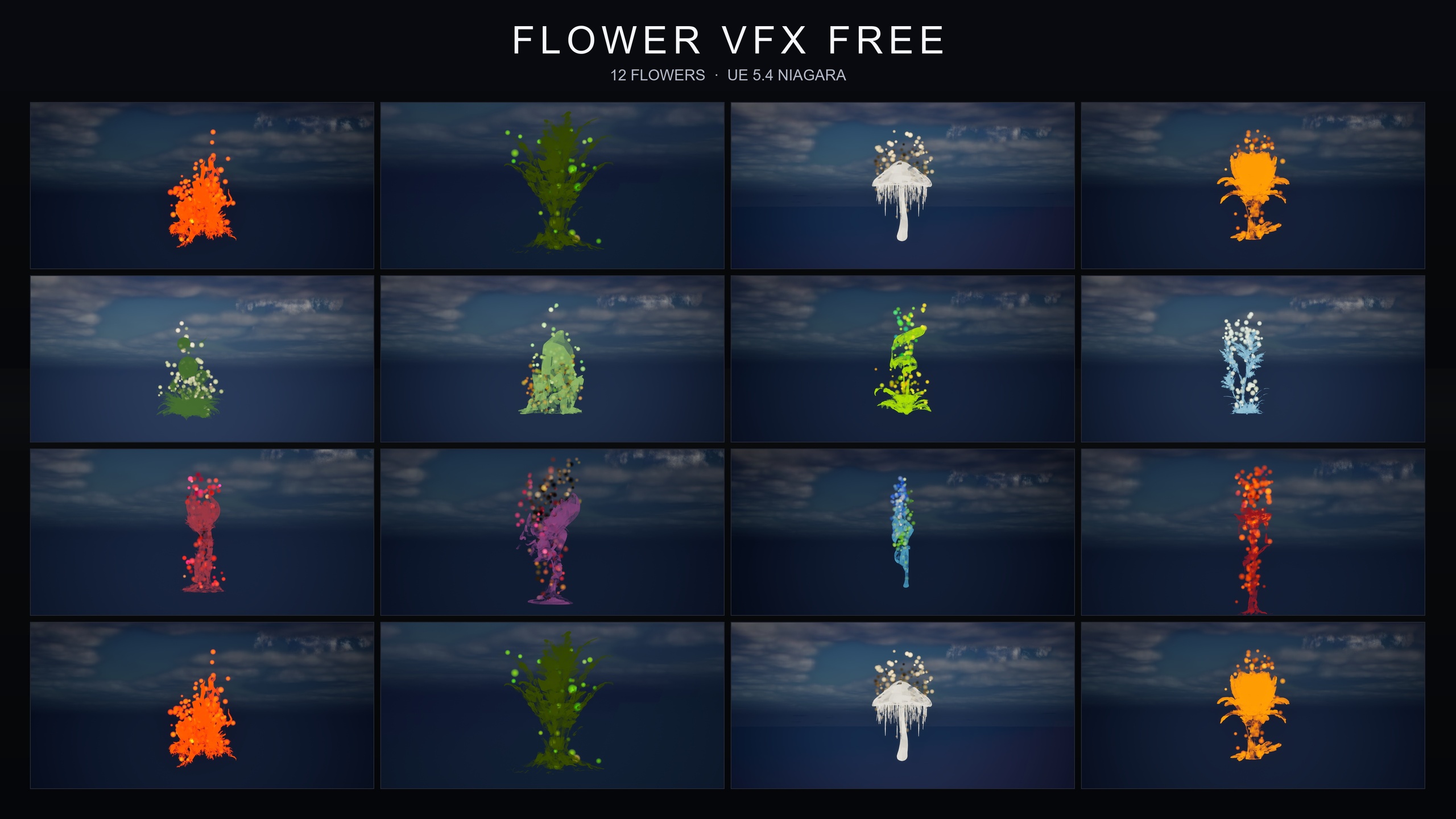
The free Fantasy Flower VFX pack is the lead-in to the whole line, and it costs nothing. It ships 12 hand-picked stylised flower meshes paired with the GildedBloom Niagara family — radiant golden particles swirling around each bloom in a warm magical aura — as 12 plug-and-play NiagaraSystems, one per flower. There is one fully-lit demo level that lays all 12 flowers out side by side under movable, dynamic lighting, so you can open it and judge the look immediately.
Plug-and-play here is literal: drop a system into the level and it plays automatically, with no parameter tuning. Because the sampler uses the same naming convention and folder structure as the paid packs, anything you build with the free systems carries straight over when you upgrade — dropping a paid family in later is seamless rather than a re-wire.
Use it to trial the line at zero cost, to add a warm golden aura to a single hero plant or prop, or simply to learn the drop-in workflow before you spend anything. The free pack's material and texture counts vary between the source listing and the packs metadata, so this guide does not quote them as hard numbers; the mesh count (12) and system count (12) are consistent across every source.
The mesh-only pack: Fantasy Flower Pack
If you only need the plants, the Fantasy Flower Pack is the SKU. It is 51 unique hand-modelled fantasy, sci-fi and gothic flowers and plants delivered as static meshes — blossoms, lotuses (Blood Lotus, Radiant Lotus), crystalline and arbor plants, mushrooms and fungus, nightshade, and ember and coral blooms. Each flower carries its own mesh, material and 2K PBR texture set, with automatic collision baked in.
Two technical details make this pack low-friction. The geometry is Nanite-ready, so it drops in without LOD juggling, and the automatic collision means meshes behave physically the moment they land in a level. The pack ships as a UE project with the FBX, image and reference folders alongside the cooked content, so if you need to re-import or edit a flower in a DCC tool, the raw sources are right there.
It suits dressing a fantasy garden or enchanted forest floor, populating an alien biome with otherworldly flora, adding gothic plants to a cursed environment, or providing foreground detail for cinematics and screenshots. For dense ground cover you can register the meshes as Foliage types and paint them, or feed them to a PCG graph for procedural scatter — treat that as a workflow you set up, not a shipped feature. One honest limit: these flowers do not animate or sway. There is no Pivot Painter or vertex wind in the pack, so if you want movement on the plants themselves you are pairing them with a VFX pack or authoring wind yourself.
The spell-focused VFX pack: Spell Garden VFX
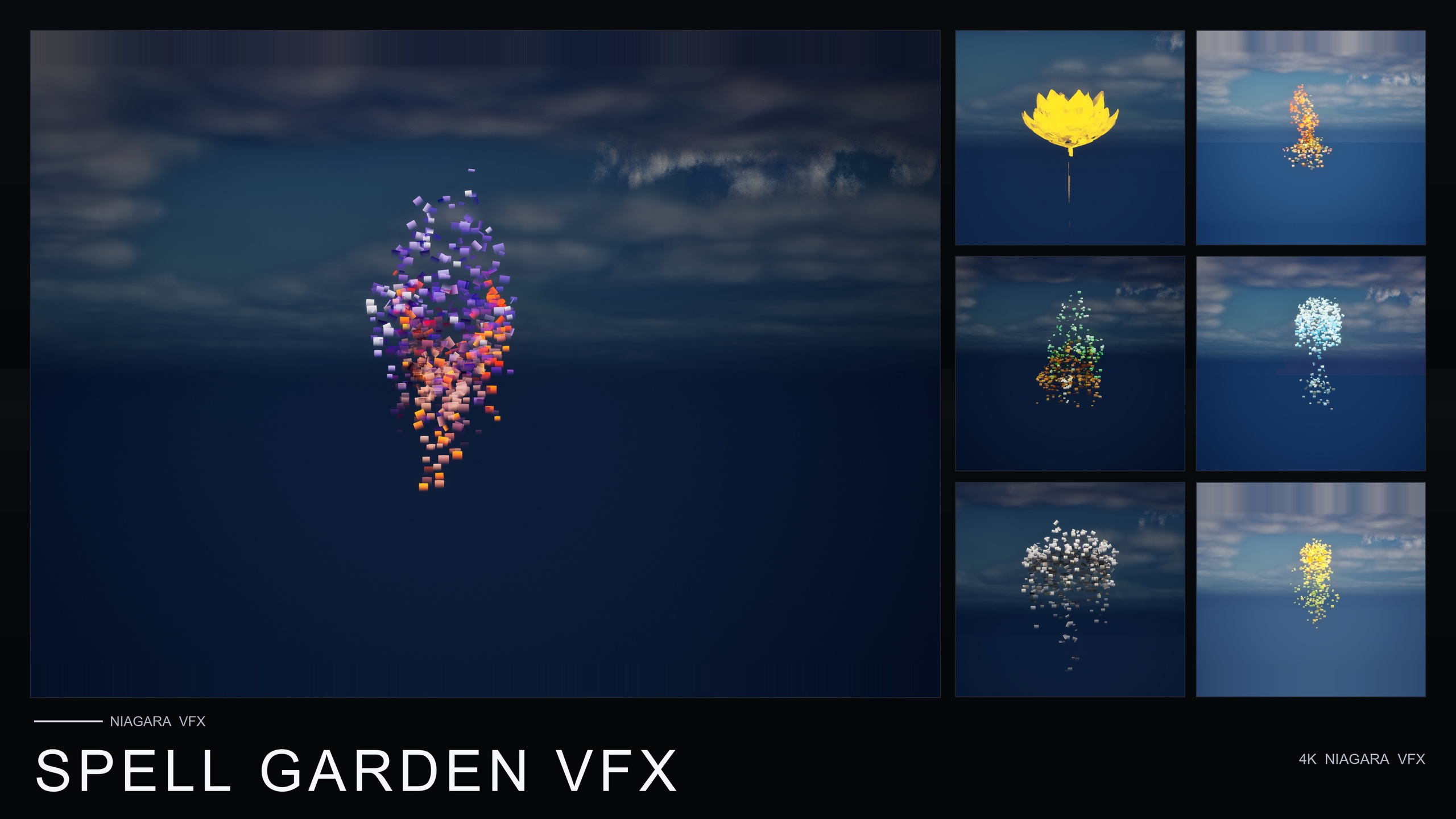
Spell Garden VFX is the pack to buy when the flowers need to do something on cue rather than just shimmer ambiently. It is a three-family Niagara pack built for spell-casting, ritual and arcane moments, applying its three effect families to every one of the 51 flowers to produce 150 ready-to-use NiagaraSystems. It is the highest-priced individual pack in the line at $39.99.
The three families each target a distinct moment. UnfoldingBloom is a one-shot burst of petals and motes radiating outward, tuned for one-shot triggers from gameplay code — the 'spell cast' or 'flower opens' beat. ProjectedGlyph is arcane runic glyphs that slowly rotate and fade around a flower, reading in screen space against any background, which makes it ideal for summoning circles, enchantments-in-progress and ritual focal points. VineGrow is animated vine and leaf trails that sprout from the base and creep outward across nearby surfaces, respecting simulation bounds.
All three can be combined on a single flower for a powerful active-enchantment read, or fired individually. Note that 'tuned for one-shot triggers from gameplay code' means you wire the spawn call yourself — typically a SpawnSystemAtLocation from Blueprint or C++ on your ability event. The pack ships no Blueprints; it provides the systems and you provide the trigger. It is the right pick for ability and spell feedback, druidic overgrowth moments, and magic-school or lab dressing.
The everything pack: Fantasy Flower Mega Bundle
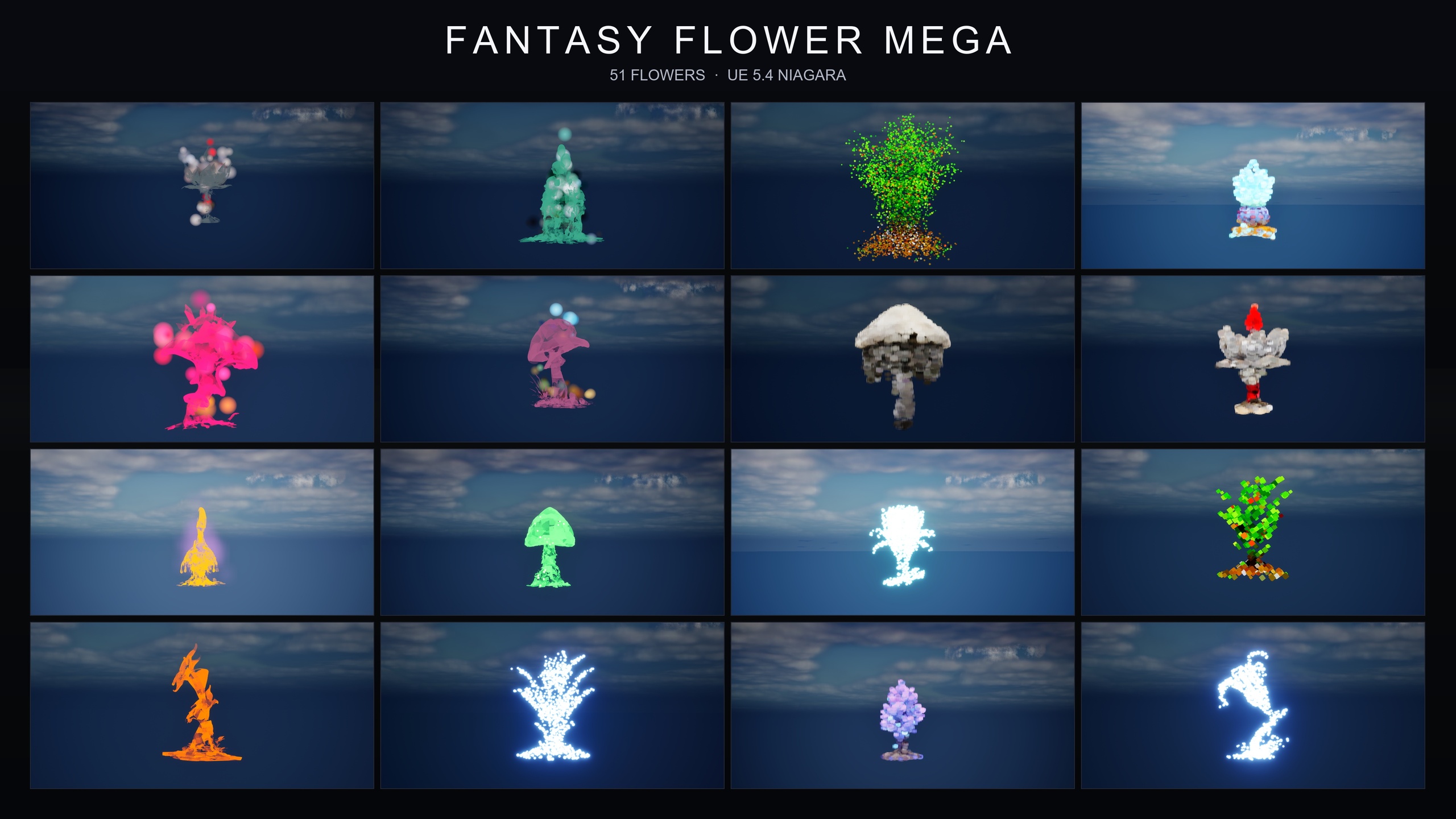
The Fantasy Flower Mega Bundle is the complete line in one purchase: every one of the 51 flower meshes wrapped with all 15 Niagara effect families, which works out to 750 NiagaraSystems. It spans every visual register the line offers — ambient, magical, dark, cyber, bubble, steampunk, crystal, cosmic, spell-themed and gilded — through families including BlackMist, BloomingMotes, Bubbles, Constellation, Crystalline, FireflySwarm, GildedBloom, Holographic, LumenLight, Mist, PixelVoxel, ProjectedGlyph, SteampunkGears, UnfoldingBloom and VineGrow.
The folder layout is flat and built for two browsing modes. Every flower's NiagaraSystem variants sit alongside its StaticMesh and MaterialInstances, so you can browse by flower; or you can filter by family with a Content Browser search for the family name, such as 'Constellation' or 'BlackMist'. The bundle's standout move is mixing families on a single flower — the listing explicitly suggests layering BlackMist with ProjectedGlyph for a cursed-summoning read — which gives you layered hero effects that no single pack produces alone. Demo levels are pre-built and pre-lit (the source count is given as one per family in the product data, with the listing body quoting a lower figure, so treat the exact number as ambiguous).
This is the SKU for projects that need maximum visual range rather than one or two moods: fantasy biome work, game-jam and prototyping libraries spanning many registers, AR/VR gardens, archviz planters and broad magical-effect libraries. At $99.99 it carries the line's full roster of meshes and every family at once. If your project will reach for several different moods over its lifetime, buying the bundle up front is the path the line is designed around.
Mixing meshes and VFX in one scene
Because the whole line shares one mesh roster and one naming convention, combining geometry and effects is mostly a matter of placing the right asset and trusting the names to line up. A typical hero flower is one static mesh, lit, with one or more NiagaraSystems sitting on or around it; the systems reference the same bloom, so they read as a single coherent object.
1. Place the flower. Drag the StaticMesh (from the Fantasy Flower Pack or one of the meshes bundled into a VFX pack) into the level. It arrives with its material, 2K PBR maps, automatic collision and Nanite geometry, so no further setup is needed to make it sit in the world correctly.
2. Add ambient VFX. For a constant magical presence, drag a GildedBloom system (free sampler) or any ambient family from the mega bundle onto the flower. It plays automatically with no tuning.
3. Add triggered VFX. For gameplay beats, fire an UnfoldingBloom system from Spell Garden VFX as a one-shot from your ability code, and place a ProjectedGlyph system for the summoning-circle read. ProjectedGlyph renders in screen space, so it stays legible against any background.
4. Layer for hero moments. On a single flower, stack families for a richer effect — BlackMist plus ProjectedGlyph for cursed summoning, or all three Spell Garden families together for an active-enchantment look. The flat folder layout in the bundle keeps every variant for a flower in one place, so layering is a matter of dragging in two or three systems rather than hunting across folders.
The shared baseline across the line is that everything is content-only with no plugin dependencies, which is the real reason the packs are worth treating as one ecosystem rather than four unrelated buys — whatever you start with, the rest drops in alongside it without rework. The three VFX packs go a step further with a matching technical profile: CPU Niagara, deferred rendering with dynamic lightmaps, and textures at 2048x2048 and 1024x512. The mesh-only Fantasy Flower Pack differs in the expected ways — it is a UE 5.6 Windows project with no Niagara and all textures at 2048x2048 — but it shares the same flower roster and naming, so it still slots in cleanly.
The Fantasy Flower line at a glance
| Pack | Type | Flower meshes | Niagara families | NiagaraSystems | Price (USD) |
|---|---|---|---|---|---|
| Fantasy Flower VFX (Free Sampler) | Meshes + VFX | 12 | 1 (GildedBloom) | 12 | Free |
| Fantasy Flower Pack | Meshes only | 51 | 0 | 0 | 21.99 |
| Spell Garden VFX | VFX | 51 | 3 (UnfoldingBloom, ProjectedGlyph, VineGrow) | 150 | 39.99 |
| Fantasy Flower Mega Bundle | Meshes + VFX (everything) | 51 | 15 (all families) | 750 | 99.99 |
Counts and prices are taken from each product's dossier. Where a source listing contradicts itself (demo-level counts, some material counts) the ambiguity is noted in the text rather than asserted here.
FAQ
What is the difference between the fantasy flower Unreal Engine VFX and meshes packs?
The mesh pack (Fantasy Flower Pack) is the 51 flowers as static meshes — geometry, materials and 2K PBR textures you place and light. The VFX packs are Niagara particle systems that wrap those same flowers with effects like golden auras, runic glyphs, petal bursts and creeping vines. Buy meshes for plants in your scene, VFX for motion and magic around them, and the Mega Bundle for both at once.
Do I need any plugins or C++ to use these packs?
No. Every pack in the line is content-only with no plugin dependencies, no C++ and no Blueprints required to get a system playing. The three VFX packs use CPU Niagara and compile cleanly on UE 5.4; the mesh-only Fantasy Flower Pack ships as a UE 5.6 project with no Niagara. Adding a pack is a content migration, not a build step. The one nuance: Spell Garden VFX's one-shot UnfoldingBloom effects are tuned to be triggered from your own gameplay code, so you wire that spawn call yourself.
Should I just buy the Mega Bundle?
Buy the Mega Bundle if your project will reach for several different moods — ambient, dark, cyber, cosmic, spell-themed and more — because it carries all 15 families and all 51 meshes as 750 NiagaraSystems for $99.99. If you only need plants, buy the Fantasy Flower Pack alone. If you specifically need spell, ritual and growth effects, Spell Garden VFX covers those three families. Try the free sampler first either way.
Do the flowers animate or sway in the wind?
The meshes themselves do not. The Fantasy Flower Pack ships no Pivot Painter or vertex wind, so the geometry is static. Movement and magic come from the Niagara VFX packs — the particle systems that swirl, burst and grow around the flowers. If you want the plants to sway, you pair them with a VFX pack or author wind yourself.
Will the free sampler upgrade cleanly to the paid packs?
Yes. The free Fantasy Flower VFX sampler uses the same naming convention and folder structure as the paid packs, so anything you build with its 12 GildedBloom systems carries over when you upgrade. Dropping a paid family in later lines up with the existing layout rather than forcing a re-wire.
Fantasy Flower Mega Bundle
The complete Fantasy Flower collection — 750 ready-to-use Niagara systems spanning all 15 VFX families, from spell gardens and cosmic blooms to dark, crystal, steampunk and sci-fi sets. 51 stylised flower meshes, 331 material instances, CPU-simulated for Windows, Mac and Linux, with 15 demo levels — one per family. Content-only: no C++, no Blueprints, no plugin dependencies.
Related on Fab

Related reading