tutorial · 2026-01-27
Build a Free Dark-Fantasy Starter Set in UE5 (Statue, Wailstone, Urn)
Three free drop-in static meshes, one cursed-ruin vignette, zero spend — and a clear line for when a paid pack actually earns its place.
Start with three free meshes, not a blank level
Every horror or dark-RPG prototype hits the same wall early: the level is greyboxed, the gameplay loop is roughed in, and the scene still reads as a programmer's test map rather than a cursed place. You do not want to buy a hundred-asset pack to find out whether your shrine moment lands. You want a few honest, free dark fantasy props in Unreal Engine 5 you can drop in tonight and judge tomorrow.
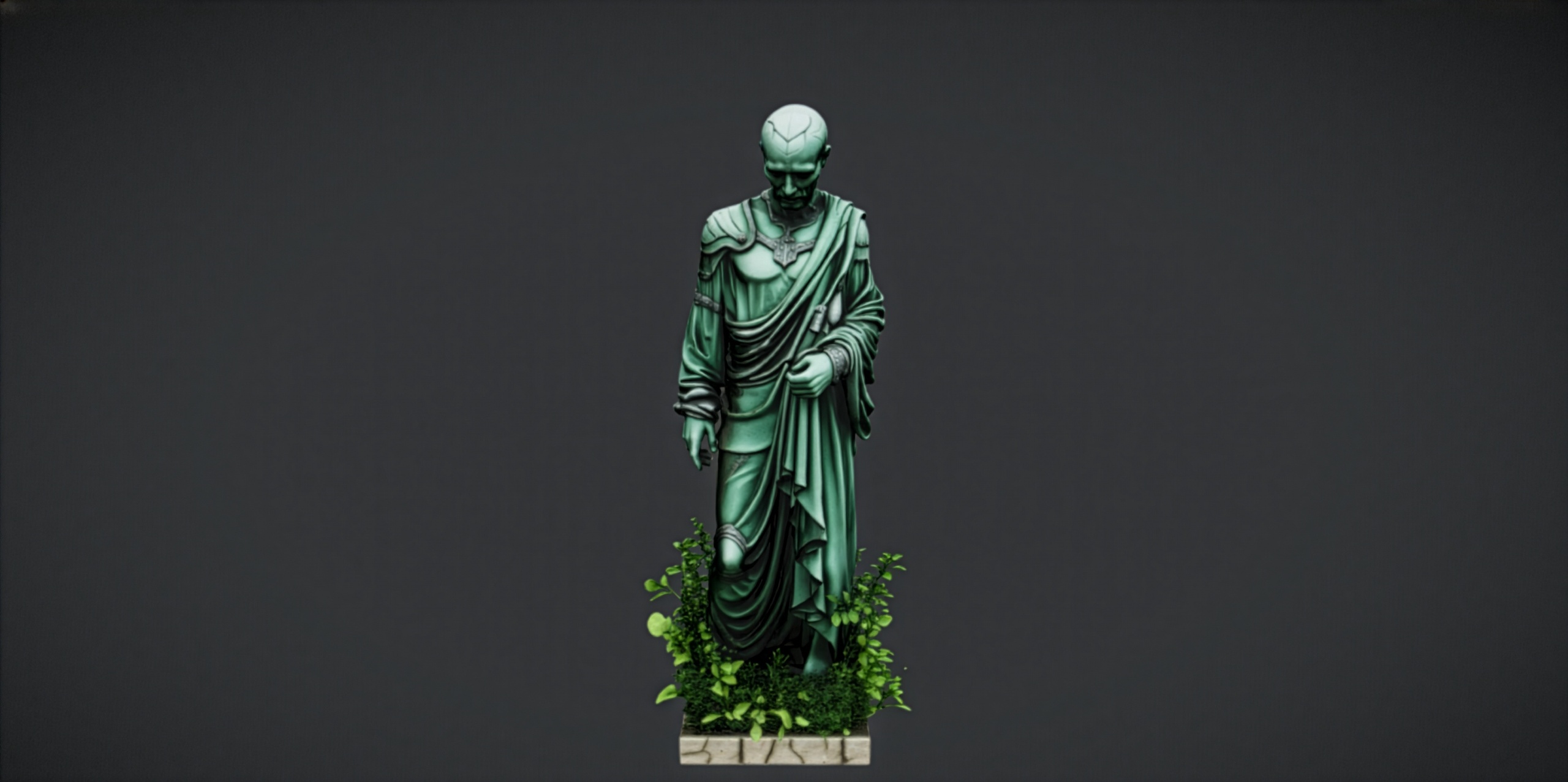
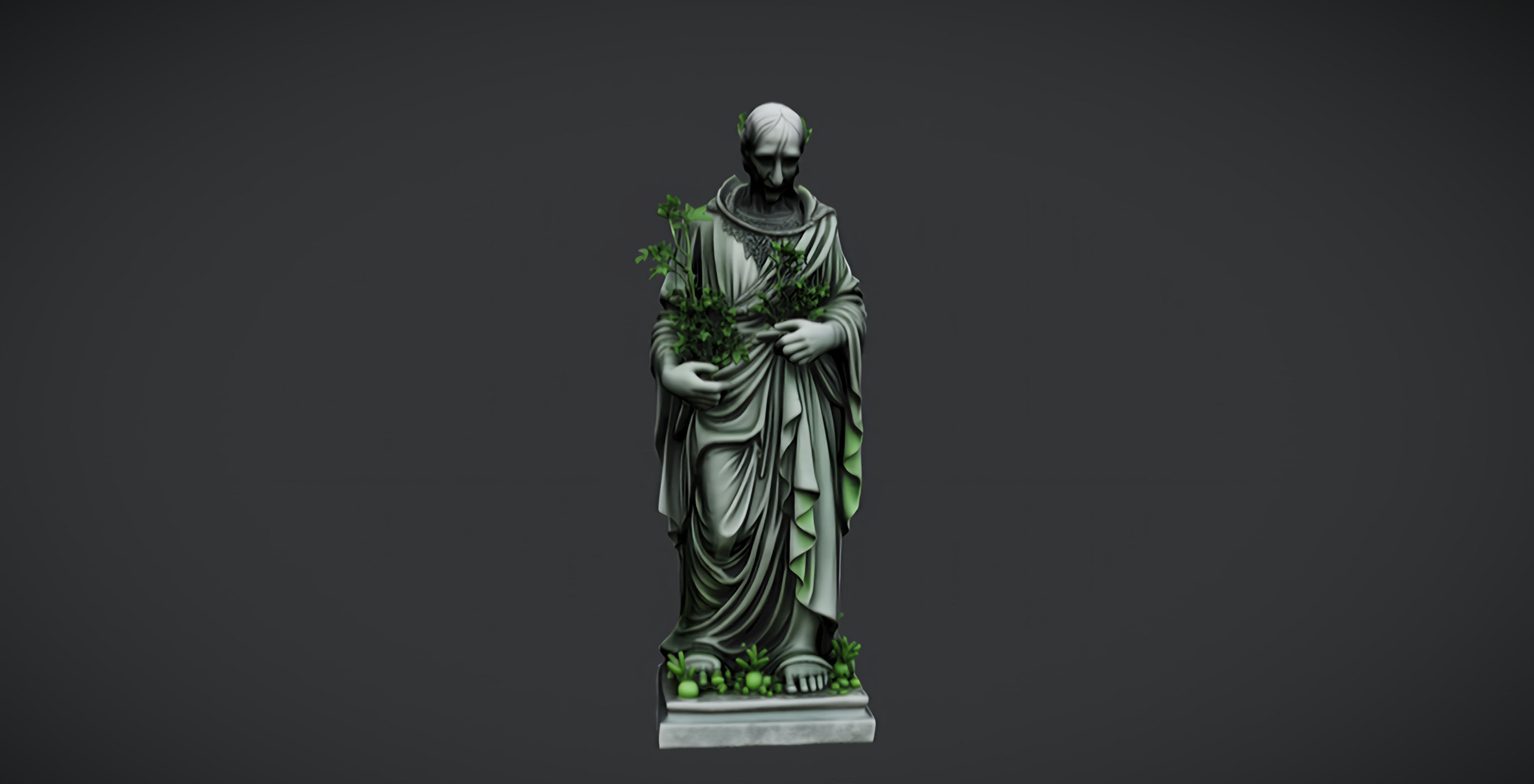
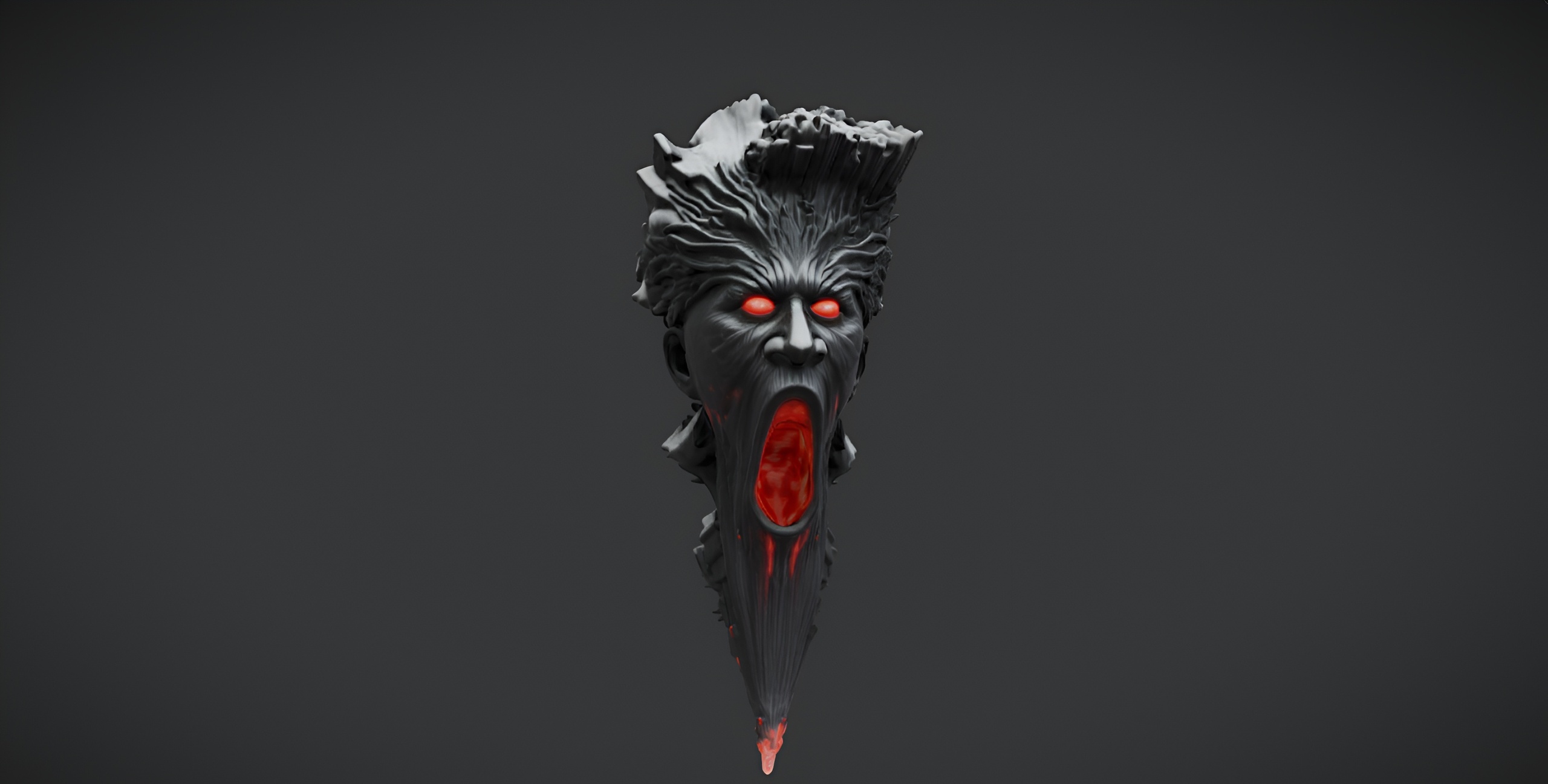
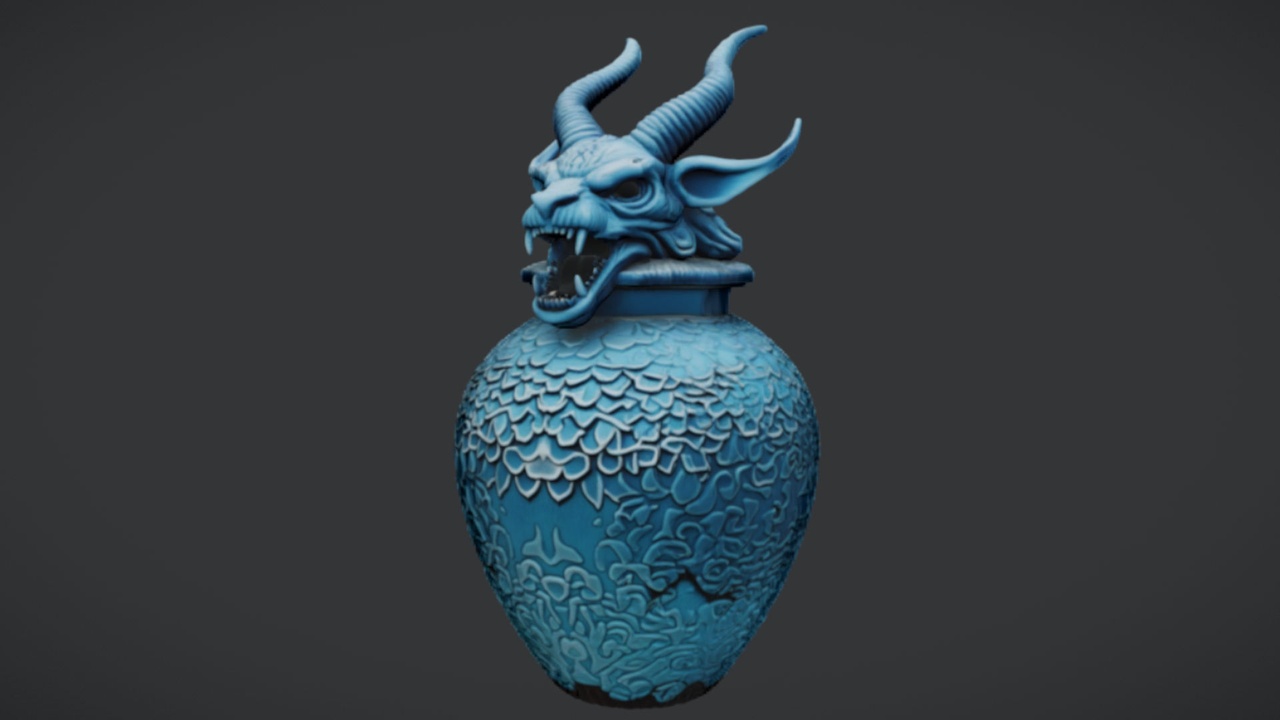
This guide builds a small cursed-ruin vignette from three free meshes that are designed to sit together. The anchor is the Dark Fantasy Nature Statue: a single weathered stone figure with a darker, more sinister tone than its lighter sibling, made for gardens, shrines and ruins. Around it you place the free Demonic Wailstone, a brooding boulder for cursed groves and underworld scenes, and the free Azure Gargoyle Urn, an ornate funerary vessel for tombs and crypts.
All three are drop-in UE5 static meshes carrying 2K PBR textures, and all three ship under the Fab Standard licence for personal and commercial use with free updates. None of them costs anything. That is the whole point of a starter set: prove the look before you spend, then spend deliberately.
Grabbing the free dark-fantasy meshes
Each prop downloads from Fab and imports as a static mesh with its material and 2048x2048 maps already wired, so there is no shader graph to rebuild and no texture to hand-assign. The work is purely getting them into the project cleanly.
1. On Fab, add the Dark Fantasy Nature Statue, the Demonic Wailstone and the Azure Gargoyle Urn to your library. They are free, so it is a download rather than a purchase, and free updates are part of the Standard licence.
2. In Unreal Engine 5, open the 'Fab' tab from the toolbar (or the Epic Games Launcher's library), find each item and choose 'Add To Project', pointing it at your current project.
3. In the 'Content Browser', create a folder such as 'DarkStarter' and keep the three imports there. Putting them under one folder now saves you hunting through scattered vendor paths later.
4. Drag the statue into your level first. Because each mesh arrives with its base colour, metallic, normal and roughness maps already applied, it should render correctly the moment it lands — no extra material setup.
One honesty note before you build on these: the free single-mesh listings only describe themselves as static meshes. Nanite support and automatic collision were not separately confirmed for these free SKUs, so treat collision as something you may need to add yourself, and do not assume Nanite is enabled. If a prop has no usable collision, open it in the 'Static Mesh Editor' and add a simple collision primitive under 'Collision' before you rely on the player walking into it.
Composing a small ruin vignette
Three props is exactly enough to read as a deliberate place rather than a scatter, provided you compose them instead of dropping them in a row. The trick is to give the statue a job and let the other two support it.
Treat the Dark Fantasy Nature Statue as the focal landmark — a shrine figure or grave marker the player's eye lands on first. Put it slightly off the dead centre of your vignette and turn it a few degrees so the player approaches its three-quarter view rather than a flat face. A focal prop that faces you square-on always looks placed; one turned away looks discovered.
Set the Azure Gargoyle Urn lower and closer to the camera path as a foreground accent — on a broken plinth, a fallen step, or an altar edge. Its gothic, azure-toned funerary form reads instantly as 'someone died here', which does narrative work the statue alone cannot.
Use the Demonic Wailstone for mass and silhouette. A single brooding boulder behind or beside the statue grounds the composition and breaks the skyline; you can also scatter a couple of duplicated copies at different scales and rotations to suggest a collapsed grove without importing anything new. Vary the yaw and uniform scale on each copy so the repetition does not announce itself.
Keep the grouping tight. The goal of a starter vignette is one strong moment, not a dressed level — a statue, a stone and an urn arranged so the player reads the story in a single glance.
Lighting for dread
Set dressing is only half the dread; the rest is light. The same three props that look like museum scans under flat lighting become genuinely unsettling once you make the scene decide what the player is allowed to see.
Pull your overall exposure and sky contribution down so the scene defaults to dark, then re-introduce light deliberately. A single low, warm key — a 'Point Light' or 'Spot Light' placed low and angled up at the statue — throws the long upward shadows that make stone figures menacing, exactly the silhouette a square overhead light kills.
Add a cooler, dimmer rim or fill from the opposite side so the statue's edge separates from the background without lifting the whole scene into legibility. The 2K PBR normal and roughness maps on these meshes only earn their keep under raking light, so keep your key low and off-axis rather than flat and frontal — that is what makes the carved surface detail catch.
Finish with atmosphere. A thin 'Exponential Height Fog' with a touch of volumetric scattering lets your key light beam through the scene and hides the empty space beyond your three props, which is the single cheapest way to make a small free vignette feel like the edge of a much larger cursed place.
When to upgrade to paid packs
The free starter set has a deliberate ceiling, and recognising it is part of using it well. Three single meshes are perfect for proving a look, dressing one hero moment, or sampling the dark-fantasy statue style before you commit. They are not enough to dress a whole dungeon, crypt or throne room — repeating three props across a level reads as exactly what it is.
The moment you need variety at level scale, the Dark Fantasy Props Bundle is the natural step up. It ships as a complete UE5 content project for Unreal Engine 5.6 on Windows, with 100+ unique gothic static meshes — thrones, tomes, lanterns, obelisks, masks, crystals, altars, cauldrons and scrolls — each with its own bespoke material, Nanite enabled on the meshes, and 2048x2048 PBR textures. It also includes a Demo map so you can see the props arranged before you migrate them.
Because that bundle is a content project rather than a plugin, you either open its uproject directly in 5.6 or migrate its content folder into your own 5.6+ project via 'Asset Actions' then 'Migrate'. With Nanite enabled on the meshes, you skip manual LODs on the high-poly props — a real time saving once you are dressing at scale rather than placing three hero pieces.
The practical rule: stay free while you are still deciding whether the look is right and you only need a focal point or two. Upgrade to the paid bundle the moment your bottleneck becomes variety and coverage rather than atmosphere. Your free statue, wailstone and urn do not go to waste either — they keep working as hero accents inside the larger dressed scene the bundle lets you build.
Free starter set vs the paid Dark Fantasy Props Bundle
| Aspect | Free starter set (statue + wailstone + urn) | Dark Fantasy Props Bundle |
|---|---|---|
| Asset count | 3 single static meshes | 100+ unique static meshes |
| Format | Individual drop-in meshes | Complete UE5 content project with Demo map |
| Texture resolution | 2048x2048 PBR | 2048x2048 PBR |
| Nanite | Not confirmed for the free SKUs | Enabled on meshes |
| Engine | Unreal Engine 5 | Unreal Engine 5.6 (Windows) |
| Price | Free (Fab Standard) | 34.99 USD (Fab Standard) |
Use the free meshes to prove the look; move to the bundle when you need variety at level scale. Counts and specs are from the product dossiers.
FAQ
Where do I get free dark fantasy props for Unreal Engine 5?
All three meshes in this starter set are free on Fab under the Standard licence for personal and commercial use: the Dark Fantasy Nature Statue, the Demonic Wailstone and the Azure Gargoyle Urn. Add them to your Fab library, then use 'Add To Project' from the Fab tab in UE5 to import them directly.
Do these free meshes come with materials set up?
Yes. Each imports as a static mesh with its material and 2048x2048 PBR maps (base colour, metallic, normal, roughness) already applied, so they render correctly as soon as you drag them into a level — no shader rebuild required.
Are these props Nanite-enabled and do they have collision?
Nanite support and automatic collision were not separately confirmed for these free single-mesh SKUs, which only describe themselves as static meshes. Treat collision as something you may need to add yourself in the Static Mesh Editor, and do not assume Nanite is on. The paid Dark Fantasy Props Bundle does have Nanite enabled on its meshes.
When should I upgrade from the free set to a paid pack?
Stay free while you are proving the look or dressing one hero moment. Upgrade to the Dark Fantasy Props Bundle — 100+ unique gothic meshes shipped as a UE 5.6 content project with a Demo map — when your bottleneck becomes variety and coverage across a whole dungeon, crypt or throne room rather than a single vignette.
Can I use the free starter props in a commercial game?
Yes. All three free meshes are offered under the Fab Standard licence, which covers personal and commercial use and includes free updates.
Dark Fantasy Nature Statue
A free dark-fantasy nature statue — weathered stone for gardens, shrines and ruins. Drop-in ready for Unreal Engine 5.
Related on Fab
Related reading