article · 2026-04-24
Free Gothic Props for Unreal Engine 5: A Quick Roundup for Crypt and Tomb Scenes
Four no-cost dark-fantasy static meshes that dress a crypt, mausoleum or cursed grove without spending a credit.
Why crypt scenes live or die on the small props
When you are blocking out a tomb, a mausoleum or an underworld antechamber, the architecture only gets you halfway. A vaulted ceiling and a few sarcophagi read as 'big stone room' until you add the small, hand-placed objects that tell the player something was buried, mourned or summoned here. That is the gap a good prop fills, and it is also the gap most solo and small-team UE5 projects cannot afford to keep paying for.
If you are searching for free gothic props for Unreal Engine 5, the good news is that you can dress a convincing crypt without spending a credit. This roundup covers four free dark-fantasy static meshes that drop straight into a UE5 project, explains what each one actually is, and shows how to combine them so the scene reads as deliberate rather than scattered.
Each prop below is a single static mesh with 2K PBR textures and a Fab Standard licence that allows both personal and commercial use, so nothing here is a watermarked demo or a time-limited trial.
What makes a prop read as gothic
Gothic set dressing leans on a few recurring cues: funerary objects, weathered stone, arcane paraphernalia and a cool, desaturated palette broken by a single accent colour. The trick is silhouette and material. A prop has to read in shadow, because crypt lighting is by design dim, and its surface has to look aged rather than freshly fabricated.
All four props in this roundup are built around that brief. They use 2048x2048 PBR maps - base colour, metallic, normal and roughness - which is enough texel density for the close, lantern-lit framing these scenes usually get without bloating a hobby project's memory budget. Because they are plain static meshes, they import with no setup beyond dragging them into the level.
One honest caveat up front: these are individual free meshes, not curated packs, so do not expect collision presets, Nanite settings or tri counts to be guaranteed. Treat them as raw building blocks and configure collision and Nanite to taste in the Static Mesh editor.
The four free props: urn, wailstone, scrolls and statue
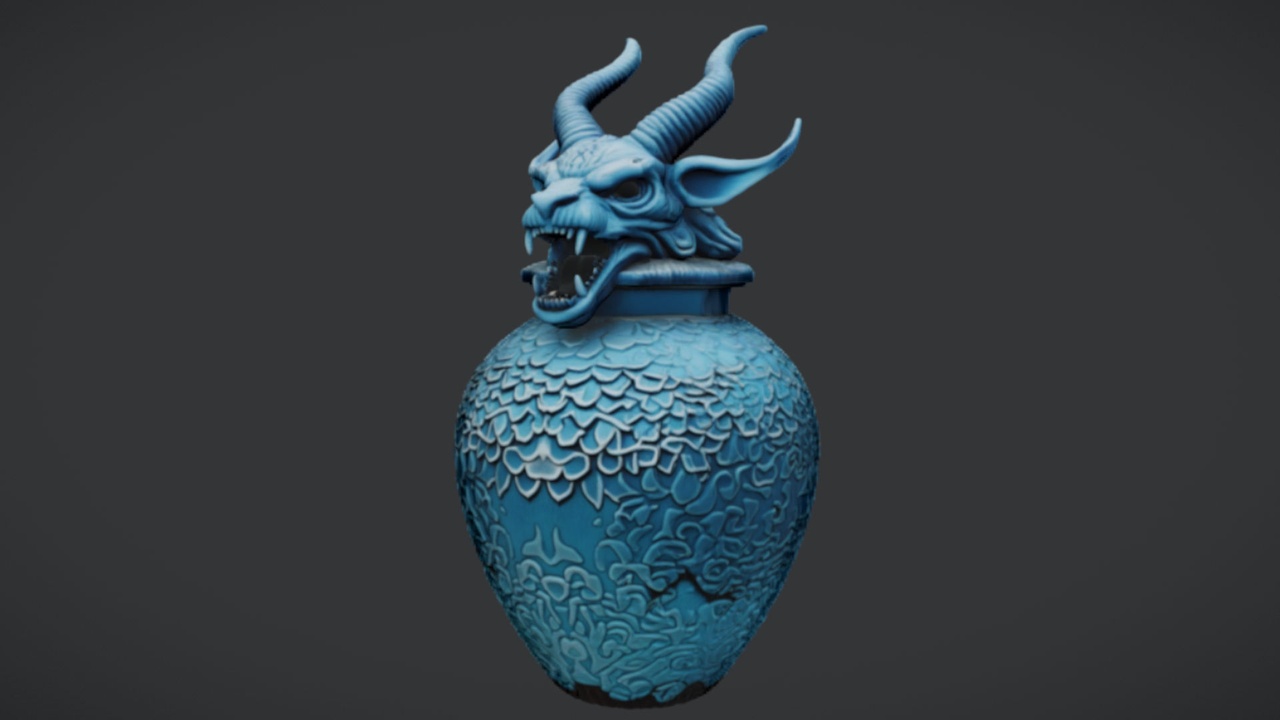
The Azure Gargoyle Urn is the centrepiece of this set. It is an ornate funerary vessel with a gargoyle motif and a distinctive azure tone, which gives a grey crypt the single splash of colour that stops it looking monochrome. Stand it on a plinth, an altar or a tomb mantel and it instantly becomes a focal point. It is the natural anchor a mourning or interment scene composes around.
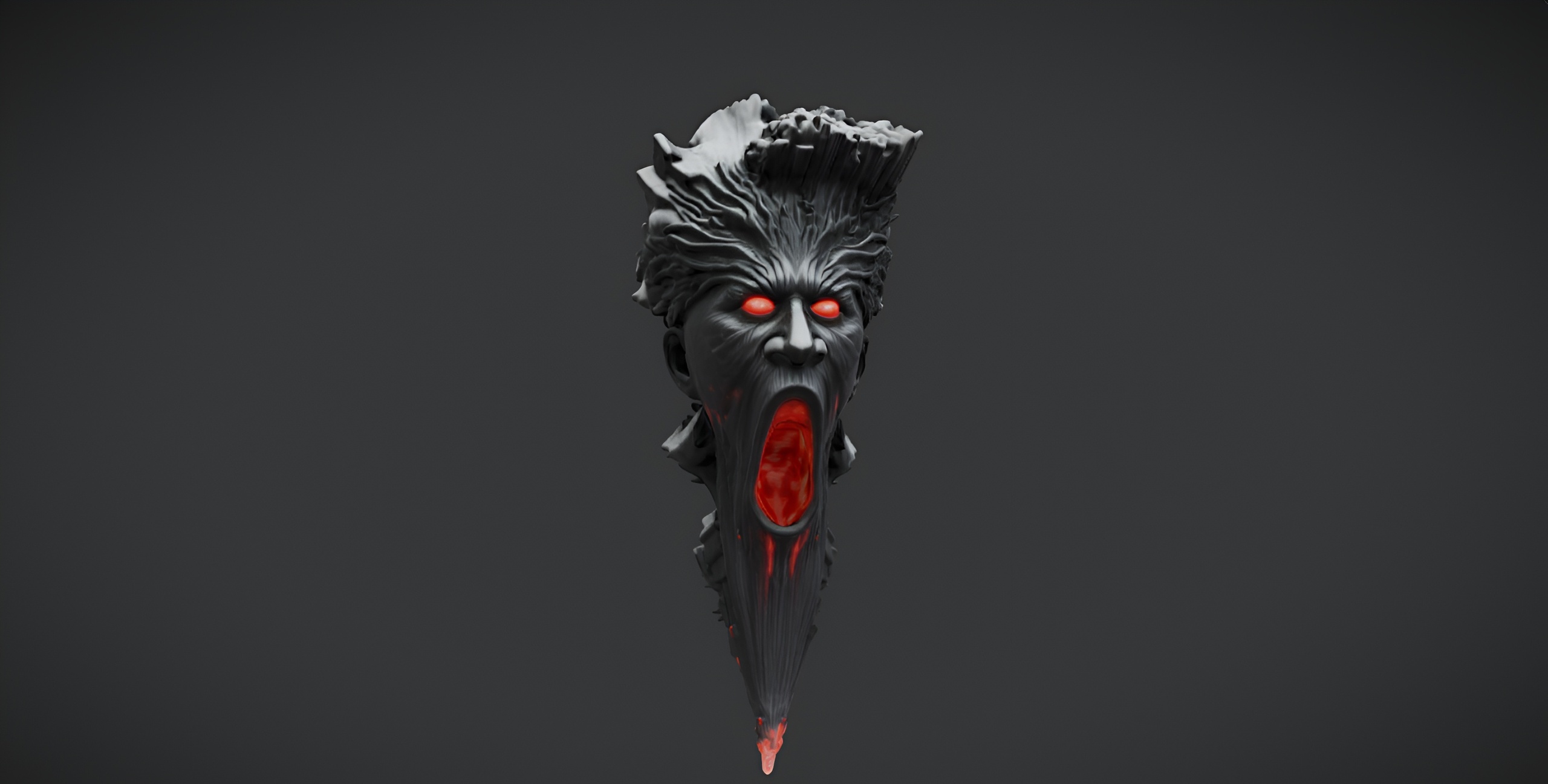
The Demonic Wailstone is a single brooding boulder mesh. Despite the ominous name it ships as a plain static mesh with no audio or VFX attached, so think of it as an environmental landmark rather than an interactive object. It is ideal as a cursed stone in a grove, a heavy accent half-buried in a ruin floor, or simply a quick blockout boulder you scatter copies of to break up open ground.
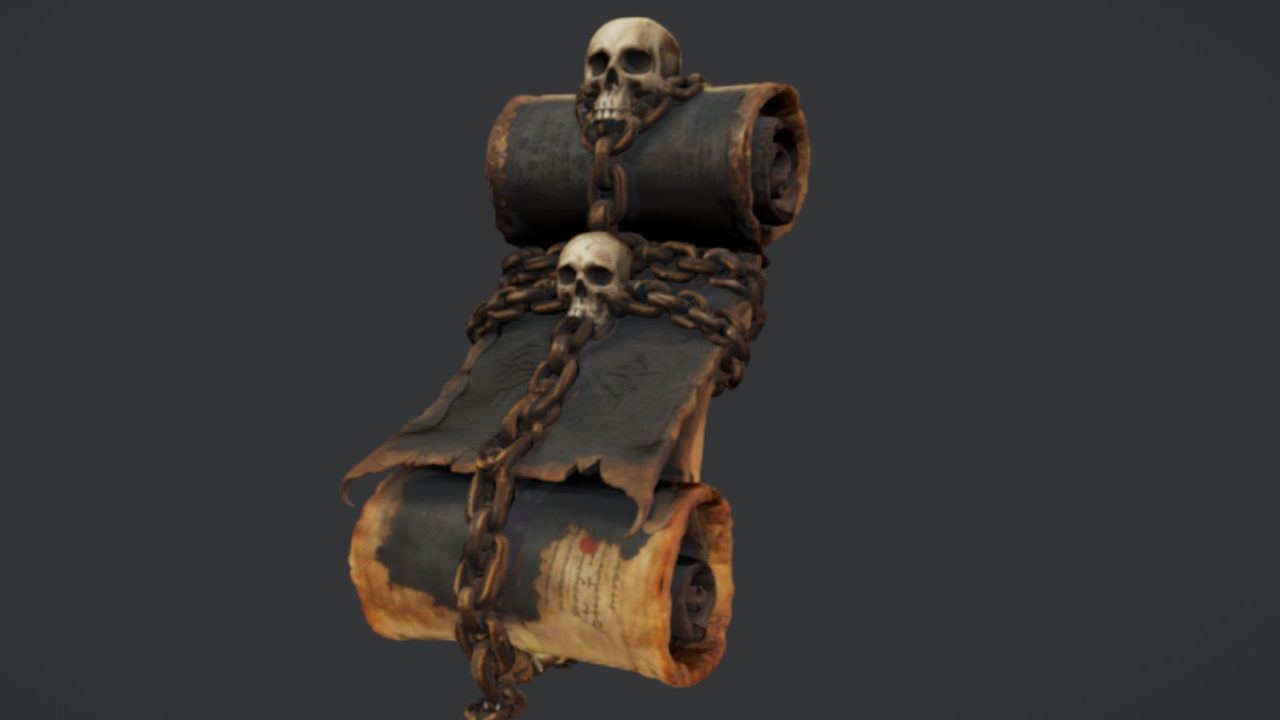
The Binding Scrolls map to a single bound-parchment mesh - the Ancient Bound Scroll - so treat it as one readable scroll prop rather than a stack of distinct variants. It is the arcane note in the composition: drop it on a ritual table, an alchemy bench or a scriptorium shelf and the room reads as a place where something was studied or summoned. Of the four, its 2K PBR maps are the ones explicitly verified on the source FBX.
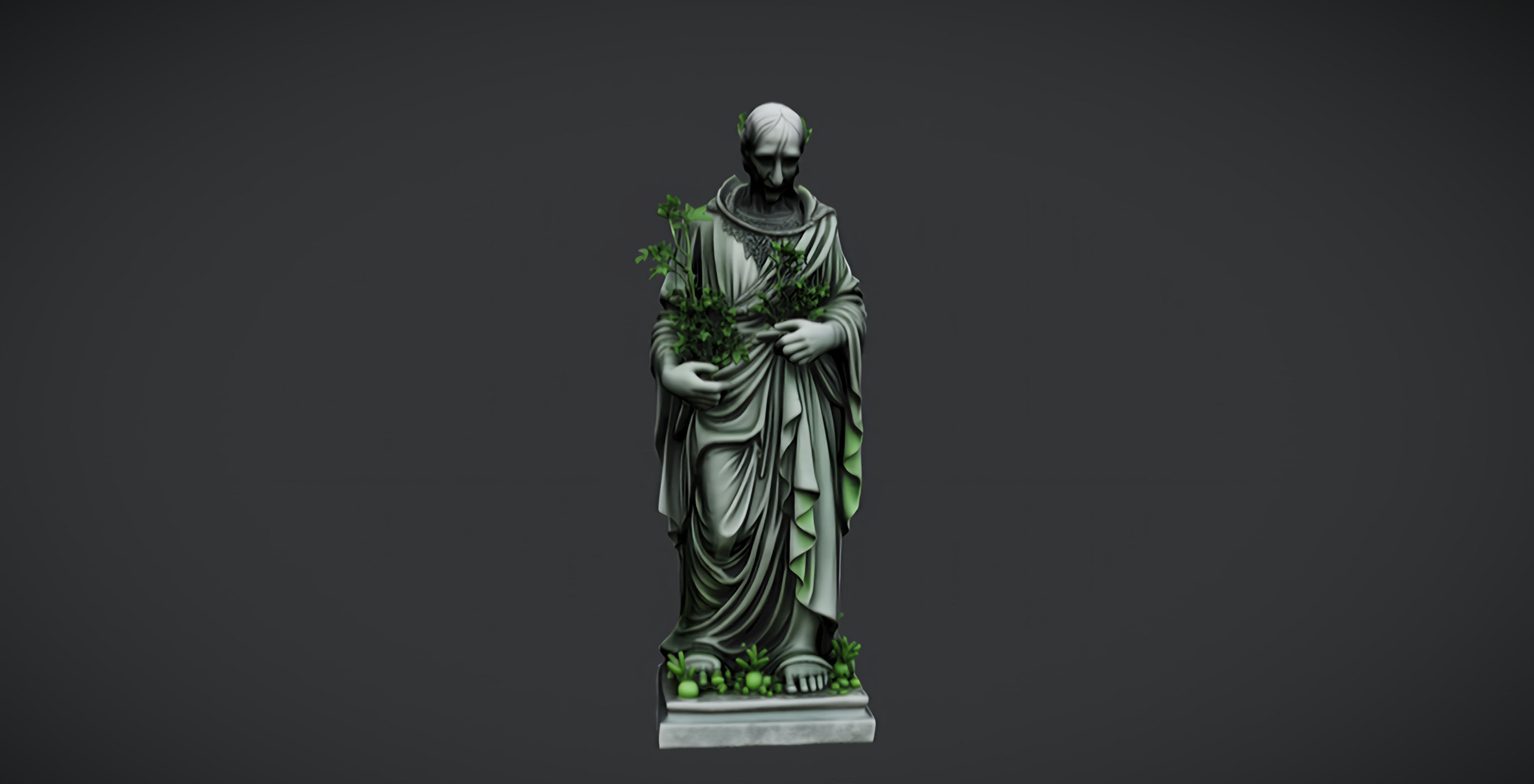
The Dark Fantasy Nature Statue is a weathered stone figure with a darker, more sinister cast than its lighter sibling in the same family. It works as a grave marker, a shrine idol or a ruin landmark, and it doubles as a free taster of the dark-fantasy statue style if you are weighing up the larger paid bundle later.
Combining them into one crypt scene
Four props is not many, so composition matters more than quantity. Build around the urn and let the others support it.
1. Place the Azure Gargoyle Urn first, on a raised surface near your strongest light source, so its azure tone catches the eye on entry. This is your focal point; everything else frames it.
2. Set the Dark Fantasy Nature Statue off to one side as a secondary landmark, angled to partly face the urn. Two stone forms at different heights give the room a sense of staging rather than a flat shelf of objects.
3. Use the Demonic Wailstone low and heavy - on the floor, against a wall, or breaking a corner - to ground the scene. Duplicating it two or three times with varied rotation and scale reads as natural rubble and hides the fact that it is one mesh.
4. Scatter the Binding Scrolls as detail clutter on a nearby table or ledge. Small arcane objects at reading height tell a story the big stone shapes cannot, and they reward players who look closely.
5. Light it last. A single warm key light against the cool stone, plus a touch of fog, will make all four 2K materials read far better than flat editor lighting ever will. Because these are standard static meshes, you can enable Nanite per mesh in the Static Mesh editor and add a simple collision primitive if players will walk among them.
Where to go when four props are not enough
A free set like this is perfect for a prototype, a game jam, or the first dressing pass on a real level. Its limit is variety: four meshes can only carry so much repetition before a player's eye starts to notice the duplicates.
The honest upgrade path is to keep these free anchors and grow outward. Pair the gargoyle urn and the dark statue with the wider Fantasy Statue Bundle when you need a cast of varied stone figures, or add ritual jars and tomes to deepen the funerary and scriptorium corners. Because everything here shares the same dark-fantasy language and the same 2K PBR pipeline, paid additions sit naturally alongside the free pieces.
Start by grabbing The Azure Gargoyle Urn from Fab, build your focal point around it, then add the wailstone, scrolls and statue to fill out the scene at no cost.
The four free gothic props at a glance
| Prop | What it is | Best used as | Texture maps |
|---|---|---|---|
| The Azure Gargoyle Urn | Ornate azure gargoyle funerary vessel | Crypt / altar focal point | 2K PBR (base, metallic, normal, roughness) |
| Demonic Wailstone | Single brooding boulder (no audio or VFX) | Cursed-grove or ruin landmark | 2K PBR (base, metallic, normal, roughness) |
| The Binding Scrolls | One bound-parchment scroll mesh | Ritual-table / library clutter | 2K PBR, verified on source FBX |
| Dark Fantasy Nature Statue | Weathered dark stone figure | Grave marker / shrine idol | 2K PBR (base, metallic, normal, roughness) |
Each is a single drop-in UE5 static mesh with 2K PBR textures under a free Fab Standard licence (personal and commercial). Counts and specs are taken from the product listings; tri counts are not quoted because they are not listed.
FAQ
Are these free gothic props for Unreal Engine 5 actually free to use commercially?
Yes. All four are offered as free downloads under the Fab Standard licence, which covers both personal and commercial projects and includes free updates. There is no watermark or trial limitation.
Are these props packs or single meshes?
Each one is a single static mesh, not a pack. The Azure Gargoyle Urn, Demonic Wailstone, Binding Scrolls and Dark Fantasy Nature Statue are individual props you combine yourself, so plan to duplicate and re-dress them across a scene.
Does the Demonic Wailstone include any sound or particle effects?
No. Despite the name, the wailstone ships as a plain static mesh with no audio or VFX attached. If you want it to wail, you add your own sound or Niagara setup in Blueprint.
Do these meshes support Nanite and come with collision?
Nanite support and automatic collision are not confirmed for these free single-mesh listings. They import as standard UE5 static meshes, so enable Nanite per mesh in the Static Mesh editor and add a collision primitive yourself if your players need to walk among the props.
What is the texture resolution?
All four use 2048x2048 PBR maps - base colour, metallic, normal and roughness - which suits the close, dimly lit framing of crypt and tomb scenes without a heavy memory cost.
The Azure Gargoyle Urn
A free azure gargoyle urn — an ornate funerary vessel for tombs, crypts and gothic scenes. Drop-in ready for Unreal Engine 5.
Related on Fab
Related reading