tutorial · 2026-05-12
Add a Free Statue Centrepiece to Your UE5 Garden Scene
Download a free statue asset for Unreal Engine 5, drop it into your garden, and light it as a proper focal point in about ten minutes.
Why a garden scene needs a focal point
A garden built from ground textures, scattered foliage and a wall or two reads as filler. The eye wanders because nothing holds it. What turns a patch of greenery into a place is a single anchor the composition can revolve around, and an ornamental statue is one of the most reliable ways to provide one. It gives the scene a centre of gravity, a sense of age, and a reason for the paths and planting to point somewhere.
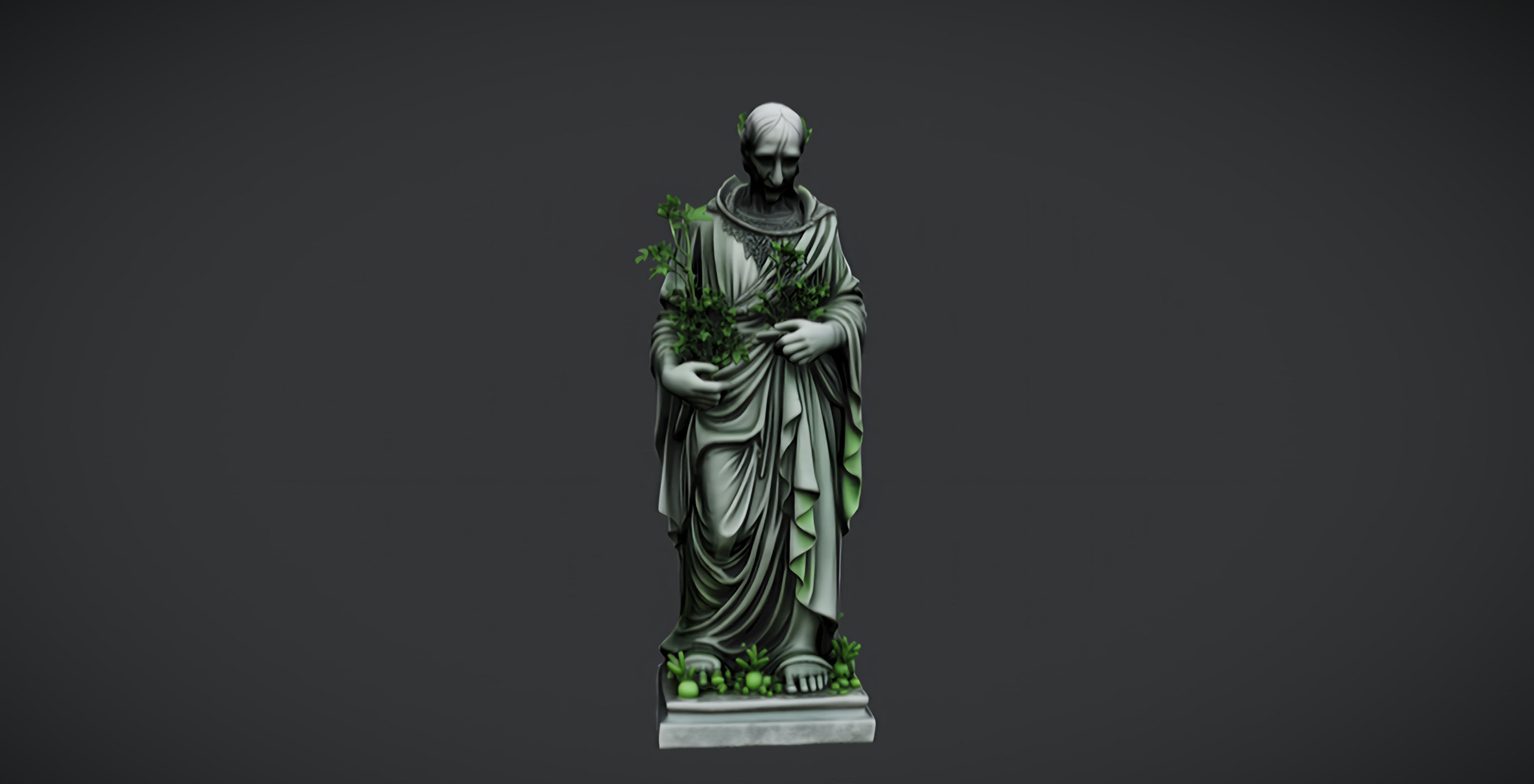
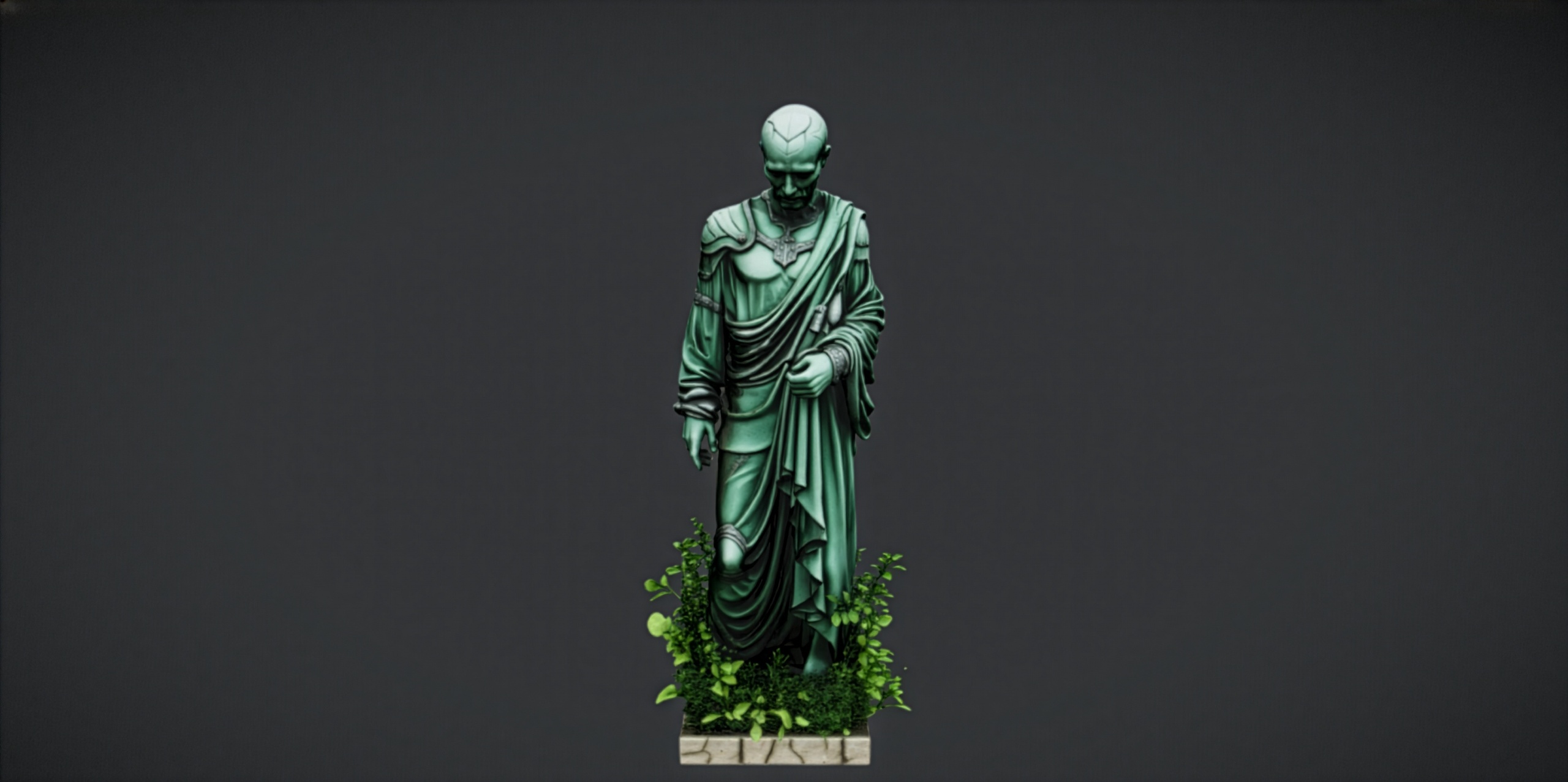
The good news is you do not have to model or buy one to find out whether the idea works. This tutorial uses the Fantasy Nature Statue, a free statue asset for Unreal Engine 5: a single weathered, mossy marble nature figure that drops straight into a UE5 project as a static mesh with its own material and 2K PBR textures. It is the free taster from the wider Fantasy Statues family, so you can prototype the look at zero cost before deciding whether to commit to a paid pack.
Over the next few steps you will download and import the statue, place and scale it as a centrepiece, ring it with planting, and light it so it actually reads as the hero of the shot.
Downloading and importing the free Fab statue
Start on Fab. The Fantasy Nature Statue is a free download under the Fab Standard licence, which covers both personal and commercial use and includes free updates, so there is nothing to budget for and nothing to renew.
1. On the product page, add the statue to your library, then open the Epic Games Launcher and find it under your Fab library.
2. With your UE5 project open, use 'Add To Project' from the launcher to bring the asset in, or download it and drag the supplied files into the Content Browser. The figure imports as a static mesh with its assigned material and 2K (2048x2048) PBR maps already wired up, so there is no manual material setup to do.
3. Find the imported static mesh in the Content Browser and double-click it to open the Static Mesh editor. Confirm the material is assigned and the textures look correct before you commit it to the level. This is also where you would inspect collision if you need it; treat collision as something to verify on the asset rather than assume, since the free single mesh is described simply as a static mesh.
Once it previews correctly in the asset editor, you are ready to place it.
Placing and scaling the centrepiece
Drag the static mesh from the Content Browser into your level. Drop it roughly where you want the focus of the garden to sit, then refine from there.
1. With the statue selected, use the 'W' move gizmo to position it at the visual centre of the space, then check it from the player or camera viewpoint rather than top-down. A centrepiece only earns its name from the angle people actually see it.
2. Press 'End' to snap the statue down so its base sits flush on the ground or terrain. Floating or half-buried props are the fastest way to break the illusion.
3. Scale matters more than people expect. Use the 'R' scale gizmo, or type an exact value into the 'Scale' fields in the 'Details' panel, and judge the figure against a character-height reference or a placed mannequin. A statue that is slightly oversized reads as imposing and deliberate; one that is too small disappears into the foliage.
4. Give it a confident rotation. Turning the figure a few degrees off the cardinal axes, so it does not sit square to the camera, makes it feel placed by a person rather than dropped by an engine.
If you want to mark several points of interest with the same figure, you can convert it to an Instanced Static Mesh or add it to a Foliage type for cheap repeat placement, but for a single hero centrepiece one well-positioned instance is the goal.
Surrounding it with flowers and planting
A bare statue on bare ground still looks like an asset in a viewport. Planting around the base is what binds it into the world and signals that the garden has been tended, or pointedly neglected, depending on your tone.
The Fantasy Flower Pack is a natural companion here. It is a paid pack of 51 unique hand-modelled fantasy, sci-fi and gothic flowers and plants, each delivered as a Nanite-ready UE5 static mesh with its own material, a 2K PBR texture set and automatic collision. The range runs from ordinary blossoms to lotuses such as the Blood Lotus and Radiant Lotus, crystalline plants, mushrooms, nightshade and ember blooms, which gives you enough variety to build a coherent mood rather than scatter identical copies.
1. Migrate the flower meshes into your project, or open the supplied UE 5.6 project, then drag a few different 'SM_FantasyFlower_' meshes around the statue's base. Because each ships with its material, 2K maps and automatic collision, they drop in without extra setup.
2. Cluster the planting in odd-numbered groups and vary the rotation and scale of each so no two reads as a duplicate. Tuck a couple right against the plinth so the statue feels rooted rather than parachuted in.
3. For dense ground cover, add the flower meshes to a Foliage type and paint them, or feed them to a PCG graph for procedural scatter. Treat that as a workflow choice on your side; do not expect the flowers to sway, as wind or vertex animation is not part of the pack.
If you would rather keep the gothic mood going with stone instead of, or alongside, the planting, the Fantasy Statue Bundle pairs naturally with this free figure. It holds 18 weathered marble statues split into a Nature series and a Tormented Souls series, plus a large table mesh, all as Nanite meshes with automatic collision, so you can line a path or shrine with siblings of the centrepiece.
Lighting the centrepiece so it reads as the hero
Placement and planting get you most of the way; light is what makes the statue feel like the point of the scene. The aim is contrast: the figure should be the brightest, most clearly modelled object in frame, with everything around it falling away.
1. Establish your base with directional and sky lighting so the whole garden is legible, then deliberately under-light the surroundings a touch so the centrepiece has room to stand out.
2. Add a 'Spot Light' or a tightly angled 'Rect Light' aimed at the statue from a raking angle, low and to one side rather than straight on. Grazing light catches the weathered, mossy surface and the carved detail far better than flat frontal light, which washes the marble out.
3. Keep the intensity restrained and lean on the warm-cool contrast between your key light and the ambient fill. A slightly warm key against a cooler sky reads as late-afternoon and flatters stone.
4. Frame and capture. Position your camera so the statue sits on a third rather than dead centre, let the surrounding planting lead the eye toward it, and take a High Resolution Screenshot to judge the result. If the statue is not unmistakably the focal point, dim the surroundings before you brighten the key.
That is a complete free centrepiece: imported, placed, planted and lit. When you are ready to expand the look, the Fantasy Statue Bundle gives you eighteen more figures in the same weathered-marble style, and for a fuller gothic scene the Dark Fantasy Props Bundle adds 100+ thrones, lanterns, obelisks, altars and oddities, all as Nanite meshes with a Demo map to show them arranged.
FAQ
Is there a free statue asset for Unreal Engine 5 I can use in a garden scene?
Yes. The Fantasy Nature Statue is a free download under the Fab Standard licence, supplied as a single weathered marble nature static mesh with its own material and 2K PBR textures. It drops straight into a UE5 project and is intended as a free taster from the wider Fantasy Statues family.
Can I use the free statue in a commercial project?
The asset ships under the Fab Standard licence, which the product lists as covering both personal and commercial use, with free updates. Always confirm the licence terms on the Fab product page for your own project before shipping.
Does the statue come with Nanite and collision set up?
It is described as a drop-in UE5 static mesh with a 2K PBR material. Whether Nanite is enabled and whether automatic collision ships with the free single SKU were not separately confirmed, so open it in the Static Mesh editor and verify both before relying on them. The paid Fantasy Statue Bundle does advertise Nanite and automatic collision.
What should I place around the statue to finish the garden?
Ring the base with planting. The Fantasy Flower Pack provides 51 unique Nanite-ready flower and plant meshes with their own materials, 2K textures and automatic collision, which gives you enough variety to dress the area convincingly. Cluster them in odd groups with varied scale and rotation.
How do I make the statue stand out as the focal point?
Under-light the surroundings slightly, then add a spot or rect light raking across the statue from a low side angle so grazing light catches the weathered surface. Keep the key warm against a cooler sky, frame the figure on a third of the shot, and let the surrounding planting lead the eye toward it.
Fantasy Nature Statue
A free fantasy nature statue — mossy, ornamental stone for gardens and sacred groves. Drop-in ready for Unreal Engine 5.
Related on Fab



Related reading