
tutorial · 2026-05-28
Animated Growing Vines and Overgrowth VFX in UE5
Build a convincing nature-magic moment in Unreal Engine 5 by letting vine trails sprout from a base and creep outward across nearby surfaces — using a content-only Niagara pack with no Blueprints required.
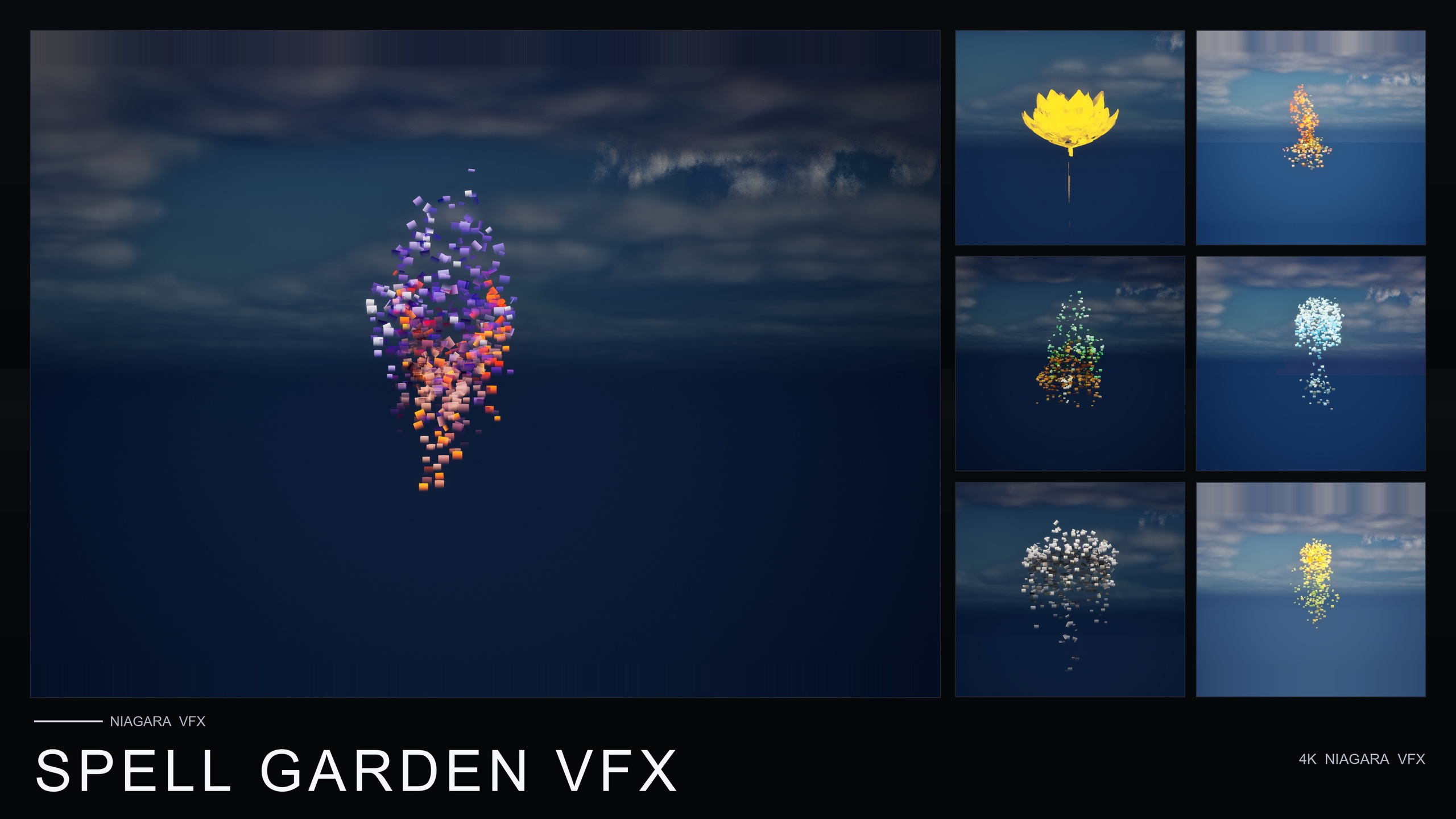
What sells a 'growing vine' animation
A growing vine is one of those effects that feels simple to describe and is awkward to author. A druid hits the ground, a wall of greenery erupts and races across the floor; an ancient ruin chokes itself in creepers over a few seconds; a nature-magic spell wraps an enemy in living plant matter. The read you are chasing is direction and life: the vines should appear to come from somewhere and travel toward somewhere, not just pop into existence as a static decal.
If you are searching for a UE5 growing vines effect for nature magic and overgrowth in Niagara, the reason hand-authoring is painful is the motion itself. Convincing growth needs trails that originate at a base point, extend outward over time, and trace plausibly across the surfaces around them, with leaves appearing along the way. That is ribbon work, spawn-rate curves and lifetime tuning per emitter, and you have to get it right before the effect reads as growth rather than as a particle puff.
This tutorial takes the finished-asset route instead. The pack used throughout is Spell Garden VFX, a content-only Niagara set built for spell-casting, ritual and arcane moments. Its VineGrow family is exactly the effect this article is about: animated vine and leaf trails that sprout from the base and creep outward across nearby surfaces. There is no C++, there are no Blueprints, and there are no plugin dependencies — you place a finished NiagaraSystem and it plays.
Where VineGrow sits in Spell Garden VFX
Spell Garden VFX is a three-family pack. It applies three spell effects to every one of the 51 stylised flower meshes in the Fantasy Flower line, producing 150 ready-to-use NiagaraSystems in total. VineGrow is one of those three families, so a third of those systems are the growing-vine effect, one variant per flower mesh.
The other two families are worth knowing because they pair naturally with vines. UnfoldingBloom is a one-shot burst of petals and motes radiating outward, tuned for one-shot triggers from gameplay code — the 'spell cast' or 'flower opens' beat. ProjectedGlyph is a set of arcane runic glyphs that slowly rotate and fade around each flower, reading in screen space against any background, for summoning circles and enchantments-in-progress.
The pack is explicit that all three families can be combined on a single flower for a powerful active-enchantment read, or used individually. For a nature-magic moment that means you are not limited to the vines alone: a glyph rotating beneath the casting point and a one-shot bloom on the trigger frame can bracket the vine growth at either end. We will come back to that layering once the vines themselves are placed.
Everything in the pack is content-only and drop-in, and it is compile-clean on UE 5.4. The asset roster behind the systems is the full 51 stylised flower meshes with their materials and 51 textures, so if you want the source plant visible under the effect it ships in the same pack.
Sprouting from a base and creeping across surfaces
Start by getting one VineGrow system into the scene and reading its motion before you build a set-piece around it. Open the level where the overgrowth should happen, or open the pack's VineGrow demo map first to see how the effect was laid out under dynamic lighting.
1. In the Content Browser, open the SpellGardenVFX Niagara folder. The pack is split into its three families — find the 'VineGrow' grouping rather than 'UnfoldingBloom' or 'ProjectedGlyph'.
2. Pick a VineGrow system whose source flower suits the scene and drag it straight from the Content Browser into the viewport. Drop it at the exact point you want the vines to originate — the base of a statue, the foot of a wall, the spot a spell lands. The trails sprout from that base and creep outward, so the placement of the origin is the placement of the whole effect.
3. Orient the actor so the growth travels the way you want. Because the vines creep outward across nearby surfaces, rotating the emitter changes which surfaces the trails appear to run along — face it at the floor for ground overgrowth, or up a wall for a climbing read.
4. If you want the actual flower mesh visible at the root of the growth, drag the matching static mesh from the pack into the level at the same origin point. The mesh, its material instances and its texture all sit alongside the system in the pack, so the source plant and its vines line up.
5. Watch a full play-through of the effect once before committing to the layout. The motion is the product here, so confirm the direction and reach read correctly from the camera angle the player will actually see before you start duplicating it.
Respecting simulation bounds
The one technical detail that matters most for placing vines well is that VineGrow vines respect simulation bounds. That is a deliberate design choice in the pack, and it has practical consequences for how the effect behaves in your level and how you position it.
Because the vines stay inside their simulation bounds, the effect has a defined reach rather than creeping indefinitely across the whole map. Treat the origin point as the centre of a bounded growth, and place it so the area you want covered sits within that reach. If you need overgrowth across a larger surface — a long wall, a wide courtyard floor — the reliable approach is to place several VineGrow systems at multiple origin points rather than expecting one to stretch the entire span.
Spacing those origins is the whole composition trick. Set them where you want the densest growth and let the bounded reach of each fill the gaps between them. Overlapping a few near a focal point reads as heavy overgrowth choking that spot, while a sparser line of origins along a path edge reads as creeping encroachment.
The pack uses CPU Niagara emitters, so the cost scales with how many systems you place. That reinforces the same placement discipline: put VineGrow where the camera looks and where the narrative beat lands, rather than blanketing every surface, and you keep both the read and the budget under control.
Nature-magic and druidic use cases
VineGrow is pitched squarely at nature-magic and overgrowth moments, and the pack lists nature-magic and druidic overgrowth among its real use cases. That covers the obvious druid or ranger spell, but it stretches further: a corrupting curse that strangles a clearing, a blessing that reclaims ruined stonework, an environmental trigger where an ancient grove wakes up as the player passes.
For a cast-driven beat, this is where layering the pack's other two families pays off. Fire an UnfoldingBloom system as a one-shot on the trigger frame to mark the moment the spell lands — it is tuned for one-shot triggers from gameplay code, so a SpawnSystemAtLocation call at the cast point gives you the burst. The pack ships no Blueprints itself, so you wire that spawn from your own gameplay code, but the system is built to be fired that way.
Then let VineGrow carry the follow-through: the burst fires, and out of it the vines sprout from the base and creep outward across the nearby surfaces. For a ritual or enchantment-in-progress read rather than a single cast, drop a ProjectedGlyph beneath the origin so a rotating, fading rune sits under the growing vines and sells the idea of an active spell. All three families on one flower is the pack's intended hero combination.
From here the recipe is repeatable: choose an origin, point the growth at the surfaces you want covered, add origins to extend the reach within their bounds, and bracket the moment with a one-shot bloom and a glyph when the beat calls for it. The next step is to open the pack's demo maps, read each family in isolation, and decide which combination fits the spell you are building.
The three Spell Garden VFX families and when to use each
| Family | What it produces | Best for |
|---|---|---|
| VineGrow | Animated vine and leaf trails that sprout from the base and creep outward across nearby surfaces (respecting simulation bounds) | Nature-magic and druidic overgrowth moments |
| UnfoldingBloom | A one-shot burst of petals and motes radiating outward, tuned for one-shot triggers | Marking the spell-cast frame from gameplay code |
| ProjectedGlyph | Arcane runic glyphs that slowly rotate and fade, reading in screen space against any background | Summoning circles, rituals and enchantments-in-progress |
Roles for the three spell families. VineGrow is the growing-vine / overgrowth effect; all three can be combined on a single flower.
Choosing a pack in the Fantasy Flower VFX line
| Pack | Families | NiagaraSystems | Register | Price |
|---|---|---|---|---|
| Spell Garden VFX | 3 (UnfoldingBloom, ProjectedGlyph, VineGrow) | 150 | Arcane / nature-magic / overgrowth | $39.99 |
| Cosmic Bloom VFX | 2 (Constellation, LumenLight) | 100 | Celestial / astral | $34.99 |
| Ambient Garden VFX | 3 (BloomingMotes, FireflySwarm, Mist) | 150 | Calm, naturalistic atmosphere | $29.99 |
| Bubble Bloom VFX | 1 (Bubbles) | 50 | Whimsical / fairy magic | $19.99 |
All packs are content-only, CPU Niagara, built on the same 51 stylised flower meshes, with no plugin dependencies. Prices and family counts from product listings.
FAQ
How do I create a UE5 growing vines effect for nature magic and overgrowth in Niagara?
Use a finished, drag-and-drop Niagara system rather than authoring the growth by hand. Spell Garden VFX's VineGrow family produces animated vine and leaf trails that sprout from a base point and creep outward across nearby surfaces. Drag a VineGrow system from the Content Browser into the viewport at the spot you want the vines to originate, orient it toward the surfaces you want covered, and it plays automatically — no Blueprints or parameter tuning required.
Does VineGrow need Blueprints or C++ to work?
No. Spell Garden VFX is content-only — 150 ready-to-use NiagaraSystem assets with no C++, no Blueprints and no plugin dependencies. You place a VineGrow system and it plays. If you want to fire the pack's UnfoldingBloom one-shot on a spell-cast frame you would wire that spawn from your own gameplay code, since the pack ships no Blueprints, but the vines themselves need nothing wired up.
How far do the vines grow, and how do I cover a large surface?
VineGrow vines respect simulation bounds, so each system has a defined reach rather than creeping indefinitely. To cover a larger area — a long wall or a wide floor — place several VineGrow systems at multiple origin points and let the bounded reach of each fill the gaps, rather than expecting one to span the whole surface.
Can I combine the vines with other spell effects?
Yes. The pack is built so all three families can be combined on a single flower for an active-enchantment read. A common nature-magic recipe is a one-shot UnfoldingBloom burst on the cast frame, a slowly rotating ProjectedGlyph beneath the origin, and VineGrow carrying the follow-through as the vines creep outward.
Which Unreal Engine version does Spell Garden VFX support?
The pack is content-only and compile-clean on UE 5.4. (The product listing states a 5.4 to 5.7 range, while the source listing states UE 5.4+.) It uses CPU Niagara emitters on the deferred render path with dynamic lighting, so there is nothing to compile and no lightmap baking required.
Spell Garden VFX
150 ready-to-use Niagara systems — spell blooms, arcane glyphs and growing vines — across 51 stylised flower meshes and 131 material instances. CPU-simulated for Windows, Mac and Linux, with three demo levels included. Content-only: no C++, no Blueprints, no plugin dependencies.
Related on Fab


Related reading