tutorial · 2026-06-03
How to Make a Haunted Ruins Scene in Unreal Engine 5
A practical, drop-in workflow for composing a cursed ruins vignette around a single free focal statue.
Start with one strong focal point
A haunted ruins scene lives or dies on its silhouette. Most cluttered attempts fail for the same reason: there is no clear hero, so the eye has nowhere to land and the whole frame reads as noise. If you want to know how to make a haunted ruins scene in Unreal Engine 5 that actually feels composed rather than dressed, start by choosing a single focal object and build everything else as a frame around it.
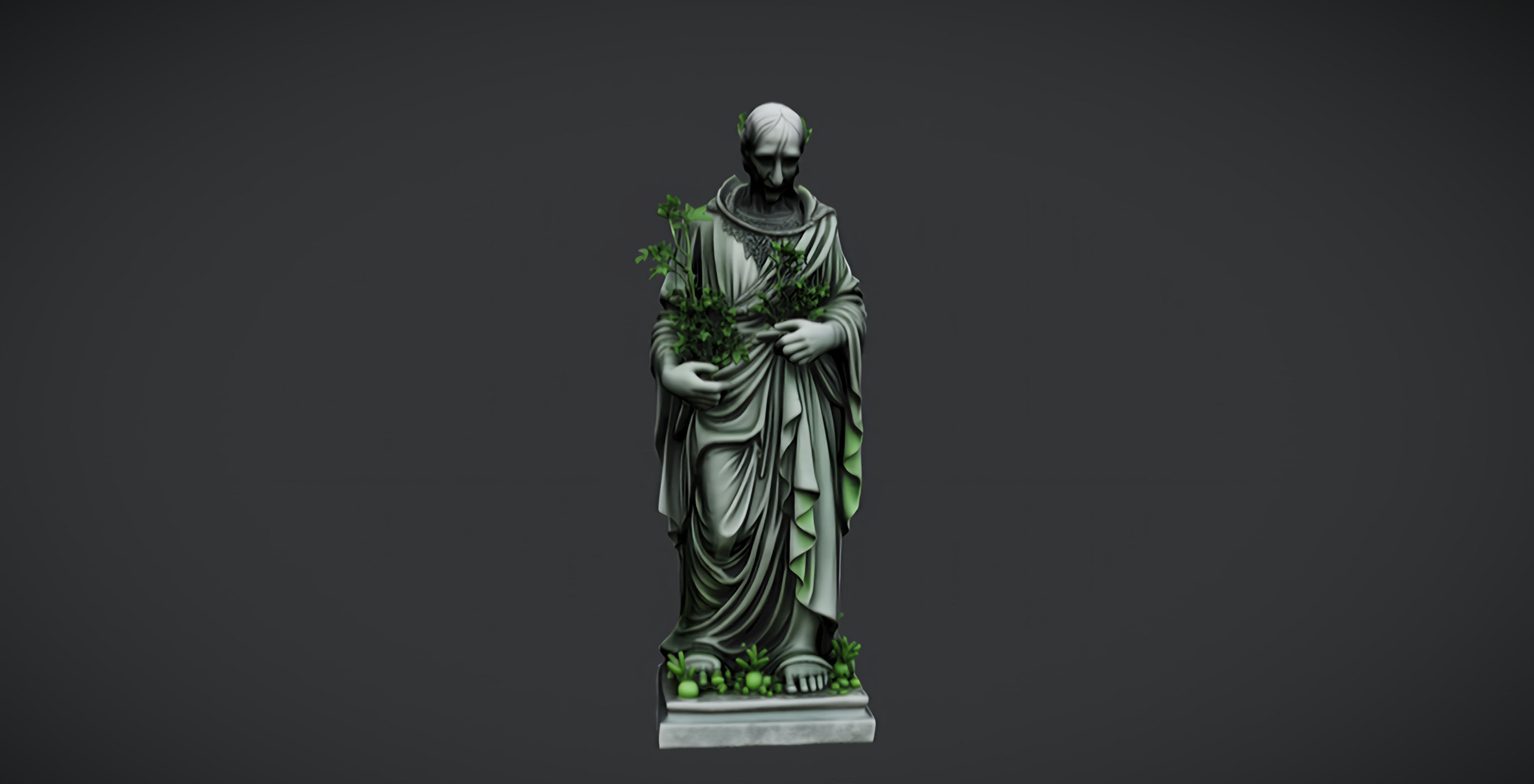
The free Dark Fantasy Nature Statue is built for exactly this job. It is a single weathered stone figure with a darker, more sinister tone than its lighter sibling, meant for gardens, shrines and ruins, and it ships as a drop-in UE5 static mesh with 2K PBR textures. Because it is free under the Fab Standard licence, you can prototype an entire vignette without spending anything, and it gives you a believable hero asset to anchor the shot from the first minute.
Download the statue from Fab and add it to your UE5 project; it imports as a static mesh with its material and 2048x2048 base, metallic, normal and roughness maps already assigned. Drag it into an empty level and place it slightly off-centre rather than dead-centre. A focal prop sitting on a third line reads as a discovered ruin; a focal prop in the exact middle reads as a product render. That single placement decision does more for the mood than any amount of post-processing later.
Ground the statue so it belongs there
An untouched, perfectly upright statue looks placed, not abandoned. The trick to selling a ruin is making the focal mesh look like it has been losing a slow argument with time and gravity. Nudge the statue a few degrees off vertical, sink its base slightly into the terrain, and rotate it so the most weathered, most readable face catches your key light.
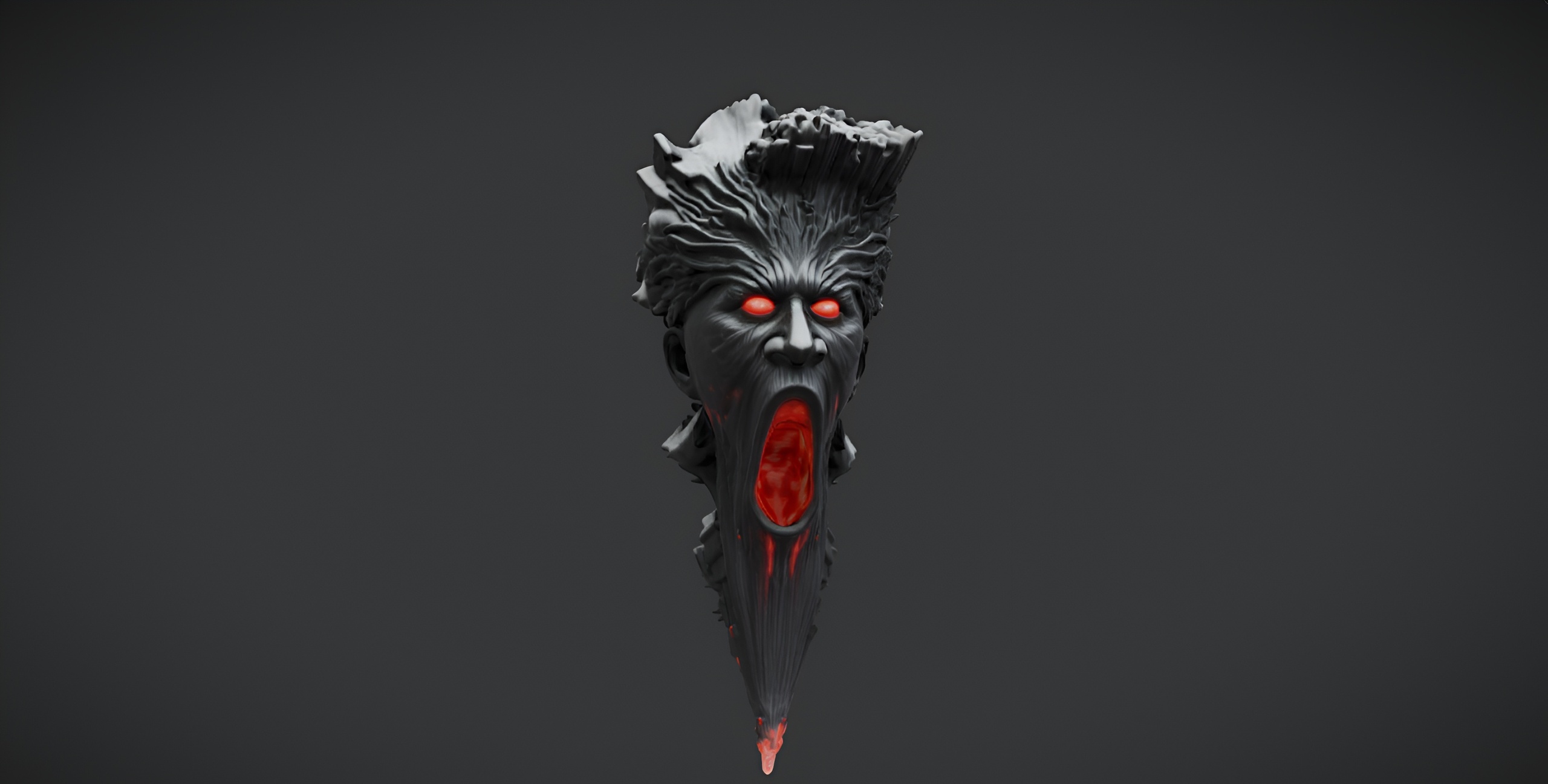
Now build a small base of supporting geometry so the statue is not floating in a void. The free Demonic Wailstone pairs naturally here: it is a single dark-fantasy boulder static mesh, also drop-in for UE5 with 2K PBR textures, and the dossier notes the two are designed to sit together as part of a free dark dressing set. Scatter a couple of copies of the wailstone at different scales and rotations around the statue's plinth to imply collapsed masonry without modelling any.
Vary scale aggressively. Duplicate the boulder, drop one copy to roughly a third of its size for gravel-feeling debris, and push another up to one-and-a-half times for a brooding backdrop mass. Repetition is what gives away kit-bashing, so rotate every instance and never leave two identical silhouettes next to each other. Keep the cluster asymmetric: weight more debris to one side of the statue so the composition has a heavy corner and a breathing corner.
Layer overgrowth and decay
Nature reclaiming stone is the visual shorthand that turns a prop arrangement into a haunted place. This is where flora does the heavy lifting. The Fantasy Flower Pack gives you 51 unique hand-modelled fantasy, sci-fi and gothic flowers and plants as Nanite-ready UE5 static meshes, each with its own material and 2K PBR set and automatic collision, which means they drop into the scene with no extra setup. For a cursed mood, lean on the darker entries the pack ships, such as the nightshade, the Blood Lotus and the ember blooms.
Work from the statue outward in three bands. First, press a few small plants right up against the statue's base and into any crevices so the stone looks gripped by growth. Second, ring the debris cluster with medium clumps. Third, thin the planting out toward the edges of the frame so the density falls off naturally rather than stopping at a hard line.
For larger areas, the pack's meshes lend themselves to scattering. You can add a flower mesh to a Foliage type and paint it across the ground, or feed the meshes into a PCG graph for procedural scatter; treat both as workflow suggestions rather than a shipped, pre-configured feature. A word of honesty that saves you a debugging session: these flowers do not include wind or vertex animation, so do not expect them to sway on their own. If you want motion, drive it yourself with a world-position-offset material or a wind setup you author separately.
If a single hero, a few boulders and some flora is not enough to fill the frame, the Dark Fantasy Props Bundle widens the dressing kit dramatically. It is a content project of 100-plus unique gothic static meshes (the Meshes folder holds 105 SM_ assets), each with its own bespoke material and Nanite enabled, and it ships with a Demo.umap showcase scene. Migrate its content folder into your 5.6-or-later project and you gain altars, obelisks, lanterns and broken set dressing to extend the ruin beyond what the free assets cover.
Atmospheric fog and colour grade
Geometry sets the stage; atmosphere sells the dread. Add an 'Exponential Height Fog' actor and keep the density low to start, then raise it gradually until the far boulders and outer flowers begin to dissolve into haze. Separating your depth planes with fog is the single fastest way to make a small dressed area read as a vast, foreboding ruin.
Add a 'Directional Light' as your key and angle it low, as if from a dying sun or a cold moon, so the statue throws a long, articulate shadow across the debris. Low, raking light is what reveals the weathering in the 2K normal maps on the statue and boulders; flat overhead light flattens all that hard-won detail into mush. Pair it with a 'Sky Light' set dim and slightly cool so the shadows do not go pure black.
Finish with a 'Post Process Volume' set to unbound. Pull the saturation down, push the shadows toward a cold blue-green, and lift the midtone contrast so the silhouette of the statue stays crisp against the fog. Add a touch of vignette to draw the eye inward to your focal point, and keep the bloom restrained so any in-scene light sources glow without blowing out. Resist the urge to crush the blacks entirely; a haunted ruin should feel like there is something just barely visible in the dark, not a black rectangle.
Frame the screenshot
A vignette is only as good as the angle you shoot it from. Use the editor camera (the 'Cinematic Viewport' or a placed 'Cine Camera Actor') and treat the statue as the subject of a portrait. Drop the camera low and look slightly up at the figure so it looms; a low angle reads as reverence and threat, an eye-level angle reads as a catalogue photo.
Compose for layers. Put a small flower or a chunk of the wailstone in the immediate foreground, even partly out of focus, the statue on a third line in the mid-ground, and let the fog swallow everything behind it. That foreground-subject-haze stack is what gives a flat screenshot real depth. Nudge the camera until the statue's most weathered face is the part catching your key light.
When the framing is set, hide the editor gizmos and grid (press G for Game View), then capture with the High Resolution Screenshot tool from the viewport options for a clean, full-resolution image. Take several variations at slightly different angles and fog densities; the strongest haunted-ruins shot is almost never the first one you frame, and small atmospheric tweaks between captures are far cheaper than re-dressing the set.
From here, the path is incremental. The whole vignette above can be built for free with the Dark Fantasy Nature Statue and the Demonic Wailstone, which is the point of the free taster: prove the look costs you nothing. When you want real variety, step up to the Fantasy Flower Pack for flora and the Dark Fantasy Props Bundle for the heavier gothic dressing, and you can grow a single statue into an entire cursed environment.
What to reach for at each stage of the vignette
| Stage | Asset | What it provides | Price |
|---|---|---|---|
| Focal point | Dark Fantasy Nature Statue | Single weathered hero statue | Free |
| Debris / base | Demonic Wailstone | Single dark-fantasy boulder | Free |
| Overgrowth | Fantasy Flower Pack | 51 Nanite-ready fantasy plants | 21.99 USD |
| Heavier dressing | Dark Fantasy Props Bundle | 100+ gothic props, Demo map | 34.99 USD |
All assets are drop-in UE5 static meshes with 2K PBR textures. Prices and counts are from each product's Fab listing.
FAQ
How do I make a haunted ruins scene in Unreal Engine 5 for free?
Start with the free Dark Fantasy Nature Statue as your focal point and the free Demonic Wailstone for collapsed-masonry debris. Both are drop-in UE5 static meshes with 2K PBR textures under the Fab Standard licence. Add Exponential Height Fog, a low directional key light and an unbound Post Process Volume, and you have a complete cursed vignette without spending anything.
Does the Dark Fantasy Nature Statue support Nanite or come with collision?
The free statue ships as a UE5 static mesh with 2K PBR textures, but Nanite support and automatic collision were not separately confirmed for the free SKU. If you need collision, add a simple collision primitive in the Static Mesh editor; if you want Nanite, you can enable it manually on the mesh.
Will the Fantasy Flower Pack plants sway in the wind?
No. The flowers are hand-modelled Nanite-ready static meshes with automatic collision, but the pack does not include wind or vertex animation. If you want movement, author your own world-position-offset wind material or a separate wind setup; do not expect the flowers to animate out of the box.
How do I capture a clean screenshot of the finished ruin?
Frame the shot from a low angle so the statue looms, place foreground detail to build depth, press G for Game View to hide the editor gizmos and grid, then use the High Resolution Screenshot tool from the viewport options. Take several variations at different angles and fog densities and pick the strongest.
What engine version do these assets need?
The free statue and the Demonic Wailstone are listed as generic UE5 static meshes. The Fantasy Flower Pack and the Dark Fantasy Props Bundle ship as Unreal Engine 5.6 projects, so migrate their content into a 5.6-or-later project if you combine everything.
Dark Fantasy Nature Statue
A free dark-fantasy nature statue — weathered stone for gardens, shrines and ruins. Drop-in ready for Unreal Engine 5.
Related on Fab


Related reading