
tutorial · 2026-01-08
How to Add Fireflies to a Night Scene in Unreal Engine 5 with Niagara
Two routes to a convincing firefly swarm — author it yourself in Niagara, or drop in a ready-made system and light the scene to sell it.

What a firefly effect actually needs to read well
If you have searched for a UE5 Niagara fireflies effect tutorial, you have probably already discovered that a few dots of emissive geometry drifting through the air do not read as fireflies at all. The illusion lives in three details, and missing any one of them is what makes a home-made swarm look like floating dust instead of living insects.
The first is a warm, irregular flicker. Real fireflies pulse — they brighten, fade, and skip beats — and that asymmetry is what your eye latches onto. A constant emissive glow looks mechanical; a randomised pulse looks alive. The second is the looping flight path. Fireflies do not travel in straight lines, they loop and weave in tight, lazy arcs, usually orbiting some anchor like a plant or a patch of long grass. The third is the lighting context. A firefly swarm only sells in low light, so the scene around it has to be a genuine twilight or night setup, dark enough that the warm pinpoints become the brightest thing in frame.
Get those three right — flicker, looping trails, and twilight lighting — and the effect carries the whole mood of a scene. Get them wrong and no amount of particle count will save it. The rest of this tutorial covers both ways to get there: authoring the system yourself, and dropping in a finished one.
Option A: authoring a firefly swarm yourself in Niagara
Building this from scratch is entirely doable, and worth understanding even if you ultimately use a pre-made system, because it tells you which knobs matter. Here is the shape of the work.
1. Create a new Niagara System from an emitter template — the 'Fountain' or a simple 'Empty' CPU emitter is a sensible starting point — and right-click in the Content Browser, choose 'FX' then 'Niagara System'.
2. Set a low, steady spawn rate. Fireflies are sparse; you want a handful in view at once, not a cloud. Use the 'Spawn Rate' module and keep the number small, then bound the swarm with the 'Sphere Location' or 'Box Location' module so the insects stay near their anchor rather than dispersing.
3. Drive the flicker. The colour pulse is the heart of the effect. Add a 'Scale Color' module and animate the alpha or the emissive multiplier over each particle's life with a curve, then add per-particle randomness so no two flicker in sync. A 'Dynamic Material Parameter' feeding an emissive material gives you the warm glow that reads in the dark.
4. Add the looping motion. A small 'Curl Noise Force' plus a gentle 'Drag' module produces the weaving, orbiting flight path; tune the noise frequency low and the strength modest so the loops stay lazy rather than frantic.
5. Give each particle a long, varied lifetime and a soft sprite or trailing renderer. If you want the looping trails that make a swarm feel busy, switch to the 'Ribbon Renderer' or add a 'Sprite Renderer' with motion blur and a short tail.
None of this is exotic, but tuning the flicker curve, the noise force, and the spawn balance until the swarm looks natural rather than robotic is genuinely fiddly, and you have to repeat the styling work for every plant or anchor you want it to orbit. If your goal is the scene rather than the particle craft, the second route gets you there far faster.
Option B: drop in a ready-made FireflySwarm Niagara system
Ambient Garden VFX ships the firefly effect as a finished asset so you can skip the authoring entirely. The pack's FireflySwarm family is exactly what the section above is trying to build by hand: warm flickering firefly trails that loop around each bloom, purpose-built for twilight and night scenes.
It is a content-only Niagara pack — no C++, no Blueprints, and no plugin dependencies — so there is nothing to compile and nothing to wire up. The effects use CPU Niagara emitters and are drop-in: you place a system in the level and it plays automatically, with no parameter tuning required to get the intended look.
Here is the whole workflow once the pack is in your project. 1. In the Content Browser, open the AmbientGardenVFX Niagara folder and go into the FireflySwarm subfolder; the systems are prefixed by family, so you can filter the browser by 'FireflySwarm' to see only the firefly variants. 2. Each system follows the naming convention NS_<flower>_fireflyswarm — for example NS_blood_lotus_bloomingmotes shows the same scheme used across families — so pick the variant that matches the plant you are dressing. 3. Drag the NiagaraSystem into your level. It begins playing immediately; there is no setup step. 4. To see the intended result first, open the included demo map L_Demo_AmbientGardenVFX_FireflySwarm, which lays the flowers out under a dynamic twilight lighting rig so you can study the effect before placing your own.
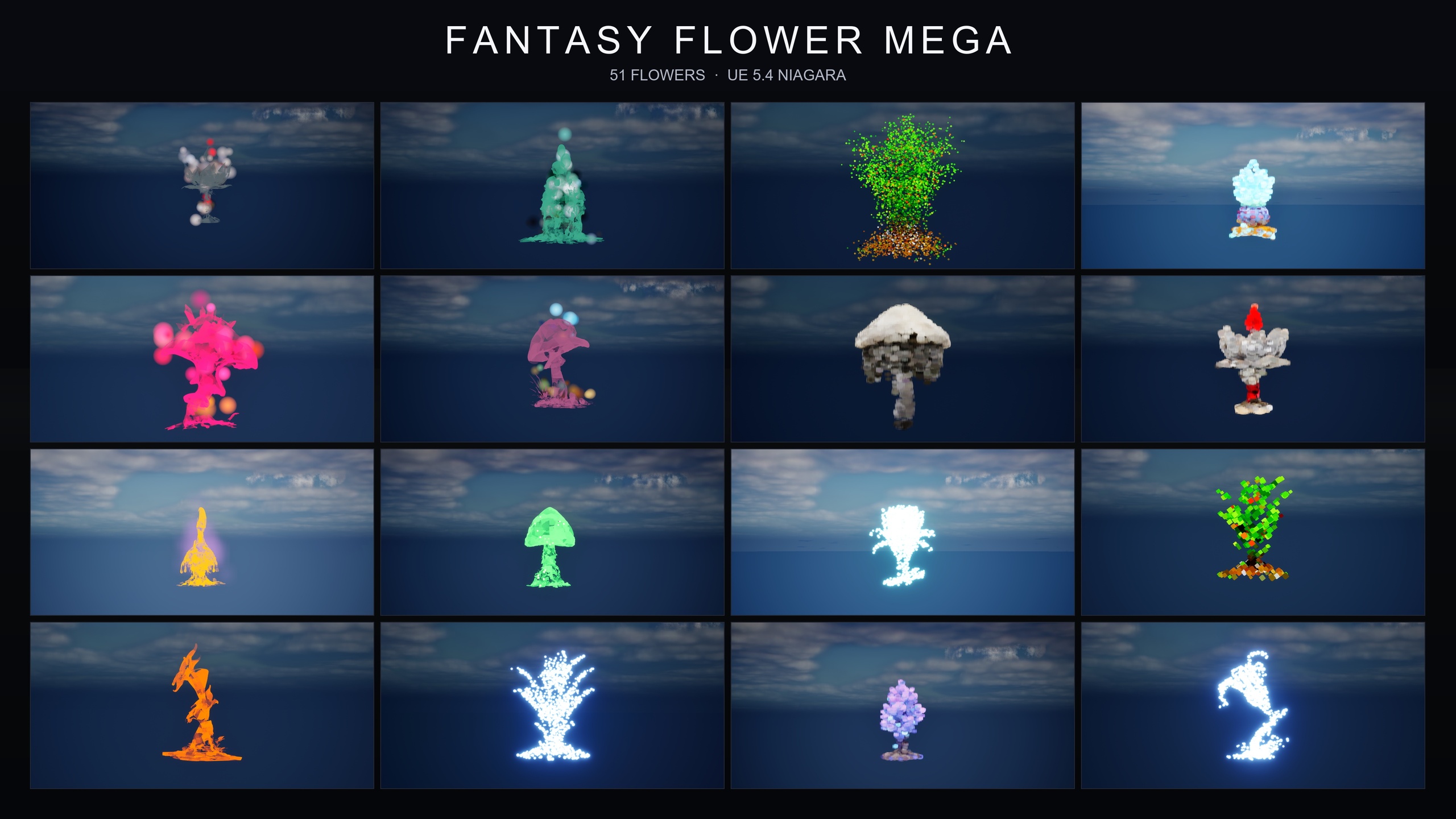
Because the FireflySwarm systems are one of three ambient families applied across the full 51-mesh Fantasy Flower roster, you get a firefly variant for every plant in the set rather than a single generic swarm.
Placing and attaching the effect to plants or actors
A firefly swarm rarely sits in empty air — it belongs around something: a flower bed, a bush, a lantern, a moving character. The pack's systems render correctly at any world location, including when parented to a moving actor, so you have full freedom in how you attach them.
For a static plant, the simplest approach is to drag the NiagaraSystem in and position it over the mesh in the viewport. For an effect that should follow something — fireflies trailing a wandering NPC, or orbiting a swaying plant on a physics rig — attach the placed Niagara component to the target actor in the 'World Outliner' by dragging it onto the parent, or in Blueprint add a 'Niagara Component' to the actor and assign the FireflySwarm system as its asset. Either way the swarm travels with its anchor and keeps rendering correctly.
If you are spawning the effect at runtime rather than placing it in the level, the standard 'Spawn System Attached' node parents a one-shot or looping system to a component, while 'Spawn System at Location' drops one at a world position — both work with these systems since they need no per-instance parameter setup.
Tuning the ambience for night versus twilight
The single biggest factor in whether fireflies read is the lighting around them, and this is true whichever route you took to make the swarm. The pack's demo levels use dynamic lighting with no baking required — a Movable Directional Light, SkyAtmosphere, SkyLight, Exponential Height Fog, and a Volumetric Cloud — which is a good template to copy for your own twilight scene.
For a deep-night look, pull the Directional Light intensity right down and cool its colour toward blue moonlight, lean on the SkyLight and a touch of fog to keep the scene readable, and let the warm firefly pulses become the dominant point of contrast. For a softer twilight, keep a low warm sun near the horizon and a brighter sky so the swarm reads as an accent against an amber dusk rather than the only light source. Exponential Height Fog is your friend in both cases: a little atmospheric haze gives the glowing trails something to register against and deepens the sense of distance.
Because the systems use a deferred render path and dynamic lightmaps, you can iterate on the lighting freely without rebuilding — adjust the sun, the fog, and the sky in real time until the swarm sits where you want it in the value range.
From here, the natural next step is to layer the mood: the same pack ships BloomingMotes (soft floating pollen and light motes) and Mist (low-lying drifting ground fog) families, so a single garden can carry drifting motes by day and a firefly swarm with ground mist by night using assets that already share the look and the workflow.
Author it yourself vs. drop-in FireflySwarm
| Consideration | Author in Niagara yourself | Ambient Garden VFX FireflySwarm |
|---|---|---|
| Setup | Build emitter, flicker curve, noise force, renderer | Drop system into level, plays automatically |
| Parameter tuning | Manual tuning of spawn, flicker and motion | No tuning required for the intended look |
| Sim target | Your choice | CPU Niagara emitters |
| Code / plugins | None needed, but it is all hand-built | Content-only: no C++, Blueprints or plugin dependencies |
| Coverage | One swarm you style per anchor | A firefly variant for each of 51 plant meshes |
| Preview | Build your own test scene | Included demo map L_Demo_AmbientGardenVFX_FireflySwarm |
Both produce a flickering, looping firefly swarm; the difference is the work you do to get there.
FAQ
How do I make fireflies in Unreal Engine 5 with Niagara?
You need three things: a warm irregular flicker driven by a per-particle colour or emissive curve, a looping flight path from a low-frequency Curl Noise Force, and a dark twilight or night lighting setup so the glowing points become the brightest thing in frame. You can build that by hand in a CPU Niagara emitter, or drop in a ready-made FireflySwarm system from Ambient Garden VFX, which ships the effect finished and playing automatically.
Does the FireflySwarm effect need any tuning to look right?
No. The Ambient Garden VFX effects are drop-in and play automatically with no parameter tuning required. You place the NiagaraSystem in the level and it runs as intended; the main thing you still control is the surrounding lighting, which is what sells the swarm.
Can I attach a firefly swarm to a moving actor or character?
Yes. The systems render correctly at any world location, including when parented to a moving actor. Parent the placed Niagara component to the target in the World Outliner, or add a Niagara Component in Blueprint and assign the FireflySwarm system, and the swarm will travel with its anchor.
Is this a code plugin? What engine version does it need?
It is a content-only Niagara pack — no C++, no Blueprints and no plugin dependencies, so there is nothing to compile. It is compile-clean on UE 5.4 and opens cleanly, upgrading to later engine versions on open; the product listing states a UE 5.4 to 5.7 range.
How do I preview the effect before placing it in my own scene?
Open the included demo map L_Demo_AmbientGardenVFX_FireflySwarm. It lays the flowers out under a dynamic twilight lighting rig so you can see exactly how the firefly trails are meant to read before you drop systems into your own level.
Ambient Garden VFX
Bring outdoor scenes alive with 150 ambient Niagara effects — drifting pollen, fireflies, floating spores and mist — across 51 meshes and 131 material instances. CPU-simulated for Windows, Mac and Linux.
Related on Fab
Related reading