
tutorial · 2026-01-12
How to Dress a Dungeon Scene in Unreal Engine 5 Fast (Without Modelling a Thing)
A practical, 15-minute workflow for turning a blank greybox crypt into an atmospheric dungeon using a drop-in dark-fantasy prop pack.

Why a blank greybox kills your dungeon
You have blocked out the dungeon. The corridors loop, the boss arena has the right footprint, the lighting roughs in the mood you want. And yet it still reads as a level, not a place. Bare BSP and untextured walls give a player nothing to believe in, nothing to look at, and no sense that anyone ever lived, worshipped or died here. The atmosphere you imagined lives almost entirely in the clutter you have not placed yet.
The slow way to fix that is to model every throne, tome and altar yourself, or to commission them. The fast way, and the one this tutorial covers, is to learn how to quickly fill a dungeon level with props in UE5 by dropping in a ready-made content pack and dressing the scene by hand. Done well, a single dressing pass can take a flat greybox to a screenshot-worthy crypt in well under an hour.
For this walkthrough the prop source is the Dark Fantasy Props Bundle, a dark-fantasy and gothic pack of 100-plus unique static meshes built for exactly this job: filling horror, RPG and dungeon scenes quickly. It ships as a complete Unreal Engine 5.6 content project, so everything below assumes a UE 5.6 (or compatible) project on Windows.
Step 1: Migrate the pack into your project
The bundle is a content project, not a plugin, so you do not install it through the Plugins menu. You bring its assets across with Unreal's Migrate tool, which copies the meshes, materials and textures into your project while preserving every reference between them.
1. Open the included 'DarkFantasyPropPack.uproject' in Unreal Engine 5.6. This is the source project that ships with the pack.
2. In the 'Content Browser', locate the 'DarkFantasyPropsBundle100ArtefactsAndOddities' content folder, right-click it and choose 'Asset Actions', then 'Migrate'.
3. In the migration dialog, point the destination at your own project's 'Content' folder and confirm. Unreal copies the SM_ meshes, their M_ materials and the 2048x2048 PBR textures across, keeping all assignments intact.
4. Switch back to your own 5.6+ project and confirm the folder has arrived in the 'Content Browser'. Every mesh should already have its bespoke material assigned, because each of the 105 meshes ships with its own M_ material such as M_BloodTome, M_EbonyThrone or M_DarkCauldron.
If you would rather not migrate at all, you can build your dungeon directly inside the supplied project. Migrating is the cleaner choice when you are dressing an existing level that already holds your geometry and gameplay.
Step 2: Study the Demo map before you place anything
Before you start dragging props around, open the 'Demo.umap' showcase scene that ships with the pack. It arranges the artefacts so you can see them at the right scale, lit, and sitting next to one another. Treat it as a swatch book.
Walk the demo and note which meshes read as hero pieces and which read as background filler. The thrones, altars, obelisks and cauldrons are large statement objects a player's eye will lock onto. The tomes, scrolls, candles, masks and crystals are the smaller dressing that makes a space feel inhabited. A couple of meshes, such as SM_LargeTable and SM_OrnateTable, are really demo-scene furniture rather than hero props, so plan to use those as surfaces to stand other items on.
Knowing this split in advance is what keeps a dressing pass fast. You are not going to audition all 100-plus meshes in your level; you are going to choose two or three heroes and a handful of filler families and commit.
Step 3: Place hero props, then layer filler around them
Good set dressing is composed, not scattered. Start with the hero props that anchor each room, then build supporting clutter outward from them. This top-down order stops the scene from turning into evenly-spread noise.
1. Drag a single statement mesh into your focal space first. For a boss arena that might be an Ebony or Crimson throne; for a ritual chamber, an altar or a cauldron; for a wizard's study, a large table to act as the desk. Position and rotate it so it commands the composition before anything else exists around it.
2. Layer the themed prop families outward. The bundle groups its meshes into families you can lean on: thrones (Ebony, Crimson, Inferno, Crystal), tomes and books (BloodTome, KinglyTome, ArcaneChronicle, WaterloggedBook), lanterns (Skull, Infernal, Eternal, Ember), and obelisks (Arcane, Eternal, Infernal, Destroyed), plus masks, crystals, altars, cauldrons and scrolls. Pick one or two families per room so each space tells a coherent story.
3. Break the grid. Rotate props off the cardinal axes, vary their height, tip the odd book on its side and let scrolls overlap. Real rooms are messy; perfectly aligned props look like a showroom, not a dungeon.
4. Use the lanterns and crystals as motivated light sources. Place a Skull or Infernal lantern, then add an actual UE light beside it so the prop appears to cast the glow. This single trick does more for dungeon atmosphere than almost any amount of extra geometry.
Step 4: Lean on Nanite to skip LOD work
High-poly props normally mean authoring or importing levels of detail so distant meshes do not wreck your frame budget. This pack sidesteps that entirely: its static meshes are Nanite-enabled, with Nanite settings already baked into the SM_ assets.
In practice that means you can drag any mesh straight into the level and it is finished. There are no manual LODs to set up, no LOD distances to tune, and no separate low-poly variants to manage. Nanite handles the level-of-detail for these high-poly artefacts at runtime, which is precisely what makes a dense dressing pass viable without a performance penalty from every extra tome and obelisk.
Because the materials are pre-assigned and the meshes are Nanite, the only setup work left to you is artistic: where things sit, how they are lit, and how the room reads. That is the work that actually deserves your time.
A 15-minute dungeon dressing pass
Here is a tight routine you can run room by room once the pack is migrated. The goal is not perfection on the first sweep; it is to get the whole space believable, then refine.
1. Minutes 0 to 3: drop the hero prop for the room (throne, altar or cauldron) and frame the camera you care about most. Lock the composition before adding clutter.
2. Minutes 3 to 8: bring in one or two themed filler families around the hero. Books and scrolls on a table, lanterns along a wall, obelisks marking the corners. Rotate and offset everything as you go.
3. Minutes 8 to 12: add light. Pair lanterns and crystals with real UE lights, push warm pools against cool shadow, and let the props occlude the light to throw shape onto the floor.
4. Minutes 12 to 15: take a screenshot, look at it cold, and fix the three weakest spots. A floating prop, a dead empty corner, a hero that is now competing with too much filler. Cull and nudge until the frame reads.
Repeat per room and the whole dungeon comes together fast. When you are ready to push further, the same pack covers a wizard's study from its tomes and scrolls, a throne room from its thrones and obelisks, and a gothic relic-display scene from its crystals and oddities, all without modelling a thing.
Pushing the theme further with sibling packs
Once the core dungeon reads well, a few specialist packs let you raise the detail in specific rooms without breaking the dark-fantasy look, since they share the same Nanite, automatic-collision, 2K-PBR approach.
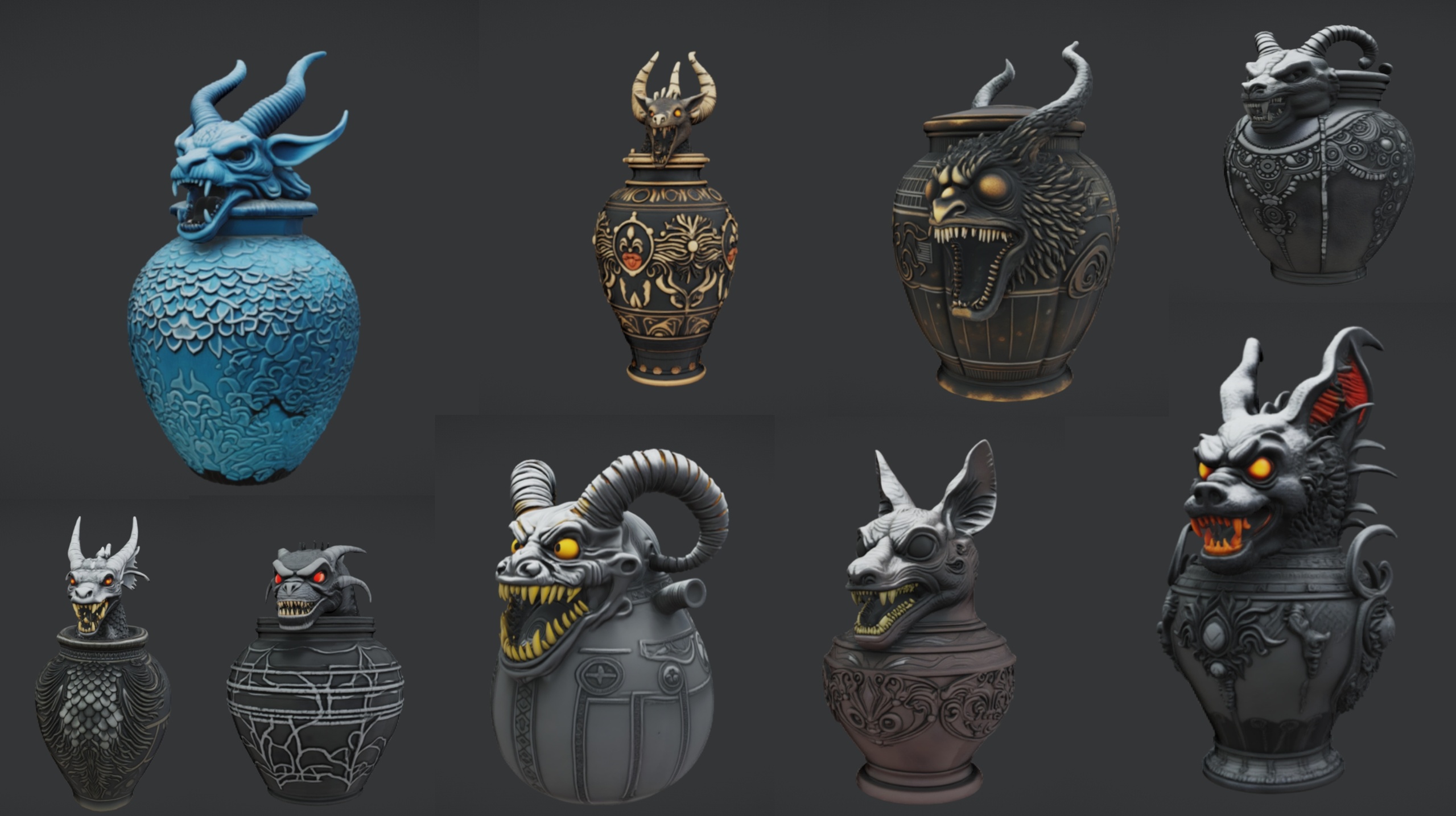
For an occult ritual chamber, Ritual Jars adds 9 ornate canopic-style jars (plus a large table prop) with an Egyptian, gothic and abyssal aesthetic; arrange the jars on an altar to sell a ceremony. Note it is authored for Unreal Engine 5.7, so confirm compatibility before mixing it into a 5.6 project.
For landmarks and cathedral interiors, the Fantasy Statue Bundle brings 18 weathered marble statues, split into a Nature series and a Tormented Souls series, ideal for lining a temple or marking a point of interest. For approaches, gardens and cursed overgrowth around the dungeon mouth, the Fantasy Flower Pack offers 51 unique hand-modelled fantasy, sci-fi and gothic plants. All three are built in the same prop-pack style, so they slot into the workflow above with no extra setup.
Hero props vs filler set-dressing
| Role | Prop families in the bundle | How to use them |
|---|---|---|
| Hero / focal | Thrones (Ebony, Crimson, Inferno, Crystal), altars, cauldrons, obelisks | One per room, placed and framed first to anchor the composition |
| Filler / dressing | Tomes and books, scrolls, lanterns, masks, crystals | Layered around the hero to make the space feel inhabited |
| Surfaces / demo dressing | SM_LargeTable, SM_OrnateTable, DisplayCase | Used as tables and plinths to stand smaller props on |
How to read the bundle's mesh families when planning a dressing pass. All meshes are Nanite-enabled with materials pre-assigned.
FAQ
How do I quickly fill a dungeon level with props in UE5?
Migrate a ready-made content pack into your project, study its demo map to learn which meshes are hero pieces versus filler, then place one statement prop per room and layer themed filler families around it. Because the Dark Fantasy Props Bundle meshes are Nanite-enabled with materials pre-assigned, you can drag them straight in with no extra setup, which is what makes a full dressing pass possible in minutes rather than hours.
Do I need to set up LODs for these props?
No. The bundle's static meshes are Nanite-enabled, with Nanite settings baked into the assets, so Unreal handles level-of-detail at runtime. There are no manual LODs to author and no LOD distances to tune, even for the high-poly artefacts.
Is it a plugin or a content project, and which engine version does it target?
It is a content project, not a plugin. It ships as a complete Unreal Engine 5.6 project (DarkFantasyPropPack.uproject) with a Demo.umap showcase scene. You either open that project directly or migrate the content folder into your own 5.6 or compatible project.
How many props are in the Dark Fantasy Props Bundle?
The pack advertises 100-plus unique dark-fantasy static meshes; the Meshes folder holds 105 SM_ assets, each with its own bespoke material. A few of those, such as the large and ornate tables, are demo-scene dressing meant as surfaces rather than hero props.
Can I mix in other packs for more variety?
Yes. Sibling packs share the same Nanite, automatic-collision, 2K-PBR style: Ritual Jars adds 9 occult canopic jars (authored for UE 5.7, so check compatibility), the Fantasy Statue Bundle adds 18 marble statues, and the Fantasy Flower Pack adds 51 plants for the approaches and overgrowth.
Dark Fantasy Props Bundle
A comprehensive collection of gothic and dark-fantasy props — artefacts, oddities and set dressing for horror, RPG and dungeon environments. Game-ready, atmospheric, and built to fill a scene fast.
Related on Fab


Related reading