
tutorial · 2026-01-09
Instanced Static Meshes in UE5: Placing Repeated Statues Without Killing FPS
How to use the Instanced Static Mesh Component in Unreal Engine to dress a gothic scene with dozens of repeated props at a fraction of the draw-call cost.

The problem: the same statue, fifty times over
You have lined a cathedral nave with statues, or marked every shrine in your open world with the same weathered marble figure, and the editor viewport has started to crawl. The mesh itself is fine; the trouble is that you placed it as fifty separate Static Mesh Actors, and the renderer is now treating each one as its own object to set up and submit. This is exactly the case the Instanced Static Mesh Component in Unreal Engine was built for: the same mesh, repeated many times, drawn together.
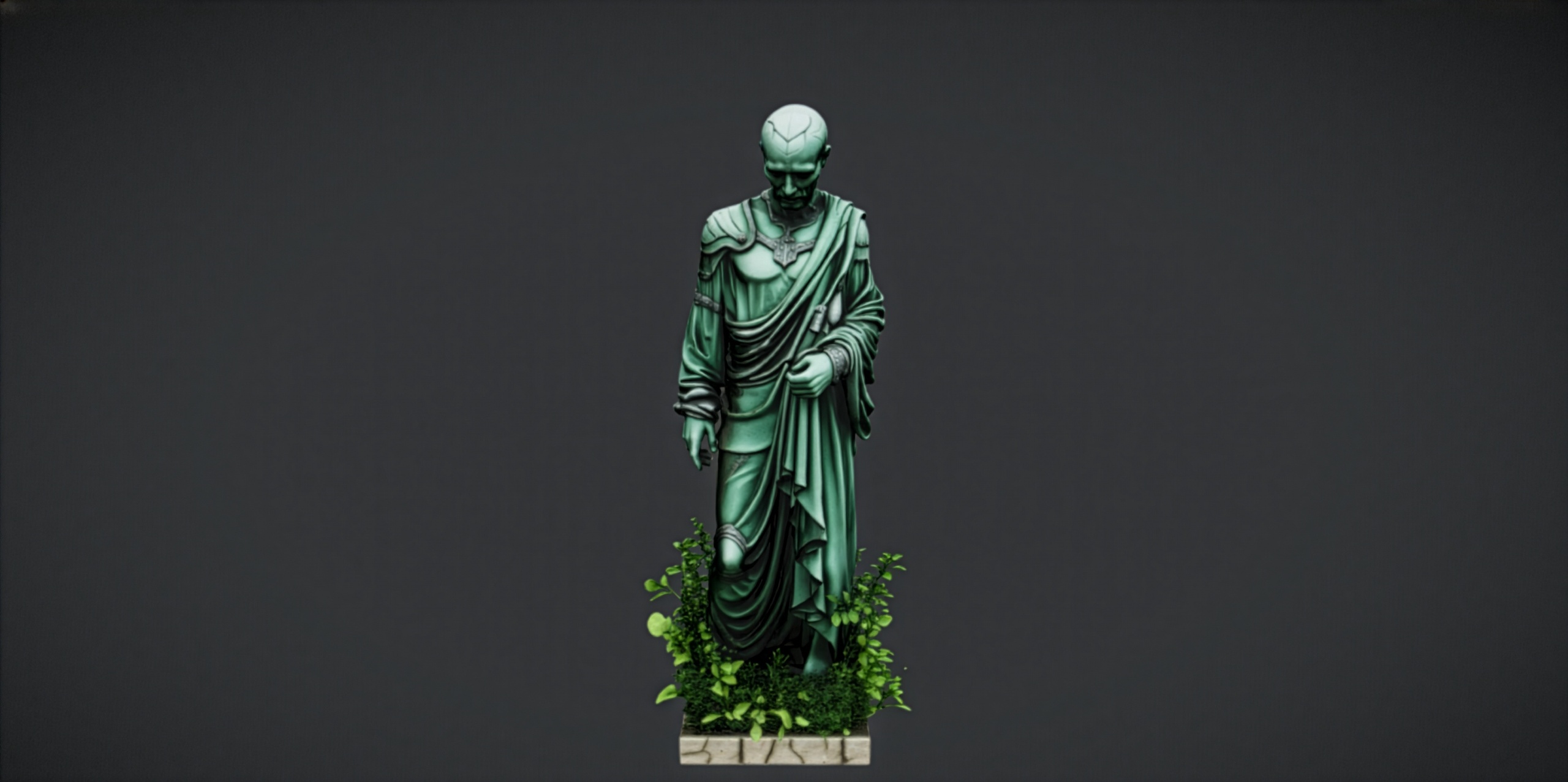
This tutorial walks through using an instanced static mesh component in Unreal Engine for repeated props, with a worked example that places a row of identical statues. We will use the Fantasy Statue Bundle as the source asset because it is a set of repeatable landmark props, but the technique applies to any static mesh you find yourself stamping across a level: fence posts, pillars, lanterns, gravestones, or flowers.
Before you reach for instancing, it is worth knowing exactly what it buys you and, just as importantly, when Unreal already does the heavy lifting for you. We will cover both.
ISM vs HISM vs Foliage: which one do you want?
Unreal gives you three closely related ways to draw one mesh many times, and they trip people up because they overlap. An Instanced Static Mesh Component, or ISM, holds many transforms for a single mesh and renders them as one batch. It is the simplest option and a good default for a fixed, hand-authored set of instances, like a deliberate row of statues flanking a path.
A Hierarchical Instanced Static Mesh Component, or HISM, is the same idea with a built-in spatial hierarchy that adds per-instance distance culling and per-instance LOD selection. If your instances spread across a large area so that many of them are off screen or far away at any moment, the HISM's culling earns its keep. This is the component the Foliage system uses under the hood.
The Foliage tool and the PCG framework sit on top of that machinery. They are about authoring: painting or procedurally scattering instances across terrain, with density, randomised rotation and scale, and slope rules. If you want to scatter ground cover or dot statues across a hillside by hand rather than by code, paint them as a foliage type and Unreal manages the instanced components for you. The table below summarises the trade-offs.
A practical rule of thumb: a tidy, designed arrangement you place once is an ISM job; a large, sparse, or organically scattered set is HISM or Foliage territory.
Adding a statue to an instanced static mesh component
Here is the Blueprint route, which gives you the clearest mental model of what instancing actually does. The Fantasy Statue Bundle ships 18 reusable statue meshes split into a Nature series ('SM_NatureStatue_1' through 'SM_NatureStatue_9') and a Tormented Souls series ('SM_TormentedStatue_1' through 'SM_TormentedStatue_9'), so pick whichever fits the scene; the steps are identical for any of them.
1. Create a new Blueprint Actor and open it. In the Components panel, click 'Add' and choose 'Instanced Static Mesh' (or 'Hierarchical Instanced Static Mesh' if you want the distance culling described above).
2. Select the new component and, in the Details panel under the 'Static Mesh' category, assign your chosen statue, for example 'SM_NatureStatue_1'. The component now knows which mesh to draw, but it has zero instances, so nothing appears yet.
3. To stamp instances in code, open the Construction Script and drag off the instanced component reference. Call the 'Add Instance' node for each placement, feeding it a 'Transform' that sets the location, rotation and scale of that copy. Each call adds one more statue to the same draw batch.
4. For a row, wrap 'Add Instance' in a 'For Loop' and build the transform from the loop index, for example by multiplying the index by a spacing vector to step each statue along an axis. A handful of nodes can place a whole colonnade.
5. Drop a single copy of your Blueprint Actor into the level. Every instance it spawns is part of one component, so the Outliner stays clean and the statues move and rotate together as one actor.
If you prefer not to script it, the Foliage tool reaches the same destination by a different door: open the 'Foliage' mode, add the statue mesh as a foliage type, and paint it. Unreal places the instances into managed hierarchical components for you. The bundle's own notes point to exactly this workflow for repeated landmark placement: add a statue to an Instanced Static Mesh or Foliage type rather than dragging in dozens of individual actors.
Draw-call savings explained
The reason instancing matters is the draw call. Loosely, every distinct object the CPU hands to the GPU costs a setup-and-submit operation, and CPUs are far better at preparing a few big batches than thousands of tiny ones. Fifty separate Static Mesh Actors of the same statue mean the engine is repeatedly re-describing the same geometry; the GPU is not the bottleneck, the per-object CPU overhead is.
An instanced static mesh component collapses that. It describes the mesh and its materials once, then ships the GPU a list of per-instance transforms, so all fifty statues are submitted as a single batched draw. The geometry is uploaded once and reused. This is why instancing scales so much better as the count climbs: doubling the instance count adds transforms to an existing batch rather than adding whole new objects.
The constraints are the flip side of the saving. Every instance in one component shares the same mesh and the same materials; you vary instances through their transform, not their geometry. If you need genuinely different statues, use one component per mesh, which is why the bundle's two series of nine give you a natural set of components to work with. Per-instance custom data and per-instance material parameters exist if you need subtle variation, but the headline rule is one mesh, many transforms, one batch.
We deliberately avoid quoting specific frame-rate figures here, because the real numbers depend entirely on your scene, hardware and the rest of your draw-call budget. Profile your own level with 'stat RHI' and the GPU visualiser before and after instancing to see the effect in your context rather than trusting a headline benchmark.
When Nanite already handles it
Here is the part that changes the calculus for these particular assets. The Fantasy Statue Bundle statues are Nanite static meshes. Nanite is Unreal's virtualised geometry system, and it has its own highly efficient path for drawing many instances of the same mesh: Nanite meshes are already batched and clustered aggressively by the renderer, and they automatically stream and select geometry detail per cluster rather than per object.
In practice this means that for Nanite meshes, the classic draw-call argument for ISM is far weaker than it is for traditional meshes, because Nanite has already solved a large part of the per-object overhead problem. You can often place Nanite statues as ordinary actors and let Nanite batch them, especially for a modest count of hero landmarks where each statue is meant to be seen up close.
So when should you still instance Nanite meshes? Instancing and Foliage remain useful as authoring and management tools: a single Blueprint actor or a painted foliage type is far tidier in the Outliner than hundreds of loose actors, it makes mass placement and editing trivial, and it keeps logically-grouped props together. There are also rendering benefits to grouping very large counts. The honest guidance is: do not reach for an ISM purely to rescue frame rate on Nanite statues you have only placed a dozen of, but do use instancing or Foliage when you are scattering them at scale or want clean, manageable mass placement.
The pragmatic next step is to test both in your scene. Drop a statue from the bundle in as a plain actor, then build the instanced Blueprint above, profile each with 'stat RHI', and let your own numbers decide. Because every statue ships with its material, 2K PBR maps, Nanite and automatic collision already set up, it drops in ready to walk around either way, so the only variable you are measuring is the placement strategy.
ISM vs HISM vs Foliage at a glance
| Method | Per-instance culling / LOD | Best for | How you place instances |
|---|---|---|---|
| Instanced Static Mesh (ISM) | No built-in distance culling per instance | Fixed, hand-authored arrangements like a designed row of statues | Add Instance in Blueprint / C++ |
| Hierarchical ISM (HISM) | Yes - per-instance distance culling and LOD via a spatial hierarchy | Large or sparse sets where many instances are far away or off screen | Add Instance, or via the Foliage system |
| Foliage / PCG | Yes - uses hierarchical instancing under the hood | Painting or procedurally scattering many props across terrain | Paint in Foliage mode or generate with a PCG graph |
All three draw one mesh many times; they differ in culling, level-of-detail handling and how you author the placements.
FAQ
How do I use an instanced static mesh component in Unreal Engine for repeated props?
Add an 'Instanced Static Mesh' component to a Blueprint Actor, assign your mesh in the Details panel, then call the 'Add Instance' node once per placement (typically inside a 'For Loop' in the Construction Script) with a transform for each copy. Drop one copy of that actor into the level and every instance is drawn as a single batch.
What is the difference between ISM and HISM?
An Instanced Static Mesh Component (ISM) draws many copies of one mesh as a single batch but has no per-instance distance culling. A Hierarchical Instanced Static Mesh Component (HISM) adds a spatial hierarchy that culls and selects LODs per instance, which pays off when instances are spread over a large area. The Foliage system uses HISM under the hood.
Do I still need instancing if my statues are Nanite?
Often not for performance alone. The Fantasy Statue Bundle statues are Nanite meshes, and Nanite already batches and clusters repeated instances efficiently, so a modest number of plain actors can be fine. Instancing and Foliage are still valuable as authoring tools for tidy mass placement, and for very large counts. Profile both with 'stat RHI' in your own scene to decide.
Can the statues in one instanced component use different meshes or materials?
No. Every instance in a single instanced static mesh component shares the same mesh and materials; you only vary them by transform. To mix different statues, use one component per mesh. The bundle's two series of nine ('SM_NatureStatue_*' and 'SM_TormentedStatue_*') give you a natural set of meshes to assign across separate components.
Are the statues ready to drop straight into a level?
Yes. Each statue ships as a Nanite static mesh with its material, 2K PBR textures and automatic collision already assigned, so you can walk around it immediately whether you place it as a plain actor, an instanced component or a painted foliage type.
Fantasy Statue Bundle
Eighteen dark-fantasy statues and plinths — Nanite meshes with automatic collision and 72 textures at 2048². Gothic, weathered and game-ready for open-world set dressing.
Related on Fab

Related reading
