
tutorial · 2026-04-29
How to Make an Interactable Lootable Container in Unreal Engine 5
Turn the Ritual Jars static meshes into focusable, lootable canopic containers with a single reusable Blueprint component.
The problem: a beautiful prop that does nothing
You have dropped a row of canopic jars onto an altar and your tomb finally looks the part. Then a tester walks up, presses the use key, and nothing happens. The jars are pure set dressing. The question every RPG developer eventually hits is the same one you are searching for now: how to make an interactable lootable container in Unreal Engine without rebuilding the prop or hand-wiring each instance.
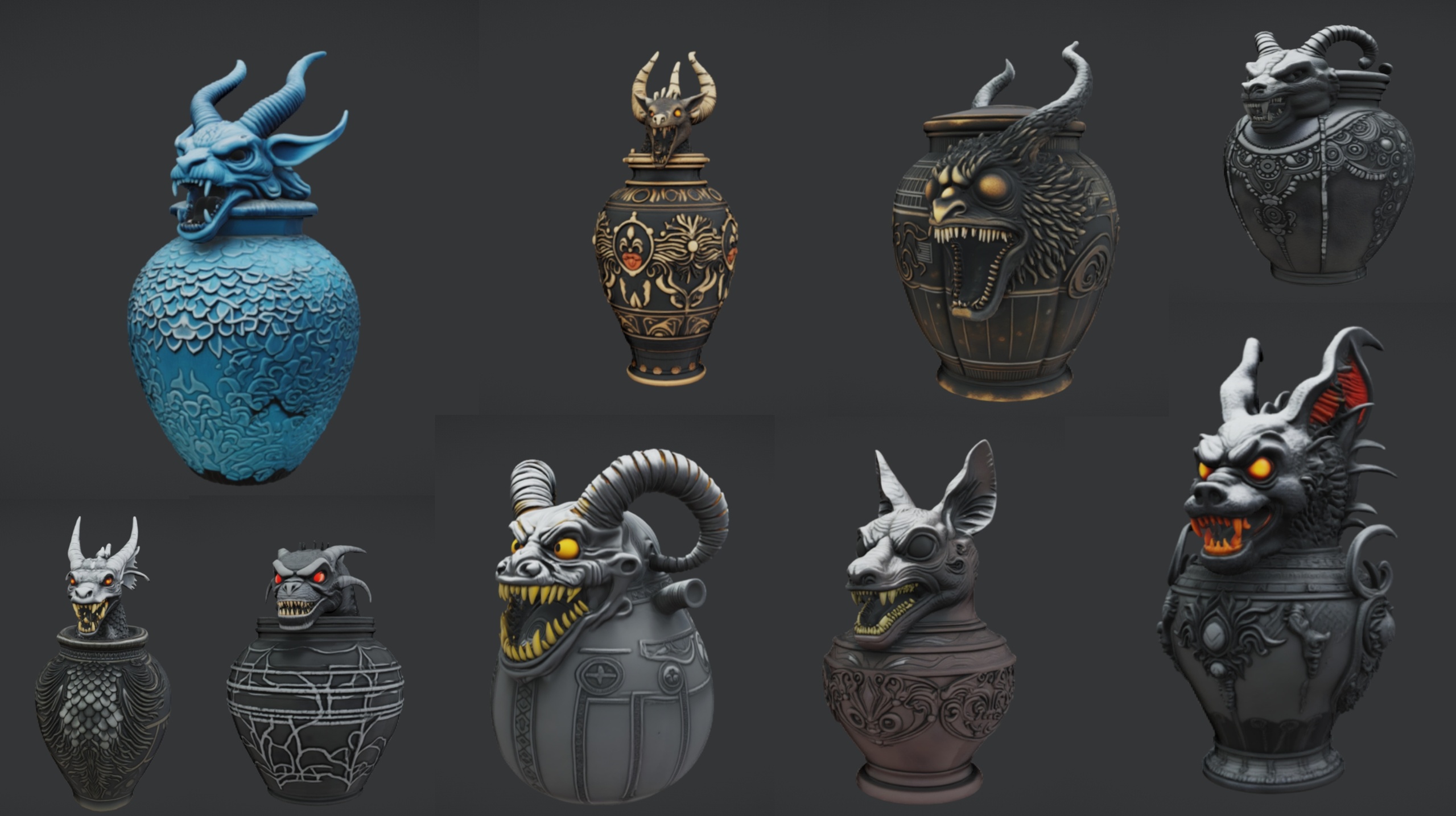
The good news is that this is a Blueprint problem, not an art problem. The Ritual Jars pack ships 9 ornate canopic-style jar static meshes (SM_RitualJar_1 through SM_RitualJar_9) plus an altar table prop, each with automatic collision and 2K PBR materials. Because they already have collision, the engine can trace against them and detect when the player is looking at one. All you need to add is a small interaction layer, and you only need to build it once.
This tutorial builds a single reusable Actor Component that handles focus detection, a highlight outline, and an inventory event. You attach that one component to every jar Blueprint and you are done. The same component drops straight onto chests, crates, scroll racks or any other static mesh you want to make lootable.
Step 1 - Wrap the jar mesh in a Blueprint Actor
A raw static mesh placed in the level cannot run logic, so the first move is to give each jar a Blueprint home. In the Content Browser, right-click and choose Blueprint Class, pick Actor as the parent, and name it BP_LootableJar.
1. Open BP_LootableJar and in the Components panel add a Static Mesh component. Set its Static Mesh to SM_RitualJar_1. The mesh arrives with its assigned material, Nanite geometry and automatic collision, so you do not need to touch the collision settings to get a hit result.
2. Confirm the mesh's Collision Presets are set to Block Visibility, or at least to respond to the trace channel you intend to use. The jars ship with automatic collision, but you want to be certain the channel your interaction trace fires on is not set to Ignore.
3. Treat these as solid decorative meshes. The pack does not document openable lids or separate cap meshes, so do not plan around animating a lid off the jar - instead, drive the loot through interaction logic and, if you want motion, a simple Timeline that nudges or scales the whole jar.
Step 2 - Build one reusable Interact component
Rather than copying logic into nine Blueprints, put it in an Actor Component once. Right-click in the Content Browser, choose Blueprint Class, expand All Classes, and select Actor Component as the parent. Name it BC_Interactable.
Inside BC_Interactable, add two events that any owning actor can call: a custom event named On Focus and another named On Unfocus. These will later drive the highlight. Add a third custom event named Interact - this is the one your player presses use against.
1. Add a Boolean variable named Is Focused to the component so it can track its own state and avoid re-triggering the outline every frame.
2. Expose a Text variable named Loot Table ID, or a simple Name, and tick its Instance Editable box. This lets each jar in the level declare which loot it grants without you writing a new component per jar.
3. In the Interact event, you will call back to whatever inventory system you use. Keep the component decoupled by having it fire a Blueprint event or interface message rather than reaching directly into your player character - the next step covers that.
Step 3 - Detect focus and draw the outline
Focus detection means working out which interactable the player is currently looking at. The cleanest approach is a single trace from the player, not a tick on every jar.
1. In your player controller or character, on Event Tick or on a lightweight timer, run a Line Trace By Channel from the camera location along the camera forward vector for a metre or two. The jars block the trace because of their automatic collision.
2. Break the Hit Result and call Get Component By Class on the hit actor, asking for BC_Interactable. If you get a valid component, that jar is your current focus target.
3. When the focused actor changes, call On Unfocus on the previous component and On Focus on the new one. Guard both with the Is Focused Boolean so you only switch the outline when the target actually changes.
4. To draw the highlight, enable Custom Depth on the jar's Static Mesh component. In BC_Interactable's On Focus, get the owner's Static Mesh component and call Set Render Custom Depth to true; in On Unfocus, set it back to false. Add a Post Process Volume with a material that reads the Custom Depth stencil to render a coloured outline, which is the standard UE5 way to outline a focused object.
Because the jars are Nanite meshes, they render efficiently even with the outline pass enabled, so you can highlight a whole altar of them without a manual LOD setup.
Step 4 - Fire the inventory event on use
With focus solved, the actual loot is a short hop. Decouple the jar from your inventory using a Blueprint Interface so the same component works in any project.
1. Create a Blueprint Interface named BPI_Inventory with a function such as Grant Loot that takes the Loot Table ID Name as an input. Add this interface to your player character or your inventory component.
2. In BC_Interactable's Interact event, get the player (for example via Get Player Pawn) and use a Message node - it appears as Grant Loot (Message) - passing the component's Loot Table ID. If the target implements the interface it receives the call; if not, nothing breaks.
3. Bind the player's use key to an Input Action that, when pressed, looks at the currently focused BC_Interactable and calls its Interact event. This is the one line that connects player input to the jar.
4. After granting loot, decide what the jar should do: set a Has Been Looted Boolean so it cannot be looted twice, optionally swap to an emptied state, and play a sound or a short Timeline so the player gets feedback. Keep the mesh itself in place - it is still good set dressing once emptied.
Step 5 - Reuse across all nine jars
This is where the one-component approach pays off. Because every jar shares the same logic, rolling it out across the set is mechanical.
1. The quickest path is to make BP_LootableJar the single jar Blueprint, add the BC_Interactable component to it once, and expose the Static Mesh as an Instance Editable variable so you can pick any of SM_RitualJar_1 through SM_RitualJar_9 per placed instance. One Blueprint, nine looks.
2. If you prefer distinct Blueprints, create a parent BP_LootableProp that owns the component and the Static Mesh component, then create nine child Blueprints, each overriding only the Static Mesh to a different jar. The interaction logic lives only in the parent, so a fix propagates everywhere automatically.
3. Drag your jars onto the included altar table prop to build the canopic arrangement, then set each instance's Loot Table ID so the player gets different rewards from different jars. The same parent works for the Ritual Jars and for any other static mesh you point it at.
Take it further with matching props
Once your loot component exists, every static mesh in your scene becomes a candidate container. Attach BC_Interactable to a scroll for a readable pickup, to a tome for a spellbook, or to a crate for generic loot - the component does not care what mesh it sits on.
The Ritual Jars pack is built for UE 5.7 and ships as a demo project with the altar table and a grass material, so you can prototype the looting loop in the supplied scene before migrating it into your own project. Opening it in an older engine may trigger a version-upgrade prompt, since 5.7 is the authored version.
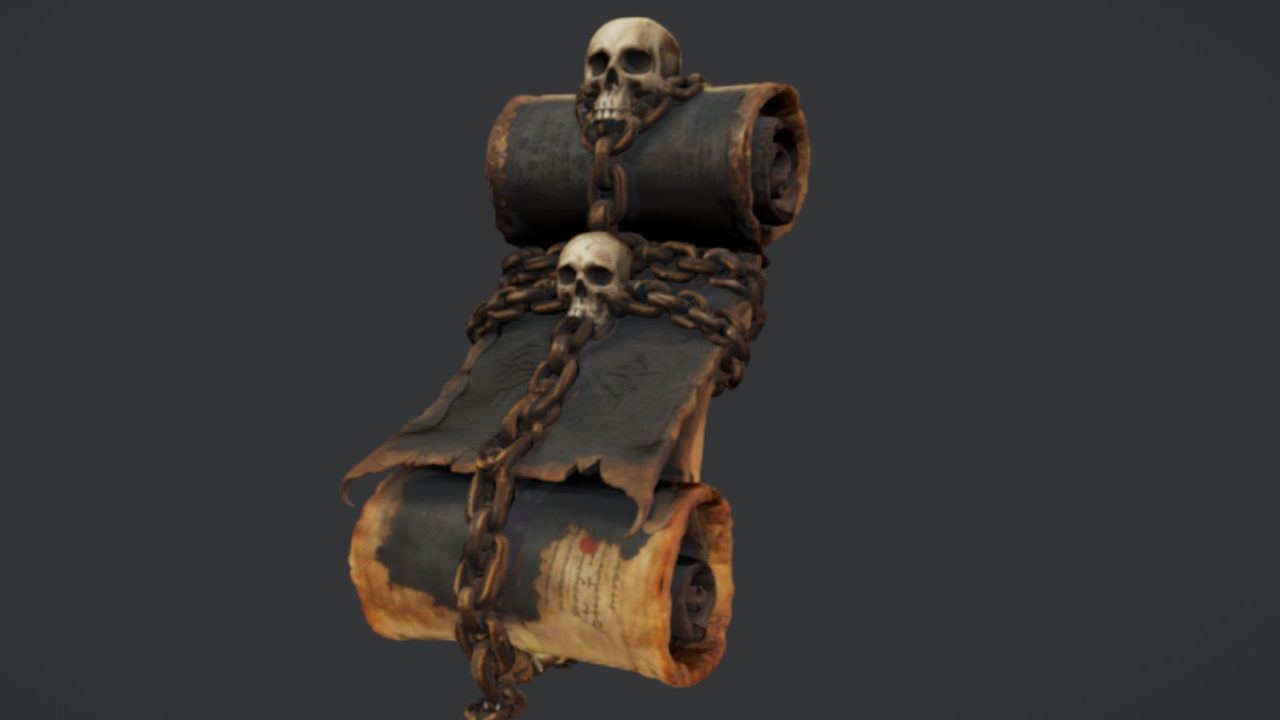
To dress the rest of the room, the Binding Scrolls free scroll mesh makes an obvious readable pickup, the Dark Fantasy Props Bundle adds tomes, lanterns, altars and cauldrons by the hundred for a full crypt, and the Fantasy Flower Pack scatters gothic blooms like nightshade and blood lotus for foreground detail. Each is a drop-in UE5 static-mesh pack, so the same interact component turns any of them into a container or pickup.
Where the reusable interact component fits
| Pack | Meshes | Authored engine | Good for |
|---|---|---|---|
| Ritual Jars | 9 jars + altar table | UE 5.7 | Canopic loot containers on an altar |
| The Binding Scrolls | 1 scroll mesh | UE5 | Readable quest-item pickup (free) |
| Dark Fantasy Props Bundle | 100+ gothic props | UE 5.6 | Tomes, chests, cauldrons and crypt dressing |
| Fantasy Flower Pack | 51 plant meshes | UE 5.6 | Foreground flora around the loot scene |
The same BC_Interactable component drops onto any of these MythicLemon static-mesh packs to turn a prop into a lootable container or pickup. Counts and engine versions are from each product listing.
FAQ
How do I make an interactable lootable container in Unreal Engine without rewiring every prop?
Put the logic in a single Actor Component (BC_Interactable) that handles focus, outline and a loot event, then attach that one component to a jar Blueprint. Expose the static mesh and a loot ID as Instance Editable so one Blueprint covers all nine Ritual Jars, and the same component works on any other static mesh.
Do the Ritual Jars need extra collision setup before the player can interact with them?
No. The jars ship with automatic collision, so a Line Trace By Channel from the player already returns a hit on them. Just confirm the mesh's Collision Presets respond to the trace channel you use for interaction rather than ignoring it.
Can I animate the jar lid opening when it is looted?
The pack is not documented as having separate, openable lids - treat each jar as a solid decorative static mesh. For feedback on loot, drive a Timeline on the whole mesh (a small scale or nudge) and play a sound, rather than relying on a removable cap.
Which UE version do the Ritual Jars target?
They are authored for Unreal Engine 5.7 and ship as a demo project for Windows. Opening the content in an older engine may trigger a version-upgrade prompt, so build against 5.7 where you can or migrate the content into a compatible project.
How do I keep the loot logic from being tied to one inventory system?
Use a Blueprint Interface (for example BPI_Inventory with a Grant Loot function) and send it as a Message from the Interact event. The jar fires the message at the player; if the player implements the interface it grants loot, and if it does not, nothing breaks. This keeps the component portable across projects.
Ritual Jars
Nine ornate canopic ritual jars — Nanite meshes with automatic collision and 2K textures. Egyptian, gothic and abyssal props for tombs, altars and occult scenes.
Related on Fab


Related reading