tutorial · 2026-01-21
How to Set Up a Fantasy Boss NPC Scene in Unreal Engine 5: Staging a Necromancer
Equip a free necromancer's staff, build a ritual altar around the character, and light the silhouette so your boss reads as a threat the moment the camera finds it.
The problem: a boss the camera can't sell
A fantasy boss lives or dies on its first frame. You can spend a week tuning the encounter logic and still have players walk into the room and feel nothing, because the character is standing in a flat box with no read on scale, intent or menace. Learning how to set up a fantasy boss NPC scene in Unreal Engine 5 is really about staging - getting the right prop in the character's hand, building a space that says 'something terrible happens here', and lighting it so the silhouette lands before the player has parsed a single detail.
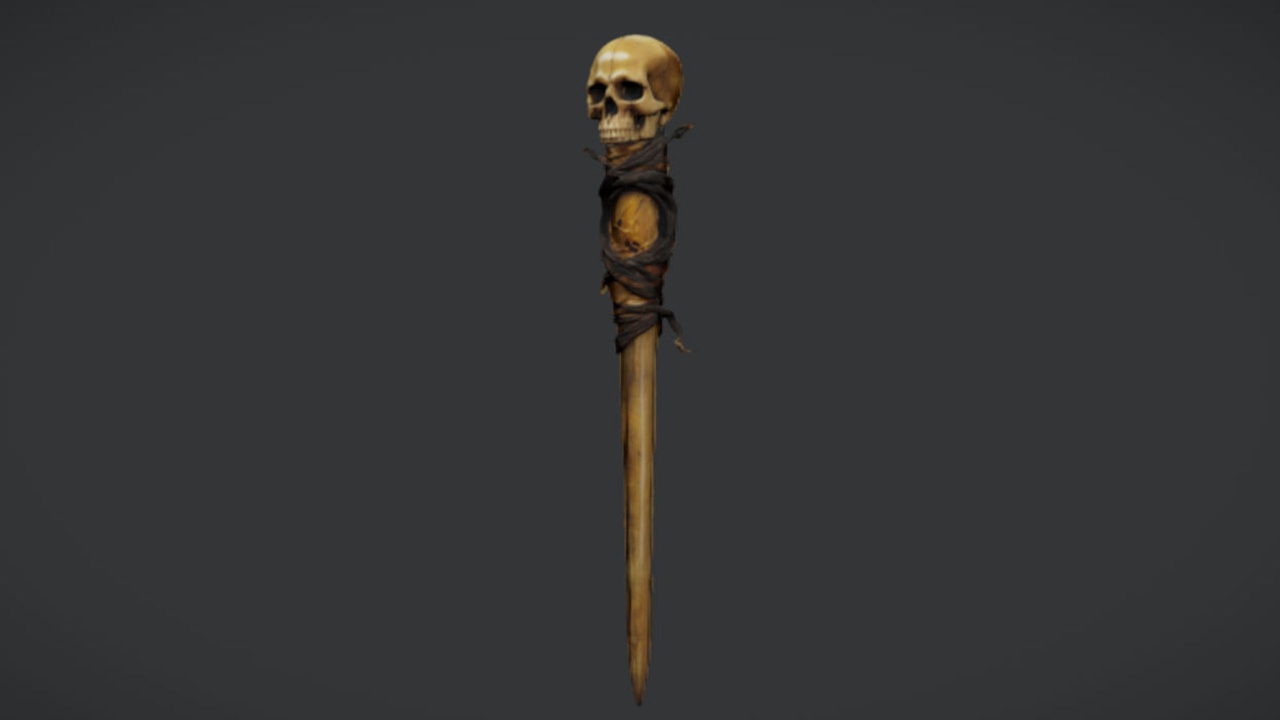
This walkthrough stages a necromancer NPC or boss using the free Necromancer's Staff as the hero prop, then dresses the altar around it with sibling props. The staff is a single drop-in UE5 static mesh with 2K PBR textures, offered free under the Fab Standard licence, so it is a low-risk way to get a sinister caster weapon into your scene and start blocking out the encounter today.
Everything below is a static-mesh and lighting workflow. The staff ships no animation, VFX or attachment Blueprint, so treat socket attachment as something you set up rather than something the asset does for you. That is fine for staging a boss - a still, looming caster reads as more threatening than a fidgeting one.
1. Equipping the staff on the necromancer
Download The Necromancer's Staff from Fab and add it to your UE5 project. It imports as a static mesh with its 2K PBR material already assigned, so it is ready to place straight away. Because it is a static mesh and not a skeletal, animated weapon, you attach it to the character rather than play it as an animation.
1. Open your necromancer's Skeletal Mesh in the Skeleton or Skeletal Mesh editor, right-click the bone you want to hold the staff (typically a hand bone), and choose 'Add Socket'. Name it something obvious like 'hand_r_staff' so you can find it later.
2. Select the new socket and use the viewport gizmo to preview the staff: right-click the socket, choose 'Add Preview Asset', and pick the staff static mesh. Rotate and offset the socket until the grip sits naturally in the palm and the staff head points where you want it.
3. In the character Blueprint, add a 'Static Mesh' component as a child of the Mesh (skeletal) component, set its static mesh to the staff, and in the details set the 'Parent Socket' to the socket you created. Now the staff rides the hand wherever the NPC stands or animates.
If you only need the staff for a fixed boss-reveal pose, you can skip the Blueprint entirely and just place the staff static mesh in the level beside or behind the character as set dressing - leaning against the altar or planted upright like a standard. It works equally well as a quest reward or a lootable weapon later, so the same asset carries from the reveal into your loot tables.
2. Building the altar around the NPC
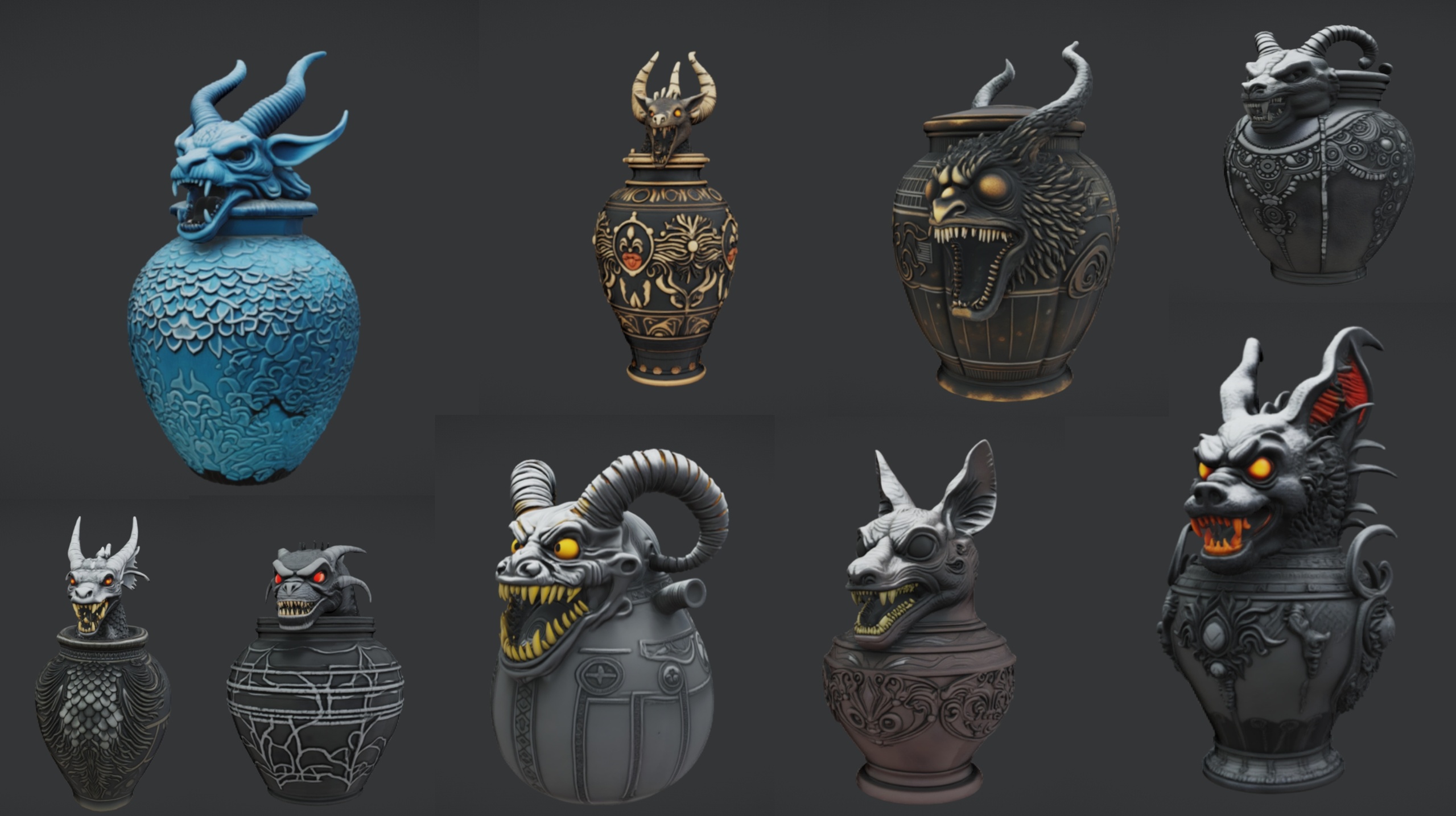
A necromancer needs somewhere to perform. The fastest way to build a believable altar is the paid Ritual Jars pack, which gives you nine ornate canopic-style ritual jars (SM_RitualJar_1 through SM_RitualJar_9) plus a large table prop, SM_LargeTable, that doubles as the altar surface. The jars are Nanite static meshes with automatic collision and 2K PBR textures, and the pack ships as a UE 5.7 demo project, so opening it in an older engine may trigger a version-upgrade prompt.
Place SM_LargeTable directly in front of where the necromancer stands, at a height that puts the surface around the character's waist - this frames the boss behind the altar and gives the camera a natural foreground layer. Then drag the SM_RitualJar meshes onto the table top. Each jar arrives with its own material and collision, so you can scatter and rotate them without any extra setup.
Compose the jars deliberately rather than evenly. Cluster a few toward the centre under the staff, leave one knocked on its side, and vary the rotations so no two faces read the same. Asymmetry sells the idea that someone uses this altar nightly. Treat the jars as solid decorative meshes - whether the lids open was not verified, so do not build interactions around removable lids.
If you want to dress the wider room in one pass instead of placing jars individually, the Dark Fantasy Props Bundle is a content project of 100-plus gothic static meshes - thrones, tomes, lanterns, obelisks, cauldrons, altars and scrolls - each with a bespoke material and Nanite enabled. Migrate its content folder into a 5.6 or later project and pull in an ebony throne behind the necromancer, a cursed-skull lantern at the altar's edge, and a dark cauldron to one side. Because the meshes are Nanite, you do not author LODs for these high-poly props.
3. Lighting and silhouette
Staging a boss is a silhouette exercise. Before you touch colour, kill the ambient fill and light the necromancer from behind or from a single low source so the figure and staff resolve as one strong shape against the dark. A rim or back light separates the character from the wall; a low key light under the altar throws the staff head into relief and makes the jars cast long, reaching shadows.
Add a 'Spot Light' or 'Rect Light' just behind and above the altar, angled down toward the character, and pull its intensity up while you drop the level's overall exposure. The goal is that the player reads the staff, the stooped caster and the cluttered altar as a single threatening mass before any texture detail registers. Cool, desaturated light on the figure with one warm accent on the altar (a lantern or a cauldron's glow) gives you the classic dark-fantasy contrast.
The staff's 2K PBR material responds to this lighting directly - its metallic and roughness maps catch the rim light along the shaft and pick out the head, which is exactly the detail you want glinting in the reveal. Keep specular sources sparse so those highlights stay precious rather than busy.
Do not rely on emissive 'magic' glow from the props themselves: the staff ships no VFX or FX sockets, and the sibling packs are static meshes whose materials you would have to edit yourself to glow. If you want arcane light, add it as your own light sources, a separate emissive material, or a Niagara effect you bring in - staged manually, then iterated.
4. Adding ritual jars and a looming moon
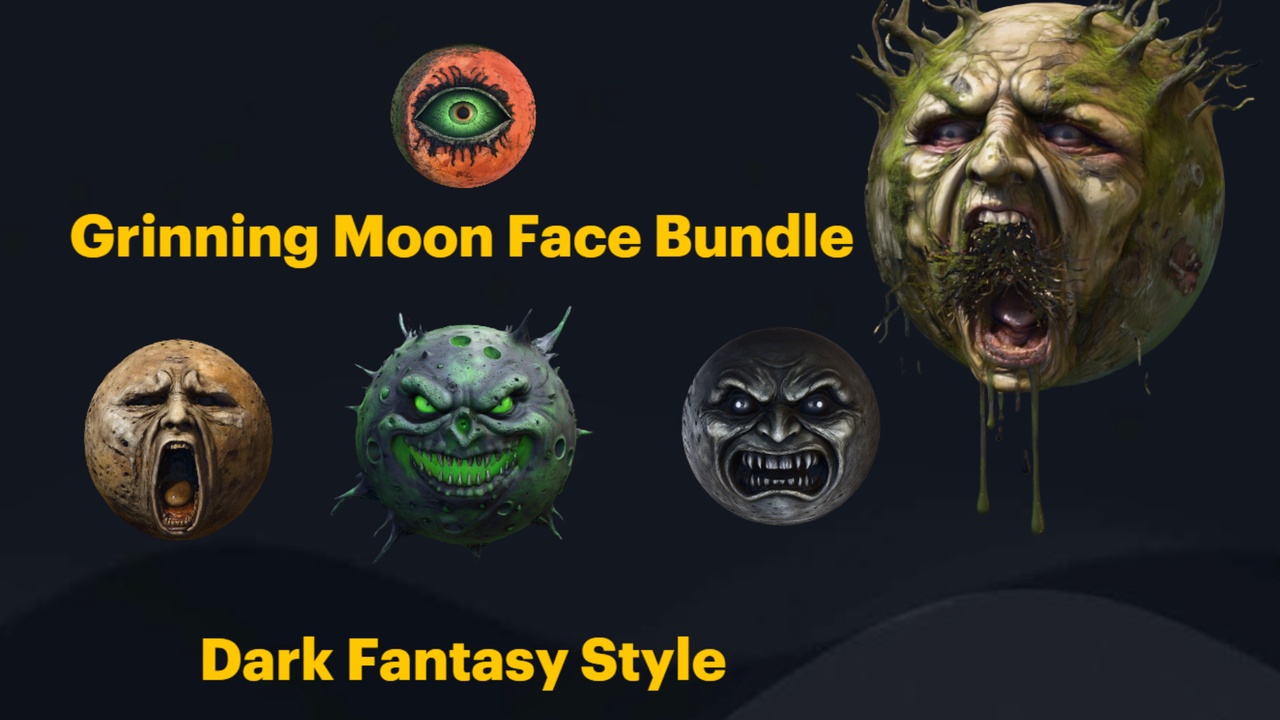
The final beat is the backdrop. The Grinning Moon Face Bundle gives you thirteen unique grinning-moon face static meshes - all-seeing, screaming, haunted, winking, putrid, arcane and more - each a Nanite mesh with automatic collision and 2K textures, shipping as a UE 5.6 demo project with an example Demo.umap.
Place one face large and far behind the necromancer so it reads as a fake moon hanging over the scene. The all-seeing or haunted face works well as a fixed-camera set-piece that appears to watch the player - an unsettling bit of environmental storytelling that frames the whole encounter. Open the bundle's Demo.umap first to see how the faces are arranged at scale.
These moon faces are static meshes, so for a glowing moon you adjust the material's emissive yourself rather than expecting a built-in glow, and the pack does not include a separate skybox or moon shader beyond the per-mesh materials. Drive the moon's apparent light with one of your scene lights so its colour matches the rim light on the necromancer and the two read as the same source.
With the staff in hand, the altar and jars composed in the foreground, a single hard light carving the silhouette and a grinning moon looming behind, you have a boss reveal that lands on the first frame. Block it out with the free staff today, then add the altar and moon as the scene firms up.
Props for staging a necromancer boss scene
| Pack | What you get | Engine | Price (USD) |
|---|---|---|---|
| The Necromancer's Staff | 1 hero staff static mesh, 2K PBR | Unreal Engine 5 | Free |
| Ritual Jars | 9 ritual jars + 1 large table, Nanite, 2K PBR | Unreal Engine 5.7 | 7.99 |
| Grinning Moon Face Bundle | 13 grinning-moon faces, Nanite, 2K | Unreal Engine 5.6 | 5.99 |
| Dark Fantasy Props Bundle | 100+ gothic props, Nanite, 2048x2048 PBR | Unreal Engine 5.6 | 34.99 |
Counts and engine versions are taken from each product's verified listing. Tri counts are not quoted as they were not verified.
FAQ
How do I set up a fantasy boss NPC scene in Unreal Engine 5?
Stage it in three passes: equip a hero prop on the NPC (here, attach the Necromancer's Staff static mesh to a hand socket or a Static Mesh component in the character Blueprint), build a space around the character with an altar and props such as the Ritual Jars on a large table, then light the figure from behind or below so the silhouette reads before any detail does. Add a backdrop element like a looming moon to frame the encounter.
Does the Necromancer's Staff come animated or with VFX?
No. It is a single free static mesh with a 2K PBR material. It ships no animation, no VFX, no FX sockets and no attachment Blueprint, so you set up socket attachment yourself and add any arcane glow as your own light or material. That is well suited to staging a still, looming boss.
How do I attach the staff to a character's hand?
Add a socket to the character skeleton on the hand bone, preview the staff against it and adjust the offset, then in the character Blueprint add a Static Mesh component set to the staff and assign its Parent Socket to the socket you created. The staff then follows the hand through poses and animations.
Which packs pair well with the staff for a necromancer altar?
The Ritual Jars pack (9 jars plus a large table prop, Nanite, UE 5.7) builds the altar; the Grinning Moon Face Bundle (13 moon faces, UE 5.6) gives you a looming backdrop moon; and the Dark Fantasy Props Bundle (100-plus gothic props, UE 5.6) dresses the wider room in one pass. All are Nanite static-mesh packs with 2K PBR textures.
Will these packs work in my engine version?
The staff lists generic Unreal Engine 5. The Ritual Jars target UE 5.7 specifically, while the Grinning Moon Face Bundle and Dark Fantasy Props Bundle target UE 5.6. Opening a pack in an older engine may prompt a version upgrade, and compatibility with versions below the authored one is not guaranteed without testing.
The Necromancer's Staff
A free necromancer's staff — a sinister melee and caster prop for dark-fantasy characters and set dressing. Drop-in ready for Unreal Engine 5.
Related on Fab

Related reading