
tutorial · 2026-05-21
Retune a Whole VFX Pack from One Asset: UE5 Niagara Parameter Collections
Use a single Niagara Parameter Collection to drive spawn rate, particle size, glyph colour and lifetime across an entire category of effects in real time.
The problem: restyling dozens of systems by hand
You drop a dozen symbol effects into a HUD, the art lead glances over and says the gold is too warm, the bursts are too dense, and everything needs to read smaller in the corner. With ordinary Niagara that means opening each system, finding the relevant emitter modules, and editing the same four values over and over, then doing it again on the next note. For a category of effects that is a long, error-prone afternoon, and the systems drift out of sync the moment you miss one.
This is exactly the case a Niagara Parameter Collection is built for. In UE5 a Niagara Parameter Collection (NPC) is a small standalone asset that holds named parameters which any number of Niagara systems can read at runtime. Change a value in the one collection and every system bound to it updates immediately, in the viewport, while the simulation is playing. This guide shows how to use a UE5 Niagara Parameter Collection to retune many systems at once, using the Emojis and Icons VFX Bundle as a worked example.
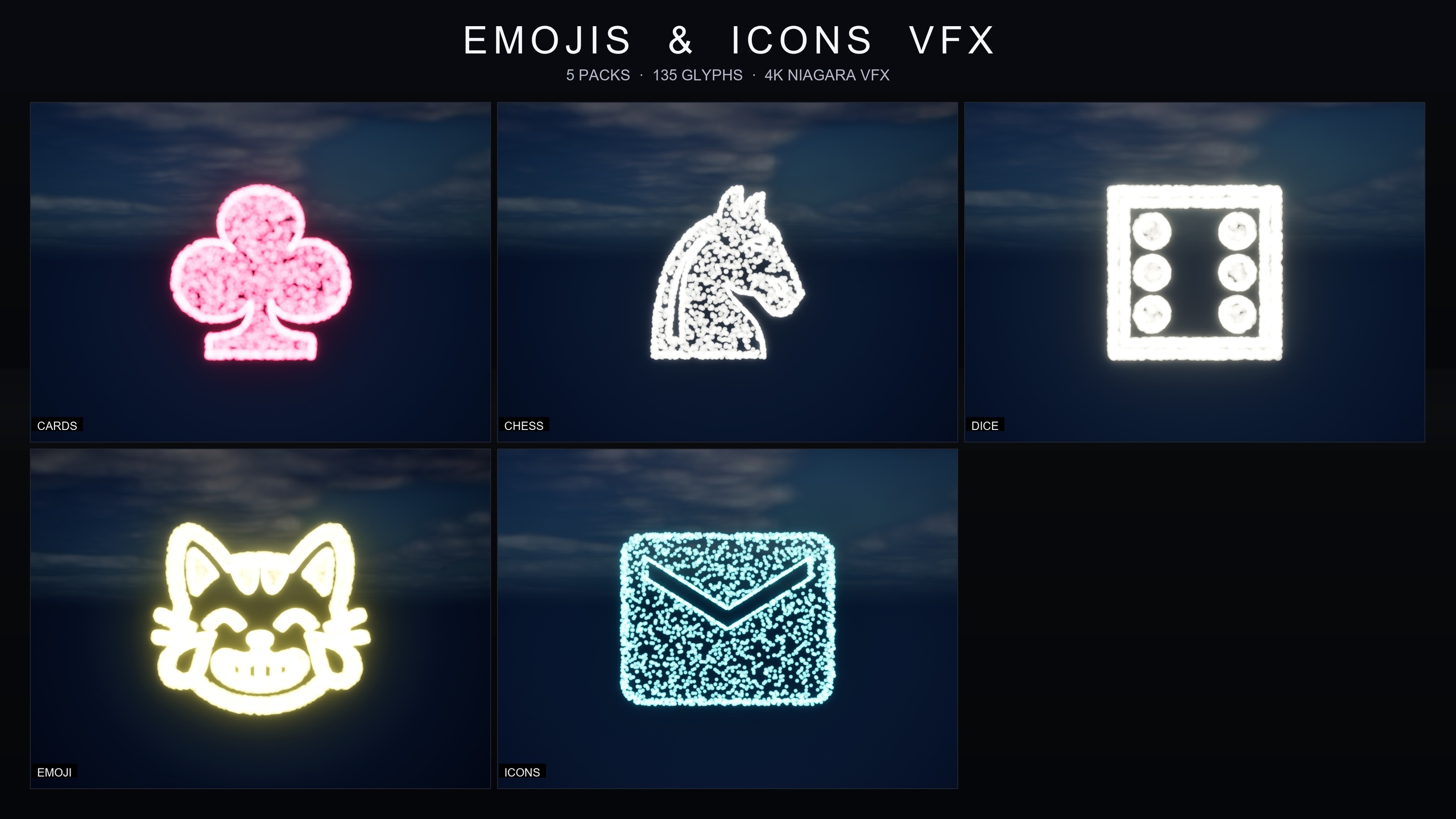
The bundle ships 135 Niagara effects across five themed packs (Card Suits, Chess Pieces, Dice Pips, Noto Emoji and Material Design Icons), and each pack carries its own parameter collection. So the technique below is not theoretical: it is the intended workflow, and learning it on one pack teaches you all five because they share the same architecture.
What a Niagara Parameter Collection actually is
A Niagara Parameter Collection is a UE5 asset that lives in your content, separate from any single effect. Think of it as a shared control panel: it defines a set of named values, and the systems that reference it pull those values when they spawn and update. Because the binding is by reference rather than by copy, there is no per-system duplication to keep in sync. One edit propagates everywhere the collection is read.
In the Emojis and Icons VFX Bundle this pattern is pre-wired for you. Each of the five packs ships one collection: NPC_CardsSuitsStyle, NPC_ChessPiecesStyle, NPC_DicePipsStyle, NPC_EmojiNotoStyle and NPC_IconsMaterialStyle. Editing a pack's collection retunes every effect in that pack in real time, with no recompiling and no Blueprint work, because the bundle is content-only with zero third-party dependencies.
The four controls exposed for restyling are the ones you reach for most often: spawn rate, particle size, glyph colour and lifetime. Each effect in the bundle is a Niagara CPU sprite renderer that samples particle positions across a baked 3D glyph mesh, so the symbol is literally drawn out of particles, and these four parameters reshape how that drawn symbol looks and behaves.
Wiring systems to read from one NPC
If you are using the bundle, this step is already done for you, but it is worth understanding so you can extend it or replicate the pattern in your own effects. The goal is for each Niagara system to read its tunable values from the collection instead of from a hard-coded constant.
1. Create or open the collection. In the Content Browser, right-click and choose 'Niagara' then 'Niagara Parameter Collection', or open the pack's existing NPC such as NPC_EmojiNotoStyle for the Noto Emoji pack.
2. Add the parameters you want to share. Inside the collection add an entry for each value you intend to drive globally, for example a Float for spawn rate, a Float or Vector for particle size, a LinearColor for glyph colour, and a Float for lifetime. Give them clear names so they are easy to find later.
3. Open a Niagara system that should obey the collection. In the system's stack, find the module that sets the value, for instance the spawn-rate module under the emitter, the sprite size in the renderer or initialization, the colour set, and the lifetime in 'Initialize Particle'.
4. Bind the module input to the collection parameter. Click the small dropdown next to the input value and choose the matching Niagara Parameter Collection parameter instead of a local constant. The input now sources its value from the shared collection.
5. Repeat for every system that should follow the same category style. Once each system in a category references the same collection, you have a single point of control for the whole category. In the bundle this is already wired across all 135 effects, grouped by pack.
Editing spawn rate, size, colour and lifetime globally
With the wiring in place, restyling a whole category becomes a single-asset edit. Open the pack's collection, change one of the four values, and watch every bound system respond.
Spawn rate controls density. Dial it down for a delicate scatter of dust that just hints at a symbol, or push it up for a dense hero burst that fills the symbol solidly. This is your fastest lever for matching a subtle ambient moment versus a punchy reaction pop.
Particle size controls scale and presence. Small values keep an effect tucked into a HUD corner; large values let a symbol fill the screen for a checkmate hero shot or a big achievement moment. Because the symbol is sampled across a glyph mesh, size scales the whole drawn shape cleanly.
Glyph colour rethemes the entire pack from one value. The packs ship with signature colours out of the box, including warm gold for the emoji pack and cool cyan for the icons pack, but a single edit to the collection's colour parameter recolours every effect in that pack to match your UI palette.
Lifetime controls persistence. A short lifetime gives you a one-shot flourish that fires and fades, ideal for button feedback or a save confirmation; a long lifetime turns the same effect into a persistent ambient glow that lingers. Adjusting it in the collection flips the whole category between one-shot and continuous behaviour at once.
Real-time retuning across an entire category
The payoff is iteration speed. Because a Niagara Parameter Collection is read at runtime, you can leave the effects playing in the viewport, sit with the art lead, and slide the four values until the category looks right, seeing every bound system update live as you go. There is no rebuild step between a note and the result.
A practical loop looks like this. Place several systems from one pack in a representative scene, drag in a few from the relevant demo map so you have realistic context, then open that pack's collection and treat it as a mixing desk: density on spawn rate, scale on particle size, theme on glyph colour, and one-shot-versus-ambient on lifetime. When the category reads correctly, you are done for every effect in it, not just the ones on screen.
Keep the categories meaningful. Because each of the five packs has its own collection, you can give Card Suits, Chess Pieces, Dice Pips, Emoji and Icons distinct house styles while keeping each internally consistent. If you author your own effects later, mirror this one-collection-per-category convention so a future restyle is again a single edit rather than a sweep through dozens of assets.
Preview everything with the included demo maps. The bundle ships L_Demo_EmojisAndIconsVFX_* maps, and the larger Emoji and Icons sets are split across numbered part maps, so you can load a category, open its collection, and confirm your global edits before placing the effects in your real level.
When a parameter collection is not the workflow you want
Not every pack is built around per-category collections. The Fantasy Flower VFX line, for example, is deliberately drop-in: each NiagaraSystem plays automatically with no parameter tuning required, with variance baked per particle rather than exposed through a shared control asset. That is the right design when you want naturalistic, hands-off ambience rather than a HUD-style category you intend to restyle to a brand palette.
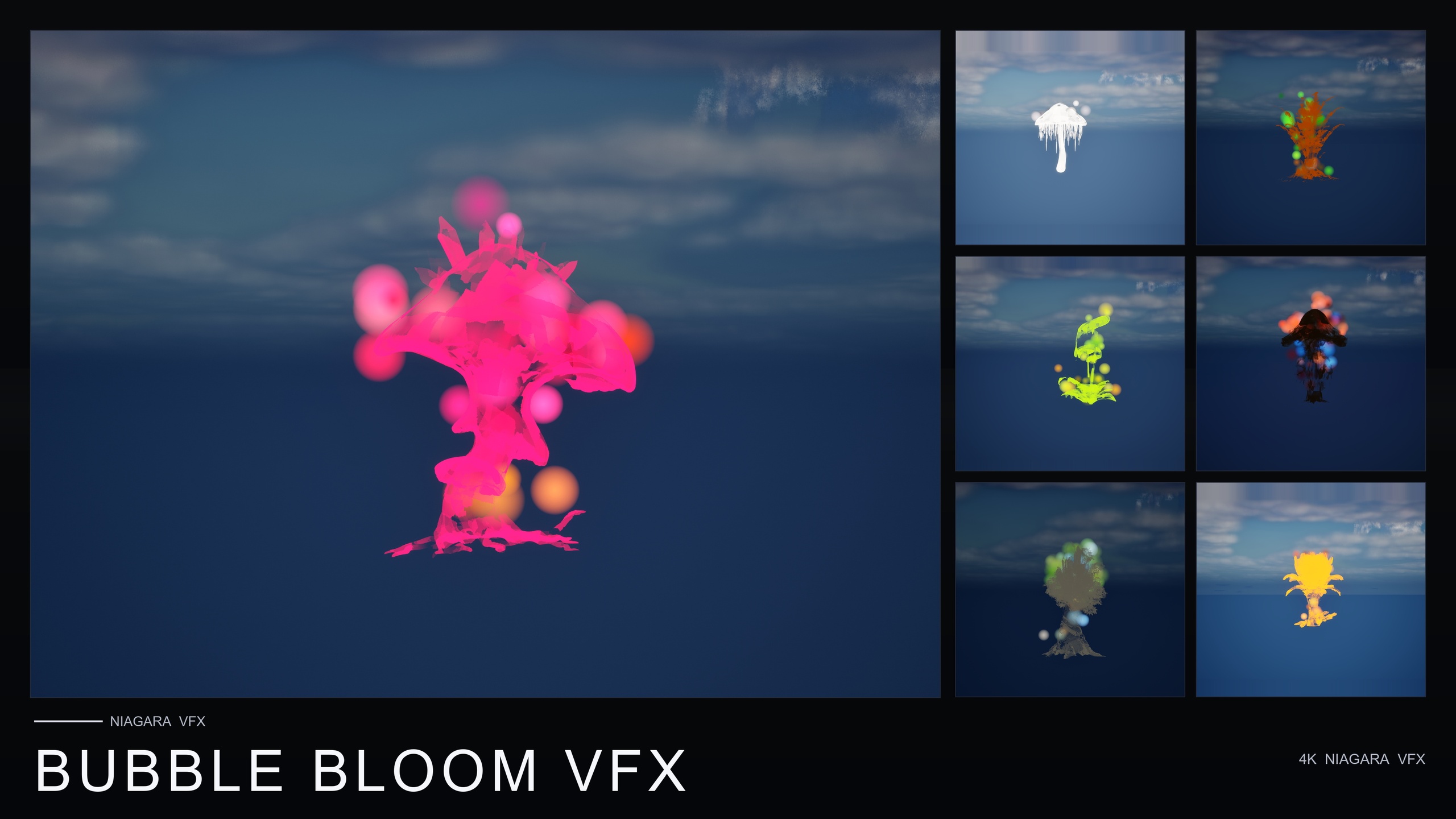
Ambient Garden VFX provides 150 systems across three ambient families (BloomingMotes, FireflySwarm and Mist) over the 51 flower meshes, and you simply drag a system into the level and it plays. Bubble Bloom VFX offers 50 soap-film bubble systems with per-bubble size, rotation and alpha variance built in. Cosmic Bloom VFX gives you 100 systems across its Constellation and LumenLight families, designed to be layered on the same flower.
Choose by intent. If you need a symbol or UI flair category that you will retune globally to match a HUD, the Emojis and Icons VFX Bundle and its parameter collections are the fit. If you need atmospheric nature effects that look right with no tuning, the flower-line packs are the cleaner drop-in. Both approaches are content-only with no plugin dependencies, so neither adds build complexity to your project.
The five packs and their parameter collections
| Pack | Effects | Parameter Collection | Default signature colour |
|---|---|---|---|
| Card Suits | 8 | NPC_CardsSuitsStyle | Pink-red |
| Chess Pieces | 12 | NPC_ChessPiecesStyle | Pure white |
| Dice Pips | 6 | NPC_DicePipsStyle | Pure white |
| Noto Emoji | 80 | NPC_EmojiNotoStyle | Warm gold |
| Material Design Icons | 29 | NPC_IconsMaterialStyle | Cool cyan |
Each pack ships one Niagara Parameter Collection; editing it retunes every effect in that pack in real time. Counts and asset names from the product listing.
What each global control changes
| Control | What it adjusts | Low end | High end |
|---|---|---|---|
| Spawn rate | Particle density | Delicate dust | Dense hero burst |
| Particle size | Scale of the drawn symbol | HUD-corner accent | Screen-filling |
| Glyph colour | Theme of the whole pack | Per-pack signature | Your UI palette |
| Lifetime | Persistence | One-shot flourish | Persistent ambient glow |
The four values exposed for restyling a whole pack from its collection.
FAQ
How do I use a UE5 Niagara Parameter Collection to retune many systems at once?
Bind the tunable inputs of each Niagara system (spawn rate, size, colour, lifetime) to parameters in a shared Niagara Parameter Collection, then edit that one collection. Every system reading it updates at runtime. In the Emojis and Icons VFX Bundle this binding is already done per pack, so you just open the pack's NPC and change a value.
Do the edits apply in real time?
Yes. A Niagara Parameter Collection is read at runtime, so you can leave the effects playing in the viewport and watch every bound system update as you change a value, with no recompile or rebuild step.
Which values can I control globally in the bundle?
Four per pack: spawn rate (density), particle size (scale), glyph colour (theme) and lifetime (one-shot versus persistent). Each pack has its own collection, so the five packs can carry different house styles while staying internally consistent.
Do I have to set up any Blueprints or C++?
No. The Emojis and Icons VFX Bundle is content-only with zero third-party dependencies. You add the pack, drop an effect in, and edit the relevant NPC_<PackName>Style collection to restyle the whole pack.
Do the Fantasy Flower VFX packs use the same collection workflow?
No. Ambient Garden, Bubble Bloom and Cosmic Bloom are drop-in by design: each system plays automatically with variance baked per particle rather than exposed through a shared collection. Use them when you want hands-off nature ambience; use the Emojis and Icons bundle when you want a category you will retune globally.
Emojis and Icons VFX Bundle
Five themed Niagara packs in one bundle — Card Suits, Chess Pieces, Dice Pips, 80 Emoji and Material Design Icons — 135 effects in total. Each pack ships a Niagara Parameter Collection so spawn rate, size, colour and lifetime retune across a whole set from a single asset.
Related on Fab


Related reading
