
tutorial · 2026-02-02
Fixing a Niagara Renderer Crash from Too Many Per-Particle Lights in UE5
Why a scene full of lit particle systems hard-crashes the renderer, and how to keep the glow without the per-particle Light renderer.
The symptom: the editor survives one system, then dies under a crowd
You drop a single lit Niagara system into the level and everything is fine. The glow looks great, the frame rate is stable, the preview viewport is happy. Then you build the actual scene the effect was made for - a summoning circle assembled from a dozen glowing glyphs, or a wall of lit signage - and the renderer falls over with a hard crash rather than a soft hitch. If you are searching for why a Niagara light renderer crash hits when you have too many particles in UE5, this is the pattern: the cost is invisible per instance and only becomes fatal once several lit systems share a frame.
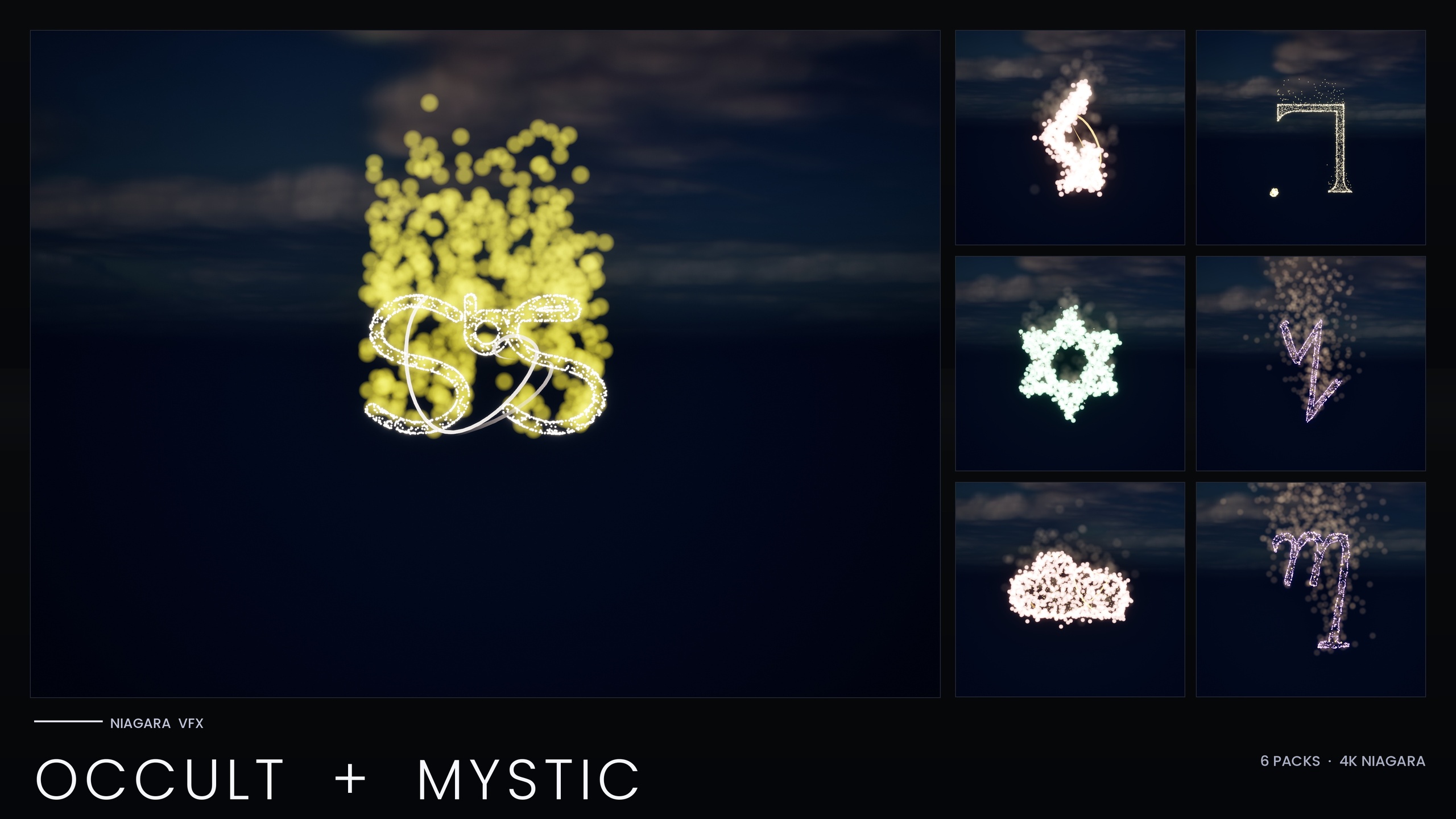
This is exactly the failure that prompted the V2 re-author of the Niagara Occult & Mystic Bundle. A Fab reviewer placed many of the V1 systems together, each carrying a per-particle Light renderer, and the renderer crashed. The important detail is that nothing was wrong with any single system. The crash was an emergent property of the count, which is why it never shows up while you are authoring one glyph at a time and always shows up the moment you compose a real scene.
Before you start chasing memory leaks or GPU driver bugs, rule this in first. If the crash only appears when you have many lit particle systems on screen at once, and a single system is rock solid, you are almost certainly hitting per-particle Light renderer fan-out rather than a fault in your content.
The root cause: per-particle Light renderers exhaust the render-graph handle pool
Niagara's Light renderer can emit one dynamic light per particle. That is a wonderful feature for a handful of hero embers and a trap at scale. Each light the renderer produces consumes a render-graph handle for the frame, and the Render Dependency Graph identifies those resources with a fixed-width handle type. That handle pool has a hard upper bound per frame. Cross it and you do not get a warning or a dropped light - you get a hard renderer crash.
Now do the arithmetic that the per-instance view hides from you. One emitter spawning a few hundred lit particles is unremarkable. Ten of those systems sharing a frame multiply that count, and the per-particle Light renderer fans every live particle out into its own light, each demanding handles. The pool drains frame by frame until it overflows. This is why the bug is a function of total scene population, not of any one asset, and why it is so easy to ship without ever seeing it on your own machine.
To be precise about scope: the crash documented for this bundle is a specific UE5.4 RDG-handle-overflow root cause reported by a Fab reviewer. It is not a blanket claim that Unreal is broken or that the Light renderer is unusable. It is a concrete, reproducible consequence of letting a per-particle light count run unbounded across many simultaneous systems, and it has a concrete fix.
The fix: strip the Light renderer off your core emitters and add a capped LightCap emitter
The structural fix is to stop letting the lights scale with your particle count. Your high-count core emitters - the ones doing the visual work, spawning the sprites that draw the glyph - should not be the ones generating lights. Pull the Light renderer off them entirely. Then add a single dedicated emitter whose only job is to place a small, bounded number of lights, and cap that count hard. In the Occult & Mystic V2 this dedicated emitter is named with a LightCap suffix and carries a small, fixed light budget per system.
1. Open the Niagara System and select your highest-count core emitter. In its render section, find the Light renderer entry and delete it. Repeat for every emitter that spawns a large number of particles. The lighting is now decoupled from your particle population, which is the whole point.
2. Add a new, low-rate emitter to the system. Give it a name that signals intent, such as a LightCap suffix, so anyone opening the asset later understands it exists to bound lighting cost rather than to draw anything.
3. Set its spawn behaviour so that the number of simultaneously live particles stays small and bounded, then add a single Light renderer to this emitter only. Treat its live-particle count as your per-system light budget, and keep that budget low - a couple of dozen lights is plenty when bloom is carrying the glow. Pick a fixed cap and do not let it grow with particle count.
4. Position those few lights where they matter - on the brightest core of the effect - rather than scattering one per sprite. A handful of well-placed lights reads almost identically to hundreds once bloom is doing its part, which is the subject of the next section.
The Occult & Mystic V2 applied this pattern across every system in the bundle, pulling the per-particle Light renderer off the high-count core emitters and moving lighting onto the capped LightCap emitter instead. Once the light count can no longer scale with particle population, the per-frame handle demand stops growing with the scene, which is exactly why the pool stops overflowing when several systems share a frame.
Recovering the glow with HDR colour and bloom instead of lights
The obvious worry is that ripping out the per-particle lights will kill the look. It does not, because most of what you read as glow on a glyph effect is not direct lighting at all - it is bloom responding to bright pixels. If you push the sprite colour above 1.0 into HDR range, the engine's bloom post-process blooms those pixels into exactly the soft halo the lights were faking, at zero per-particle light cost.
This is the second half of the V2 strategy. With the core emitters no longer carrying lights, their sprite colour is boosted well into HDR range on the GPU-promoted emitters, so the bloom recovers the glow that the removed lights used to provide. The few remaining capped lights handle genuine light spill onto nearby surfaces; the HDR sprites handle the self-illuminated brilliance of the glyph itself.
1. Select a core emitter and find where its sprite colour is set. Multiply that colour by a value greater than 1.0 to drive it into HDR. Start modest and increase until the bloom reads the way the old lit version did - a several-fold boost on the GPU emitters is a reasonable place to land.
2. Confirm bloom is actually enabled in your scene. The entire glow effect depends on the bloom post-process, so a Post Process Volume with bloom turned off will leave your HDR sprites looking flat. This is non-negotiable for these effects: keep bloom on.
3. If you still want light to spill onto walls and floors, lean on the small set of capped lights from the LightCap emitter rather than reintroducing per-particle lights. Tune their intensity and radius so the spill matches the HDR core. The right move when you want more spill is to make those few lights brighter, not to add more of them - brightness is free against the handle pool, count is not.
Promote the heavy lifting to GPU and let scalability overrides do the rest
While the lighting fix is what stops the crash, two supporting changes from the V2 are worth adopting because they attack the same underlying problem - too much per-instance cost when many systems share a scene. The first is moving your highest-count core emitters from CPU to GPU simulation. CPU is fine for low counts and is what the broader glyph library ships with, but once an emitter is carrying serious particle numbers, GPU simulation pays for itself. In the V2 the low-count emitters stay on CPU while the high-count core emitters are promoted to GPU, so the heaviest work runs where it is cheapest.
The second is per-system scalability overrides. The bundle ships overrides for Low, Medium and High platform presets so that running on a Low preset automatically halves the spawn count and adds a distance cull of roughly 25 metres. That means the same content that fills a cinematic on a High preset quietly thins itself out on weaker hardware without you authoring a second version. If you build this fix into your own systems, add the same kind of override rather than relying on a single static spawn count for every target.
Taken together with the light split described above, these changes pull the per-instance footprint of every system down substantially while preserving its visual identity. The point is not a single headline number but the direction of travel: the same look, far less cost when many systems share a scene, which is what lets a dense ritual layout run without tipping over the renderer.
Verify the fix the only way that catches this bug: place 5-10 systems together
Because the crash is a function of total scene population, a single-system preview can never confirm the fix. The verification has to reproduce the conditions that caused the failure in the first place, which means deliberately crowding a scene. This is precisely why the bundle ships 15 themed demo maps split so that no map holds more than about 10 systems - the layout itself keeps the GPU and RAM load reviewer-friendly while still being dense enough to expose lighting problems.
1. Open one of the bundle's demo maps, or build a test map of your own, and place between five and ten lit systems together in a single view. This is the bundle's own documented pre-ship checklist, and it is the step that actually exercises the handle pool.
2. Play in the editor and watch frame time and stability. With the Light renderer capped, frame time should stay stable and the renderer should not crash where the V1 build did. If it is still unstable, your LightCap count is too high or a core emitter still has a Light renderer attached - go back and check both.
3. Switch the platform preset to Low and confirm the scalability overrides engage: spawn counts should drop and distant systems should cull. Test on Low before you ship, because that is the configuration most likely to be running on a buyer's weakest target.
4. Confirm bloom is enabled in the test map so you are validating the real, shipping look rather than a flat preview. The glow you are signing off on is the bloom-driven HDR look, not the removed per-particle lights.
If you would rather not re-author this pattern by hand across many systems, the Niagara Occult & Mystic Bundle ships the entire fix already applied across all 115 of its esoteric symbol systems - Alchemy, Arcana Tarot, Seals of Solomon, Sigils of the Zodiac, Theban and Enochian - each carrying the capped LightCap emitter, the HDR sprite boost and the Low/Medium/High scalability overrides out of the box, on Unreal's default materials with no textures.
Per-particle Light renderer vs the capped LightCap pattern
| Aspect | Per-particle Light renderer (V1) | Capped LightCap emitter + HDR bloom (V2) |
|---|---|---|
| Lights per system | Scales with live particle count | Bounded by a small fixed cap |
| RDG handle demand | Grows with scene population until the per-frame ceiling overflows | Stays flat - decoupled from particle count |
| Behaviour with many systems on one map | Hard renderer crash | Stable frame time |
| Source of the glow | Direct per-particle lights | HDR sprite colour driving bloom |
| Core emitter sim target | CPU | High-count core emitters promoted to GPU |
How the two approaches behave as you add more lit systems to one scene.
FAQ
Why does my Niagara light renderer crash only when I have too many particle systems in UE5, not with one?
Because the per-particle Light renderer emits one dynamic light per particle, and each light consumes a render-graph handle for the frame. The Render Dependency Graph addresses those resources with a fixed-width handle type that has a hard per-frame ceiling. A single system stays well under that, but several lit systems sharing a frame multiply the count until the pool overflows and the renderer hard-crashes. It is an emergent property of total scene population, not a fault in any one asset.
Will removing the per-particle lights make my effect look flat?
No, provided you replace them with HDR sprite colour and keep bloom enabled. Most of the perceived glow on a glyph effect is bloom responding to bright pixels rather than direct lighting. Push the sprite colour above 1.0 into HDR range - the Occult & Mystic V2 uses a several-fold boost on its GPU emitters - and the bloom post-process recovers the halo at no per-particle light cost. A few capped lights still handle genuine spill onto nearby surfaces.
How many lights should my dedicated LightCap emitter use?
Keep it small and bounded - a couple of dozen lights per system is plenty, and the Occult & Mystic V2 sticks to a low fixed cap on UE5.4. Place those few lights on the brightest part of the effect rather than scattering one per sprite, and let HDR bloom carry the rest of the glow. The key rule is that the cap is fixed and never scales with particle count.
How do I verify the crash is actually fixed?
Reproduce the conditions that caused it. A single-system preview will never catch this bug, so place five to ten lit systems together in one view, play in the editor, and watch for stable frame time with no renderer crash. Then switch to the Low platform preset to confirm the scalability overrides drop spawn counts and cull distant systems. Keep bloom enabled so you are validating the real shipping look.
Does the Niagara Occult & Mystic Bundle already include this fix?
Yes. The bundle was re-authored to a performance-optimised V2 after the original crash, and all 115 of its symbol systems ship with the Light renderer stripped off the high-count core emitters, a capped LightCap emitter, HDR sprite colour driving bloom, and per-system Low/Medium/High scalability overrides. It uses Unreal's default materials with no custom textures, and splits its demo content across 15 maps that hold at most about 10 systems each.
Niagara Occult & Mystic Bundle
115 Niagara systems of occult and mystic symbology — sigils, runes, ritual glyphs and arcane marks — CPU-simulated with engine-default materials for a tiny footprint.
Related on Fab

Related reading