
tutorial · 2026-01-10
One Flower, Fifteen Moods: Mixing Niagara Effect Families in UE5
How to combine Niagara effect families on a single mesh in UE5 to pull dozens of distinct looks out of one flower.
Why one mesh plus many effect families beats one mesh per look
If you are searching for how to combine Niagara effects for different looks on the same mesh in UE5, you have probably already hit the wall most environment artists hit: you have a good flower mesh, and you need it to read as five completely different things across five completely different scenes. A peaceful fae glade, a corrupted boss arena, a star-magic temple, a steampunk conservatory, an arcane summoning circle. Authoring a bespoke mesh for each is wasteful, and re-texturing only gets you so far before the silhouette gives the game away.
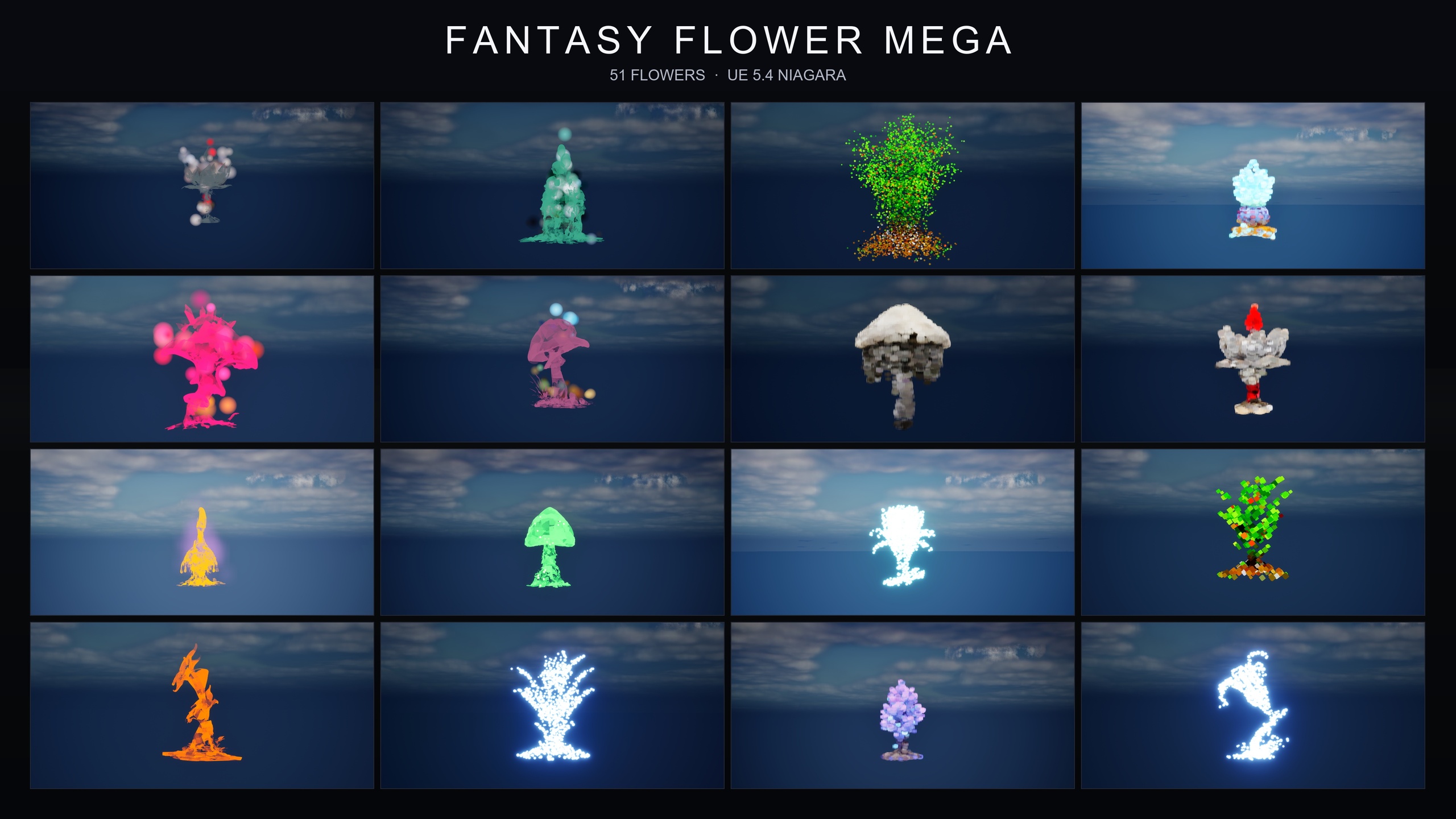
The cleaner approach is to keep the mesh constant and swap the energy that surrounds it. A single StaticMesh carries the silhouette and the species; the NiagaraSystem wrapped around it carries the mood. Change the system, not the mesh, and the same bloom can be ambient one minute and cursed the next. This is exactly the model the Fantasy Flower Mega Bundle is built on: every one of its 51 stylised flower meshes ships with all 15 Niagara effect families already wrapped around it, which works out to 750 ready-to-use NiagaraSystems in a single content-only pack.
Those 15 families span the full range of registers in the line: ambient motes, magical bursts, dark creeping smoke, a cyber pixel-voxel look, bubbles, steampunk gears, crystalline growth, cosmic constellations, spell-themed glyphs and vines, and a gilded register. The full family roster is BlackMist, BloomingMotes, Bubbles, Constellation, Crystalline, FireflySwarm, GildedBloom, Holographic, LumenLight, Mist, PixelVoxel, ProjectedGlyph, SteampunkGears, UnfoldingBloom and VineGrow. Because they all sit on the same 51 meshes, you can treat the mesh as a constant and the family as a dial.
There are no plugin dependencies to manage. The bundle is content-only, the Niagara simulations target CPU emitters, and everything is compile-clean on UE 5.4. That matters for this workflow: there is nothing to enable, nothing to build, and no engine module that has to be present before a system will play. You drag, it works.
Reskinning one flower from ambient to cursed to cosmic
Start with the simplest version of the technique: one flower, one family at a time, swapped to change the entire read. The bundle uses a flat folder layout, which keeps each flower's NiagaraSystem variants sitting alongside its StaticMesh and its MaterialInstances. That means you can browse by flower and see every mood it can wear in one place, or you can filter by family with a Content Browser search.
1. In the Content Browser, decide whether you are browsing by flower or by family. To see one flower in all its moods, navigate to that flower's folder, where its StaticMesh, MaterialInstances and every NiagaraSystem variant sit together. To audition a single mood across many flowers, type a family name into the Content Browser search box, for example 'Constellation' or 'BlackMist', to filter the view down to that family.
2. Place your chosen flower mesh in the level as you normally would, then drag the NiagaraSystem you want directly into the level next to it, or onto the actor, to give it that mood. Every system plays with no tuning, so you do not need to touch a single parameter to get the intended look.
3. To reskin, simply delete or hide the current NiagaraSystem and drop a different family's system in its place. The mesh never moves; only the surrounding effect changes. The same bloom can carry the soft ambient 'BloomingMotes' read in one beat and the slow, ground-hugging dark smoke of 'BlackMist' in the next.
This is where the per-mesh framing pays off. If a level designer asks for 'the same garden, but cursed', you are not rebuilding the garden. You are searching for 'BlackMist', dragging the matching systems onto the existing flowers, and lighting the scene a little lower. The geometry, collision and layout you already placed all survive the mood change untouched.
Layering two families for a hybrid read
Reskinning swaps one mood for another. Layering combines two moods on the same flower at the same time to produce a read neither family gives alone. The bundle is explicitly built for this: its mix-and-match design lets you stack multiple families on a single flower for layered hero effects, and the listing itself suggests one specific recipe to start with.
The recommended pairing is BlackMist plus ProjectedGlyph for a cursed-summoning read. BlackMist contributes the slow-creeping, ground-hugging dark smoke that signals corruption, curse or necromancy at floor level. ProjectedGlyph contributes arcane runic glyphs that rotate and fade around the flower, signalling ritual or an enchantment in progress. Played together on one bloom, the smoke says 'this is wrong' and the glyphs say 'something is being summoned' — a combination that reads as a cursed ritual focal point rather than either a haunted plant or a benign rune circle.
1. Place your flower mesh and confirm it reads cleanly on its own first.
2. Drag the BlackMist NiagaraSystem for that flower onto the actor so the ground smoke establishes the corrupted base layer.
3. Drag the ProjectedGlyph NiagaraSystem for the same flower onto the same actor so the rotating glyphs sit over the smoke. Because both systems are authored against the same mesh, they are already positioned and scaled to that bloom.
4. Step back and judge the combined read in your scene's lighting. Adjust the relative vertical placement of the glyph system if you want the runes to hover higher above the smoke layer, and dim your key light to let both effects carry.
The same layering logic applies wherever two families complement each other. In the cosmic register, Constellation traces a flower's silhouette in star points while LumenLight orbits it with soft warm light puffs, and the two are designed to be stacked on one bloom for a silhouette-plus-halo read. In the spell register, you can stack a one-shot bloom burst, rotating glyphs and creeping vines for a powerful active-enchantment moment. The principle never changes: pick families that say different, compatible things, and let the flower carry both.
Keeping layered effects legible
The failure mode of layering is noise. Stack three or four families with overlapping colours, similar motion and competing focal points and you get visual mush — the viewer cannot tell what the effect is supposed to mean. Legibility is the discipline that separates a hero effect from a particle soup, and it costs you nothing but restraint.
Work in distinct registers. A good layered read combines families that occupy different parts of the frame and different kinds of motion. Ground smoke at floor level plus rotating glyphs at bloom height plus a soft halo around the petals each own a separate zone, so the eye can parse them. Two families that both sit at the same height with the same drift will fight; two that divide the space cooperate.
Lean on contrast in motion and colour. Slow-creeping BlackMist against the steady rotation of ProjectedGlyph reads clearly because the speeds differ. Constellation's bright twinkling star points against LumenLight's soft warm puffs read clearly because the brightness and softness differ. When two layers share both speed and value, drop one of them or move it to a different family.
Keep a clear hero. Even in a layered effect, one family should dominate and the other should support. For the cursed-summoning recipe, decide whether the moment is primarily 'this place is cursed' (lead with smoke) or 'a summoning is happening' (lead with glyphs), then place the lead family more prominently and let the second sit back. Two co-equal layers compete; a lead and a support layer compose.
Lighting is part of the effect. The dark families are tuned for moody, low-key scenes, and the cosmic and spell families read best with a darker stage that lets their glow carry. If a layered effect looks washed out, the answer is usually less ambient light, not more particles. Resist the urge to fix a legibility problem by adding a third family — that almost always makes it worse.
Using the demo maps as a reference tour
Before you commit a mood to a level, audition it. The bundle ships pre-built, pre-lit demo levels you can walk through to see each family in context rather than guessing from thumbnails. Treat them as a swatch book: open one, walk the flowers, and note which family sells the read you are after.
There is a documented inconsistency worth flagging so you set expectations correctly. The product data and technical notes describe the demo levels as one per family, which would be 15 maps; parts of the store listing instead refer to a smaller number of demo levels. The honest reading is that the exact count is ambiguous in the source material, so do not promise a specific number to your team — open what is in the pack and use whatever maps are there as your reference tour.
When you are auditioning specifically for a dark or cursed scene, the demo material focuses on seven meshes designed to carry that register strongly: BloodLotus, EbonBloom, EnchantedNightshade, SpiderToadstool, CrimsonCapToadstool, DrippingCapMushroom and MysteriousFungus. If a cursed read is not landing on an arbitrary flower, switch to one of these before you start adding layers; the silhouette is doing half the work.
Because the bundle is cross-compatible, the technique scales beyond a single purchase. A family such as BlackMist can be applied over any flower from any other pack in the line, so anything you learn auditioning the demo maps transfers directly to flowers you already have placed in a project.
Where to take this next
The whole point of the one-mesh, many-families model is range without rework. Once a flower is placed, its mood is a Content Browser search away, and a hero moment is one extra family dragged on top. The Fantasy Flower Mega Bundle gives you the full grid — 51 meshes by 15 families, 750 systems — so every register in the line is available on every flower without hunting across separate packs.
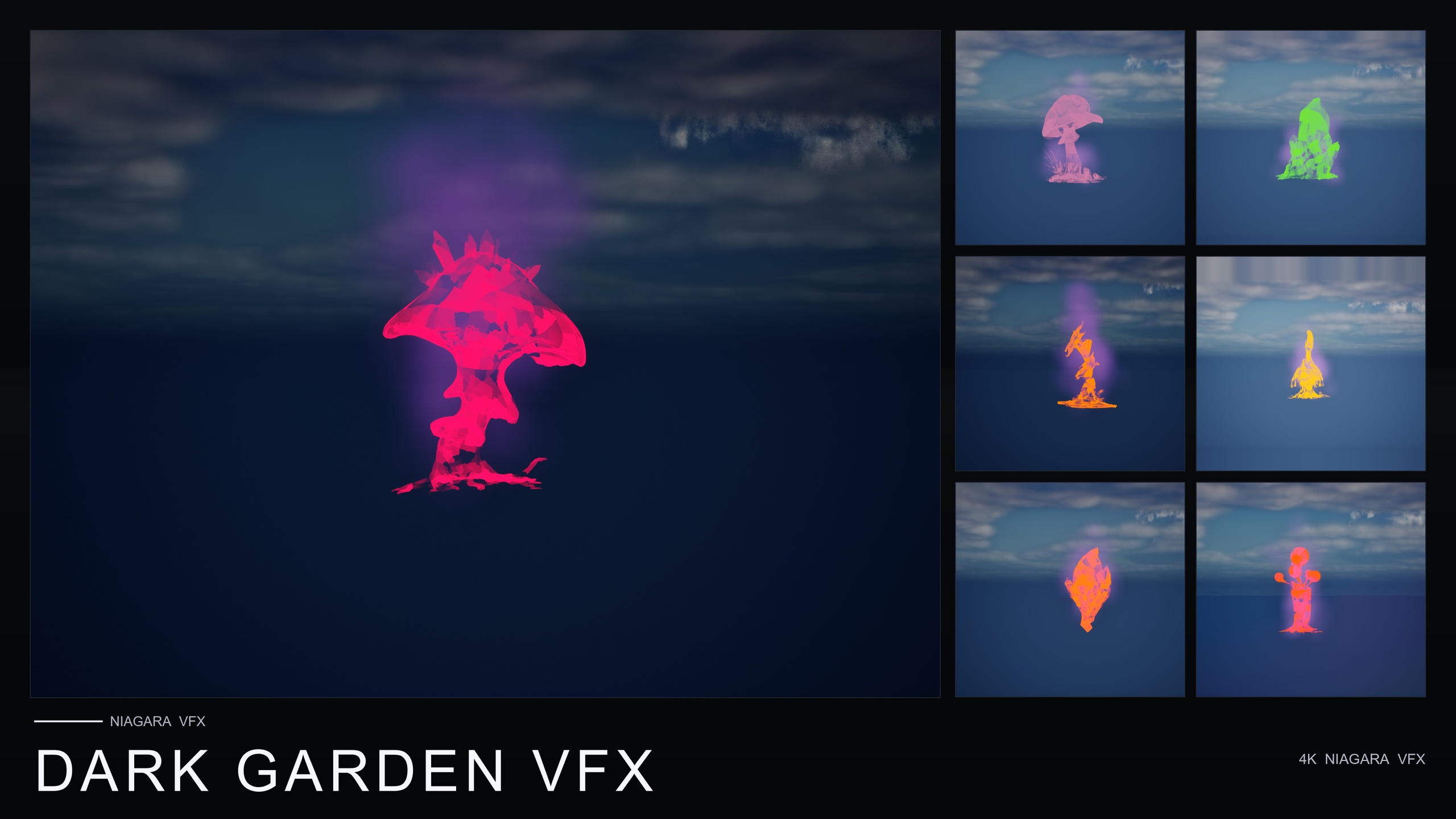
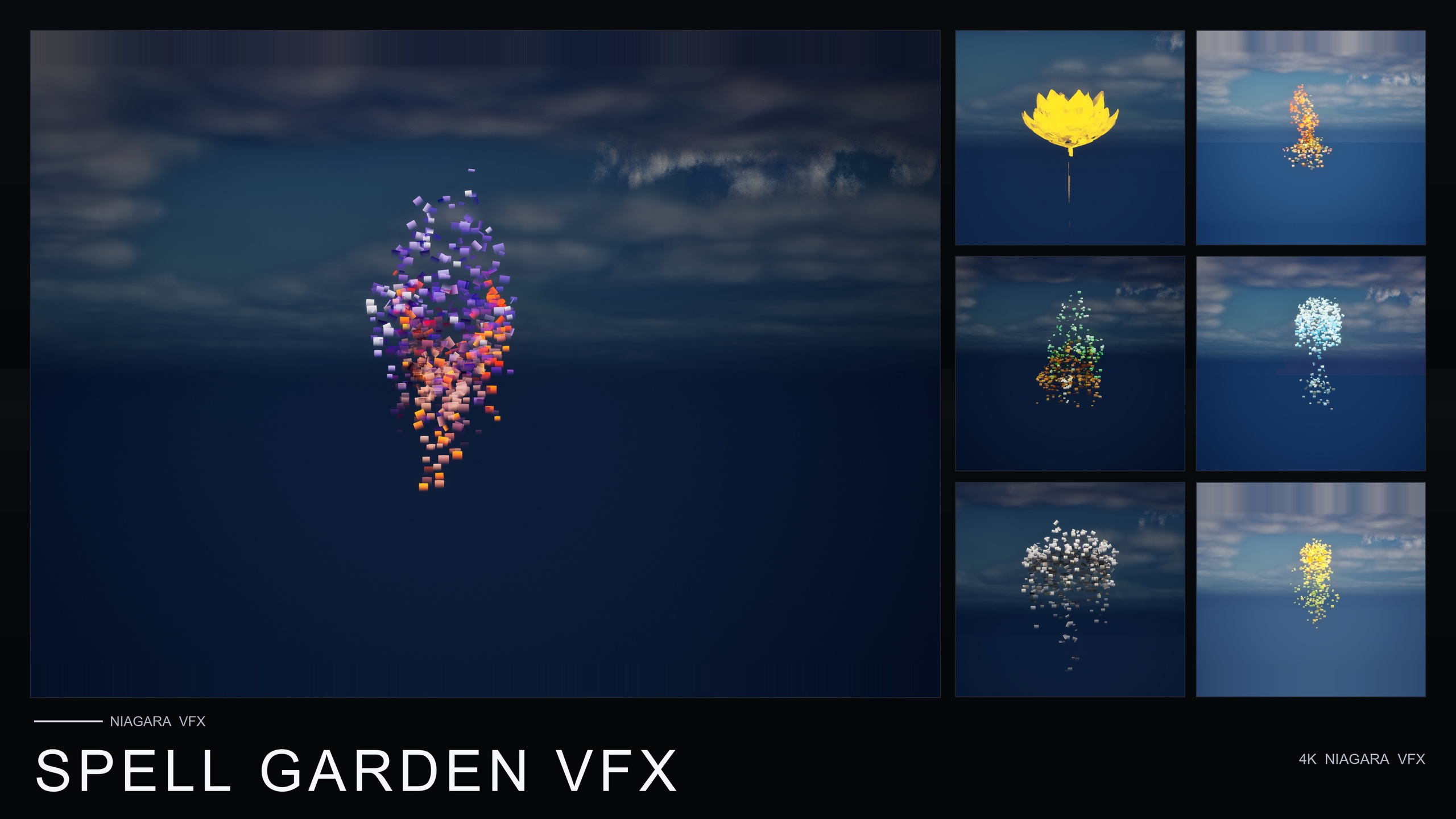
If you only need one or two of these registers, the line also sells the families separately: Dark Garden VFX is the single-family BlackMist pack for cursed and corrupted gardens, Cosmic Bloom VFX pairs Constellation and LumenLight for astral scenes, and Spell Garden VFX bundles UnfoldingBloom, ProjectedGlyph and VineGrow for ritual and spell-cast moments. They are cross-compatible with each other and with the mega bundle, so you can start narrow and layer across packs later.
A good next step is to build a small reference level of your own: place one favourite mesh, then save a handful of its mood variants side by side — ambient, cursed, cosmic, spell — so your team can point at a look instead of describing it. From there, the layering recipes in this guide turn those single moods into the hero effects your set-pieces actually need.
Picking a register: families to reach for by mood
| Desired read | Family or families | Available separately as |
|---|---|---|
| Cursed / corrupted | BlackMist (ground-hugging dark smoke) | Dark Garden VFX |
| Cosmic / astral | Constellation + LumenLight (silhouette star-trace + soft halo) | Cosmic Bloom VFX |
| Spell / ritual | UnfoldingBloom + ProjectedGlyph + VineGrow | Spell Garden VFX |
| Cursed-summoning (layered hero) | BlackMist + ProjectedGlyph | Mega Bundle (spans both registers) |
All families ship in the Fantasy Flower Mega Bundle and sit on all 51 meshes. The single-family and small packs listed are the separately sold equivalents for that register.
FAQ
How do I combine Niagara effects for different looks on the same mesh in UE5?
Keep the StaticMesh constant and change the NiagaraSystem wrapped around it. To reskin, swap one family's system for another on the same flower; to layer, drag two complementary families' systems onto the same actor at once. In the Fantasy Flower Mega Bundle every one of the 51 meshes already ships with all 15 families, so both reskinning and layering are drag-and-drop with no parameter tuning.
Do I need to enable any plugins to use these effects?
No. The bundle is content-only with no plugin dependencies. The systems use CPU Niagara emitters and are compile-clean on UE 5.4, so there is nothing to enable or build before a system will play.
What is a good first layering recipe to try?
BlackMist plus ProjectedGlyph on a single flower. The creeping dark smoke from BlackMist reads as a curse and the rotating, fading runic glyphs from ProjectedGlyph read as a summoning, so together they produce a cursed-summoning focal point. This pairing is the one the listing itself suggests.
How do I keep layered effects from turning into visual noise?
Combine families that occupy different zones of the frame and different kinds of motion, keep one family as the clear hero and the other as support, and light the scene to favour the effect rather than washing it out. If a layer is not adding meaning, remove it rather than adding a third.
How many demo maps are included?
The exact count is ambiguous in the source material: the product data and technical notes describe one demo level per family (15), while parts of the store listing refer to a smaller number. Open the pack and use whatever demo levels ship as your reference tour rather than relying on a specific count.
Fantasy Flower Mega Bundle
The complete Fantasy Flower collection — 750 ready-to-use Niagara systems spanning all 15 VFX families, from spell gardens and cosmic blooms to dark, crystal, steampunk and sci-fi sets. 51 stylised flower meshes, 331 material instances, CPU-simulated for Windows, Mac and Linux, with 15 demo levels — one per family. Content-only: no C++, no Blueprints, no plugin dependencies.
Related on Fab

Related reading