
tutorial · 2026-02-12
How to Add Points of Interest and Landmarks to an Open World in Unreal Engine 5
Use weathered marble statues to give players readable, memorable navigation anchors across a large UE5 landscape.

Why landmarks make an open world navigable
If you want to know how to add points of interest and landmarks to an open world in Unreal Engine, start with the player's eyes, not the map screen. Large landscapes all begin to look the same once the player is three hills deep: rolling terrain, scattered trees and a horizon that gives no sense of direction. Without a fixed visual anchor, players lose their bearings, backtrack, and stop trusting the space. A landmark solves this by giving the eye something tall, distinct and stationary to triangulate against.
A good landmark does three jobs at once. It tells the player where they are, it tells them where they have been, and it pulls them toward somewhere worth going. A weathered statue on a rise reads as deliberate human placement in a way a rock or tree never will, so players instinctively treat it as a destination. That single read, this was put here on purpose, is what turns empty terrain into a place.
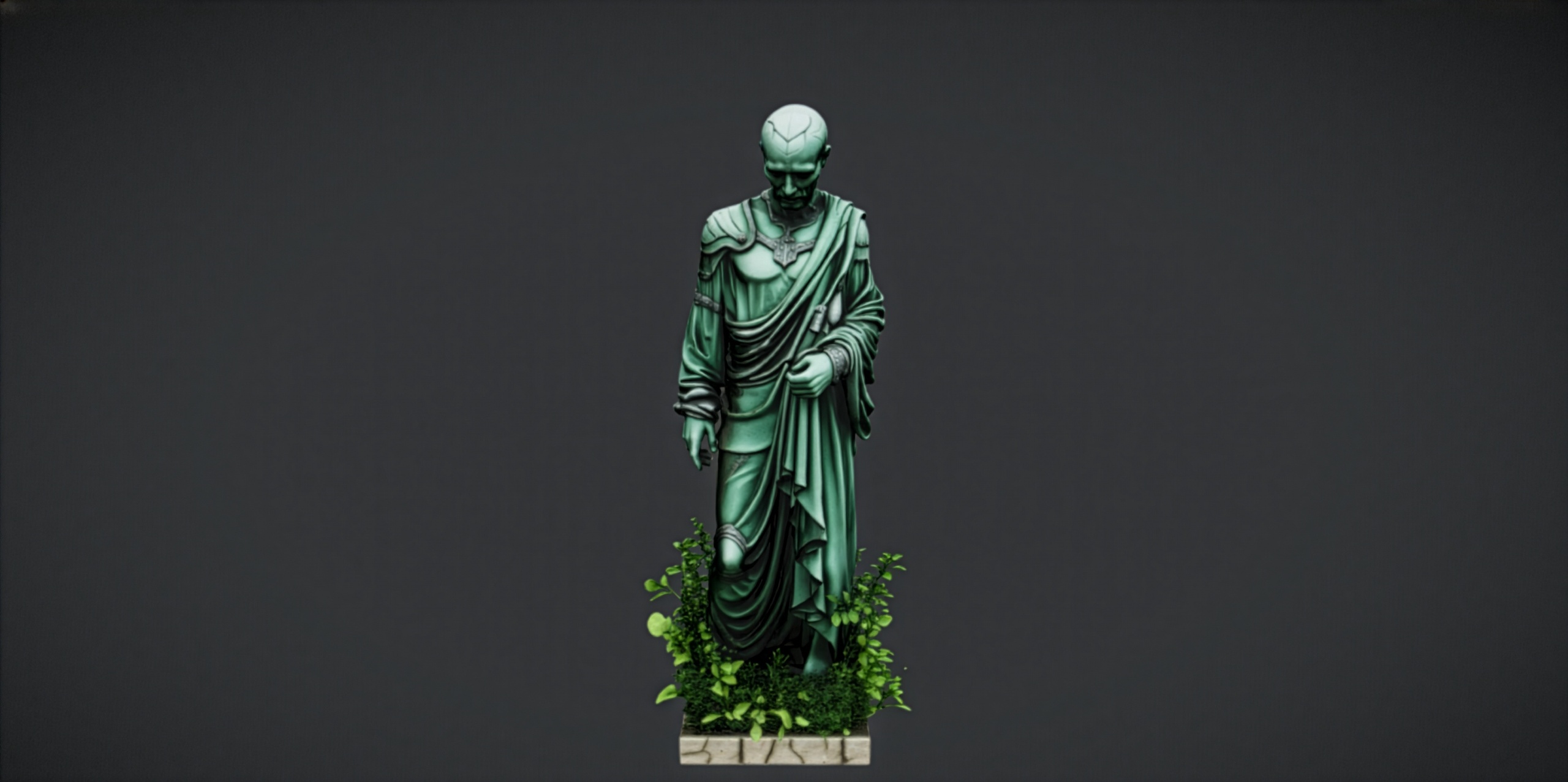
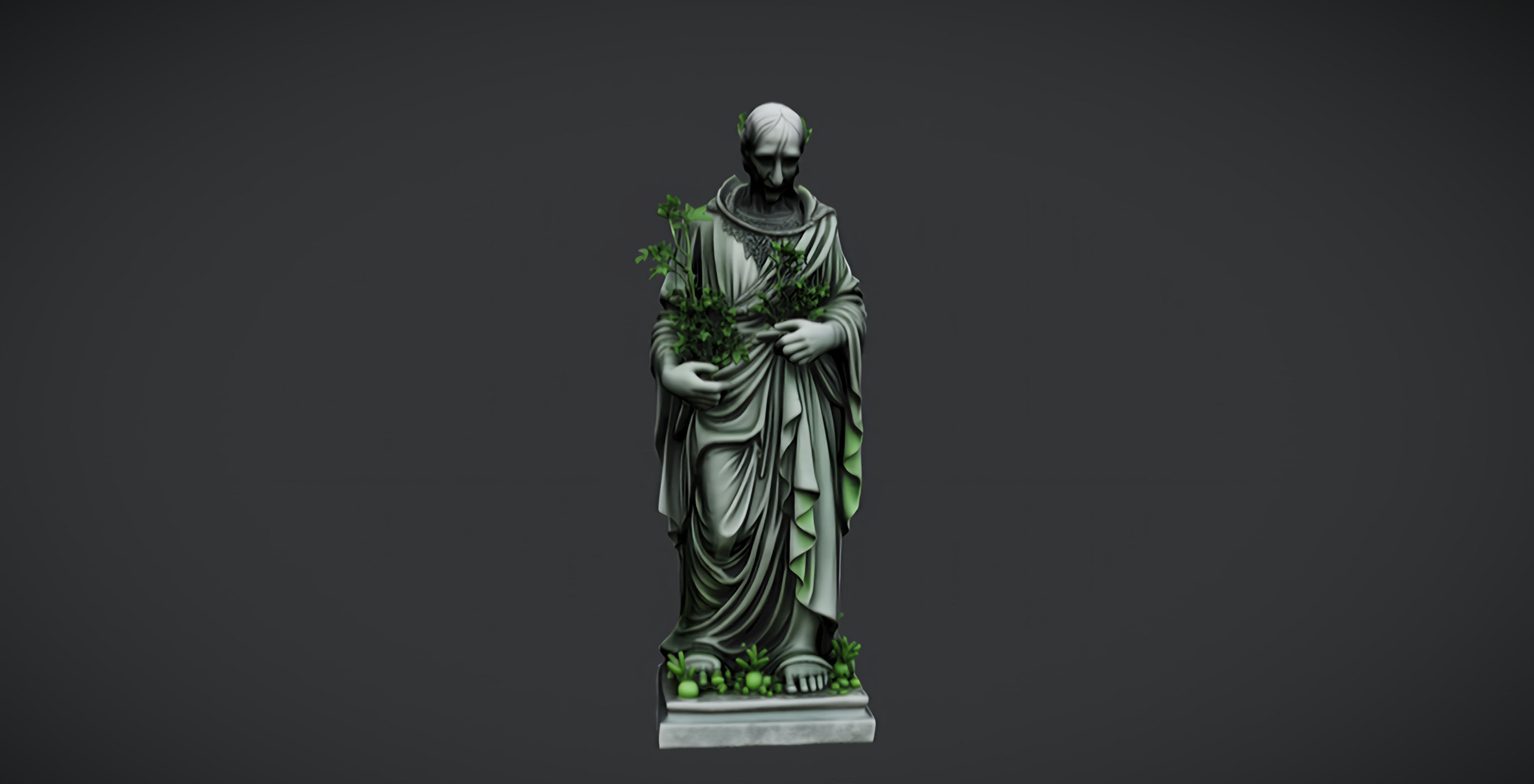
Statues are particularly effective because they carry implied story. A row of marble figures along a ruined path suggests a procession; a single tormented figure at a crossroads suggests warning. The Fantasy Statue Bundle is built for exactly this kind of dark-fantasy set dressing, with 18 weathered marble statues split into a nine-piece Nature series and a nine-piece Tormented Souls series, plus a large table prop you can use as a plinth or altar base.
Scale and silhouette for readability at distance
A landmark only works if the player can identify it from far away, and at distance you lose colour and surface detail long before you lose shape. That means silhouette is everything. Before you place a single statue, decide which figures have the cleanest, most recognisable outlines and reserve those for your true navigation anchors. A figure with arms outstretched or a strong vertical posture reads cleanly against the sky; a hunched, busy silhouette dissolves into noise at a kilometre out.
Scale is your second lever. A statue placed at human height is a prop; the same statue scaled up two or three times becomes architecture the player can see over treetops. Because the Fantasy Statue Bundle ships as Nanite static meshes, you can scale aggressively without worrying about a low-poly mesh falling apart up close, since Nanite preserves the geometric detail no matter how near the camera gets.
Put your hero landmarks where the landscape already elevates them. Ridgelines, plateaus and the tops of ruins all keep a statue clear of the foliage and silhouetted against the sky, which is the single biggest factor in long-range readability. Reserve the smaller, busier figures from the set for close-range dressing, courtyards, graveyards and shrine clusters, where the player reads detail rather than outline.
Keep your landmark vocabulary small. If every statue is a landmark, none of them are. Pick two or three distinctive figures to act as recurring waypoints across the whole map so players learn to read them as signposts, and use the rest of the 18 statues as supporting set dressing that reinforces the world without competing for attention.
Placing Nanite statues efficiently across a large map
Open the FantasyStatueBundle UE 5.6 project, or migrate its content into your own project via right-click then Asset Actions then Migrate. The statues live as SM_NatureStatue_1 through 9 and SM_TormentedStatue_1 through 9 static meshes, each with its assigned material and 2K PBR maps already set up.
1. Drag your chosen hero statue, for example SM_TormentedStatue_1, from the Content Browser into the level at your first point of interest. Because each mesh has automatic collision and Nanite enabled, the player can walk up to and around it immediately with no extra setup.
2. Position it on high ground using the landscape, then scale it up in the 'Details' panel so its silhouette clears the surrounding foliage. Rotate it so its strongest profile faces the most common approach direction.
3. For repeated, identical landmarks, select the statue and convert it using the 'Instanced Static Mesh' workflow, or add it as a 'Foliage' type in the 'Foliage' mode panel. This lets you scatter many copies, for a graveyard or a lined avenue, while the engine batches them efficiently as instances rather than individual actors.
4. For unique hero landmarks, keep them as ordinary placed actors so you can hand-tune each one's scale, rotation and lighting. Reserve instancing for the supporting crowd of statues where uniformity is acceptable.
5. Group each point of interest into its own folder or data layer in the 'Outliner' so you can toggle, stream and iterate on landmark clusters independently as your open world grows. With World Partition handling streaming, organised actors are far easier to manage at map scale.
Because the meshes are Nanite, you do not need to author manual LODs for these high-poly props, which keeps your landmark placement workflow fast even when a vista contains dozens of statues at once.
Lighting a statue for drama and pull
Placement gets the player looking; lighting makes them walk over. A landmark wants contrast against its background, so light it deliberately rather than letting the ambient scene flatten it. The 2048x2048 PBR materials on these statues, with their metallic, normal and roughness maps, respond strongly to directional light, picking out the weathered marble surface and the carved detail.
Rake a directional light or the sun across the statue at a low angle rather than lighting it flat from the front. Grazing light catches the relief of the carving and throws long shadows that exaggerate the silhouette, which reads as drama and depth from a distance. A figure lit flat looks like a grey blob; the same figure side-lit looks carved.
For night or dungeon scenes, place a low, warm point or spot light at the statue's base and let it throw the figure's shadow up and outward. Up-lighting a marble figure is a classic shrine and crypt look, and it turns a static prop into a focal beacon that draws the eye across a dark space. Keep the colour temperature distinct from the surrounding fill so the landmark separates from its background.
Pair the lighting with the right series for the mood. The Nature series suits gardens, sacred groves and shrines lit warm and inviting; the Tormented Souls series suits warnings, cursed ruins and graveyards lit cold and harsh. Matching light to subject is what makes a landmark feel intentional rather than decorative.
Scaling up beyond a single set
Before committing to the full bundle, you can audition the art style for free. The Fantasy Nature Statue and the Dark Fantasy Nature Statue are free single static meshes from the same Fantasy Statues family, drop-in ready for Unreal Engine 5 with 2K PBR textures. Drop one into a prototype scene to confirm the look and silhouette work for your world before you populate the whole map.
When you are ready to dress full points of interest rather than place lone figures, widen your prop vocabulary. The Dark Fantasy Props Bundle adds 100+ Nanite gothic artefacts, thrones, tomes, lanterns, obelisks, altars and cauldrons, so a statue landmark can sit at the centre of a fully furnished shrine, throne room or crypt instead of standing alone. Used together, a hero statue and a cluster of supporting props turn a navigation anchor into a genuine destination the player remembers.
FAQ
How do I add points of interest and landmarks to an open world in Unreal Engine?
Place tall, visually distinct objects such as statues on high ground where they silhouette against the sky, scale them up so they clear the foliage, and reserve two or three recurring figures as repeating navigation anchors. Group each point of interest into its own Outliner folder or data layer so it streams and iterates cleanly at map scale.
Do the statues work with Nanite and World Partition?
Yes. The Fantasy Statue Bundle ships as Nanite static meshes, so you can scale them aggressively for hero landmarks without authoring manual LODs. They are ordinary static-mesh actors, so they organise naturally into Outliner folders and data layers for World Partition streaming.
Can I place many copies of the same statue efficiently?
Yes. For repeated landmarks like a lined avenue or graveyard, add a statue as an Instanced Static Mesh or as a Foliage type so the engine batches the copies. Keep unique hero landmarks as individually placed actors so you can hand-tune their scale, rotation and lighting.
Is there a free way to try the art style first?
Yes. The free Fantasy Nature Statue and Dark Fantasy Nature Statue are single drop-in UE5 static meshes from the same family with 2K PBR textures, ideal for testing the look in a prototype scene before buying the full 18-statue bundle.
What engine version do I need?
The Fantasy Statue Bundle is built for Unreal Engine 5.6 on Windows. You can open its UE 5.6 project directly or migrate the content into a compatible project.
Fantasy Statue Bundle
Eighteen dark-fantasy statues and plinths — Nanite meshes with automatic collision and 72 textures at 2048². Gothic, weathered and game-ready for open-world set dressing.
Related on Fab

Related reading