
tutorial · 2026-01-24
Floating Pollen and Light Motes in UE5: A Niagara Quick Guide
Get a sun-dappled clearing feel in minutes with drop-in CPU Niagara, no module tuning required.

The look you are after
If you want that UE5 Niagara floating dust, pollen and motes effect, the kind that turns a flat outdoor scene into a warm, sun-dappled forest clearing, you are chasing a very specific read: soft, slow particles that gently orbit a plant or prop and catch the light as they drift. It is subtle by design. Done well, nobody notices it consciously, but the shot suddenly feels alive and atmospheric.
The trouble is that authoring this from scratch in Niagara is fiddly. You are balancing spawn rate, a slow orbital velocity, a gentle alpha fade, tight emitter bounds and a sprite material that reads against both light and dark backgrounds. Get any one of those wrong and the effect either disappears or looks like a swarm of bugs. This guide skips the authoring grind by using a ready-made family that already nails that balance.
The family is called BloomingMotes, and it ships in Ambient Garden VFX. It is soft floating pollen and light motes that gently orbit each flower, tuned for exactly that sun-dappled clearing feel. It is plug-and-play CPU Niagara with no tuning required, so the whole job becomes dragging an asset into your level.
Dropping in a BloomingMotes system
Ambient Garden VFX is a content-only pack: there is no C++, no Blueprints, no plugin dependencies and nothing to compile. You add it to your project and the assets simply appear in the Content Browser. It contains 150 ready-to-use NiagaraSystem assets in total, built from three ambient families applied across 51 stylised flower meshes, and BloomingMotes is one of those three families.
1. With the pack in your project, open the Content Browser and navigate to the AmbientGardenVFX 'Niagara' folder. It is split into 'BloomingMotes', 'FireflySwarm' and 'Mist' subfolders, so go into 'BloomingMotes'.
2. The systems follow the naming convention NS_<flower>_<family>, for example 'NS_blood_lotus_bloomingmotes'. Pick whichever flower reads best for your scene, or just grab any of them to test the motes look first.
3. Drag the chosen NiagaraSystem from the Content Browser straight into your viewport. It spawns as a Niagara actor and begins playing automatically. Because the sim runs on CPU emitters, there is nothing to enable on the GPU side.
4. Position it where you want the motes to gather. The effect renders correctly at any world location, so you can place it on the ground, float it mid-air, or parent it to a moving actor and the motes follow.
5. That is the whole setup. No parameter tuning is required: the spawn behaviour, the gentle orbit and the fade are already dialled in by the family. If you want to see the intended layout first, open the included demo map 'L_Demo_AmbientGardenVFX_BloomingMotes', which lays the flowers out under dynamic lighting.
Pairing motes with a hero plant or shrine
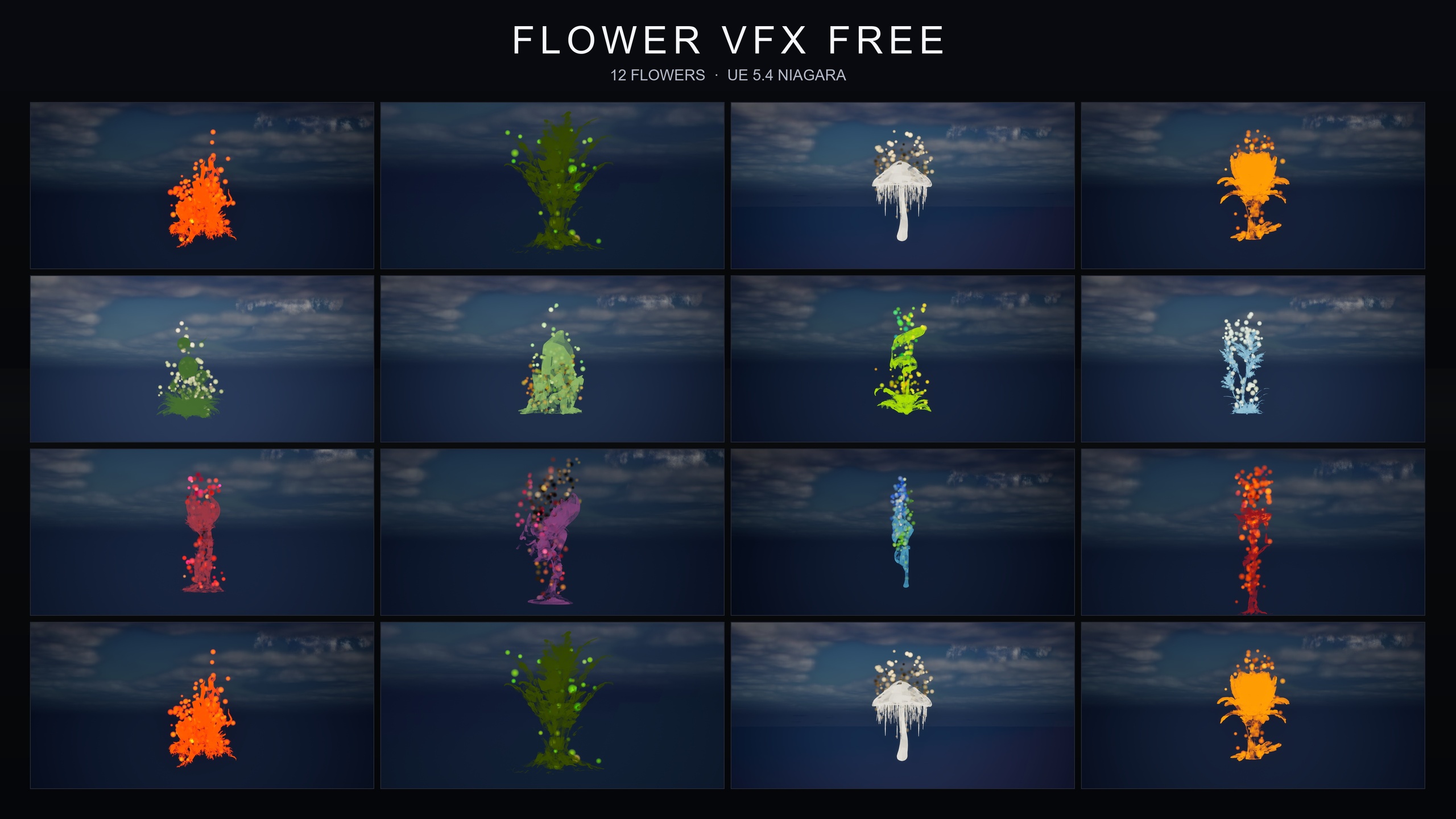
Motes look their best when they have something to orbit. Because every BloomingMotes system in the pack is paired with one of the 51 stylised flower meshes, the matching 'SM_' static mesh sits right alongside the NiagaraSystem in the pack's flat folder layout, together with its material instances and textures. Drop the mesh in as your hero plant, then place the matching motes system at its base so the particles read as drifting up and around the bloom.
For a shrine or focal prop of your own, the same approach works: position a BloomingMotes actor at the foot of the prop so the orbit centres on it. Keep the lighting dynamic. The pack assumes no baking is required and its demos run a Movable Directional light with SkyAtmosphere, SkyLight, exponential height fog and volumetric cloud, which is the setup that makes the motes catch the light and feel like they are floating in sunbeams.
Mind your density. The listing copy notes a per-flower cap of around 15 flowers per demo map to stay performant, so if you are scattering a field of motes across a large area, build up gradually rather than carpeting the level in one go and judge the read as you place them.
If a forest-clearing read is not quite what you want, the same pack gives you two sibling looks for free: FireflySwarm for warm flickering firefly trails looping around each bloom in twilight and night scenes, and Mist for low-lying drifting ground fog that hugs the plant base in swamps and morning gardens. All three live in the same pack and drop in the same way.
FAQ
How do I make a floating dust, pollen and motes effect in UE5 with Niagara?
You can author one from scratch by tuning a CPU emitter's spawn rate, a slow orbital velocity, alpha fade and a soft sprite material, but the fastest route is a ready-made system. In Ambient Garden VFX the BloomingMotes family already does this: open the BloomingMotes subfolder, drag an NS_<flower>_bloomingmotes system into your level, and it plays automatically with no tuning.
Does BloomingMotes run on CPU or GPU?
The Ambient Garden VFX systems use CPU emitters, so there is nothing GPU-specific to configure. You just drag the NiagaraSystem into the level and it begins simulating.
Do I need to set any parameters after dropping the system in?
No. The pack is plug-and-play with no tuning required. The orbit, spawn behaviour and fade are pre-set per family, so placement is the only decision you make.
Can I attach the motes to a moving actor?
Yes. The effects render correctly at any world location, whether on the ground, mid-air, or parented to a moving actor, so the motes will travel with whatever you attach them to.
Which engine version does it work with?
Ambient Garden VFX is compile-clean on UE 5.4 and opens cleanly, upgrading to later engine versions when you open it. The product listing states UE 5.4 to 5.7.
Ambient Garden VFX
Bring outdoor scenes alive with 150 ambient Niagara effects — drifting pollen, fireflies, floating spores and mist — across 51 meshes and 131 material instances. CPU-simulated for Windows, Mac and Linux.
Related on Fab

Related reading