tutorial · 2026-02-22
One Query for 21 NPCs: Shared DataTable Structs in UE5
Write a single dialogue-query helper against a byte-identical row struct and reuse it for every NPC archetype in your project.

Why byte-identical row structs matter
If you want a UE5 shared struct DataTable that multiple NPC dialogue queries can hit through a single code path, the trick is to make every character's table use the same row schema. The moment two NPCs disagree about the shape of a row, you are forced to write a separate query for each one, branch on type, and maintain parallel copies of the same logic. That is the slow road to a dialogue system that nobody wants to touch.
The Fantasy NPC Voices Complete Pack is built around exactly this discipline. It ships 21 NPC archetypes consolidated into one UE5.3 project, and across all of them it defines just five shared UScriptStruct row schemas: ST_DialogueRow, ST_CharacterProfileRow, ST_EquipmentRow, ST_QuestRow and ST_WrittenContentRow. Those five structs are byte-identical across every one of the 21 characters. Each character still gets its own five DataTables (DT_Dialogue, DT_CharacterProfile, DT_Equipment, DT_Quests, DT_WrittenContent), so 105 DataTables in total, but they all share the same row definitions.
The practical payoff is that you write one query helper and reuse it for the paladin, the vampire, the witch, the wizard, the bard, the goblin, the necromancer and everyone else. Swap the DataTable asset, keep the code. This tutorial walks through the schema, a 'PickContextualLine' helper in both C++ and Blueprint, how to point each NPC at its own table and DialogueVoice asset, and how to verify the same helper behaves across very different archetypes.
The ST_DialogueRow schema
Everything starts with the dialogue row. In this pack the DT_Dialogue tables carry these fields: Name (the FName row key), DialogueName, ResponseText, CharacterName, EmotionalTone, ContextTags and NPCType (all string fields), plus VoiceAudio, which is a TSoftObjectPtr to a USoundWave. The soft pointer is the important detail: nothing audio-related is loaded until you actually ask for a clip, so a project with thousands of lines does not pay a memory cost just for owning the tables.
ContextTags is the field that makes querying expressive. Lines are tagged hierarchically as category/subcategory/size, for example 'combat/battle_cry/sm', 'social/greeting/md' or 'story/dragon/xl'. The size suffix maps to four length tiers (SM short, MD a sentence or two, LG a few sentences, XL paragraph-plus), so the same query can prefer barks in a fight and long-form lines in a quest hand-off. Because every character's DT_Dialogue uses these same conventions, a substring match on ContextTags is all you need to fetch the right kind of line from any of the 21 packs.
To mirror the table in C++, declare a USTRUCT with FTableRowBase as the base and matching fields. The key members for querying are an FString ContextTags and a TSoftObjectPtr<USoundWave> VoiceAudio; keep ResponseText, EmotionalTone, CharacterName and NPCType on the struct too so your UI and logic can read them without a second lookup.
A PickContextualLine helper in C++
The whole point of the shared schema is that one function services every NPC. In C++, write a helper that takes the character's DataTable plus a context string, collects every row, keeps the ones whose ContextTags contains that context, and returns a random match. Because the row type is the same for all 21 characters, the same templated read works everywhere.
1. Take a UDataTable pointer and an FString Context as parameters. Pass the character's specific DT_Dialogue in at the call site so the function itself stays character-agnostic.
2. Call GetAllRows on the table with your FDialogueRow type to gather every row into a local array. Guard against a null table first and early-return so a missing asset never crashes the bark.
3. Filter the array down to rows where Row->ContextTags.Contains(Context). A simple substring contains check is enough because the tags are hierarchical, so passing 'combat' matches every combat subcategory while 'social/greeting' narrows to greetings only.
4. If the filtered set is empty, return null and let the caller fall back gracefully; otherwise pick a random index and take that row.
5. Resolve the audio with VoiceAudio.LoadSynchronous(), which loads the USoundWave on demand thanks to the soft pointer, and return it (or the whole row, so the caller also gets ResponseText for subtitles).
Because the function only ever touches fields that exist on the shared struct, you never branch on which character you are talking to. The wizard and the goblin go through identical code; only the DataTable argument differs.
The same helper in Blueprint
If you are staying in Blueprint, the shape is the same and it is genuinely a drop-in pattern. Start from the character's DT_Dialogue and the context string you want to play.
1. Call 'Get Data Table Row Names' on the character's DT_Dialogue to enumerate every row key.
2. ForEach over those names and call 'Get Data Table Row' to read each row out as the shared dialogue struct.
3. Branch on whether the row's ContextTags 'Contains' your context substring, and add the matches to a local array.
4. Call 'Pick Random Item' (or a random index into the array length) to choose one filtered row.
5. Run 'Load Synchronous' on the row's VoiceAudio soft object pointer to resolve the USoundWave, then 'Play Sound 2D' or 'Play Sound at Location', and optionally push ResponseText into your dialogue UI.
Collapse that graph into a single Blueprint function or function library node that takes the DataTable and the context as inputs, and you have the Blueprint twin of the C++ helper. Every NPC calls the same node; you only ever change which DT_Dialogue you feed it.
For performance, do not rebuild the row list every frame. DataTables load synchronously and a per-character DT_Dialogue is small enough to read in well under a frame, but if you query in a hot loop, cache the row pointers once and pre-filter by category at init rather than scanning the whole table on every bark.
Pointing each NPC at its own DT_Dialogue and DV asset
With the helper written, wiring up a new NPC is mostly data. Each character folder under Content/FantasyNPCVoices_CompletePack/ is self-contained and follows an asset-type-first layout (Audio, AudioCues, DataTables, DialogueVoices, Structs, Textures), so you can right-click and Migrate a single character into your game without dragging in the other twenty.
Give your NPC actor or component a UDataTable reference and assign that character's DT_Dialogue in the details panel. When the NPC needs to speak, call PickContextualLine with its own table and the relevant context, for example 'social/greeting' when the player walks up, or 'combat' when a fight starts. Because the helper is character-agnostic, that is the entire integration for each new speaker.
The pack also ships 21 DialogueVoice (DV_) assets, one per character, for Unreal's built-in dialogue system. If you route lines through UE's native dialogue rather than playing SoundWaves directly, assign the character's DV_ asset as the speaker so audio is mixed and attributed correctly. You can mix approaches: use the DataTable query for ad-hoc barks and the DialogueVoice route for scripted conversations, both reading from the same underlying clips.
Testing across archetypes
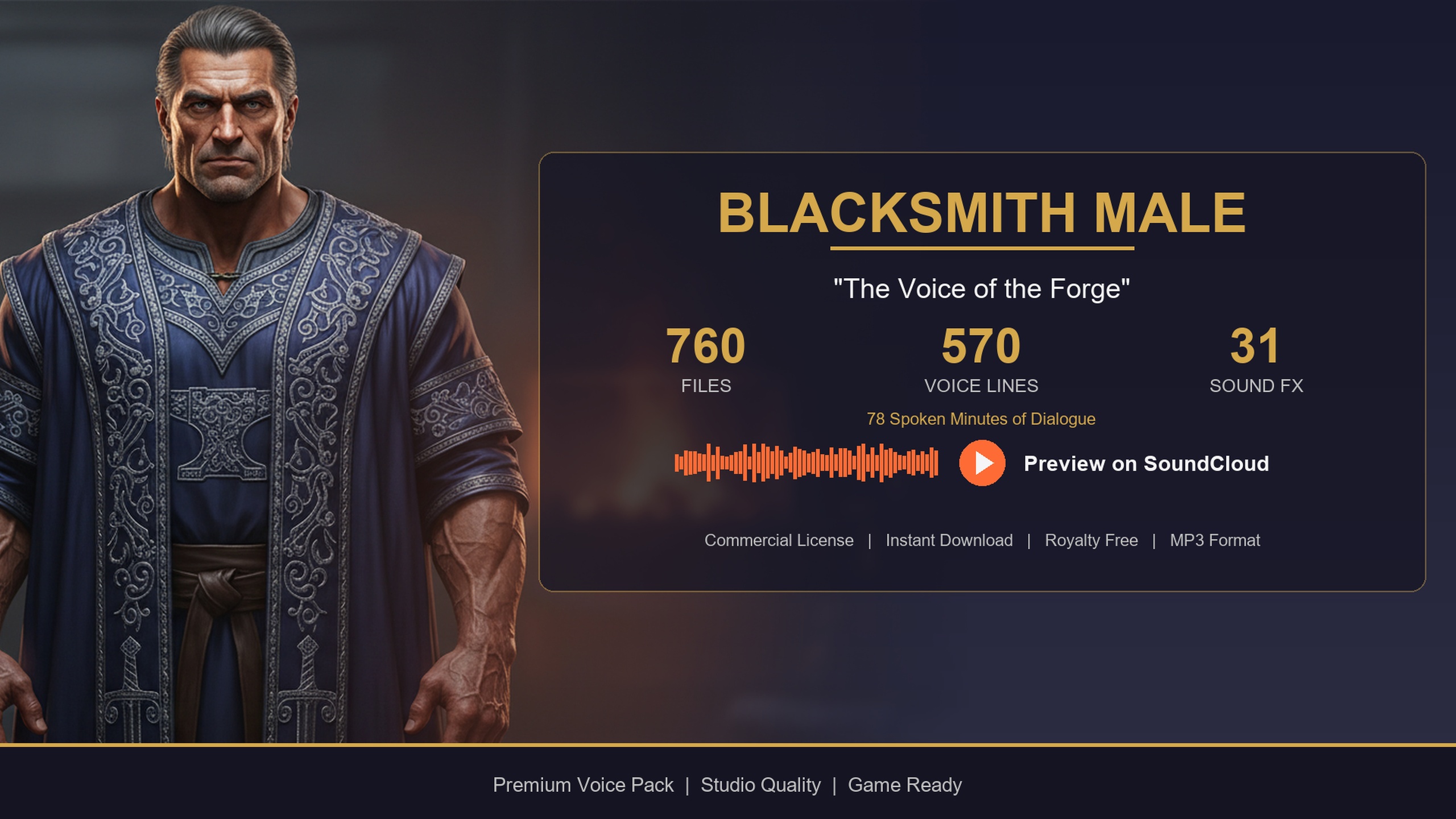
The real test of a shared-struct system is that one helper produces sensible results across wildly different characters, so exercise it on archetypes that have different content profiles. A story-heavy bard, a common-folk blacksmith and a stealthy assassin make a good spread, and all three exist both as standalone single-character packs and as members of the 21-character megabundle, so the same DT_Dialogue schema applies whether you bought them separately or as part of the Complete Pack.
Set up three actors, assign each one a different DT_Dialogue, and call the identical helper with the same context strings. Query 'social/greeting' on all three and confirm each returns an in-character greeting and plays its own clip. Then query a context that leans on a character's strength, such as 'story' for the bard, who skews narrative and long-form, and verify the longer LG and XL tiers come back. Query 'combat' on the assassin to confirm the barks resolve. If the helper returns lines from the wrong character, you have crossed your DataTable references, not broken the query.
Because the audio assets are mono 44.1 kHz one-shot SoundWaves referenced via soft pointers, listen for clips that load and play only on demand and never block your startup. One code path, three archetypes, identical behaviour: that is the signal that your shared-struct dialogue layer is working, and it will scale to all 21 characters without a line of new query code.
Same schema, different content profiles
| Pack | Archetype | Voice lines | Audio (mins) | Price (USD) |
|---|---|---|---|---|
| Bard Dialogue Pack | Theatrical male bard (story-heavy) | 570 | ~112 | $3.99 |
| Blacksmith Dialogue Pack | Forge-warm male smith (common-folk) | 570 | ~78 | $14.99 |
| Assassin Dialogue Lore Pack | Male assassin / rogue (stealth) | 570 | ~72 | Free |
All three share the identical DT_Dialogue / ST_DialogueRow schema, so one query helper drives every one. Line and minute figures are the User Guide values for each standalone pack.
FAQ
How do I query DataTable dialogue for multiple NPCs with one helper in UE5?
Make every NPC's DT_Dialogue use the same row struct, then write one function that takes a DataTable and a context string, reads all rows, keeps the ones whose ContextTags contains your context, and plays a random VoiceAudio. The Fantasy NPC Voices Complete Pack does this with five shared structs that are byte-identical across all 21 characters, so the same ue5 shared struct DataTable query drives every NPC dialogue lookup.
What fields does the shared ST_DialogueRow have?
The DT_Dialogue rows carry Name (the row key), DialogueName, ResponseText, CharacterName, EmotionalTone, ContextTags and NPCType as strings, plus VoiceAudio as a TSoftObjectPtr to a USoundWave. ContextTags follows a category/subcategory/size convention so you can filter by situation and length tier.
Will lines load into memory just because I own all the DataTables?
No. VoiceAudio is a soft object pointer, so the USoundWave is not loaded until you call LoadSynchronous on it. The DataTables themselves load synchronously and are small per character, but the audio stays on disk until first play, which keeps memory cost low even with thousands of lines.
Can I use just one or two characters instead of all 21?
Yes. Each character folder under Content/FantasyNPCVoices_CompletePack/ is self-contained, so you can right-click and Migrate a single archetype (or several) into your project. Because the row structs are shared, your query helper works identically whether you migrate one character or all of them.
Do the standalone packs use the same schema as the Complete Pack?
Yes. The Bard, Blacksmith and Assassin packs each ship the same five-DataTable layout with the same DT_Dialogue schema, and those archetypes are also among the 21 in the megabundle. The same query helper works whether you bought a single character or the full collection.
Fantasy NPC Voices
The complete fantasy voice megabundle: roughly 33 hours of dialogue across 13,668 voiced WAVs at 44.1 kHz — paladins, vampires, witches, wizards, bards, goblins, necromancers and more. One library to voice an entire RPG cast.
Related on Fab

Related reading