
tutorial · 2026-05-02
One Dialogue System, Many NPCs: Reusing a DataTable Schema Across Archetypes in UE5
Write the query path once, then point every character at its own DataTable and DialogueVoice.
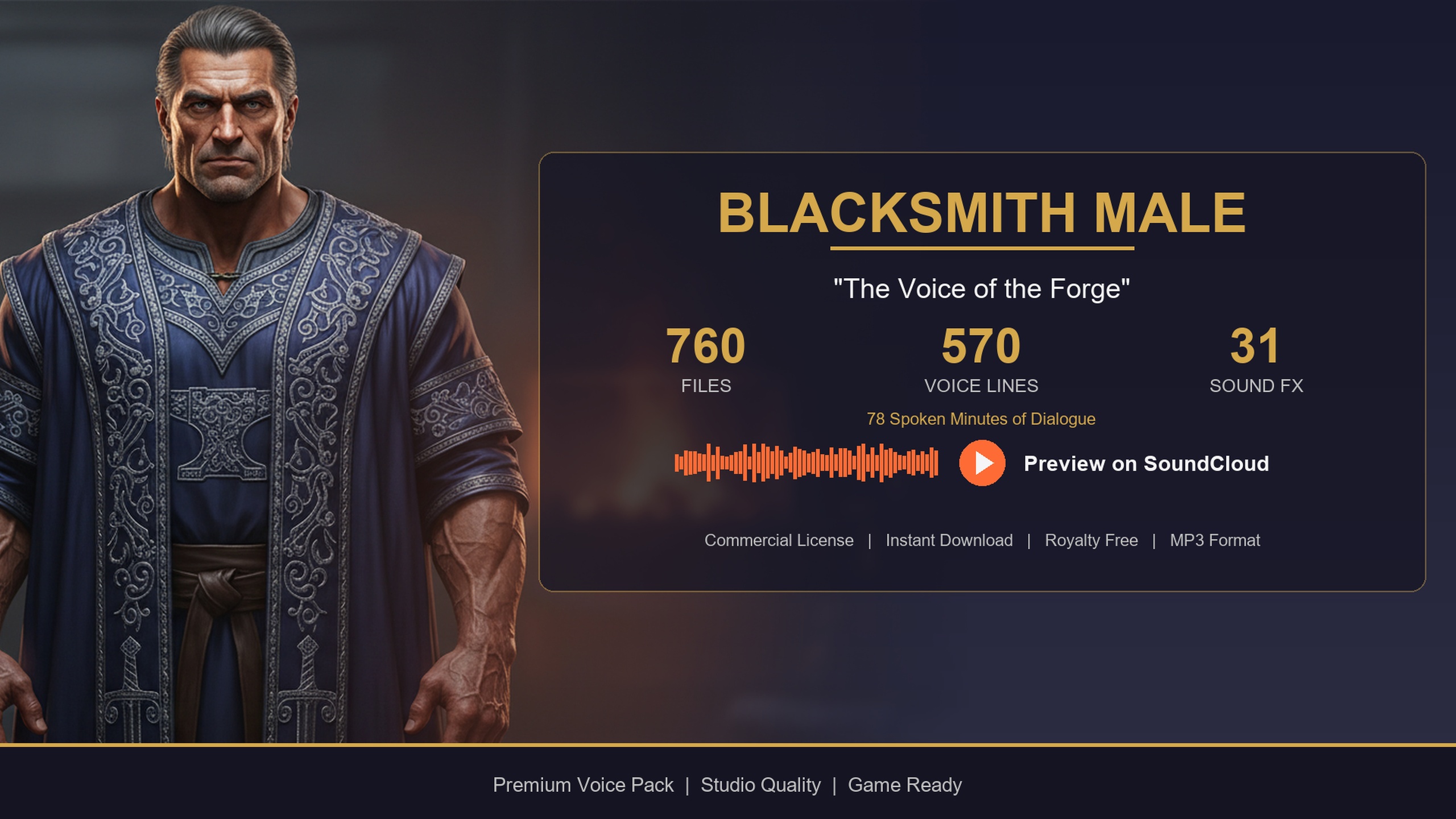
The problem: one system, a town full of NPCs
You have a blacksmith, a bard, a rogue and a dozen townsfolk to voice, and every one of them needs greetings, combat barks and story lines that fire on the right gameplay context. The trap most UE5 projects fall into is building a bespoke dialogue path per character: a hand-wired Blueprint here, a slightly different one there, and within a week you are maintaining a tangle of near-identical graphs that all do the same thing with different assets.
The fix is to separate the data from the code. If you want to reuse a dialogue DataTable across multiple NPC types in UE5, the trick is to make every character share the same row schema, then change only the data each one points at. The Blacksmith Dialogue Pack is built for exactly this pattern, because it uses the same DataTable layout and row structs as the rest of the MythicLemon Lore Pack collection. Wire up the query once and it works for the smith, the bard, the assassin and any other pack you migrate in later.
This tutorial walks through the four pieces of that approach: why a shared row struct matters, how to point each NPC at its own DT_Dialogue, how to write a single query function every character calls, and how to swap the DialogueVoice asset per NPC so the right voice plays.
Why a shared row struct matters
A DataTable in Unreal is only as reusable as the struct that defines its rows. The Blacksmith pack ships with five DataTables that follow the collection layout: DT_Dialogue, DT_CharacterProfile, DT_Equipment, DT_Quests and DT_WrittenContent. The important part is that the DT_Dialogue rows use the same field shape as every other pack in the collection. The dialogue row carries Name, DialogueName, ResponseText, CharacterName, EmotionalTone, ContextTags, NPCType, and a VoiceAudio reference typed as TSoftObjectPtr<USoundWave>.
Because that schema is consistent across the megabundle's archetypes, a function that reads a blacksmith's DT_Dialogue can read a bard's or an assassin's without a single change. You are not casting to different types or branching on character; you are pointing the same code at different tables. That is the whole game. The moment two characters disagree on row layout, you lose the shared code path and you are back to bespoke graphs.
It helps to understand the tagging too. Lines are organised by ContextTags written as category/subcategory/size, for example social/greeting or combat. That hierarchical string is what your query filters on, so the same filtering logic surfaces a forge-warm greeting from the smith and a theatrical quest hook from the bard with identical code.
Pointing each NPC at its own DT_Dialogue
With a shared schema in place, each character only needs to know which DataTable is theirs. The cleanest way to express this is to give your NPC actor or data asset a single DataTable reference and assign the per-character table to it.
1. Migrate the Blacksmith content folder into your project from Fab. In the Content Browser you will find the pack's Audio, DataTables, DialogueVoices, Structs and Textures alongside the character profile.
2. On your NPC actor or character definition, add a DataTable variable typed for the dialogue row struct. In Blueprint this is a 'Data Table' object reference; in C++ it is a UDataTable pointer or a TSoftObjectPtr<UDataTable> if you prefer lazy loading.
3. Set the blacksmith instance's table to that character's DT_Dialogue. When you add a bard later, you set that instance's reference to the bard's DT_Dialogue instead. Nothing else changes.
4. Do the same for any sibling tables you use, such as DT_WrittenContent for readable smithing recipes and craft notes, so each NPC carries its own lore alongside its voice lines.
The payoff is that 'which NPC am I' becomes pure data. Your spawner can read an archetype field, look up the matching DataTable, and hand it to the same dialogue component every time.
A single query function for every character
Now write the one function the whole cast shares. The job is simple: take a DataTable and a context string, gather the rows, keep the ones whose ContextTags match, pick one at random, and play its audio. Because the VoiceAudio field is a soft object pointer, nothing loads until you actually play a line.
In Blueprint, build it like this. 1. Call 'Get Data Table Row Names' on the character's DT_Dialogue. 2. 'ForEach' the names and 'Get Data Table Row' to read each row. 3. Keep rows whose ContextTags 'Contains' your context substring, for example social/greeting for a shop entry or combat for a fight. 4. 'Pick Random Item' from the matches. 5. Call 'Load Synchronous' on the row's VoiceAudio soft pointer, then 'Play Sound 2D' or 'Play Sound at Location' for a positioned NPC, and optionally show ResponseText in your UI.
In C++ the same logic is tighter. Load the table, call GetAllRows<FDialogueRow>(), filter on Row->ContextTags.Contains(Context), choose a random match, and call VoiceAudio.LoadSynchronous() before playing it. This is the GetAllRows-then-filter-on-ContextTags pattern, and it is the single code path the entire collection is designed around.
Tie the calls to gameplay events: fire a greeting on the shop-open or overlap event, a farewell on shop-close, and combat barks from your AI's perception or damage events. The blacksmith's gravelly, forge-warm baritone is just one set of rows flowing through this function; the bard's theatrical delivery is another.
A note on performance straight from the pack's usage guidance: cache the DataTable reference rather than resolving it every call, and pre-filter rows by category once at init if you query in a hot loop. The soft pointers keep memory lean, but synchronous loads on the audio clip still cost time, so prefetch common categories at level load when you can.
Swapping DialogueVoice per NPC
If you route audio through Unreal's built-in dialogue system rather than playing SoundWaves directly, the per-character variation lives in the DialogueVoice asset. Each pack ships a DV_ DialogueVoice asset, and the Blacksmith pack includes its own. This is the speaker identity UE uses to resolve which voice line plays for a given dialogue node.
Treat the DialogueVoice the same way you treat the DataTable: as a per-NPC reference on your character. Assign the blacksmith's DV_ asset as the speaker for blacksmith conversations; assign the bard's DV_ asset for the bard. The dialogue graph and your query function stay identical, while the DV_ swap ensures the correct character voices the line.
This keeps the two reuse axes clean. The DataTable swap changes what is said and which clips are available; the DialogueVoice swap changes who is recognised as the speaker. Combine them and a single dialogue component voices an entire town, one archetype at a time, with no per-character code.
Scaling from one pack to a full cast
Once the shared path is working for the blacksmith, adding characters is a content task, not an engineering one. Drop in the Bard Dialogue Pack for a quest-giving minstrel, or start free with the Assassin Dialogue Lore Pack to prototype barks before you spend a budget. Every one of them uses the same DT_Dialogue schema and the same ContextTags convention, so each new pack inherits your query function for free.
If you know you want a large roster, the Fantasy NPC Voices complete pack consolidates 21 archetypes into one project, and crucially its five row structs are byte-identical across all 21 characters. That is the same guarantee your code relies on, scaled to a whole cast: write the query once, migrate the characters you need, and point each NPC at its own table and DialogueVoice.
Start small. Wire the blacksmith through the single query function, confirm a greeting fires on shop entry and a craft note pulls from DT_WrittenContent, then add the next archetype and watch it work with zero new code. That is the moment the shared-schema approach pays for itself.
What changes per NPC vs. what you write once
| Element | Per NPC or shared | Notes |
|---|---|---|
| Row struct (ST_DialogueRow-style fields) | Shared | Identical schema across the collection's packs |
| DT_Dialogue asset | Per NPC | Each character points at its own table |
| Query function (GetAllRows, filter ContextTags, play) | Shared | One code path for the whole cast |
| DialogueVoice (DV_) asset | Per NPC | Speaker identity for UE's native dialogue system |
| DT_WrittenContent rows | Per NPC | Readable recipes, notes, journals per character |
The shared schema is the reason a single query path serves every archetype.
FAQ
How do I reuse a dialogue DataTable across multiple NPC types in UE5?
Make every character share the same row struct so DT_Dialogue has an identical schema, then give each NPC its own DataTable reference. Write one query function that takes a table and a context tag, gathers the rows, filters on ContextTags, picks a random match and plays its VoiceAudio. Swapping the table per NPC is all that changes.
Do the Blacksmith, Bard and Assassin packs share the same schema?
Yes. Each pack ships the same five DataTables (DT_Dialogue, DT_CharacterProfile, DT_Equipment, DT_Quests, DT_WrittenContent) with the same DT_Dialogue row fields, so a query written for one works for the others without changes.
Will loading the DataTable load all the audio?
No. The VoiceAudio column is a TSoftObjectPtr<USoundWave>, so the clips are not loaded until you call Load Synchronous on the line you actually want to play. The DataTable itself is small. Cache the table reference and prefetch common categories at level load if you query frequently.
When should I use the DialogueVoice asset instead of playing SoundWaves directly?
Use the DV_ DialogueVoice asset when you route audio through Unreal's built-in dialogue system; it sets the speaker identity. If you are playing lines yourself from DT_Dialogue, you can call Play Sound directly on the VoiceAudio clip and skip the DialogueVoice.
How do I scale this from one character to a full cast?
Migrate additional packs that share the schema and point each NPC at its own table and DialogueVoice. The Fantasy NPC Voices complete pack consolidates 21 archetypes whose row structs are byte-identical, so your single query function serves the entire roster with no new code.
Blacksmith Dialogue Pack
Forge banter, shop greetings and crafting flavour — 78 minutes of characterful blacksmith dialogue for fantasy and medieval games. Ready-to-use cues for any UE5 project.
Related on Fab


Related reading
