tutorial · 2026-06-10
How to Make a Ritual Table Spell Scene in Unreal Engine 5
Dress a believable spellcasting ritual table in UE5 from scratter props to focal lighting, starting with a free arcane scroll.
What makes a ritual table read as a ritual table
If you have ever tried to make a ritual table spell scene in Unreal Engine and ended up with a flat-looking desk covered in random objects, the problem is almost never the assets. It is the arrangement and the lighting. A convincing spellcasting tabletop is a tiny piece of environmental storytelling: it has to suggest that someone was here, mid-incantation, and stepped away. That means a focal point, a few supporting props that imply a process, and light that draws the eye to the centre of the work.
The good news is that you can assemble the whole thing from a handful of drop-in static meshes and a single light, with no Blueprint scripting required for the dressing itself. This tutorial builds the scene around The Binding Scrolls, a free arcane scroll prop, and pairs it with a few sibling props from the same dark-fantasy family so the materials and scale match. Everything below is set dressing you can finish in an afternoon.
Before you start, decide where the table is in the room and where the player will see it from. A ritual table is a hero arrangement, so it deserves a deliberate camera angle rather than being shoved against a wall. Pick the side the player approaches from and treat that as the front of your composition.
Composing the tabletop
Start with the surface itself. If you do not already have a table mesh, the Ritual Jars pack ships an SM_LargeTable altar prop, and the Dark Fantasy Props Bundle includes SM_LargeTable and SM_OrnateTable as demo set-dressing — any of these works as a base. Drag your chosen table into the level and set it on the floor with the 'End' key to drop it onto the surface below.
Think of the tabletop as a stage with three zones: a focal centre, a working area just in front of it, and scattered clutter toward the edges. Real workspaces are asymmetric, so resist the urge to centre and grid everything. Push the most important object slightly off-centre and let the supporting props fan out from it. Empty space matters too; a few bare patches of table read as more believable than wall-to-wall objects.
Group your props before you fine-tune them. Select the table and its dressing, right-click and choose 'Group' (Ctrl+G) so you can nudge the whole arrangement around the room as one object. You can ungroup later when you want to tweak individual placements. This keeps the composition intact while you hunt for the best camera angle.
Scrolls, jars and a staff
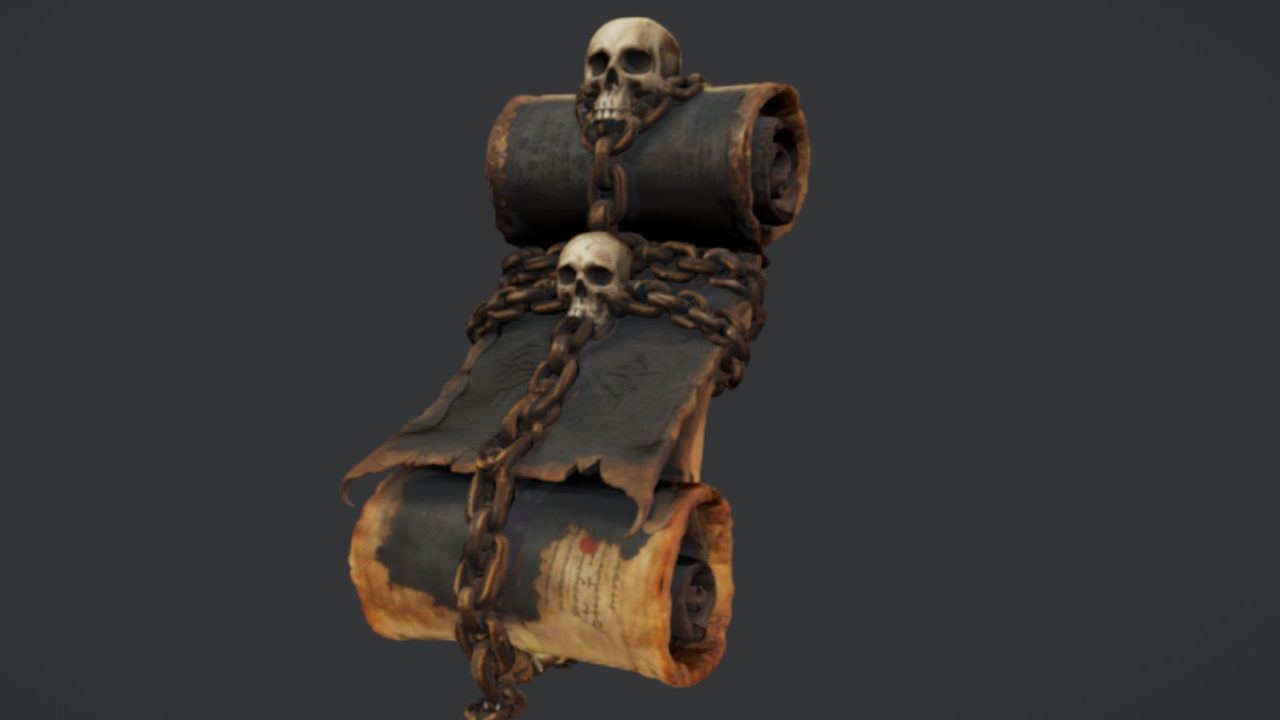
Now place the props that imply spellcasting. The Binding Scrolls gives you the Ancient Bound Scroll mesh, a bound parchment with an arcane look and 2K PBR textures, free under the Fab Standard licence. Download it, add it to your project, and drag the static mesh onto the table near your focal point — a half-open ritual usually has its key scroll front and centre, where the caster was reading from. Note this is a single scroll mesh rather than multiple distinct scrolls, so to suggest a pile, duplicate it (Alt-drag in the viewport) and rotate each copy so the repeats are not obvious.
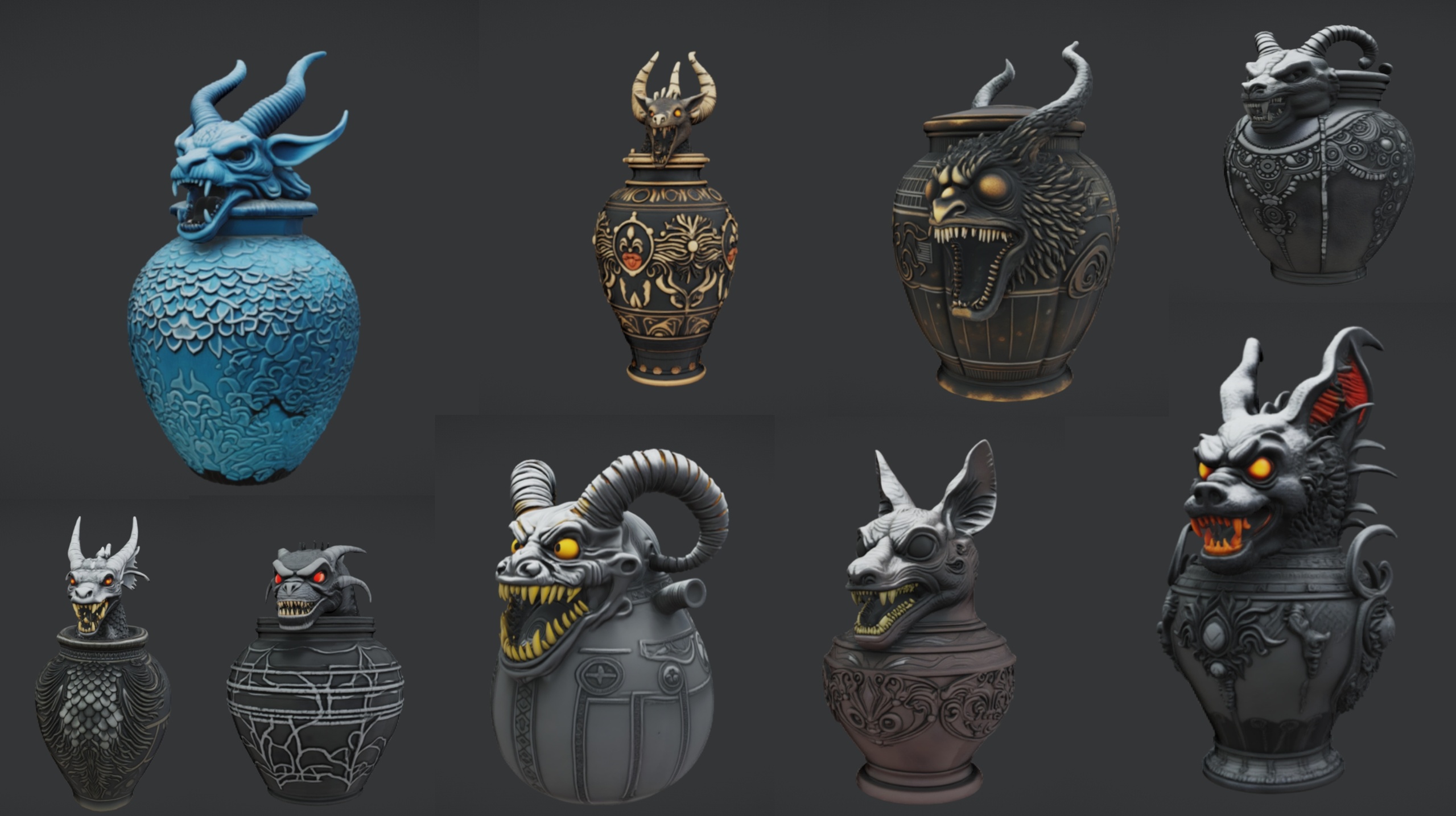
For the supporting cast, the Ritual Jars pack provides nine ornate canopic-style jars (SM_RitualJar_1 through SM_RitualJar_9) as Nanite static meshes with automatic collision. Arrange three or four of them in a loose arc behind the scroll, varying which jar you use and rotating each one so the cluster does not look stamped. The remaining bare table space sells the idea that this is a working surface, not a museum shelf.
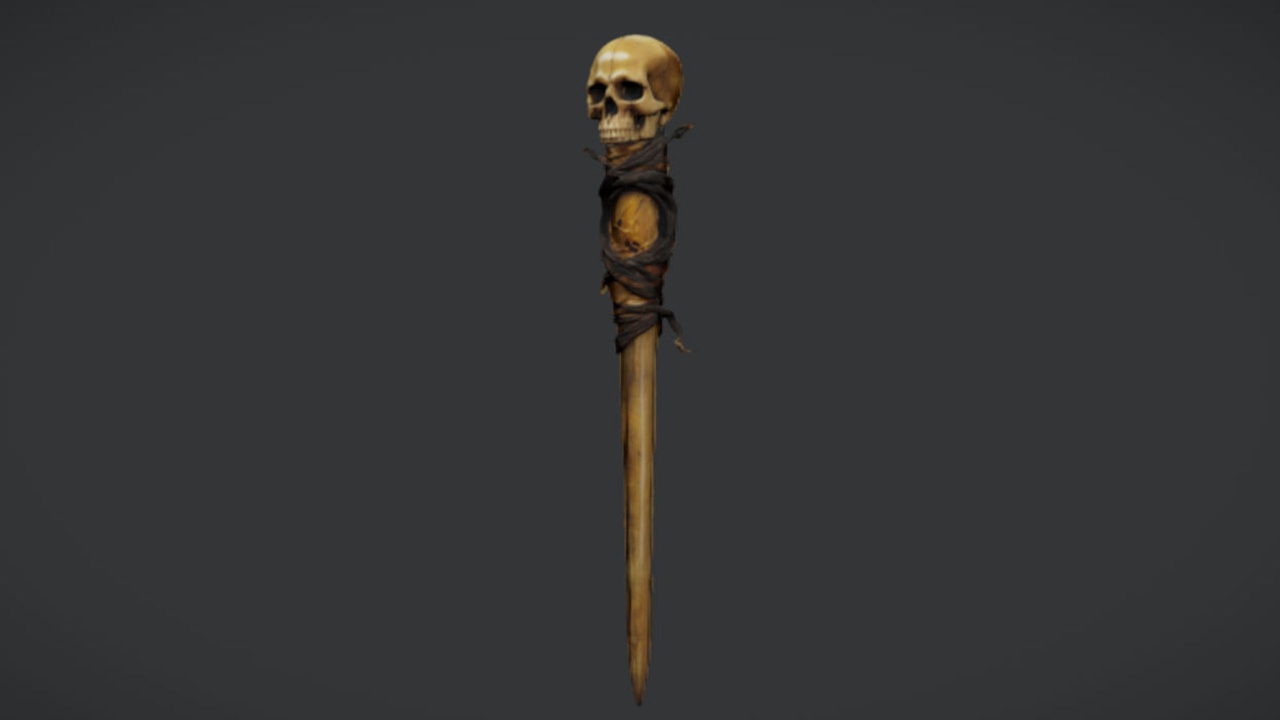
Add a focal weapon to anchor the centre. The Necromancer's Staff is a free single static mesh with a sinister caster aesthetic and 2K PBR textures. Lay it diagonally across the table, or lean it so one end rests on the surface and the other against the table edge, pointing toward your scroll. The staff is a static mesh with no attachment Blueprint or VFX of its own, so for set dressing you simply place it; if you later want a character to hold it, you would add a socket to the skeleton and attach it there.
If you would rather furnish the whole scene from one source, the Dark Fantasy Props Bundle bundles 100+ gothic static meshes — tomes, candles, cauldrons, altars and scrolls among them — all Nanite-enabled with 2K PBR textures and a Demo.umap to show them arranged. It is a content project rather than a plugin, so you migrate its content folder into your UE 5.6 or later project and pull whatever the table needs.
Candle and rune accents
Small accents are what tip a scene from 'props on a table' into 'a ritual in progress'. Candles are the highest-value addition because they double as light sources and as story: they tell the player the caster needed to see, and they give you a motivated reason for the warm glow you are about to add. The Dark Fantasy Props Bundle's lantern and candle props are an easy source; place two or three at uneven heights around the focal point.
Rune and sigil detail is the second accent. If your props ship with decal-friendly surfaces or you have a sigil texture, drop a Decal Actor onto the tabletop in front of the scroll and scale it so a faint glyph sits under the working area. Keep it subtle — a barely-there rune reads as arcane, while a bright pristine one reads as a logo. Vary the decal's opacity in its material instance if it overpowers the wood.
Finally, scatter a little entropy. A toppled jar, a scroll hanging half off the edge, or a candle knocked at an angle implies recent use far more effectively than a perfectly tidy table. These tiny imperfections are free to add and do more for believability than another expensive hero asset would.
Lighting the focal point
Lighting is where the scene comes alive, and it is the single biggest difference between an amateur and a professional ritual table. The principle is simple: light the centre, let the edges fall into shadow. A ritual is a pool of light in a dark room, so resist flooding the whole area evenly.
1. Add a Point Light from the 'Place Actors' panel and position it just above the candles at your focal point. Give it a warm colour (a low temperature, roughly 1700 to 2500 Kelvin reads as candlelight) and keep its 'Attenuation Radius' tight so the falloff is steep and the table edges go dark.
2. Enable shadows on the light and turn its intensity down until only the centre of the table is clearly lit. You want the scroll and jars catching warm highlights while the back of the arrangement drops into gloom — that contrast is what makes the eye land where you want it.
3. Add a second, much dimmer cool fill light from the opposite side if the shadows are reading as pure black. A faint blue rim separates the props from the background without flattening the candlelit mood. Keep this one subtle; it is a fill, not a key.
4. Place a Post Process Volume and either set it to 'Infinite Extent (Unbound)' or scale it around the scene, then nudge up the bloom slightly so the candle flames and any glowing runes bleed gently. A touch of vignette darkens the frame edges and pushes attention back to your lit focal point.
Once the lighting reads, return to your camera angle and check the composition through the actual player view. Small placement nudges that looked fine from the top-down editor view often need adjusting once you see them lit and in perspective. When the scroll catches the warm key light at the centre of a believable, lived-in arrangement, the scene is done.
Props for the ritual table, at a glance
| Prop | What it is | Textures | Price |
|---|---|---|---|
| The Binding Scrolls | Single arcane bound-scroll static mesh | 2K PBR | Free |
| The Necromancer's Staff | Single caster-staff static mesh | 2K PBR | Free |
| Ritual Jars | 9 canopic jars + large table, Nanite, auto collision | 2K PBR | 7.99 USD |
| Dark Fantasy Props Bundle | 100+ gothic Nanite meshes + Demo map | 2K PBR | 34.99 USD |
Real specs from each Fab listing; triangle counts are not quoted because they were not verified.
FAQ
How do I make a ritual table spell scene in Unreal Engine on a budget?
You can build a credible scene almost entirely from free props. The Binding Scrolls (a free arcane scroll mesh) and The Necromancer's Staff (a free caster-staff mesh) cover the hero objects, and a table prop plus a single warm point light handle the rest. Add the paid Ritual Jars or Dark Fantasy Props Bundle later only if you want more variety.
Is The Binding Scrolls multiple scrolls or just one mesh?
It is a single static mesh — the Ancient Bound Scroll — despite the plural name. To suggest a pile of scrolls on your table, duplicate the mesh and rotate each copy so the repetition is not obvious.
Do these props need extra setup before they work on the table?
For set dressing, no. The Binding Scrolls, The Necromancer's Staff and the Ritual Jars import as static meshes with their materials assigned, so you just drag them into the level. The staff ships no attachment Blueprint or VFX, so equipping it on a character is a separate workflow involving a skeleton socket.
Which engine version do I need?
The free scroll and staff are generic UE5 static meshes. The Ritual Jars pack is authored for Unreal Engine 5.7, and the Dark Fantasy Props Bundle is built for UE 5.6, so migrate their content into a matching or newer project to avoid version-upgrade prompts.
How do I get the candlelit ritual look without it going flat?
Light the centre and let the edges fall dark. Use a tight, warm point light over the candles for your key, a dim cool fill from the opposite side to keep shadows from going pure black, and a Post Process Volume with a little bloom and vignette to focus the frame on the lit scroll.
The Binding Scrolls
Free binding scrolls — arcane parchment props for libraries, ritual tables and spellcasting scenes. Drop-in ready for Unreal Engine 5.
Related on Fab

Related reading