tutorial · 2026-06-19
Treasure, Crystal & Divine VFX in UE5 with Crystal & Gilded
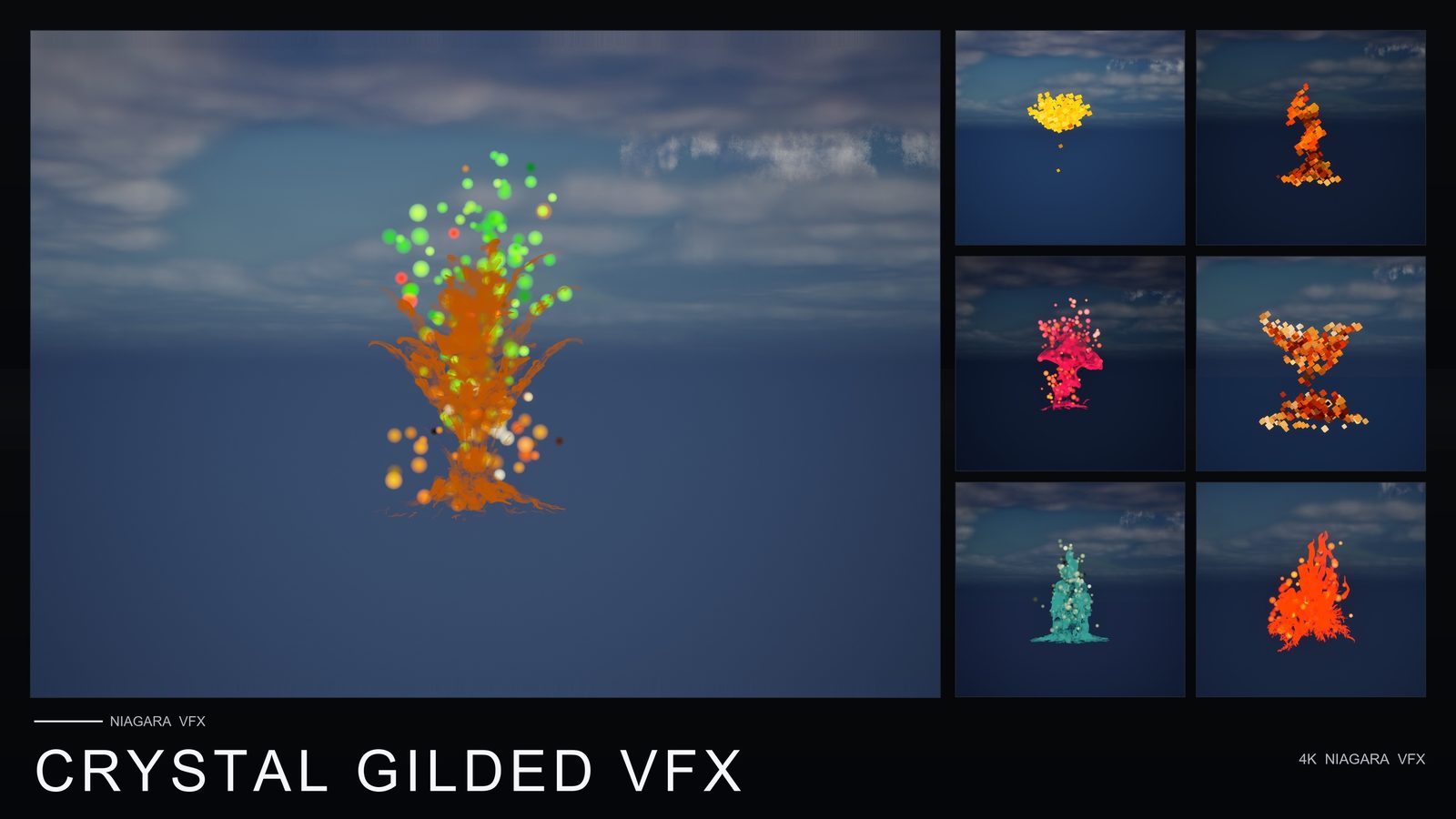
A practical Niagara workflow for dropping faceted-crystal, golden-aura and divine treasure-shimmer effects into a UE5 scene — using the 100 ready-to-use, content-only CPU systems in Crystal & Gilded VFX for loot, shrines and magic.
The problem: making loot, shrines and magic feel valuable
Three of the moods a fantasy or adventure game leans on hardest are also three of the most fiddly to author in Niagara: the glint of treasure that tells a player something is worth picking up, the cold faceted sparkle of crystal that says this material is precious, and the warm golden aura that marks a shrine or a divine blessing as sacred. Each one is a particle problem dressed up as an art problem — you are tuning sparkle timing, faceted reads, soft volumetric glows and shimmer that catches the light without strobing, and you are doing it before you have placed a single hero asset.
This tutorial takes the shortcut that keeps the quality. Instead of building those emitters from scratch, it uses Crystal & Gilded VFX as a drop-in base layer. It is a content-only Niagara pack — no C++, no Blueprints, no plugin dependencies — built around faceted crystal cubes, golden auras, treasure shimmer and divine, enchanted magic. The point of a pack like this is that you spend your hours on composition and lighting rather than on emitter plumbing.
We will cover where each kind of effect earns its place — loot drops and chests, crystal formations, shrines and divine blessings — then walk through placing them, layering crystal with gold on the same prop, and lighting the scene so the effects carry. Every product claim here stays inside what the listing actually verifies; where a number is not published, this guide does not invent one.
What's in the pack, honestly
Crystal & Gilded VFX ships 100 unique, ready-to-use Niagara effects. All of them are CPU emitters, which is the relevant detail for portability: CPU simulation runs the same across the platforms the listing supports — Windows, macOS and Linux — without depending on a particular GPU feature path. That makes the pack a safe base layer for a cross-platform project.
Underneath the effects, the pack includes the supporting content you would expect a self-contained Niagara set to carry: 51 meshes, 22 master materials, 131 material instances and 51 textures, at resolutions of 2048x2048 and 1024x512. Meshes ship with a single level of detail (LOD0). Two demo levels are included, one per effect family, so you can see the systems running in a lit scene before you place anything in your own level.
It is worth being equally clear about what the pack is not. Because it is content-only, there are no Blueprints and no C++ in the box — so any gameplay-driven behaviour, such as spawning a burst when a chest opens, is something you wire yourself from your own gameplay code. There are also no plugin dependencies to install or enable, which keeps integration to a straight content import. The pack opens in Unreal Engine 5.4 and upgrades on open through to 5.8.
Mood board: treasure, crystal, divine
Before placing a single system, decide what each effect is doing in the scene. The pack's theme splits cleanly into three jobs, and a scene reads best when you assign effects deliberately rather than scattering sparkle everywhere.
Treasure shimmer is your value signal. This is the glint and shimmer that catches a player's eye and says pick me up — the read you want on coins, gems, a chest's contents, or a quest reward sitting on a pedestal. Use it where the message is reward, and keep it tied to things the player can actually interact with, because shimmer on background dressing trains players to ignore it.
Faceted crystal cubes are your material read. The hard, faceted geometry says this is crystal, this is precious, this is grown rather than crafted. Use these where you want a surface or formation to register as a precious mineral — crystal clusters in a cave, a gem embedded in a wall, a mana node, an arcane focus. The faceted look does the storytelling, so it belongs on the thing itself rather than floating in open air.
Golden auras and divine, enchanted magic are your sacred read. The warm golden glow is the language of shrines, blessings, holy ground and enchanted objects. Use it as presence — the breathing aura around an altar, the glow that marks a blessed item, the soft gold that tells the player this space is consecrated. A useful rule of thumb: treasure shimmer for things to grab, crystal for things that are precious, golden aura for things that are sacred.
Dropping the effects in and layering crystal with gold
Because the pack is content-only, there is nothing to compile or configure — you import, browse, drag and place. Add the pack to your project from the Library or by migrating its content folder in; since there are no plugin dependencies, you do not need to enable anything in the Plugins window or restart the editor.
Open one of the two included demo levels first. Each demo showcases one effect family in a lit scene, which is the fastest way to see how a given system reads against real lighting before you commit it to your own level — treat the demos as a reference catalogue. Then, in the Content Browser, identify the systems that match your three roles and drag a Niagara system onto a mesh or actor in the viewport, or place it as a standalone Niagara actor for a free-standing aura.
The strongest single read in this pack's vocabulary is a precious object that is also sacred — a crystal reliquary on a shrine, an enchanted gem on an altar, a blessed treasure as a quest centrepiece. Build that by layering: first place a faceted-crystal effect on the hero mesh so the object registers as precious crystal, then add a golden-aura or divine effect as a second system on the same prop so a warm enchanted glow wraps it. The combination reads as one object that is both precious and blessed — far more than either effect alone.
If that object is also a reward the player collects, add a restrained treasure-shimmer accent so the pickup affordance is unmistakable, but keep it subtle — you do not want three competing effects shouting at the same volume on one prop. Reserve this full three-layer treatment for genuine centrepieces; most props in the scene should carry a single effect.
Where to use each effect: loot, shrines and magic
With the vocabulary established, here is how the three roles map onto common scenes. The aim is consistency — once a player learns that a golden aura means sacred, every shrine should honour that, and treasure shimmer should never appear on something they cannot take.
Loot and rewards: put treasure shimmer on dropped coins and gems, on the contents of an opened chest, and on quest rewards displayed on a pedestal. Because the pack ships no Blueprints, a chest that bursts with shimmer when opened is something you trigger from your own gameplay code — for example, spawning the system at the chest's location on the open event. Ambient shimmer that simply sits on visible loot, by contrast, you just place and leave running.
Crystal formations and precious materials: use the faceted-crystal effects on cave clusters, wall-embedded gems, mana nodes and arcane foci. These sell a material as valuable without any UI prompt, which is useful for mining, crafting or resource-gathering loops where the player needs to read worth at a glance.
Shrines, blessings and magic: use golden auras and divine effects on altars, holy ground, blessed items and enchanted objects. This is your set-dressing pass for any sacred or magical space — the consecrated glow around a shrine, the enchantment clinging to a rune-marked door, the blessing that marks an NPC's gift. Layer a golden aura over a crystal focus when a shrine's centrepiece is itself a precious object.
Lighting the scene so the effects carry
Emissive Niagara effects like these live or die by their lighting context. The recipe for treasure, crystal and divine VFX is contrast: a scene dim enough that the shimmer, faceted sparkle and golden glow are among the brightest things in frame, but not so dark that your geometry vanishes.
Start with a low ambient base — a dim sky light and a restrained environment — so the warm golden auras and bright treasure glints read as the points of interest. If your fill light is too strong, soft glows flatten out and the whole value-signalling effect goes washed-out, which defeats the purpose of putting shimmer on loot in the first place.
Add a single, deliberate key to anchor each hero prop in real geometry — a shaft of light onto a shrine, a cooler spot on a crystal cluster — while the VFX do the storytelling around it. Cool architecture against the warm gold of a divine aura gives you the classic sacred contrast; cold light raking across faceted crystal makes the facets catch and read as a hard, precious surface. Tune the balance between dim environment and bright effect until loot looks grabbable, crystal looks precious and shrines look sacred, and the look is done.
Choosing the right effect for each role in the scene
| Theme | Reads as | Use it for | Density |
|---|---|---|---|
| Treasure shimmer | Glint and shimmer that catches the eye | Loot drops, coins, gems, chest contents, quest rewards | Sparing — only on things the player can take |
| Faceted crystal cubes | Hard faceted sparkle of a precious mineral | Crystal clusters, embedded gems, mana nodes, arcane foci | On the precious object itself, not in open air |
| Golden auras / divine magic | Warm sacred or enchanted glow | Shrines, altars, blessings, holy ground, enchanted items | Generous — soft auras overlap gracefully |
All effects are content-only CPU Niagara systems with no Blueprints and no plugin dependencies. The pack ships 100 effects in total, with two demo levels (one per effect family).
Crystal & Gilded VFX at a glance
| Attribute | Value |
|---|---|
| Niagara effects | 100 unique, ready-to-use (CPU emitters) |
| Supporting content | 51 meshes, 22 master materials, 131 material instances, 51 textures |
| Texture resolutions | 2048x2048 and 1024x512 |
| Levels of detail | 1 (LOD0) |
| Demo levels | 2 (one per effect family) |
| Integration | Content-only — no C++, no Blueprints, no plugin dependencies |
| Engine | UE 5.4+ (opens in 5.4, upgrades on open through 5.8) |
| Platforms | Windows, macOS, Linux |
| Price | $34.99 USD |
Verified from the Fab listing and technical details. No poly counts, sales figures or performance numbers are published, so none are stated.
FAQ
Do I need C++ or Blueprints to use Crystal & Gilded VFX?
No. It is a content-only Niagara pack with no C++, no Blueprints and no plugin dependencies. You import the content, browse the Niagara folder, and drag a system onto a mesh or actor and it plays. The only place you would write code is if you choose to trigger an effect from gameplay — for example, spawning a treasure burst when a chest opens — which you wire yourself from your own code.
How many effects are in the pack, and are they CPU or GPU?
The pack includes 100 unique, ready-to-use Niagara effects, all using CPU emitters. CPU simulation behaves the same across the supported platforms, which is part of what makes the pack a portable base layer for a cross-platform project.
Can I layer the crystal and golden effects on the same prop?
Yes. A common use is to place a faceted-crystal effect on a hero mesh so it reads as a precious material, then add a golden-aura or divine effect on top so a warm sacred glow wraps it. The result reads as a single object that is both precious and blessed — useful for a crystal reliquary, an enchanted gem or a quest centrepiece on a shrine.
What engine versions and platforms does the pack support?
It opens in Unreal Engine 5.4 and upgrades on open through to 5.8, so it covers UE 5.4 and above. The listing supports Windows, macOS and Linux. Meshes ship with a single level of detail (LOD0), and textures are provided at 2048x2048 and 1024x512.
Does the pack include example scenes I can learn from?
Yes — it includes two demo levels, one per effect family. Opening a demo level is the quickest way to see how a given system reads against real lighting before you place it in your own scene, so the demos double as a reference catalogue while you choose effects for loot, crystal and shrine roles.
Crystal & Gilded VFX
100 ready-to-use Niagara systems of faceted crystal cubes, golden auras and divine treasure shimmer — applied across 51 stylised flower meshes with 131 material instances. CPU-simulated for Windows, Mac and Linux, with two demo levels included. Content-only: no C++, no Blueprints, no plugin dependencies.
Related reading