
article · 2026-06-03
Mountains, Canyons and Rivers: A Guide to UE5 Geological Stamp Styles
A practical breakdown of every Landscape Stamp Tool type, the mountain and canyon styles each one shapes, and how to pick a texture size that fits your World Partition build.
Why the stamp style matters more than the tool
If you are sculpting terrain in Unreal Engine and reaching for stamps, the question is rarely 'which tool do I drag in' - it is 'which style of mountain, canyon or river do I actually want'. A jagged alpine ridge and a worn old massif both come from the same Mountain tool, but they read completely differently in-engine, and choosing wrong means re-sculpting later. This is a guide to the types of landscape stamps - mountain, canyon and river Unreal styles - so you can pick the right shape before you commit.
Everything here is grounded in the Landscape Stamp Tool, a Blueprint-only terrain pack for Unreal Engine. You drag a stamp-tool blueprint into a World Partition level and it morphs the landscape in place using heightmap textures, with no C++ required. Because the styles are exposed as Blueprint enumerations on each tool, the whole library is browsable from the details panel - you are choosing from a fixed, named set rather than guessing at filenames.
The pack is built for World Partition and enables the engine's Landscape Patch and Water plugins. It targets Unreal Engine 5.6 to 5.7 on Windows, and ships a worked demo level, L_Demo.umap, that places every tool so you can see each style in context before placing your own.
The seven tool types and what each shapes
The library is organised around seven geological tool types, each derived from a shared BP_StampTool base. Knowing what each one is for is the first filter before you ever pick a style.
Canyon carves a recessed gorge into the terrain, with style variants that range from a single-wall classic cut to fully eroded and stratified walls. Mountain raises a peak or ridge, from sharp alpine to weathered old forms. River cuts a flowing channel through the landscape. Crater stamps a bowl depression, useful for impact set-pieces and gameplay sinks. Hill adds gentler raised landforms. Directional handles paths, roads and crossings - linear features rather than point landforms. Volcano builds a cone, with texture variants organised by whether the slopes carry snow.
Counting the base, there are eight tool blueprints in total: BP_StampTool plus BP_CanyonTool, BP_CraterTool, BP_DirectionalTool, BP_HillTool, BP_MountainTool, BP_RiverTool and BP_VolcanoTool. Alongside these the pack ships asset blueprints such as BP_Canyon, BP_Island, BP_Mountain, BP_Volcano and BP_StampAsset, and the custom-stamp pair BP_CustomStamp and BP_CustomStampTool for bringing in your own heightmaps.
All of these stamps blend together. Drop a volcano into a mountain range, run a river through a canyon, and the tool composes the result rather than overwriting it - overlap is handled with priority and falloff settings so the higher-priority stamp reads on top.
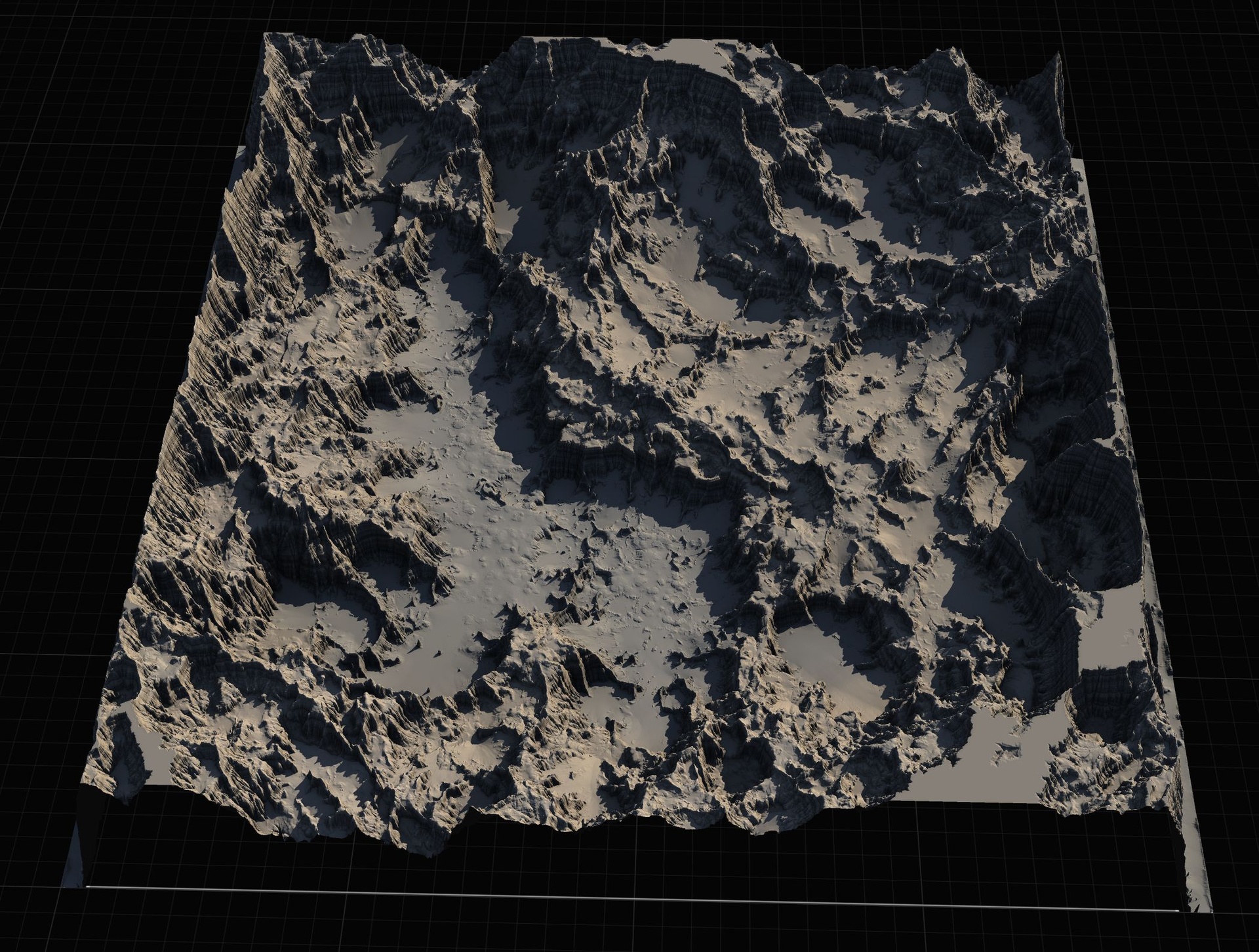
Mountain styles: Alpine, Basic, Eroded, Old, Strata
The Mountain tool exposes its shapes through the E_MountainType enumeration, which gives you five named styles: Alpine, Basic, Eroded, Old and Strata. Each is a distinct heightmap family, so the choice is about silhouette and surface character, not just scale.
Alpine is the sharp, high-relief peak - steep faces and a defined summit, the kind of ridge you want for dramatic skylines and climbable backdrops. Basic is the neutral, all-purpose mountain form, a sensible default when you just need mass on the horizon without a strong narrative. Eroded reads as weathered and gullied, with the surface broken up by water and time rather than presenting clean faces.
Old pushes that weathering further into a rounded, low-relief massif - the softened, ancient look you would use for foothills or long-settled ranges. Strata introduces visible horizontal banding, the layered sedimentary stepping that suggests exposed rock beds. If you are building a canyon-and-mesa region, Strata mountains pair naturally with the matching canyon style.
Because these are blendable stamps, you are not limited to one peak. Stack several Mountain tools at different styles and sizes to build a believable range - a couple of Alpine peaks for the high points, Old and Basic forms behind them for depth, and Eroded foothills feathered into the valley floor.
Canyon styles: Classic, Both walls, Eroded, Strata
Canyons are driven by the E_CanyonType enumeration, which offers Classic, Both, Eroded_1, Eroded_2 and Strata. The key distinction many people miss is between a single-wall and a two-wall cut.
Classic gives you the archetypal canyon - a clean recessed channel you can run a river or a path along. Both stamps the gorge with both walls defined, which matters when the canyon sits out in open terrain and you need the far side to read as deliberately shaped rather than trailing off into the surrounding landscape.
Eroded_1 and Eroded_2 are two weathered variants, breaking the walls up with gullies and slumping so the canyon looks cut by water rather than punched in. Having two distinct eroded shapes lets you place them back to back along a longer gorge without obvious repetition. Strata, as with the mountains, adds horizontal sedimentary banding to the walls - the layered look of a deep, ancient cut through rock beds.
Pair canyon styles with the River tool to drop a channel along the floor, and lean on the priority settings where a canyon crosses a mountain so the recessed cut wins over the raised mass.
Volcano with and without snow
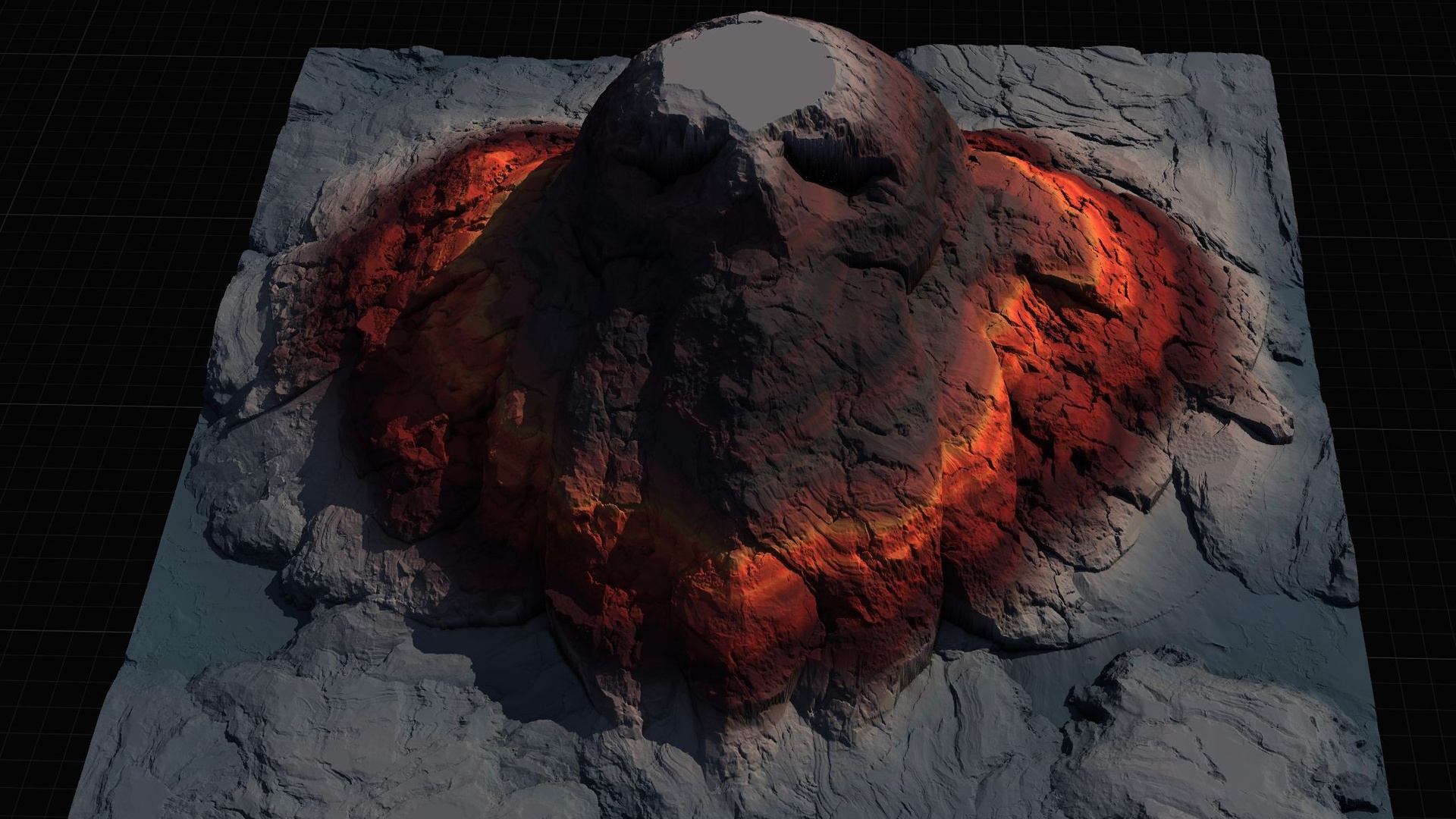
The Volcano tool builds a cone landform, and its texture library is organised into two style groups: With_Snow and Without_Snow. This is a styling split rather than a shape change - you are choosing whether the cone reads as a snow-capped stratovolcano or a bare, dark volcanic peak.
Reach for the snow variant when the volcano sits in a cold or high-altitude biome and you want the summit to catch a white cap that contrasts with the slopes below. Use the snow-free variant for active, arid or freshly-formed volcanic terrain where exposed rock is the point.
As with every other tool, the volcano blends with what is around it. A common move is to punch a volcano into a mountain range so the cone rises out of existing high ground, using priority to keep the volcano's profile dominant where the two overlap. The pack also includes Gaea .terrain source files for the stamp shapes, including the volcano, if you want to re-author the underlying form rather than only swap the surface style.
Choosing a texture size (512, 1K, 2K, 4K)
Every stamp is available at multiple texture sizes, exposed through the E_TextureSizes enumeration: 512, 1K, 2K and 4K. Higher sizes carry more heightmap detail, but they are not a free upgrade - they cost memory and editor responsiveness, so match the size to the role the stamp plays.
Use 512 or 1K for background landforms, distant ranges and fast iteration while you are still blocking out the composition - you want responsiveness, and detail you will never get close to is wasted. Step up to 2K for the mid-ground features players actually approach, where the silhouette and surface need to hold up. Reserve 4K for hero terrain: the canyon you walk through, the peak that anchors a vista, the volcano that dominates a level.
A practical workflow is to block the whole region at low sizes, settle the layout, then bump only the stamps that earn it up to 4K. Because the styles and sizes are just enumeration values on the stamp tool, changing a stamp's resolution is a single property edit - there is no re-import or re-placement involved.
The wider library that backs all of this is sizeable: the shipped 5.7 project carries roughly 110 heightmap texture assets (109 in the live project) organised by tool, then style, then variant, so the named styles above are each backed by several heightmaps at each size.
Where this fits, and when to reach for a sibling
The Landscape Stamp Tool is the lighter, Blueprint-based member of MythicLemon's landscape line, and it is the right pick when you want to sculpt terrain in place inside a World Partition level with no code. Drag in BP_MountainTool, BP_CanyonTool or BP_RiverTool, set the style and size, stack and blend, and use the custom stamp tool when you need your own heightmaps.
If you need a non-destructive C++ workflow instead - editable stamp actors with blend modes, a 10-level priority system, a Stamp Browser UI and the ability to turn any static mesh into a heightmap - that is Landstamp Pro, the C++ editor plugin sibling. Keep the two distinct: the Stamp Tool is Blueprint-only, Landstamp Pro is the code plugin with the larger stamp library.
And if you would rather start from a whole pre-built world than sculpt one, the heightmap packs are the other route. The Massive Open World Landscape Pack ships 14 open-world landscapes at 1K to 8K with an auto-painting height/slope material, and the Mythic Relic Landscape Pack offers 14 fantasy landscapes whose terrain forms legendary shapes, also at 1K to 8K. Both import as full landscapes rather than blending in as stamps - a different starting point for a different job.
Stamp tools, their styles and what they shape
| Tool | Shapes | Named styles |
|---|---|---|
| Mountain | Peaks and ridges | Alpine, Basic, Eroded, Old, Strata (E_MountainType) |
| Canyon | Recessed gorges | Classic, Both, Eroded_1, Eroded_2, Strata (E_CanyonType) |
| Volcano | Cone landforms | With_Snow / Without_Snow texture groups |
| River | Flowing channels | River stamp variants (E_RiverStamp) |
| Crater | Bowl depressions | Crater stamp shapes |
| Hill | Gentle raised land | Hill stamp shapes |
| Directional | Paths, roads, crossings | Directional variants (E_DirectionalType) |
Style values are the named entries in each tool's Blueprint enumeration; texture sizes (512/1K/2K/4K) apply across all tools.
FAQ
What types of landscape stamps - mountain, canyon and river Unreal styles - does the tool include?
The Landscape Stamp Tool ships seven geological tool types: Canyon, Crater, Directional, Hill, Mountain, River and Volcano. Mountains come in five styles (Alpine, Basic, Eroded, Old, Strata), canyons in five (Classic, Both, Eroded_1, Eroded_2, Strata), and volcanoes in With_Snow and Without_Snow texture groups, with rivers cut by the River tool.
How do I choose between the 512, 1K, 2K and 4K texture sizes?
Each stamp exposes the E_TextureSizes enumeration with 512, 1K, 2K and 4K. Use 512 or 1K for background landforms and fast iteration, 2K for mid-ground features players approach, and 4K for hero terrain. Block out at low sizes first, then bump only the stamps that earn it - changing size is a single property edit, no re-import.
Can I combine mountain, canyon and river stamps in one scene?
Yes. The stamps are blendable and built for World Partition, so multiple tools combine to shape the terrain. Overlaps are resolved with priority and falloff settings, letting you run a river along a canyon floor or punch a volcano into a mountain range and keep the dominant stamp reading on top.
Is this the same as Landstamp Pro?
No. The Landscape Stamp Tool is a Blueprint-only pack you drag into a World Partition level with no code required, targeting Unreal Engine 5.6 to 5.7 on Windows. Landstamp Pro is the separate C++ editor plugin sibling, with editable stamp actors, blend modes, a Stamp Browser and mesh-to-heightmap extraction. Both use the engine's Landscape Patch approach but they are distinct products.
Do I have to use the included styles, or can I add my own?
You can add your own. Alongside the named styles, the pack includes a custom-stamp workflow (BP_CustomStamp and BP_CustomStampTool) for bringing in your own heightmaps, and it ships Gaea .terrain source files for the stamp shapes so you can re-author the underlying forms.
Landscape Stamp Tool
Sculpt terrain by dragging blueprint tools into a World Partition level — seven geological stamp types (mountains, canyons, rivers, volcanoes and more) that blend together to morph the landscape in place. 8 tool blueprints, no code.
Related on Fab
Related reading