
article · 2026-04-01
Wiring Leaderboards and Analytics to a Backend in UE5
A practical guide to submitting scores, fetching high-score tables, and shipping analytics events from Unreal Engine straight to your server using EasyHTTP.
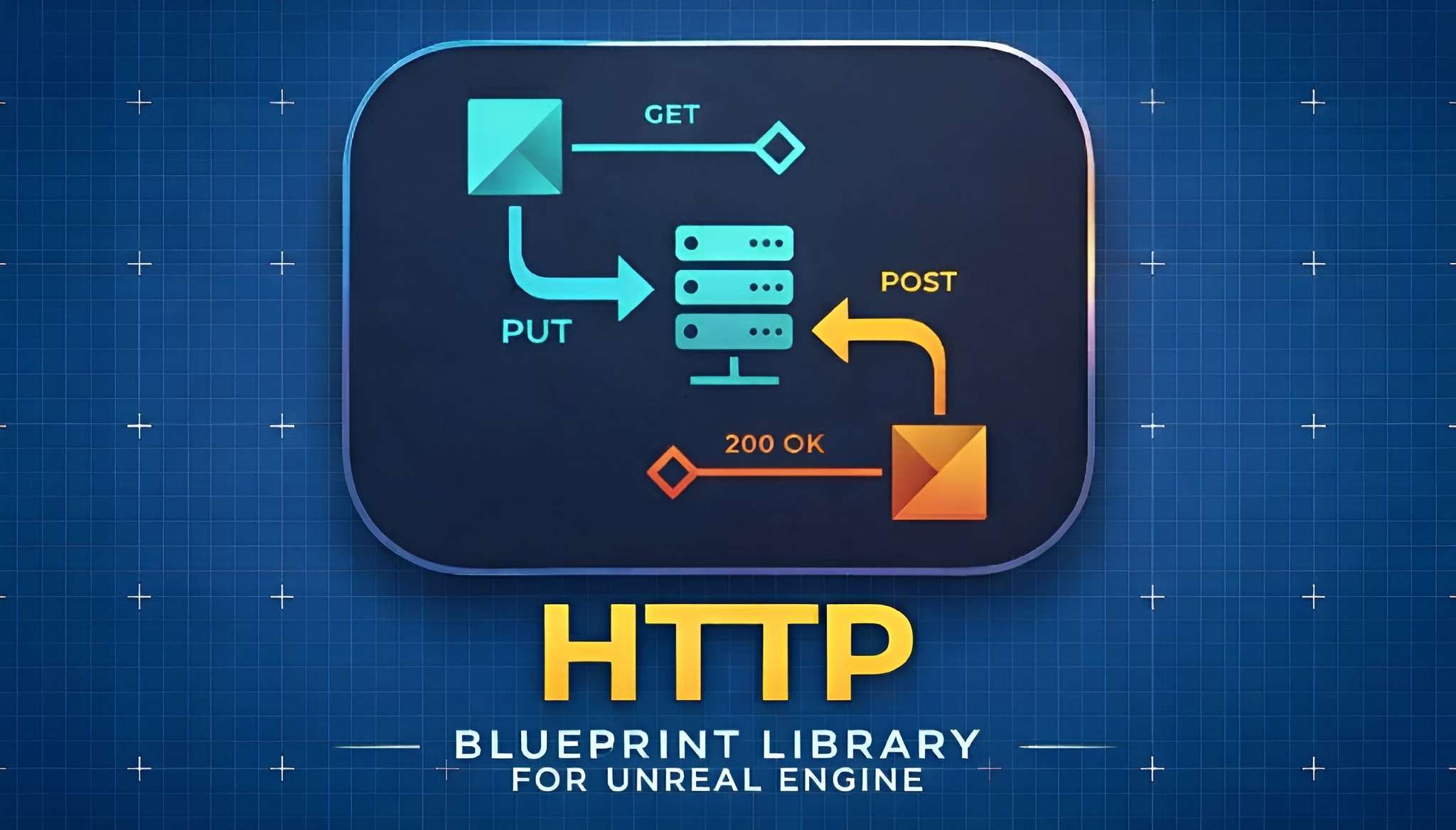
The two kinds of call your game actually makes
Almost every live game eventually needs to talk to a server, and the two most common jobs are a leaderboard and an analytics pipeline. The catch is that these two jobs want opposite things. A leaderboard submission needs an answer: did the score save, where did the player rank, what does the top-ten table look like now. An analytics event wants the exact opposite, to leave the player's machine as cheaply as possible and never block gameplay waiting for a reply. If you want to send analytics and a leaderboard to a server from Unreal Engine without writing reams of HTTP boilerplate, the trick is to use the right call style for each.
EasyHTTP is a Blueprint-friendly wrapper around the engine's own HTTP module, so you call REST and web APIs from Blueprint nodes (or C++) without hand-rolling FHttpModule plumbing. It exposes three call styles deliberately, and choosing between them is the first decision that matters: the standard 'Easy HTTP Request' with a callback delegate, the 'Easy HTTP Request (No Callback)' fire-and-forget variant, and 'Easy HTTP Request With Progress' for long uploads or downloads where you want a BytesSent or BytesReceived count to drive a bar.
The mental model is simple. If you need to read the response, use a call that gives you one. If you genuinely do not care about the response, use the no-callback node and move on. Leaderboards are firmly in the first camp; gameplay telemetry is the textbook case for the second.
Fire-and-forget versus confirmed requests
The 'Easy HTTP Request (No Callback)' node is the documented fire-and-forget option, and it is built precisely for analytics, telemetry, webhooks and heartbeats. You give it a URL and a payload, it dispatches, and your Blueprint carries straight on. Nothing waits, nothing stalls, and you do not have to thread a delegate through your gameplay graph just to ignore the result.
There is one rule you must internalise: a no-callback request gives you no success or failure signal whatsoever. The documentation is explicit about this. You will not learn the status code, you will not get the response body, and you cannot retry intelligently because you never find out it failed. That is the correct trade for a 'player opened the settings menu' event, where a single dropped beacon costs you nothing. It is the wrong trade for anything you must know landed.
For confirmed work, reach for the async latent nodes instead. 'Async HTTP Request', 'Async Quick GET' and 'Async Quick POST JSON' each expose separate On Success, On Failure and (where relevant) On Progress execution pins, so the graph branches cleanly on the outcome. The quick variants default to application/json for both the content type and the Accept header and use a thirty-second timeout, which is exactly what a leaderboard call wants. A score submission, a high-score fetch, an authenticated profile load: all of these belong on a node whose On Failure pin you actually wire up.
Submitting and fetching scores
Submitting a score is a POST that you care about, so use 'Async Quick POST JSON'. Right-click in the Event Graph that owns your end-of-run logic, add the node, set the URL to your submit endpoint, and feed the Body pin a JSON string carrying the player id and the score. Wire On Success into your 'score saved' UI feedback and On Failure into a retry-or-queue path so a flaky connection does not silently lose the player's best run.
1. Add 'Async Quick POST JSON' and set its URL to your backend's submit-score endpoint.
2. Build the JSON body string with the fields your server expects, for example a player identifier and the integer score.
3. From On Success, Break the FEasyHTTPResponse and check StatusCode or call 'Is Response Successful'; read the Content string for the rank your server returned.
4. From On Failure, surface a non-blocking 'could not save, retrying' message and re-attempt rather than discarding the score.
Fetching the table is a GET you care about, so use 'Async Quick GET' pointed at your leaderboard endpoint. On success, Break the FEasyHTTPResponse to read the Content string, then hand that string to the engine's built-in 'Json String to Struct' to parse it into a USTRUCT array of entries you can bind to your UI. Because the quick nodes already set the Accept header to application/json, most REST backends return exactly the shape you want.
If you need more control than the quick nodes give, step up to 'Easy HTTP Request' with a Method dropdown (GET, POST, PUT, PATCH or DELETE) and feed it an FEasyHTTPRequestOptions struct. That struct is where you set ContentType, TimeoutSeconds, AdditionalHeaders, the UserAgent and the Accept header. Note the Options pin is Advanced Display, so it is hidden until you expand the node. Build the struct from 'Make Default Options' and chain 'Add Header To Options' for anything custom.
Batching analytics events without stalling the game
The naive approach to analytics is to fire one no-callback request per event the instant it happens. That works, and for low-frequency milestones it is perfectly fine. The 'Easy HTTP Request (No Callback)' node exists exactly so that a 'level completed' or 'tutorial finished' event can leave the machine without you wiring a single delegate.
For chattier telemetry, batch on your side before you send. Accumulate events into an array during play, then once every few seconds (or at a natural boundary like level end) serialise the whole batch into one JSON array and dispatch a single no-callback POST. Fewer requests means less overhead and a cleaner picture on your server. Build the JSON however you like in Blueprint or C++; EasyHTTP only cares that you hand it a body string and a content type.
When you do want the URL to carry query parameters safely, lean on the helper nodes rather than concatenating strings by hand. 'Build URL With Params' auto-encodes your query values, and 'URL Encode' and 'URL Decode' are there for one-off cases. These small utilities are easy to skip and a common source of broken requests when a parameter contains a space or an ampersand.
One sharp edge worth knowing: EasyHTTP's built-in retry logic only fires on connection failures, never on a 4xx or 5xx HTTP response. That is the right behaviour, because retrying a 400 Bad Request just sends the same broken payload again. For fire-and-forget analytics you will not see any of this anyway, since the no-callback node reports nothing back, so make your batches idempotent on the server and accept that the occasional event will be lost. That is the deal you signed up for when you chose fire-and-forget.
Securing credentials: don't hardcode keys
A backend worth talking to almost always wants authentication, and EasyHTTP gives you four schemes through helper builders so you never assemble an Authorization header by hand. There is Basic auth via 'Make Options With Basic Auth', Bearer/JWT/OAuth via 'Make Options With Bearer Token', API Key via 'Make Options With Api Key', and a Custom header route for anything bespoke. Each returns a populated FEasyHTTPRequestOptions you pass straight to the request node.
For a leaderboard the usual flow is: authenticate the player against your backend, receive a short-lived token, then attach it to every protected call with 'Make Options With Bearer Token'. Your submit-score and fetch-table requests then ride on an authenticated session rather than trusting an anonymous client, which is the bare minimum for a leaderboard you do not want trivially spoofed.
The non-negotiable rule is to keep secrets out of the shipped client. A long-lived API key baked into a Blueprint string travels inside your packaged game and can be extracted. Where you can, authenticate to receive a rotating token rather than embedding a permanent credential, scope any key you must ship to the absolute minimum it needs, and do the real trust checks server-side. EasyHTTP makes attaching credentials trivial; deciding which credential is safe to ship is on you. Treat hardcoding a master key as a bug, not a shortcut.
Note that EasyHTTP does not implement certificate pinning. HTTPS itself is supported through the engine's own SSL/TLS, so your traffic is encrypted in transit over a standard HTTPS endpoint, but if you specifically need pinning you will have to handle that outside the plugin.
Developing against a local server before the backend exists
You rarely want to block your gameplay work on a finished backend, and EasyHTTP ships a built-in local test server precisely so you do not have to. Call 'Start Local Test Server' (it listens on port 8080 by default), point your requests at http://localhost:8080/, and you can build and wire your whole leaderboard and analytics flow before the real API exists.
The server's helpers make this genuinely useful rather than a stub. Use 'Set Server Response' to script exactly what a given request should return, so you can rehearse both your On Success and On Failure branches deterministically. Use 'Get Last Server Request' to inspect what your game actually sent, which is the fastest way to catch a malformed JSON body or a missing header. When you are done, 'Stop All Test Servers' (a good thing to call on End Play) tears everything down, and 'Is Test Server Running' lets you guard against starting it twice.
Two caveats keep this honest. The test server is HTTP-only and is explicitly not for production; it is a development convenience, not a deployment target. And EasyHTTP does not stream or buffer partial responses, so the full response is read into memory before you see it, which is fine for leaderboard JSON but worth remembering if you ever point it at something enormous. There is also no WebSocket support, so a true real-time leaderboard push is out of scope; for that you would poll on an interval instead.
Editor versus packaged build gotchas
The classic failure mode is the one the troubleshooting docs call out by name: a request that works perfectly in the editor and then fails the moment you run a packaged build. It is almost never an EasyHTTP problem and almost always an environment one, so check the usual suspects before you start adding retries.
First, use full domain URLs. A request that resolved against a local or implicit host while you were developing needs an absolute, fully-qualified URL in a shipped build. Hardcoded localhost or a bare path is the single most common reason a call dies outside the editor. Second, check the firewall. A packaged executable is a different binary from the editor as far as the OS is concerned, and Windows may prompt for or silently block its outbound network access where it happily allowed the editor's. Confirm the packaged game is permitted to reach your endpoint.
Two more reminders specific to this plugin. EasyHTTP's PlatformAllowList is Win64 only, so this is a Windows-targeted solution; macOS, Linux, mobile and console are not supported, and you should not plan a cross-platform backend integration around it. And when you size your timeouts and retries for a packaged build, remember the worst-case time a single request can take is the timeout multiplied by the retry count plus one, plus the retry delay multiplied by the retry count. With TimeoutSeconds capped at 300, RetryCount at 10 and RetryDelaySeconds up to 60, an over-eager configuration can leave a confirmed call hanging far longer than a player will tolerate, so keep those numbers sane for anything on the critical path.
Get those four things right, the full URL, the firewall, the platform expectation and the timeout maths, and the editor-versus-packaged gap usually closes immediately.
Where to go next
Once your scores are flowing to a server, the natural next step is to show them back to the player. EasyHTTP gets the data in; rendering it well is a separate job. Fast Chart Widgets is a sibling plugin that draws eight chart types entirely in Slate from a Blueprintable UMG widget, so a 'score over time' or 'damage output' graph fed by the JSON you just parsed is a short hop rather than a new project. Its builder and series API takes the data points you already have and turns them into a styled chart without per-project drawing code.
If your documents and onboarding need to live in-editor or in-world, two more plugins from the same family fit alongside this work. Markdown 4 Blueprints is an editor-only WYSIWYG documentation tool for keeping per-Blueprint design notes next to the assets they describe, which is a sane place to document your backend contract and endpoint list as you build it. Simple PDF Viewer renders PDF pages to textures on in-world meshes if you want a readable manual or spec sheet inside the game itself. None of these replaces EasyHTTP; they are the pieces you tend to reach for around it.
Start with the smallest honest slice: stand up the local test server, get one 'Async Quick POST JSON' submitting a score and reading the rank back, then add fire-and-forget analytics once the confirmed path works. Build out from there, and keep your secrets on the server.
Which call style for which job
| Job | Call style | Do you read the response? |
|---|---|---|
| Submit a leaderboard score | Async Quick POST JSON (On Success / On Failure pins) | Yes, to confirm the save and read the rank |
| Fetch the high-score table | Async Quick GET (On Success pin) | Yes, parse Content into a USTRUCT |
| Send a gameplay analytics event | Easy HTTP Request (No Callback) | No, fire-and-forget |
| Authenticated profile or config load | Easy HTTP Request with Bearer-token options | Yes, handle On Failure |
| Upload a large payload with a bar | Easy HTTP Request With Progress | Yes, plus On Progress (BytesSent) |
All three styles ship with EasyHTTP; pick by whether you need the response.
FAQ
How do I send analytics and a leaderboard to a server from Unreal Engine?
Use EasyHTTP and split the work by call style. For analytics, use the 'Easy HTTP Request (No Callback)' fire-and-forget node so events leave the machine without blocking gameplay. For the leaderboard, use 'Async Quick POST JSON' to submit a score and 'Async Quick GET' to fetch the table, wiring their On Success and On Failure pins so you can confirm the save and parse the response.
Will fire-and-forget analytics tell me if an event failed?
No. The no-callback node gives you no success or failure signal at all, by design. You will not see a status code or response body and cannot retry on failure, so use it only for events where the occasional dropped beacon is acceptable, and use the async callback nodes for anything you must know landed.
How do I keep my API key out of the shipped game?
Do not hardcode a long-lived key into a Blueprint string, because it travels inside your packaged build and can be extracted. Prefer authenticating to receive a short-lived token using 'Make Options With Bearer Token', scope any key you must ship to the minimum it needs, and enforce the real trust checks on your server.
It works in the editor but fails in a packaged build. Why?
This is the documented troubleshooting case. Use full, fully-qualified domain URLs rather than localhost or bare paths, and check that your firewall allows the packaged executable's outbound network access, since the OS treats it as a different binary from the editor. Also remember EasyHTTP is Windows (Win64) only.
Can I develop the leaderboard before the backend exists?
Yes. EasyHTTP ships a built-in local test server. Call 'Start Local Test Server' on port 8080, point requests at http://localhost:8080/, script replies with 'Set Server Response', inspect what your game sent with 'Get Last Server Request', and call 'Stop All Test Servers' when done. It is HTTP-only and for development, not production.
EasyHTTP
GET, POST, PUT and DELETE with headers, JSON parsing and async callbacks — REST APIs in a few Blueprint nodes. Talk to web services, backends and game APIs without touching C++.
Related on Fab

Related reading