
tutorial · 2026-02-09
Using Stylised Plant VFX in Archviz and AR/VR Gardens (UE5)
How to dress archviz planters and AR/VR garden scenes with drop-in CPU Niagara plant effects that travel to non-game targets.
Why CPU Niagara suits AR/VR and archviz targets
If you are looking at ue5 archviz vr garden particle plant effects cpu and wondering whether marketplace VFX will survive outside a game build, the deciding factor is the simulation target. Archviz walkthroughs and AR/VR garden experiences are not always running on a beefy GPU budget, and the GPU is frequently saturated by your real workload: high-poly furniture, photoreal foliage, reflection captures, and in VR a doubled render for stereo. A particle system that fights for that same GPU time is a liability.
Every Niagara system in the Fantasy Flower line runs on CPU emitters, not GPU compute. That matters for the targets in this article because it keeps your particle work off the same pipeline that is already busy drawing the scene, and CPU simulation behaves more predictably across the mixed hardware you hit in archviz client review and standalone VR. The bundle is also content-only with no plugin dependencies, which means there is nothing to compile, no engine modification, and no third-party module that could block a clean archviz or AR/VR packaging pass.
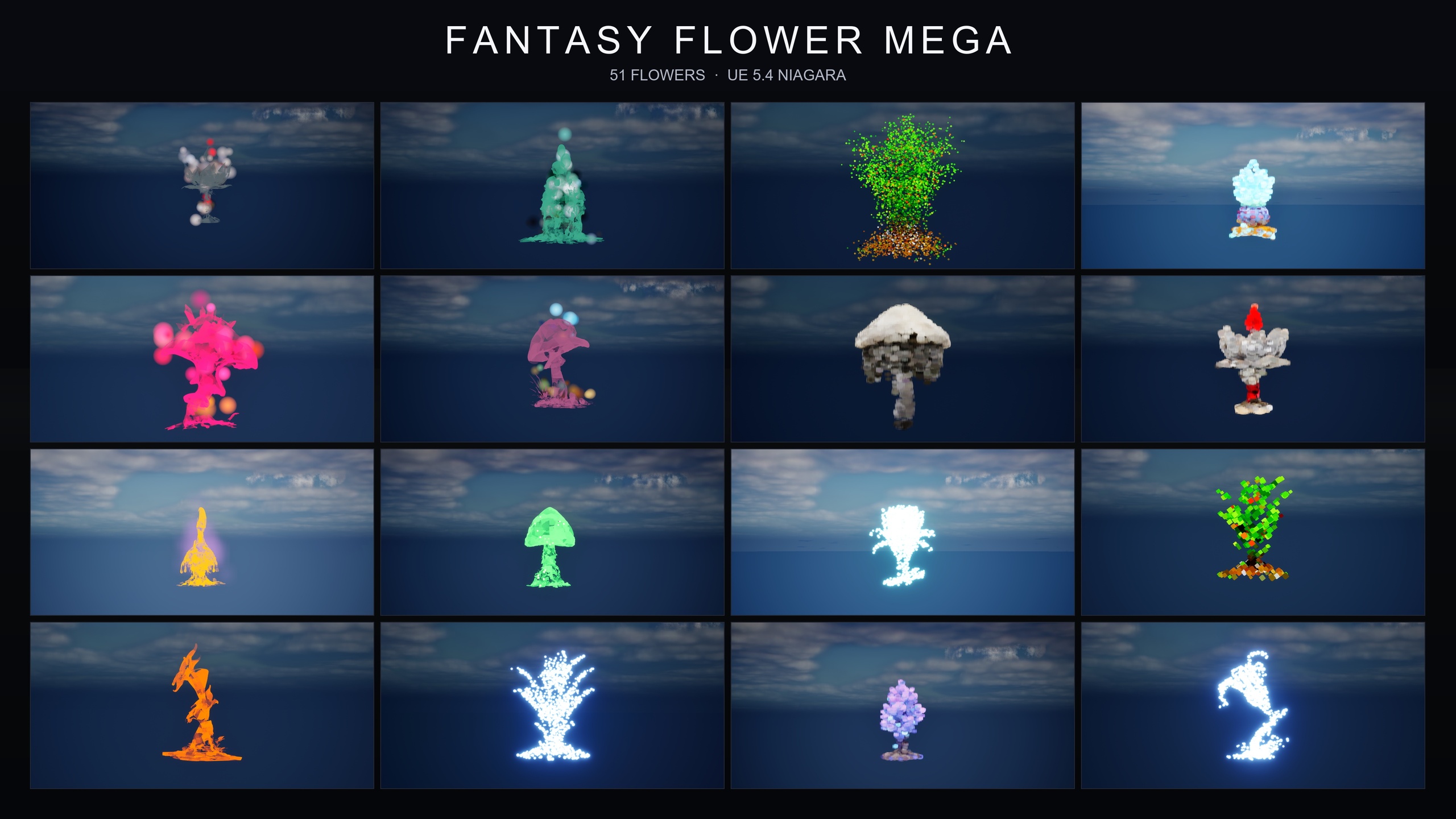
The Fantasy Flower Mega Bundle ships 750 NiagaraSystems built from 15 effect families applied across 51 stylised flower meshes. The meshes have no LODs beyond LOD0 and are content-only, so you are dropping finished assets into a scene rather than authoring emitters from scratch. The listing itself names AR/VR gardens and archviz planters among its use cases, so this is the intended fit rather than a workaround.
Picking subtle families for non-game contexts
An archviz render or a calming VR garden does not want a combat-grade particle storm. The bundle spans every register in the line, from ambient and magical through dark, cyber, bubble, steampunk, crystal, cosmic, spell-themed and gilded, so the skill is choosing restraint. For naturalistic dressing, lean on the three ambient families: 'BloomingMotes' floats soft pollen and light motes orbiting each flower, 'FireflySwarm' loops warm flickering firefly trails around each bloom, and 'Mist' lays low-drifting ground fog hugging the plant base. Those three read as atmosphere rather than spectacle.
When you want a touch of wonder without breaking realism, the celestial families work well in a feature garden or an exhibition piece. 'Constellation' traces a flower's silhouette with star-point particles joined by faint line segments, and 'LumenLight' orbits soft warm-white volumetric puffs around the bloom for a gentle halo. For a playful or experiential AR/VR installation, the 'Bubbles' family rises translucent, rainbow-tinted soap-film bubbles from each flower base that drift outward and pop on a randomised lifetime, which is a friendly, non-threatening read for public-facing or children's experiences.
Because the materials on families like Bubbles and the cosmic effects are translucent and pick up scene lighting, verify they read against your specific background before you commit. An iridescent bubble that pops beautifully over a dark hedge can vanish against a bright white gallery wall, so preview the family in your actual lighting rather than the demo map.
Placing planters and ambient effects
The bundle uses a flat folder layout: every flower's NiagaraSystem variants sit alongside its StaticMesh and MaterialInstances, so you can either browse by flower or filter by family. To work by family, type the family name into the Content Browser search, for example 'Constellation', 'BlackMist' or 'Mist', and the matching systems surface together.
1. In the 'Content Browser', search for the family you chose, or open the per-family demo level to preview the look first. The bundle ships demo levels that are pre-built and pre-lit so you can audition a family before placing it.
2. Drag the chosen 'NiagaraSystem' directly into your level. It plays immediately with no parameter tuning required, which is the point of a content-only pack.
3. To attach an effect to an archviz planter, select your planter actor, then in the 'Details' panel use 'Add Component' and add a 'Niagara Particle System Component'. Set its 'Niagara System Asset' to the system you want. Parenting it to the planter means the effect travels with the prop if you move it or if it sits on a moving platform.
4. To layer a hero read on a single feature flower, place a second family on the same flower. The line is designed to mix and match: the listing explicitly suggests combining families on one bloom, such as 'BlackMist' with 'ProjectedGlyph' for a cursed-summoning look, but for a garden you might instead pair 'LumenLight' with 'BloomingMotes' for a soft, layered glow.
5. Frame and light to taste. The bundle's demo maps drive home that these systems expect dynamic lighting; lightmaps are dynamic and no baking is required, which keeps iteration fast when a client asks for a different mood mid-review.
Cross-platform reach for desktop and standalone VR
Archviz and AR/VR delivery rarely targets a single platform. The bundle lists Windows, Mac and Linux support, with the baseline pack data also listing Console, which covers the desktop review machines and the deployment targets most archviz and standalone VR pipelines care about. Because the content is CPU Niagara with no plugin dependencies, there is no native module to rebuild per platform and nothing to gate a packaging pass.
On the engine side, the product data states UE 5.4 to 5.7 while the source listing states UE 5.4 and later; the assets are compile-clean on UE 5.4 and open cleanly on newer versions. If your archviz or VR project is pinned to a specific engine in that range, you are inside the supported window, but confirm against your exact engine build before you lock a deliverable.
Two honest caveats worth knowing. There are no published performance or framerate numbers for these effects, so budget your particle density the way you would any CPU simulation: test on your weakest target device, especially in stereo VR where you pay the cost twice. And the textures top out at 2048x2048 with no LODs below LOD0, which is fine for the stylised look but worth noting if you are scattering many flowers across a large VR garden.
When to buy the bundle versus a single family
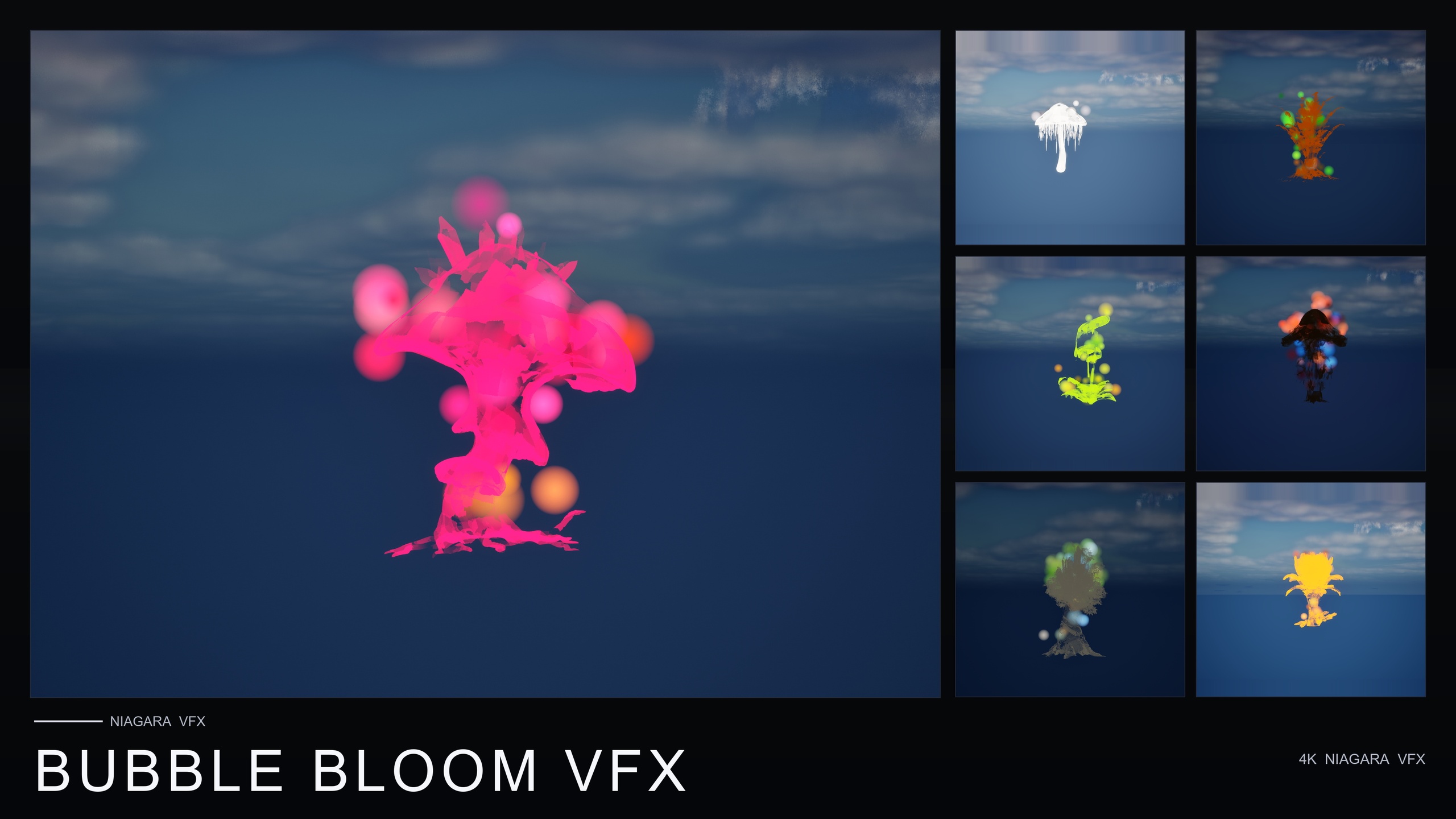
If your archviz or AR/VR project only needs one mood, a single-family pack is the leaner buy. Ambient Garden VFX gives you the three naturalistic ambient families across all 51 flowers as 150 systems, which is the obvious starting point for a tranquil garden. Bubble Bloom VFX is the lowest-priced paid pack in the line and delivers 50 whimsical Bubbles systems for playful or experiential installs. Cosmic Bloom VFX adds the Constellation and LumenLight families as 100 systems for a feature piece with a sense of wonder.
The Fantasy Flower Mega Bundle is the right call when a project needs many moods rather than one or two. It folds all 15 families and all 51 meshes into 750 systems in a single content-only purchase, so an archviz studio fielding varied client briefs, or an AR/VR team prototyping several garden concepts, gets the full visual range without juggling separate packs. Start by auditioning the per-family demo levels, settle on the families that match your brief, and place them with the steps above.
Fantasy Flower line: which pack for your scene
| Pack | Families | NiagaraSystems | Best for | Price |
|---|---|---|---|---|
| Ambient Garden VFX | BloomingMotes, FireflySwarm, Mist | 150 | Tranquil naturalistic gardens | $29.99 |
| Bubble Bloom VFX | Bubbles | 50 | Whimsical / experiential installs | $19.99 |
| Cosmic Bloom VFX | Constellation, LumenLight | 100 | Feature piece with a sense of wonder | $34.99 |
| Fantasy Flower Mega Bundle | All 15 families | 750 | Projects needing many moods | $99.99 |
Niagara system counts and prices from the product dossiers. CPU Niagara, content-only, no plugin dependencies across all packs.
FAQ
Do these plant effects use CPU or GPU Niagara for a VR garden?
Every system in the Fantasy Flower line uses CPU emitters, not GPU compute. For ue5 archviz vr garden particle plant effects, cpu simulation keeps the particle work off the GPU that is already busy drawing your scene and is more predictable across the mixed hardware you meet in archviz review and standalone VR.
Which families are best for a calm, realistic archviz planter?
The three ambient families are the natural fit: BloomingMotes for soft floating motes, FireflySwarm for warm firefly trails, and Mist for low ground fog. They read as atmosphere rather than spectacle, which suits archviz and exhibition gardens.
Will the bundle package cleanly for non-game targets?
It is content-only with no plugin dependencies, so there is nothing to compile and no native module to rebuild per platform. The bundle lists Windows, Mac and Linux support, with the baseline data also listing Console.
What engine versions does the bundle support?
The product data states UE 5.4 to 5.7 and the source listing states UE 5.4 and later; the assets are compile-clean on UE 5.4 and open cleanly on newer versions. Confirm against your exact engine build before locking a deliverable.
How do I attach an effect to a planter that might move?
Add a Niagara Particle System Component to your planter actor and set its Niagara System Asset to the system you want. Parenting the component to the planter means the effect travels with the prop on a moving platform or when you reposition it.
Fantasy Flower Mega Bundle
The complete Fantasy Flower collection — 750 ready-to-use Niagara systems spanning all 15 VFX families, from spell gardens and cosmic blooms to dark, crystal, steampunk and sci-fi sets. 51 stylised flower meshes, 331 material instances, CPU-simulated for Windows, Mac and Linux, with 15 demo levels — one per family. Content-only: no C++, no Blueprints, no plugin dependencies.
Related on Fab


Related reading