article · 2026-04-14
How to Build a Dark-Fantasy RPG in UE5 With Off-the-Shelf Assets
A realistic, asset-first build plan that takes a solo dev from empty level to voiced, dressed, spell-slinging vertical slice.

The asset-first approach to a solo RPG
If you want to know how to make a fantasy RPG in Unreal Engine 5 without a studio behind you, the honest answer is that you do not start by modelling a throne. You start by deciding which problems you are actually going to solve yourself, and which you are going to buy your way past. For a solo or small-team dark-fantasy project, art volume is the killer: a dungeon needs hundreds of props, a cast needs hours of voice lines, every spell needs a particle system, and the terrain has to look like somewhere with a story. Hand-authoring all of that is how prototypes die.
The asset-first approach inverts the usual order. Instead of greyboxing for months and commissioning art at the end, you assemble a credible vertical slice from drop-in marketplace packs first, prove the game is fun, then replace whichever pieces actually matter with bespoke work later. The packs in this guide were chosen because they cluster cleanly around a single dark-fantasy aesthetic and, more importantly, because they are built to be dropped in rather than rebuilt. Most are Nanite static-mesh content projects with materials already assigned, so there is no per-asset setup standing between you and a dressed scene.
A word on engine versions before you buy anything: these packs do not all target the same Unreal release. The props, statues and several others are authored on UE 5.6, the voice megabundle lists 5.3 to 5.7, the VFX pack is 5.4-plus, and the ritual jars are authored specifically on 5.7. Pick the newest engine version any pack you want requires, and migrate the older content into that project rather than the reverse. Migrating forward is routine; opening a 5.7-authored project in an older editor will prompt you to upgrade and is the kind of friction you do not want mid-build.
Terrain and world: give the map a story
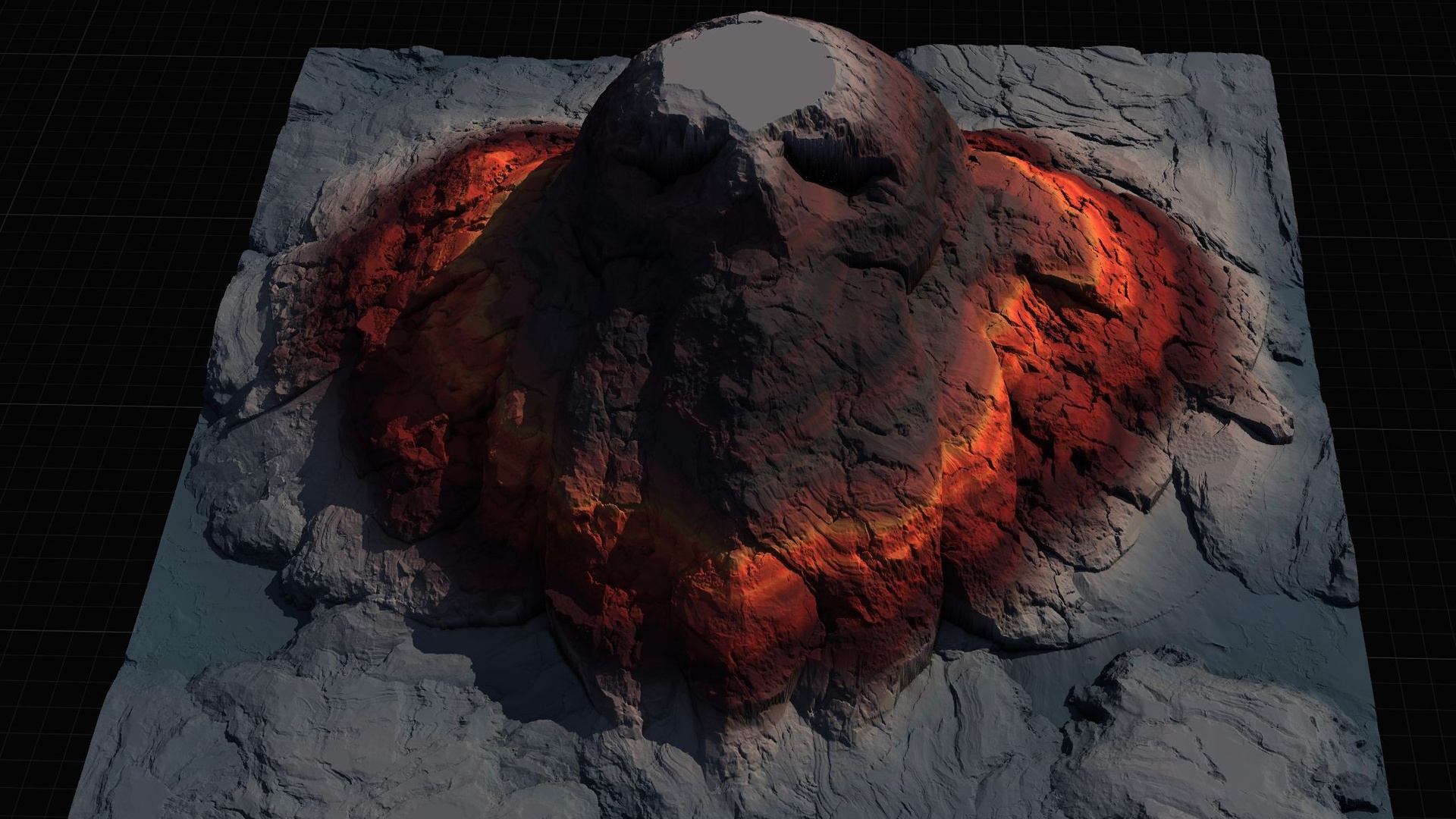
Start with the ground, because everything else gets placed on it. The Mythic Relic Landscape Pack is the cheapest sensible entry point here. It is a heightmap pack of 14 fantasy landscapes whose terrain itself forms a legendary shape: a giant stone hand, a skull island, a fallen-angel island, a broken sword, a stairway to heaven. For a dark-fantasy RPG that is a free worldbuilding win, because the silhouette of your map reads as lore before the player has met a single NPC.
Each of the 14 maps ships as 16-bit grayscale heightmaps at four resolutions (1K, 2K, 4K and 8K), so you choose fidelity to match scope: a smaller map for a contained sub-region, the 8K for a full open world. To bring one in, open the 'Landscape' panel, switch to 'Manage', and create a new landscape from file, pointing at the grayscale heightmap. The pack includes an AutoMaterial that paints the terrain by configurable height and incline rules across named layers ('Base', 'Snow', 'Cliff', 'Mid-High', 'Mid-Low', 'Ground') plus five custom layers for hand-painting. Assign it to the landscape material slot, then in the 'Paint' tab use 'Create Layers from Assigned Material' and fill the base layer.
Two practical notes. Expect an initially black landscape after applying the AutoMaterial; that is normal until you create and fill the layers. And if you want to reshape one of the legendary forms, every map ships a Gaea .terrain source you can re-edit, plus a textured, lit demo level per map so you can see the intended result before committing. There are also bonus relic-themed FBX meshes in the pack (a skull, a turtle statue, an Anubis, a fallen-angel statue, tomes, a skeleton) that you can scatter to tie the terrain to the props you are about to add.
Set dressing and props: fill the dungeon in one pass
With a map in place, the Dark Fantasy Props Bundle is the workhorse of this whole build and the reason it anchors the guide. It is a drop-in UE5 content project holding 100-plus unique gothic static meshes: thrones, tomes and books, lanterns, obelisks, masks, crystals, altars, cauldrons, scrolls and general set dressing. The content folder carries around 105 SM_ mesh assets, each with its own bespoke material (roughly 105 M_ materials such as M_BloodTome, M_EbonyThrone, M_CursedSkullLantern and M_DarkCauldron) and 2048x2048 PBR textures.
The meshes are Nanite-enabled, which matters more than it sounds for an asset-first workflow: you do not author or import LODs for high-poly props, and you can dress a dense scene without immediately worrying about draw-distance budgets. Because each mesh already has its material assigned, the workflow is genuinely drag-and-drop. Open the included Demo.umap to see the props arranged, then drag any SM_ mesh from the Meshes folder straight into your level. No material wiring, no LOD setup.
It is a content project rather than a plugin, so you have two integration paths. You can open DarkFantasyPropPack.uproject directly in UE 5.6, or, more usefully for an existing game, right-click the bundle's content folder and choose 'Asset Actions' then 'Migrate' to pull it into your own 5.6-or-later project. The themed prop families make scene-building fast: build a wizard's study from the tomes, scrolls and lanterns; a throne room from the Ebony, Crimson, Inferno and Crystal thrones plus obelisks and altars; or a crypt from the cauldrons and skull lanterns. A handful of the meshes (a large table, an ornate table, a display case) are demo-scene dressing rather than hero props, so treat the headline as '100-plus' rather than counting on every single asset being a centrepiece.
Statues, relics and landmarks
Props fill rooms; landmarks make a world feel deliberate. Two small, cheap packs cover that role and share the props bundle's Nanite, drop-in character. The Fantasy Statue Bundle is 18 weathered marble statues split into two themed series of nine: a Nature marble series (SM_NatureStatue_1 through 9) and a Tormented Souls series (SM_TormentedStatue_1 through 9), plus a large table prop, for 19 mesh assets total. They are Nanite static meshes with automatic collision and 2K PBR textures, so a statue is walkable the moment you drag it in. Line a cathedral interior with the Nature series, scatter the Tormented Souls set through a graveyard, or use either to mark a point of interest on the open terrain. For repeated landmark placement, add a statue to an Instanced Static Mesh or Foliage type rather than hand-placing copies.
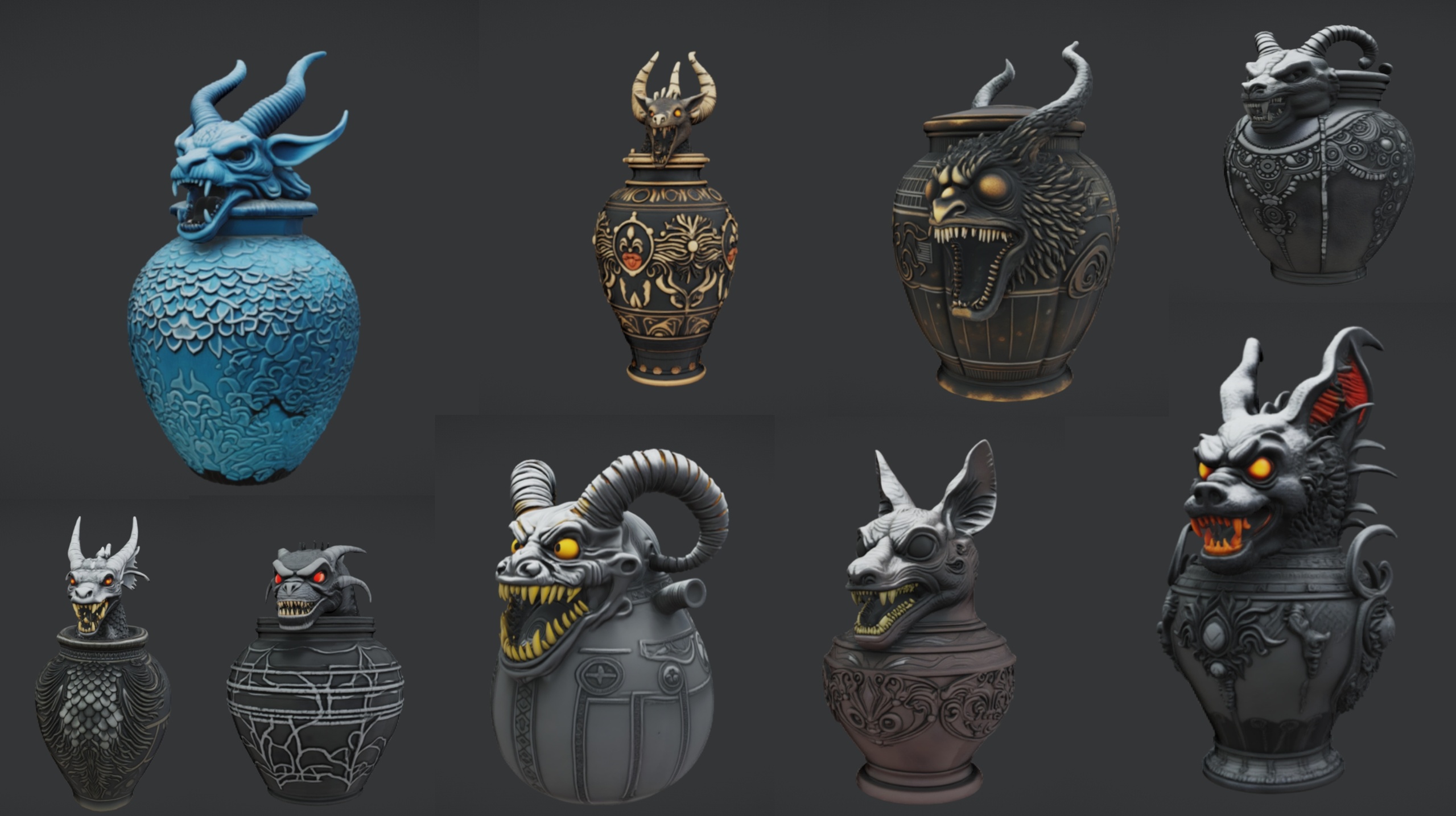
Ritual Jars is the close-up dressing complement: 9 ornate canopic-style ritual jars (SM_RitualJar_1 through 9) with an Egyptian, gothic and abyssal flavour, again as Nanite meshes with automatic collision and 2K PBR textures. It ships with its own large table and a grass material in a demo project. Arrange the jars on the table to build an altar, shelve them in an apothecary, or use them as loot and quest-item containers. Note that this pack is authored specifically on UE 5.7, the newest engine in this set, so make 5.7 your project's engine version if you intend to use it, or expect an upgrade prompt.
Both of these and the props bundle sit in the same props-3d family, which is exactly why they slot together: shared art direction, shared Nanite workflow, shared automatic-collision behaviour on the statues and jars. You are not stitching together mismatched aesthetics, you are extending one.
Magic and combat VFX
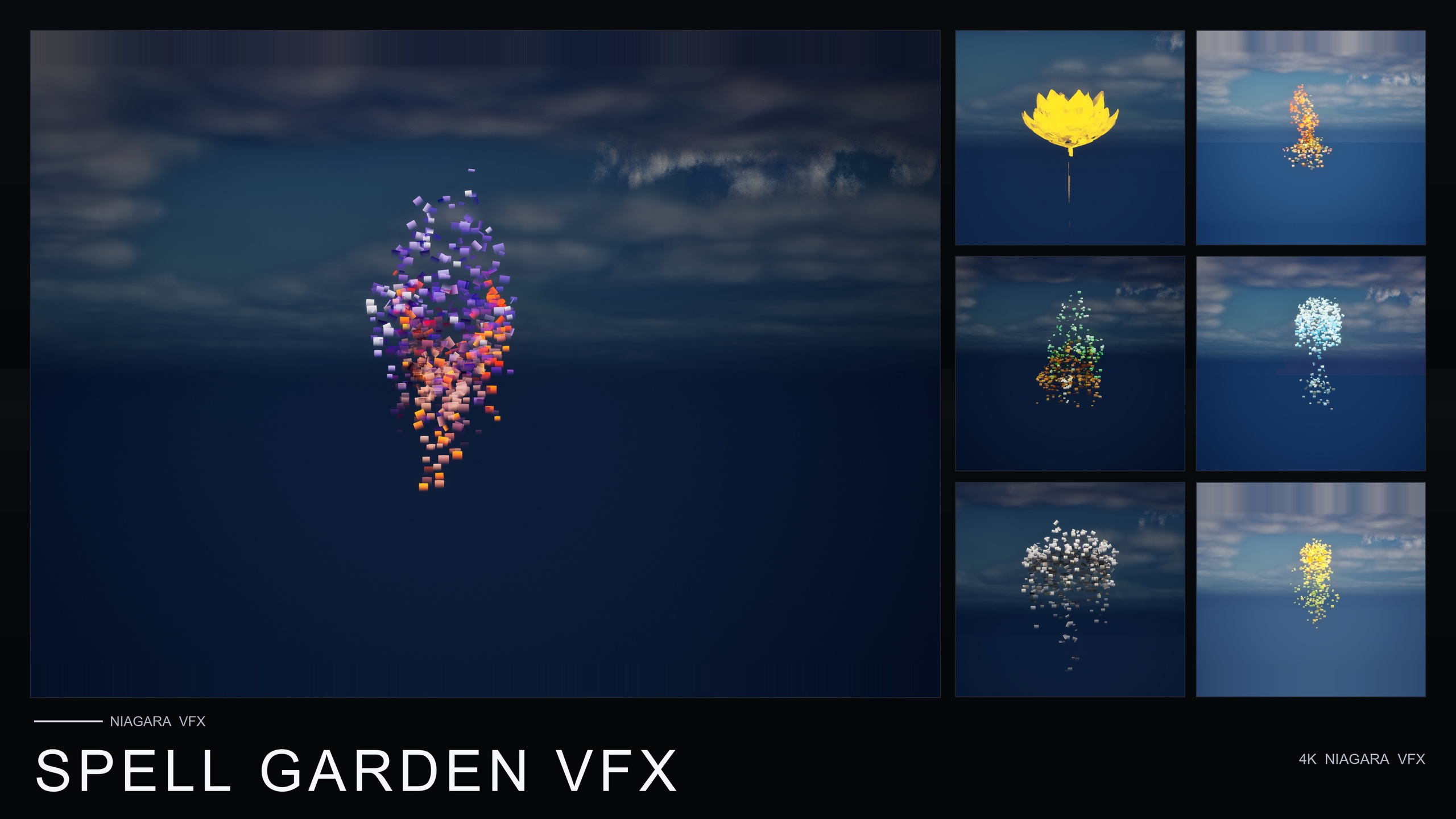
A dark-fantasy RPG lives or dies on the feel of its magic, and this is where a VFX pack earns its place. Spell Garden VFX is a content-only Niagara pack of 150 NiagaraSystems, built by applying three spell families to every one of 51 stylised flower meshes. The three families are UnfoldingBloom, a one-shot burst of petals and motes radiating outward; ProjectedGlyph, arcane runic glyphs that slowly rotate and fade; and VineGrow, animated vine and leaf trails that sprout from a base and creep across nearby surfaces.
Map those to gameplay moments directly. Fire an UnfoldingBloom system as a one-shot on a spell cast or ability trigger, since it is tuned for exactly that kind of one-shot spawn. Place ProjectedGlyph for summoning circles, ritual focal points and enchantments-in-progress; its glyphs read in screen space against any background, so they hold up over dark crypt walls. Use VineGrow for nature-magic and druidic overgrowth. Layer all three on a single flower when you want a powerful active-enchantment hero read. The pack is content-only with no C++, Blueprint or plugin dependencies, sims on CPU emitters, and ships demo levels so you can preview each family before integrating.
One honest caveat worth planning around: although the pack is tuned for one-shot triggers, it does not ship the Blueprint or C++ that fires them. You wire the trigger yourself, typically a 'Spawn System at Location' call from your ability code. That is a few minutes of work, not a project, but budget for it rather than expecting a ready-made gameplay ability.
Voiced NPCs and dialogue
Voice is the single hardest thing for a solo dev to fake, which is what makes Fantasy NPC Voices the highest-leverage pack in this guide. It is the complete fantasy-voice megabundle: 21 fully-voiced NPC archetypes (paladins, vampires, witches, wizards, bards, goblins, necromancers, deities and more) consolidated into one UE 5.3-plus project, providing roughly 33 hours of recorded dialogue and voice FX plus a unified DataTable-driven dialogue layer. It is a large download, so plan for it before build day.
The structure is what makes it usable rather than just large. Every one of the 21 characters carries five DataTables (DT_Dialogue, DT_CharacterProfile, DT_Equipment, DT_Quests and DT_WrittenContent), and crucially the five row schemas are byte-identical across all 21 packs. That means you write one query path and reuse it for every NPC in the cast. Each character folder is self-contained, so you can right-click and Migrate a single archetype, several, or all of them. Because the audio is referenced through soft object pointers, nothing loads until first play, which keeps memory honest even with a large cast.
A reusable playback pattern looks like this. 1. Load the character's DT_Dialogue and get its row names. 2. For each row, read the row struct and keep the ones whose ContextTags contain the situation you want (combat, social, story, discovery and so on). 3. Pick a random surviving row. 4. Load its VoiceAudio soft reference synchronously and play it as a 2D or 3D sound. Each character also ships a DV_ DialogueVoice asset you can assign as the speaker to route audio through Unreal's native dialogue system. If you query in a hot loop, cache the row pointers rather than re-fetching, since DataTables load synchronously. The audio is mono PCM at 44.1 kHz, which is correct for positional in-world dialogue but worth knowing if you expected stereo.
Choosing packs by use-case
These six packs are not an either/or shopping list; they are layers of one scene. Terrain underneath, props and statues on top, jars for close-up altars, VFX for the magic, voices for the cast. But if budget forces you to sequence them, sequence by what unblocks the most work. The props bundle and the voice megabundle are the two that remove the largest piles of manual labour, so they are the first two cheques most solo RPG devs should write.
The table below compares the packs on the figures that are actually verifiable from the products themselves, so you can match each one to where it sits in your build rather than to marketing copy. Use it to decide your order of purchase, not to rank quality.
If your bottleneck is an empty world, start with terrain and props. If it is a lifeless cast, start with the voices. If it is combat that feels weightless, start with the VFX. The point of the asset-first approach is that none of these blocks the others: each pack drops into the same dark-fantasy project independently, so you can build the slice in whatever order your particular game most needs.
Tying it together into a vertical slice
A convincing vertical slice does not need all six packs maxed out; it needs one location that demonstrates every system working together. Pick a single landmark from the landscape pack, say the skull island or the fallen-angel isle, import its 2K heightmap, and apply the AutoMaterial so the terrain reads instantly. That is your stage.
Drop a ruined shrine onto it from the props bundle: an altar, a cauldron, a scatter of tomes and skull lanterns. Flank the approach with two or three statues from the Fantasy Statue Bundle as Instanced Static Meshes, and set a row of ritual jars on the altar table. Because all of these are Nanite with materials pre-assigned and collision already present on the statues and jars, the scene is walkable within an hour of dragging assets in.
Now make it live. Place a single voiced NPC, a necromancer or a witch from Fantasy NPC Voices, beside the altar, and wire the four-step dialogue query so it speaks a context-tagged line when the player approaches. Bind a spell-cast input to a 'Spawn System at Location' call that fires an UnfoldingBloom from Spell Garden VFX, with a ProjectedGlyph glowing on the altar floor for the ritual read. That is a vertical slice: a story-shaped piece of terrain, dressed with coherent props and landmarks, scored by a real voice and punctuated by real magic, all from drop-in assets and a few Blueprint nodes. Once it proves the game is fun, you know exactly which of these layers is worth replacing with bespoke art and which is already good enough to ship.
Dark-fantasy pack comparison
| Pack | What it provides | Headline count | Engine | Type | Price (USD) |
|---|---|---|---|---|---|
| Dark Fantasy Props Bundle | Gothic props and set dressing | 100+ static meshes (~105) | UE 5.6 | Nanite content project | 34.99 |
| Fantasy NPC Voices | Voiced NPC cast + dialogue data | 21 archetypes, ~33 hrs voiced | UE 5.3-5.7 | Audio + DataTables | 99.99 |
| Spell Garden VFX | Spell, ritual and nature VFX | 150 Niagara systems | UE 5.4+ | Content-only Niagara | 39.99 |
| Mythic Relic Landscape Pack | Lore-shaped terrain heightmaps | 14 maps × 4 sizes | UE 5.5-5.6 | Heightmaps + material | 7.99 |
| Fantasy Statue Bundle | Marble statues / landmarks | 18 statues (+ table) | UE 5.6 | Nanite content project | 7.99 |
| Ritual Jars | Canopic altar dressing | 9 jars (+ table) | UE 5.7 | Nanite content project | 7.99 |
Counts and engine versions are taken from each product's own specs. Use it to sequence purchases by what unblocks the most work, not to rank quality.
FAQ
How do I make a fantasy RPG in Unreal Engine 5 with off-the-shelf assets?
Work asset-first: lay down terrain (a heightmap pack like Mythic Relic Landscape), dress it with a drop-in prop set (Dark Fantasy Props Bundle) plus statues and altar props, add spell VFX (Spell Garden VFX), and voice the cast (Fantasy NPC Voices). Assemble a single vertical-slice location that exercises every system, prove the game is fun, then replace only the layers that matter with bespoke work. Most of these packs are Nanite content projects with materials pre-assigned, so integration is largely drag-and-drop or a content Migrate.
Do all these packs work in the same Unreal Engine project?
They target different engine versions, so pick the newest one any pack you want requires and migrate the others forward into it. The props and statues are authored on UE 5.6, the voice megabundle lists 5.3 to 5.7, Spell Garden VFX is 5.4-plus, and Ritual Jars is authored specifically on 5.7. Migrating older content into a newer project is routine; opening a 5.7-authored project in an older editor triggers an upgrade prompt you should avoid mid-build.
Do I need to write any code to use these assets?
Very little. The prop, statue and jar packs are drag-and-drop Nanite meshes with materials already assigned. The landscape pack is a heightmap import plus an AutoMaterial. The two packs that need wiring are Spell Garden VFX, where you fire its one-shot systems yourself with a 'Spawn System at Location' call, and Fantasy NPC Voices, where you write one DataTable query (load DT_Dialogue, filter rows by ContextTags, pick one, load and play its VoiceAudio) that you then reuse for all 21 characters.
Which pack should a solo developer buy first?
Buy the two that remove the largest piles of manual work first: the Dark Fantasy Props Bundle to fill scenes, and Fantasy NPC Voices to give the cast a voice, since hand-authoring hundreds of props or hours of dialogue is what kills solo projects. After that, add the landscape pack (cheap, and it makes the world look intentional), the VFX for combat feel, and the statue and jar packs for landmarks and altar dressing.
How big is the Fantasy NPC Voices download and how is the audio formatted?
It is the complete megabundle of 21 archetypes, so it is a large download you should plan for before build day. The audio ships as mono PCM SoundWaves at 44.1 kHz, which is the correct format for positional in-world dialogue. Voice clips are referenced through soft object pointers, so nothing loads until first play, keeping memory usage reasonable even with a large cast.
Dark Fantasy Props Bundle
A comprehensive collection of gothic and dark-fantasy props — artefacts, oddities and set dressing for horror, RPG and dungeon environments. Game-ready, atmospheric, and built to fill a scene fast.
Related on Fab


Related reading