tutorial · 2026-02-06
How to Make a Wizard's Study or Magic Library Scene in UE5 With Tomes, Scrolls and Candles
A practical, prop-led workflow for dressing a believable arcane study in Unreal Engine 5 using the Dark Fantasy Props Bundle.

Start From the Props, Not the Walls
If you have ever tried to make a wizard's study or magic library scene in Unreal Engine 5, you already know where it falls apart: the room reads as a generic stone box because the surfaces are empty. A study is defined by what sits on the shelves and the desk, not by the architecture. The fastest way to get a believable result is to start by gathering the right hero props and let them dictate the layout, lighting and camera.
The Dark Fantasy Props Bundle is built for exactly this. It is a drop-in UE5 content project containing 100-plus unique gothic and dark-fantasy static meshes, and the tome, scroll, almanac, candle and lantern families inside it cover almost everything an arcane study needs in one purchase. Because it ships as a complete project with a Demo map, you can open the showcase scene first and audit which meshes you actually want before you commit to a single wall.
Every mesh in the bundle is Nanite-enabled and carries its own bespoke 2K PBR material, so you can drag a high-poly tome straight into the level without authoring LODs or assigning textures by hand. That is the whole point of a prop-led workflow: you spend your time on composition and lighting, not on import plumbing.
Choosing the Right Book and Scroll Props
Open the bundle's Meshes folder and pull the reading-related props first. The tome family gives you several distinct silhouettes to work with: the BloodTome and KinglyTome read as the heavy, important volumes, the ArcaneChronicle and MysticAlmanac suit open reference books left mid-study, and a WaterloggedBook adds the note of neglect that sells age. Mixing closed, stacked and open books in the same eyeline is what stops a shelf looking like a product render.
For loose paper, place the AncientScroll prop on the desk and across the shelves. A study should never be all bound books; a few scrolls and a half-rolled sheet imply ongoing work rather than a finished archive. If you want more parchment variety than the bundle ships, The Binding Scrolls is a free single scroll mesh with the same 2K PBR treatment, and dropping a couple of copies among the bundle's books costs nothing and breaks up the repetition.
Resist the urge to use one book mesh forty times. Even with a strong prop, obvious repetition is the giveaway that betrays a dressed scene. Rotate each duplicate, vary the scale by a few percent, and tip the occasional volume off-axis so it leans on its neighbour. The bundle gives you enough distinct tome and chronicle meshes that you can fill a long shelf before any single silhouette repeats in the same shot.
Layering Clutter for a Lived-In Look
A believable study is a record of a person's habits, so dress it in three passes. First lay the large anchors: the desk or table, the main bookshelves, and one or two big set-dressing pieces. The bundle includes demo-scene furniture such as a large table and an ornate table that work well as the central work surface here.
Second, add the mid-size occult props that tell you what kind of magic happens in this room. Pull a cauldron, an altar, a crystal or an obelisk from the bundle's themed families and place them at the edges of the space so they frame the desk without crowding it. These reads carry the 'dark fantasy' tone that separates a wizard's study from an ordinary scholar's library.
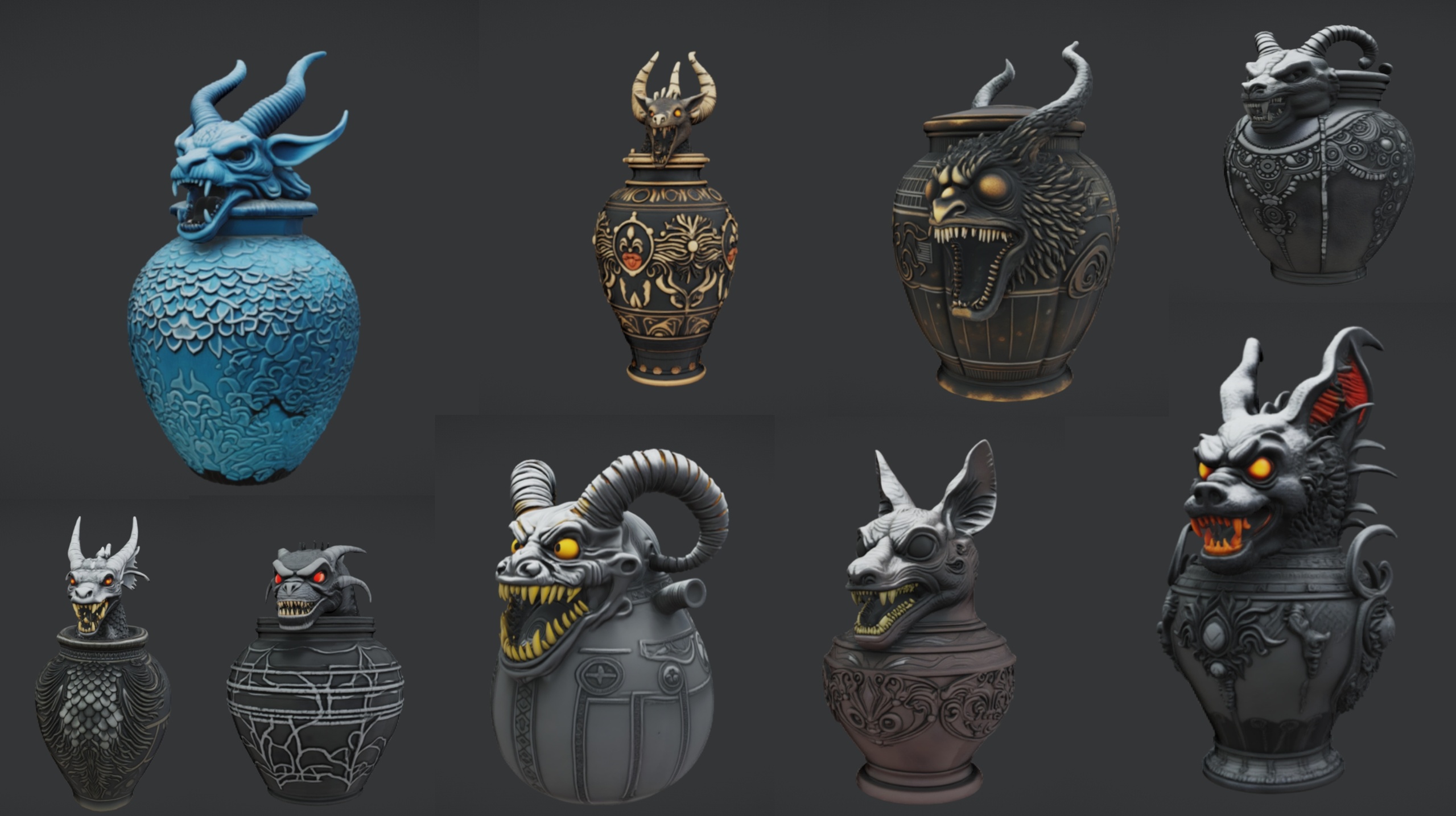
Third, scatter the small clutter that the eye reads as life: stacked tomes, a fallen scroll, a guttered candle, a mask or a relic left on a side table. If you want apothecary detail, the Ritual Jars pack adds nine ornate canopic-style jars you can line along a shelf for a potions-and-reagents corner. For a touch of living green among the dust, the Fantasy Flower Pack provides 51 unique plant meshes, and a single dark bloom such as a nightshade or blood lotus in a jar reads beautifully against all the parchment and stone.
Lighting Candle and Lantern Props With Lumen
The mood of a wizard's study lives almost entirely in its light, and Lumen makes warm, bounced candlelight straightforward. The bundle ships candle and lantern props, including the MysticCandle and an EternalLantern, plus a wider lantern family such as the Skull, Infernal and Ember variants, so you have several practical-light fixtures to build around.
Place a prop, then parent the actual light to it rather than lighting the room from a single source. 1. Drag the MysticCandle mesh into the level on the desk. 2. Add a 'Point Light' from the 'Place Actors' panel and position its bulb just above the wick. 3. In the light's Details panel set a warm temperature around 1800 to 2200 Kelvin and a low intensity so it pools rather than floods. 4. Attach the light to the candle in the 'World Outliner' by dragging it onto the mesh so the two move together.
With Lumen handling global illumination, that small warm pool will bounce off the nearby tomes and desk and do most of your atmosphere for free. Repeat the same parent-light-to-prop pattern for each EternalLantern, then drop your overall scene exposure and add a faint fog so the candle pools read as the brightest points in frame. Keep the candle and lantern lights low in count and intensity; a study should feel like a few flames fighting the dark, not an evenly lit showroom.
Composing a Focal Hero Relic
Every good study shot has one object the eye lands on first. Choose a single hero prop from the bundle to anchor the composition: an open BloodTome on a stand, an altar crowned with a crystal, or an ocular relic catching the candlelight. Place it where the natural lines of the desk and shelves lead, and give it a fraction more light than anything around it.
Build outward from that hero. Angle the candlelight so the rim of the relic catches a warm highlight, and let everything behind it fall into shadow. Because the bundle's meshes are Nanite, you can push a genuinely high-poly hero asset right up to the camera without worrying about LOD popping, which is exactly what you want for a close cinematic or a marketing screenshot.
From here the room is yours to refine: add a thin volumetric fog, tune the post-process exposure, and frame a camera that reads the hero relic, then the books, then the dark. The whole point of starting from a prop bundle like this is that the believable details were already modelled and textured for you, leaving you free to spend your effort on the part players actually feel, which is the light and the composition.
When you are ready to build the scene, open DarkFantasyPropPack.uproject in Unreal Engine 5.6, or migrate the content folder into your own 5.6-or-newer project via right-click, Asset Actions, Migrate. Start in the included Demo map to see the props arranged, then pull your study together from there.
Props that fill a wizard's study
| Pack | What it adds to the study | Meshes | Textures | Engine | Price (USD) |
|---|---|---|---|---|---|
| Dark Fantasy Props Bundle | Tomes, scrolls, candles, lanterns, altars and occult clutter | 100+ | 2048x2048 PBR | UE 5.6 | 34.99 |
| The Binding Scrolls | Extra loose scroll / bound parchment | 1 | 2048x2048 PBR | UE5 | Free |
| Ritual Jars | Canopic apothecary jars for a reagents shelf | 9 (+ table) | 2048x2048 PBR | UE 5.7 | 7.99 |
| Fantasy Flower Pack | Dark blooms for a touch of living green | 51 | 2048x2048 PBR | UE 5.6 | 21.99 |
Pieces referenced in this tutorial. Counts and resolutions are from each product's verified listing; do not read tile counts as triangle counts.
FAQ
How do I make a wizard study or magic library scene in Unreal Engine 5 quickly?
Start from a prop pack rather than from architecture. Open the Dark Fantasy Props Bundle's Demo map, audit the tome, scroll, candle and lantern meshes you want, then dress a desk and shelves in three passes: large anchors, mid-size occult props, then small clutter. Light candle props with parented Point Lights and let Lumen bounce the warmth. Because every mesh is Nanite with its material already assigned, the dressing goes fast.
Which props do I actually need for a believable study?
A mix of closed and open books (BloodTome, KinglyTome, ArcaneChronicle, MysticAlmanac, a WaterloggedBook for age), at least one loose scroll such as the AncientScroll, a desk or table as the work surface, a couple of practical lights like the MysticCandle and EternalLantern, and one hero relic to anchor the camera. Add cauldrons, altars, crystals or obelisks at the edges for the dark-fantasy tone.
Do I need to set up LODs or materials for these props?
No. The Dark Fantasy Props Bundle meshes are Nanite-enabled and each ships with its own bespoke 2K PBR material already assigned, so you drag a mesh into the level and it renders correctly with no LOD authoring required.
What engine version do these packs target?
The Dark Fantasy Props Bundle and Fantasy Flower Pack are authored in Unreal Engine 5.6, and Ritual Jars targets UE 5.7. The Binding Scrolls is a generic UE5 static mesh. Migrate the content into a matching or newer project; opening a 5.7 pack in an older engine may prompt an engine-version upgrade.
How do I light candles so the scene feels moody, not flat?
Parent a low-intensity Point Light to each candle or lantern mesh, set a warm colour temperature around 1800 to 2200 Kelvin, and lower your overall scene exposure so the flames read as the brightest points. Let Lumen handle the bounced light, then add thin volumetric fog so the candle pools stand out against the dark.
Dark Fantasy Props Bundle
A comprehensive collection of gothic and dark-fantasy props — artefacts, oddities and set dressing for horror, RPG and dungeon environments. Game-ready, atmospheric, and built to fill a scene fast.
Related on Fab


Related reading