tutorial · 2026-06-26
Procedural Building Generator for UE5: A Keystone Tutorial
Five ways to start a building, one editable building file, and a Nanite bake — how to make game-ready 3D buildings in Unreal Engine 5 with Keystone.
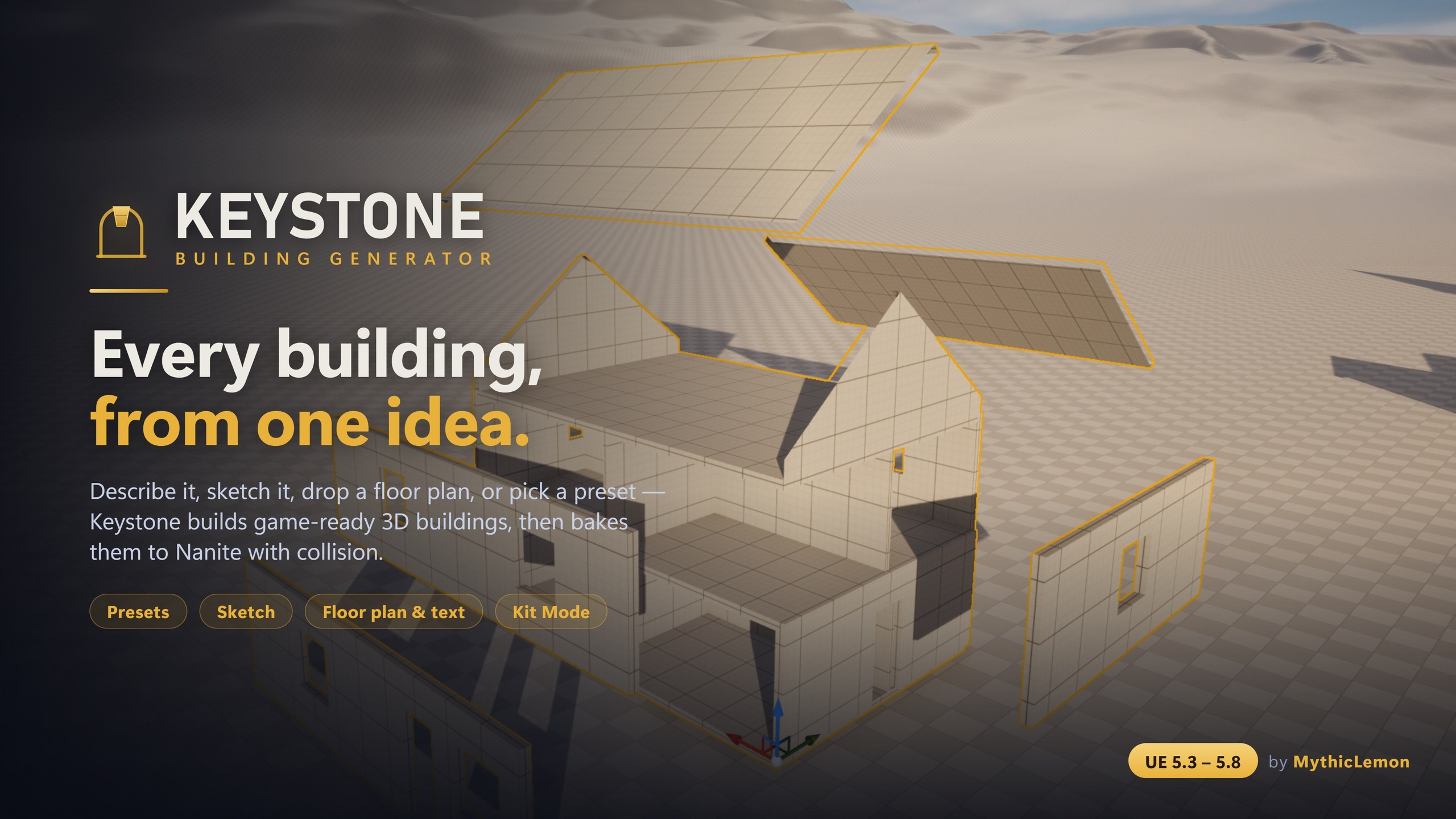
What Keystone does, and the framing that matters
Keystone is a Modular Building Generator for Unreal Engine 5: a code plugin and editor tool that builds game-ready 3D buildings — walls, floors, roofs and approximate interiors — directly inside the Unreal Editor, then bakes them to standard Nanite static meshes with collision that you own outright. There is no subscription, no credit system, and nothing to call out to at runtime. You buy it once for $29.99 and updates are included for the lifetime of the product.
The single most important thing to understand before you start is how the geometry is made. Keystone runs a deterministic procedural geometry engine. Given the same description of a building, it always produces the same building. That determinism is what makes the workflow trustworthy: you can version a design, hand it to a teammate, and get an identical result. It is also what separates Keystone from the broad category of asset generators that produce a one-off mesh you cannot reproduce or edit.
Keystone does have optional AI input, and this guide is careful about it, because the framing is easy to get wrong. The AI never makes meshes. When you use the Draft-from-Text or Draft-from-Image features, the AI only interprets your words or your floor-plan image into editable building parameters; the geometry itself is still built by the deterministic engine. No AI-generated meshes are shipped or sold, the AI features are entirely optional, and every other workflow in the tool needs no AI at all. We will return to this in detail later.
This is the flagship overview tutorial. By the end you will know the five ways to start a building, how they all converge on one editable building file shown in a live 3D preview, how to add character to a plain box, how to compose multi-volume structures such as castles, and how to bake the result into separable, game-ready static meshes. We will also be honest about what Keystone is not for, because knowing the edges of a tool is part of using it well.
The five ways to start a building
Keystone gives you five different on-ramps, and they exist because different jobs start from different places. You might have a rough shape in your head, a reference floor plan, a written brief, or your own modular mesh kit. Rather than force one input method, Keystone lets you pick whichever matches what you already have. Crucially, all five produce the same kind of artefact — one editable building file — so once you are past the starting line the workflow is identical.
First, presets. Keystone ships eight one-click starter buildings: House, L-Shape, Gable Cottage, 3-Storey Block, Setback Tower, Castle, Log Cabin and Round Tower. A preset is the fastest possible start: click one, and you have a complete, sensible building in the preview that you can then edit. Presets are a good way to learn the tool, because they give you a working example of the parameters rather than a blank slate.
Second, the Sketch canvas. This is a true-to-scale 2D drawing surface measured in real Unreal units (centimetres), with snapping and orthogonal guides so your walls stay square. You draw the footprint, place doors, windows and interior walls, set storey controls, and you can build up multi-volume shapes. The Sketch canvas needs no AI key — it is direct authoring, and it is the method to reach for when you want precise control over a footprint.
Third, a floor-plan image. Load a PNG of a floor plan, calibrate its scale using an alignment overlay so Keystone knows how many centimetres a pixel represents, and it reads the plan into a first-draft building. This input uses AI, so it needs a key. Fourth, a text description: type something like 'two-storey stone cottage, hip roof, a door and three windows' and Keystone drafts a building from your sentence. This also uses AI and needs a key. Both AI drafts are a strong starting point, not a guaranteed pixel-perfect trace — treat them as a fast first pass you then correct in the details panel.
Fifth, Kit Mode. If you already own a modular mesh kit — log, brick, stone, sci-fi, a marketplace pack, or Quixel/Megascans pieces — Kit Mode tiles your meshes onto the building instead of using procedural surfaces. It needs no AI key. We will cover Kit Mode properly in its own section, because it is the bridge between a procedural generator and your existing art.
One editable building file and a live preview
Whichever of the five on-ramps you choose, you do not jump straight to a mesh. Every input converges on a single editable building file — an intermediate representation of the whole building, from footprint to roof — shown in a live 3D preview before you bake anything. This is the heart of the tool. A preset, a sketch, a floor-plan read, a text draft and a Kit-Mode layout all land in the same editable structure, so there is only one set of controls to learn.
In practice the loop is: start from an on-ramp, then refine in the details panel while the preview updates. You adjust storeys, openings, wall styles, roof type and the rest, and watch the 3D preview follow your changes. Because the building file is the description and the preview is its render, nothing is committed until you decide to bake. This is also where you correct an AI first draft — if Draft-from-Text gave you four windows where you wanted three, you fix it here, in the same panel you would use for any other edit.
The building file is also a real, portable asset. You can import and export it as a single human-readable JSON file containing the complete description from footprint to roof. That JSON is what makes Keystone fit a real production: you can put a design under source control and diff it, share it with a teammate who imports the identical building, or keep a personal library of starting points. And because the engine is deterministic, that same JSON always rebuilds the same building — there is no drift between machines.
Separately from the JSON file, Keystone keeps a Building Library inside your project. Every time you Generate, the building is saved to the Content Browser as a clickable thumbnail, stored as a native data asset. Generating again adds a new entry rather than overwriting the last one, so your iterations accumulate and nothing is lost; you can delete entries you no longer want. The JSON export is for moving designs between projects and people; the Library is your in-project history.
Adding character: wall styles, detail bands, arcs, stylize and multi-volume composition
A plain extruded box reads as a blockout, which is fine for early level work but not for anything the player gets close to. Keystone's detailing toolkit is how you take a box to something with character without leaving the tool. The first lever is wall style. Beyond the default SolidBox, you can switch a wall to StackedLog for a log-cabin look or TimberFrame for a Tudor look, changing the surface treatment while keeping the same footprint. The second lever is detail bands, which run a repeating feature around the top of a wall: crenellations and battlements give you the toothed parapet of a castle keep, while cornices and string courses give you the horizontal mouldings of a more formal building.
Third, arcs and round towers. You can curve any wall outward into a round tower or a bay, or inward into an apse or niche. This is how a rectangular footprint becomes something more organic, and it is also where one honest limitation lives: an edge that you curve with an arc does not carry openings. Place your doors and windows on straight edges, and use arcs for the rounded, blank, or feature elements. Fourth, stylize. This applies a subtle, seeded, repeatable deformation — a gentle lean, a slight taper, or a measured 'wonkiness' — so a building looks hand-built rather than CAD-perfect. Because it is seeded it is repeatable, and because it never changes topology it does not break collision or baking.
Multi-volume composition is what lets Keystone build more than single boxes. You can compose castles, round and arc towers, gatehouses and wings from several volumes. A building made of volumes is their union — the volumes abut one another, it is never a boolean cut — and each volume carries its own storey stack and its own roof, and each one bakes as its own separable piece. This is how you get genuinely architectural results rather than a series of detached boxes. The Castle preset is the showcase: a crenellated keep with round corner towers, curtain walls and a gatehouse, composed from multiple volumes with the detailing toolkit applied. It is worth spawning the Castle preset early just to see how multi-volume shapes, arcs, crenellation detail bands and round towers combine, then taking it apart in the details panel to understand how each piece was specified.
Kit Mode and the optional AI input, framed honestly
Kit Mode is for developers who already have art they want to reuse. Instead of Keystone's procedural surfaces, you tile your own modular meshes onto the building's Walls, Floors, Ceilings and Interior Walls, with correct placement and pivots handled for you. There are two fit modes per slot: Tile repeats the mesh at its natural size, fitting a whole number of copies along each run so nothing is clipped at the ends; Stretch places one instance scaled to fill the element. Roof and Trim always stay procedural so they close up cleanly regardless of what you tile elsewhere, and any slot you leave empty also stays procedural — so you can mix your own brick walls with a procedural roof. Under the hood, each Kit-Mode tiled slot is realised as one InstancedStaticMeshComponent, the efficient way to draw many copies of the same mesh.
Two of the five on-ramps — Draft-from-Text and Draft-from-Image — use AI, and this is where Keystone's design discipline shows. The AI's only job is to interpret your text or your floor-plan image into editable building parameters. The geometry is always built afterwards by the deterministic engine. No AI-generated meshes are shipped, sold, or baked. If you never touch these two features, you never touch AI at all, and the entire rest of the tool — presets, the Sketch canvas, Kit Mode, all the detailing, baking, the Library and JSON — works with no AI whatsoever.
The AI is bring-your-own-key. You choose the provider: Anthropic (Claude), OpenAI (GPT), Google (Gemini), or a local Ollama model where nothing leaves your machine and no key is needed. Your input is sent only to the provider you select; nothing is sent to MythicLemon. The key is resolved from an environment variable or from a key file under the project's Saved folder, so it never enters source control and never ends up in a packaged build. The AI features rely on the engine's built-in HTTP and Json modules — there are no bundled third-party libraries.
Set expectations correctly. An AI draft is a fast, strong starting point, not a guaranteed pixel-perfect trace of your plan or a literal reading of your sentence. After a draft, do a review pass in the details panel: check the storey count, the openings, the roof type and the overall footprint, and correct anything the model got wrong. Because you are editing the same building file you would edit by hand, that correction pass is no different from normal authoring. If you want to avoid AI entirely, use only the non-AI on-ramps, or use the local Ollama provider so your data never leaves the machine. There is also a separate free edition, Keystone Lite, which has no AI at all and a reduced feature set.
Baking to game-ready meshes, and where Keystone fits
When the preview looks right, you bake. The bake produces standard Unreal static meshes with collision, and both 'Enable Nanite' and 'Generate collision' are on by default. You choose the destination folder in the Content Browser. The output is ordinary StaticMesh assets — platform-agnostic, with no runtime generation, no tick cost, and no runtime dependency on Keystone. That last point matters: although Keystone is a Windows editor tool, the buildings it bakes are plain static meshes you can use on any target platform, including consoles and mobile. The defining feature of the bake is that it is separable: each exterior wall, roof panel, floor and ceiling slab comes out as its own piece, and each volume in a multi-volume building bakes as its own piece too. That means you can detach a wall to cut in a custom doorway, swap one roof panel for a damaged variant, or delete a section to make a ruin — all without disturbing the rest.
Materials are handled through six slots: Wall, Floor, Ceiling, Roof, Trim and Interior. Keystone ships colour-coded starter materials — one Material and six Material Instances — so a fresh building is immediately readable, and you can assign any project material to any slot, before or after baking. There is one trade-off to know: separable-piece baking favours editability over raw draw-call count, because each piece is its own mesh. For a hero building or a handful of structures this is exactly what you want; if you need a large number of identical buildings across a level, plan to merge or instance the baked output afterwards using Unreal's standard tools.
Keystone earns its place fastest on exteriors, mid-ground buildings and blockouts: the town across a valley, the row of houses lining a street, the castle on the hill, the rapid greybox of a level before art lands. Be honest about the interiors, though — they are approximate. They are well suited to blockout and to buildings seen from outside or passed at a distance, but they are not a substitute for a hand-built, close-up hero interior set. If the player will stand in a room and study it, build that room by hand; if they glimpse it through a window or run past it, the approximate interior does the job at a fraction of the effort. The other limitations bear stating plainly: it is a Windows editor-only tool, the AI inputs are bring-your-own-key first drafts that benefit from a review pass, arc'd edges do not carry openings, and there are no shipped Blueprints and no runtime Blueprint generation API — Keystone is editor tooling whose output is baked assets.
On the technical side, Keystone is built from six C++ modules and depends only on Geometry Scripting and Modeling Tools, both of which ship with Unreal and auto-enable, so there are no extra plugins to install. It is verified per engine version across UE 5.3 through 5.8 — download the build matching your engine — and validated by a 56-test automation suite covering geometry, roof, sketch, schematic, record, core, AI parsing and mesh instancing (the tests are not shipped in cooked builds). You open the panel from the Level Editor toolbar button labelled Keystone or the Tools menu, and there are console commands (BG.Spawn, BG.Bake and BG.OpenPanel) for scripted or repeatable workflows. Keystone ships with a User Guide PDF and a Technical Reference PDF. In the interest of full disclosure, some of the plugin's source code and its listing marketing were produced with AI assistance.
The five ways to start a building
| On-ramp | What you provide | Needs an AI key? | Best for |
|---|---|---|---|
| Presets | One click from eight starter buildings | No | Fastest start and learning the parameters |
| Sketch canvas | A footprint drawn in real cm with snapping, plus openings and storeys | No | Precise, direct control over a footprint |
| Floor-plan image | A PNG plan, scale-calibrated with an alignment overlay | Yes (AI reads it into a draft) | Working from an existing reference plan |
| Text description | A plain-English sentence describing the building | Yes (AI reads it into a draft) | A fast first draft from a written brief |
| Kit Mode | Your own modular meshes tiled onto the building | No | Reusing an existing mesh kit or marketplace pack |
All five converge on the same editable building file shown in a live 3D preview before you bake. AI inputs are optional and bring-your-own-key.
Where the AI fits (and where it does not)
| Aspect | Detail |
|---|---|
| AI on-ramps | Draft-from-Text and Draft-from-Image only |
| What the AI does | Interprets your text or floor-plan image into editable building parameters |
| What the AI never does | Generate, ship, sell or bake meshes — geometry is always deterministic |
| Providers | Anthropic (Claude), OpenAI (GPT), Google (Gemini), or local Ollama (no key) |
| Where your data goes | Only to the provider you choose; nothing is sent to MythicLemon |
| Key storage | Environment variable or a key file under the project's Saved folder; never in source control or a packaged build |
| No-AI workflows | Presets, Sketch, Kit Mode, detailing, baking, Library and JSON all work with no key |
The two AI on-ramps are optional and bring-your-own-key; everything else needs no AI at all. The AI only turns your text/image into editable parameters — the geometry is always built by the deterministic engine, and no AI-generated meshes are shipped or sold. Keystone Lite is a separate free edition with no AI and a reduced feature set; the granular Lite/full split is not detailed here.
FAQ
Does Keystone use AI to generate the building meshes?
No. Keystone's geometry is always built by a deterministic procedural engine, and no AI-generated meshes are shipped, sold, or baked. The optional Draft-from-Text and Draft-from-Image features use AI only to interpret your words or floor-plan image into editable building parameters; the mesh is then built deterministically. Those two AI features are optional and bring-your-own-key, and every other workflow — presets, the Sketch canvas, Kit Mode, detailing, baking, the Library and JSON — works with no AI at all. Keystone Lite, the free edition, has no AI whatsoever.
What does Keystone actually output, and do I own it?
It bakes standard Unreal StaticMesh assets with collision, with Nanite and collision generation both on by default, into a Content Browser folder you choose. You own the baked meshes outright. They are platform-agnostic with no runtime generation, no tick cost, and no runtime dependency on Keystone, so although Keystone is a Windows editor tool, the buildings it bakes run on any target platform. The output is also separable: each wall, roof panel, floor and ceiling is its own piece you can detach, swap or delete. Note the trade-off — separable pieces favour editability over draw-call count, so merge or instance the output if you need many identical buildings.
Which AI providers does Keystone support, and where does my data go?
For the two optional AI features you can use Anthropic (Claude), OpenAI (GPT), Google (Gemini), or a local Ollama model that needs no key and keeps everything on your machine. Your input is sent only to the provider you choose; nothing is sent to MythicLemon. Your key is resolved from an environment variable or a key file under the project's Saved folder, so it never enters source control or a packaged build. The AI features use the engine's built-in HTTP and Json modules, with no bundled third-party libraries.
Are the interiors good enough for a playable hero room?
The interiors are approximate. They are well suited to blockout and to buildings seen from outside or at mid-ground, but they are not a substitute for a hand-built close-up hero interior set. If the player will stand in a room and study it, build that room by hand; if they glimpse it through a window or pass it at a distance, the approximate interior is a strong time-saver. This is one of Keystone's stated limitations, alongside the tool being Windows editor-only, AI inputs being first drafts that benefit from a review pass, and arc'd edges not carrying openings.
What engine versions and platforms does Keystone support?
Keystone is verified per engine version across Unreal Engine 5.3 to 5.8, with a separate compile-verified build for each — download the one matching your engine. The tool itself is a Windows (Win64) editor tool. Its only dependencies, Geometry Scripting and Modeling Tools, ship with Unreal and auto-enable, so there are no extra plugins to install. The buildings it bakes are standard static meshes usable on any target platform.
Keystone
Keystone generates game-ready 3D buildings — walls, floors, roofs and approximate interiors — directly inside the Unreal Editor. Start from one of eight presets, draw a footprint on a true-to-scale 2D canvas, drop in a floor-plan image, describe a building in plain English, or tile your own modular meshes with Kit Mode. Every input converges on one editable building file, shown in a live 3D preview, and bakes to Nanite static meshes with collision — as separable pieces — that you own outright. The geometry is built by a deterministic procedural engine: no subscription, no credits, and no AI-generated meshes. The optional Draft-from-Text and Draft-from-Image features use your own API key (Anthropic, OpenAI, Google, or local Ollama) only to read your words or plan into editable parameters.
Related on Fab
Related reading