article · 2026-05-06
An Open-World Starter Kit for UE5: Landscapes, Props and VFX
A practical bring-up plan that wires terrain, set dressing and atmosphere into a single coherent open world.
What an open world actually needs
Most open-world bring-ups stall in the same place. You import a heightmap, paint a material, drop a couple of meshes, and then stare at a competent but lifeless valley wondering why it does not feel like a place. The gap is almost never the terrain alone. A believable open world is built in layers, and each layer answers a different question: the terrain gives you ground to stand on, landmarks give the eye somewhere to go, flora gives the ground texture and life, and ambient effects give the air weight. Skip any one of them and the scene reads as a tech demo.
This guide is a sequenced plan for assembling Unreal Engine 5 open world starter assets in the order that actually compounds. We will treat each layer as a discrete pass with a clear job, and we will use real MythicLemon packs for each: a heightmap pack for the macro terrain, a stamping plugin for editable landforms, statue and flower packs for the props-and-flora pass, and a Niagara pack for the ambient atmosphere. The point is not to sell you everything at once. It is to show you which layer does what, so you can buy only the layers your project is missing and slot them together without fighting the engine.
Throughout, the principle is the same one good level artists work to: block out the big shapes first, lock the silhouette, and only then spend time on detail. Detail painted onto a bad silhouette is wasted; detail painted onto a good one is what people remember. So we start at the bottom, with the ground itself.
The terrain layer: heightmaps and an auto-material
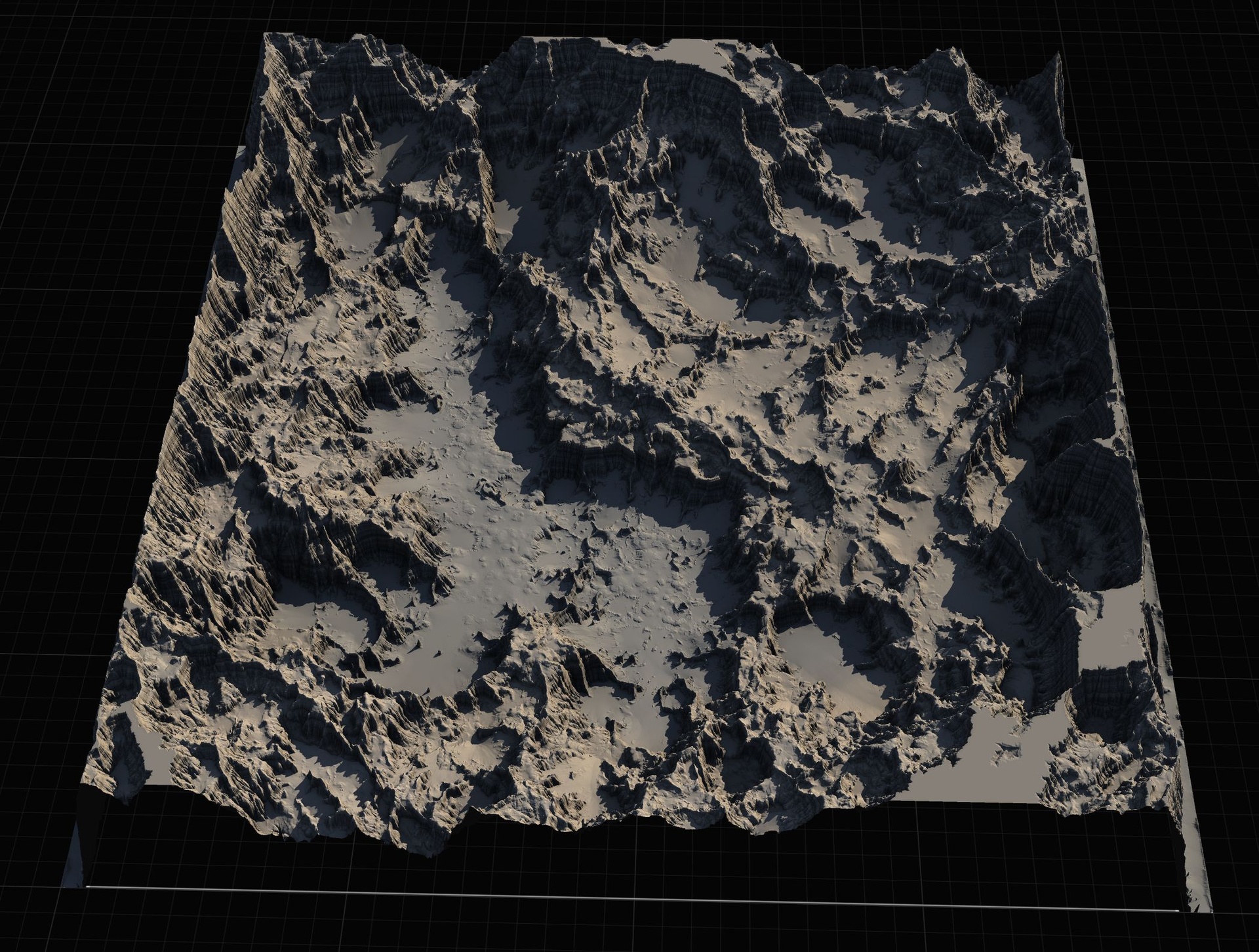
The fastest way to a credible continent is to start from terrain that was authored as terrain rather than sculpted by hand in-engine. The Massive Open World Landscape Pack is built for exactly this: 14 distinct open-world landscapes, each shipped as a 16-bit grayscale heightmap at four sizes (labelled 1K, 2K, 4K and 8K), so a single map can serve as a small sub-region tile or as the basis for a full explore-the-continent world. The maps lean into large, ship-around-the-coast geography, including islands and volcanic terrain, which is precisely the kind of macro shape that is painful to sculpt from scratch.
Import is the standard Unreal flow rather than anything proprietary. In your level open the 'Landscape' panel, switch to the 'Manage' tab, and choose to create a new landscape 'From File', selecting one of the grayscale heightmaps. Whiter pixels read as higher elevation. Pick a smaller size for a sub-region and the largest for your biggest worlds. Under World Partition you can create several landscapes and patch them together to extend beyond a single tile.
Texturing is where the pack earns its keep. It ships an AutoMaterial, a landscape material that paints terrain automatically by configurable height and slope rules, structured around named layers: an AutoMaterial Base Layer plus Snow, Cliff, Mid-High, Mid-Low and Ground, with five further custom layers reserved for hand-painting your own art on top. Under the hood it carries material functions for a snow mask, puddles, colour variation, tiling variation and Runtime Virtual Texture blending, along with per-tier physical materials. Assign the material in the landscape's material slot and expect the surface to appear black at first, which is normal. Then in the 'Paint' tab use 'Create Layers from Assigned Material' to extract the targets, right-click the AutoMaterial Base Layer and choose 'Fill Layer' to paint the whole landscape by height in one pass. Tune everything from the material instance, not the extracted layers, and swap the bundled starter-style textures for your own as you go.
One honest note before you commit. The shipped guide is titled '15 Maps + AutoMaterial' but the contents and the product listing both describe 14 maps, so treat 14 as the real count. The size labels are approximate rather than exact powers of two, the actual pixel dimensions being 1009, 2017, 4033 and 8129 across the four tiers. This is a heightmap-and-material pack, not a mesh pack, and only basic textures are included; you are expected to bring your own surface art. If you want to re-edit the terrain shape, each map ships a Gaea source file you can open, adjust and re-export.
Shaping the land: non-destructive stamps
A fixed heightmap gives you a great starting silhouette, but open worlds live or die on the second pass: moving a mountain range, punching in a canyon, dropping a crater where a quest needs one. Doing that by hand-sculpting bakes your decisions in and makes iteration miserable. This is the job Landstamp Pro does, and it is the natural companion to the heightmap pack rather than a replacement for it.
Landstamp Pro is a C++ editor plugin that turns heightmap images into non-destructive landscape stamps. You place a Landstamp actor in the level and it drives a Landscape Texture Patch, from Unreal's built-in Landscape Patch plugin, to add, subtract or replace terrain height beneath it. Because every edit is a patch rather than a baked sculpt, you can re-position, re-scale and re-blend any landform at any time. It ships a large library of stamps organised by category (Mountain, Canyon, Hill, Crater, River, Volcano, Directional, Creatures, Custom) with a visual Stamp Browser for search, filtering and drag-and-drop placement. The live listing puts the library at 370-plus stamp data assets backed by 100-plus high-resolution heightmap textures up to 4K, which is why the plugin weighs in around two gigabytes.
Per stamp you get real control: blend modes (Additive, Subtractive, Replace, Maximum, Minimum), falloff shapes (Circle, Rounded Rectangle, Square) with size-relative blend presets, a ten-level priority system for resolving overlaps, and height controls including an intensity from -2 to 2 where a negative value inverts the stamp. Drop a stamp and it auto-resolves to the landscape whose footprint contains it; for overlapping landscapes you can switch auto-targeting off and bind a stamp explicitly. The 'PreviewStamp' and 'ApplyToLandscape' functions are callable in-editor so you can rehearse a change before committing it.
The standout workflow is mesh-to-heightmap extraction. Point the extractor at any static mesh, a sculpted rock, a hero formation, even a logo, choose an output resolution (512, 1K, 2K or 4K), preview it in 3D, and save it as a reusable stamp that then appears in the browser. That turns your existing prop kit into terrain authoring material. Two caveats worth keeping straight: the source-authoritative compatibility is Unreal Engine 5.5, 5.6 and 5.7-plus on Windows 64-bit only, despite an older spec sheet that mentions wider ranges, and the plugin is editor-only with stated zero runtime cost in packaged builds, so it shapes your world at design time rather than at play time.
Landmarks and set dressing
With the ground locked, the eye needs targets. Open worlds navigate by silhouette: a statue on a ridge, a shrine at a crossroads, a recognisable shape on the horizon that tells the player where they are and where they have been. This is the landmark pass, and for a gothic or dark-fantasy world the Fantasy Statue Bundle covers it cheaply. It is 18 weathered marble statues split into two themed series of nine, a Nature marble series and a Tormented Souls series, plus a large table mesh that doubles as a plinth or altar base, for 19 static mesh assets in total. They ship as Nanite static meshes with automatic collision and 2K PBR textures, so a statue dropped into the level is walkable immediately with no setup.
Use the Nature series to ornament sacred groves and gardens and the Tormented Souls series for graveyards, ruins and horror dressing. For repeated landmark placement, add a statue to an Instanced Static Mesh or Foliage type rather than scattering individual actors. Raw FBX sources sit alongside the cooked content if you need to edit a mesh in a DCC tool. The pack runs on Unreal Engine 5.6 on Windows; per-statue triangle counts were not published, so do not plan a budget around quoted poly figures that do not exist.
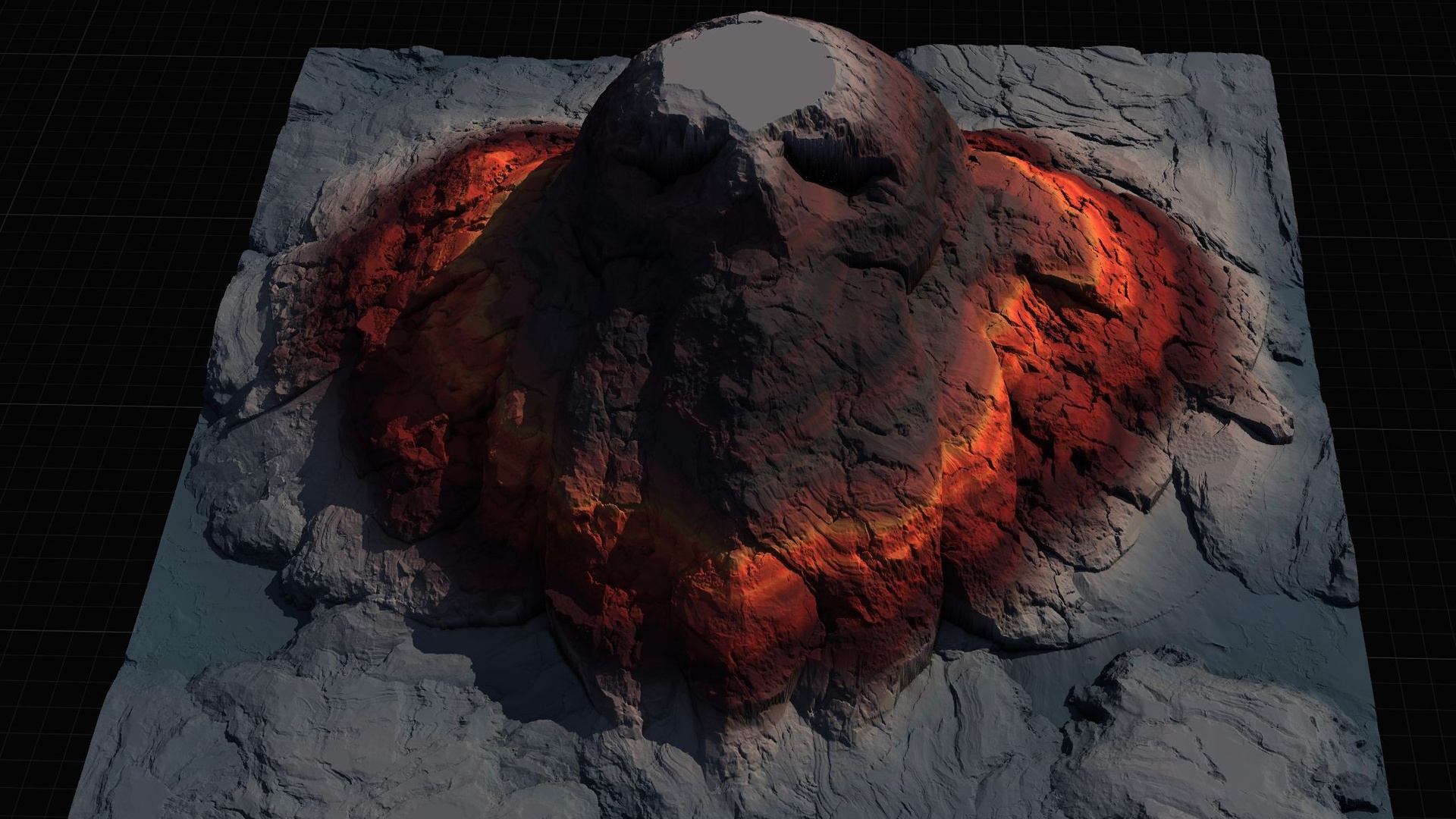
If you would rather the terrain itself be the landmark, the Mythic Relic Landscape Pack is the lore-flavoured sibling to the primary heightmap pack and the budget entry in the line. It is 14 mythic landscapes whose terrain forms iconic shapes, a giant stone hand, a skull island, a fallen-angel island, a broken sword and more, each shipped at the same four resolutions with the same height-and-slope AutoMaterial workflow. It also bundles relic-themed FBX props (a skull, a turtle statue, an Anubis figure, a fallen-angel statue, books and tomes, a skeleton, medieval weapons, an oni head) to dress the scenes. Treat it as 14 maps at four resolutions each rather than fixating on a single heightmap total, since the listing and the folder structure disagree; the files contain 56 heightmaps while the product JSON says 52. It targets Unreal Engine 5.5 to 5.6 and, like the main pack, ships only basic textures and expects you to paint your own.
Foliage and flora
Terrain plus landmarks still reads as architecture until you add the layer that makes ground feel alive: flora. The Fantasy Flower Pack is built for this pass, 51 unique hand-modelled fantasy, sci-fi and gothic flowers and plants delivered as Nanite-ready static meshes, each with its own material and 2K PBR texture set and automatic collision. The range spans blossoms, lotuses such as Blood Lotus and Radiant Lotus, crystalline and arbor plants, mushrooms and fungus, nightshade, ember and coral blooms, which gives you enough variety to dress fantasy gardens, alien biomes and cursed environments from one kit.
Placement is the standard foliage workflow. Drag any flower mesh in directly, or, for dense ground cover, add the meshes to a Foliage type and paint them across the terrain, or feed them into a PCG graph for procedural scatter. Both routes are workflow suggestions rather than shipped presets: the pack does not arrive pre-configured as foliage types, so you set that up once per project. Two honest limits to plan around. The flowers have no built-in wind or vertex animation, so do not promise yourself swaying plants without authoring that yourself, and the meshes run on Unreal Engine 5.6 on Windows. Raw FBX sources are included if you need to re-import or edit.
Because the flower roster and the ambient VFX pack share the same 51 meshes, deciding between buying the flowers alone and buying the atmosphere pack on top is a genuine question rather than an upsell, which the next section settles directly.
Ambient atmosphere VFX
The final layer is the one most starter worlds never reach, and it is the one that does the most for mood per minute of effort: ambient atmosphere. Ambient Garden VFX is a content-only Niagara pack that applies three ambient effect families to every one of the 51 flowers in the Fantasy Flower line, producing 150 ready-to-use NiagaraSystem assets. The three families are BloomingMotes (soft floating pollen and light motes orbiting each flower), FireflySwarm (warm flickering firefly trails looping around each bloom), and Mist (low-lying, slowly drifting ground fog hugging the plant base). It is the broadest atmospheric set in the line, it ships pre-lit demo levels organised one map per family, and it carries no C++, no Blueprints and no plugin dependencies.
Working with it is deliberately frictionless. Add the pack, open the Niagara folder split into BloomingMotes, FireflySwarm and Mist subfolders, and drag the system you want into the level or attach it to an actor. Each system is named by convention as NS_<flower>_<family> so it filters cleanly in the Content Browser, and it plays automatically with no parameter tuning required. The effects render correctly anywhere in the world, on the ground, mid-air, or parented to a moving actor, and the included demo maps lay the flowers out under dynamic lighting so you can preview a family before placing it. Technically the emitters are CPU-simulated on a deferred render path with dynamic lighting and no baking, with the source listing stating Unreal Engine 5.4-plus that opens and upgrades on later versions.
Be precise about what this pack is. It is a VFX pack that includes the matching flower meshes, materials and textures so the systems are self-contained, but its value is the 150 Niagara systems, not a second flower library. If you only want the static flowers, the Fantasy Flower Pack alone is the cheaper choice; if you want the same flora with drifting motes, fireflies and mist already authored, the VFX pack is the one to buy and you do not need the flower pack as well. A couple of grounding notes: the material-instance count is reported inconsistently across the pack's own metadata (131 in one place, 100 in another), and no framerate, particle-count or mobile-performance figures are documented, so treat any such claim as unmeasured.
Putting the layers together
Assembled in order, the five packs form a single pipeline rather than five unrelated purchases. Pass one imports a heightmap from the Massive Open World Landscape Pack and applies its AutoMaterial for an auto-painted continent. Pass two uses Landstamp Pro to non-destructively reshape that continent, dropping editable mountains, canyons and craters and, where useful, converting your own meshes into custom stamps. Pass three sets the silhouette with landmarks from the Fantasy Statue Bundle, or swaps in a Mythic Relic Landscape Pack map when you want the terrain itself to be the landmark. Pass four brings the ground to life with the Fantasy Flower Pack via Foliage or PCG. Pass five finishes the air with Ambient Garden VFX so the world reads as inhabited rather than staged.
What makes the sequence work is that each layer is independent enough to skip and compatible enough to combine. The landscape packs are engine-version-agnostic heightmaps plus a material; the prop and flower packs are Nanite static meshes; the VFX pack is dependency-free content; and Landstamp Pro is the one true plugin, editor-only with no runtime cost. Mind the engine targets when you mix them, since the packs cluster around Unreal Engine 5.5 and 5.6 while the demo projects and Landstamp Pro reach 5.7, and bring your own surface textures for the landscapes because only starter-grade art is bundled. Build the silhouette first, layer detail onto it second, and you will spend your time decorating a world that already feels like a place.
The five layers, side by side
| Pack | Layer | Type | Headline contents | Engine / platform |
|---|---|---|---|---|
| Massive Open World Landscape Pack | Terrain | Heightmaps + AutoMaterial | 14 maps at 1K-8K, height/slope auto-material | Demo 5.7; heightmaps version-agnostic; Windows |
| Landstamp Pro | Terrain shaping | C++ editor plugin | 370+ non-destructive stamps, mesh-to-heightmap | UE 5.5-5.7+; Windows 64-bit; editor-only |
| Fantasy Statue Bundle | Landmarks | Nanite static meshes | 18 statues + table, 2K PBR, auto collision | UE 5.6; Windows |
| Mythic Relic Landscape Pack | Landmark terrain | Heightmaps + AutoMaterial + props | 14 mythic-shaped maps, bonus relic FBX meshes | UE 5.5-5.6; Windows |
| Fantasy Flower Pack | Flora | Nanite static meshes | 51 flowers, 2K PBR, auto collision | UE 5.6; Windows |
| Ambient Garden VFX | Atmosphere | Content-only Niagara | 150 systems: motes, fireflies, mist | UE 5.4+; Windows/Mac/Linux; no deps |
Engine targets and platforms are from each product's source-authoritative listing; landscape heightmaps themselves are engine-version-agnostic. Bring your own surface textures for the landscape packs.
FAQ
What are the essential Unreal Engine 5 open world starter assets, and in what order do I add them?
Work in layers. Start with terrain (a heightmap pack plus an auto-material such as the Massive Open World Landscape Pack), reshape it non-destructively with a stamping tool like Landstamp Pro, set your silhouette with landmark props such as the Fantasy Statue Bundle, bring the ground to life with flora like the Fantasy Flower Pack, and finish with ambient VFX such as Ambient Garden VFX. Block out the big shapes first, then layer detail onto a silhouette you have already locked.
How do I import the landscape heightmaps into UE5?
Open the 'Landscape' panel, switch to the 'Manage' tab, and create a new landscape 'From File', selecting one of the 16-bit grayscale heightmaps (whiter pixels are higher). Choose a smaller size for a sub-region or the largest for a full world, and under World Partition you can create several landscapes and patch them together. Then assign the AutoMaterial, run 'Create Layers from Assigned Material' in the 'Paint' tab, and 'Fill Layer' the base layer to paint by height.
Do I need both the Fantasy Flower Pack and Ambient Garden VFX?
Not necessarily. Both use the same 51 flower meshes. If you only want static flora, the Fantasy Flower Pack alone is the cheaper choice. If you want those flowers with drifting motes, firefly swarms or ground mist already authored as 150 ready-to-use Niagara systems, buy Ambient Garden VFX, which includes the matching meshes, materials and textures so you do not also need the flower pack.
Is Landstamp Pro a runtime feature or an editor tool?
It is an editor-only C++ plugin built on Unreal's Landscape Patch system, with a stated zero runtime cost in packaged builds. It shapes your terrain at design time as non-destructive, re-editable stamps, then bakes nothing into the shipping game. Source-authoritative compatibility is Unreal Engine 5.5, 5.6 and 5.7-plus on Windows 64-bit.
Will these landscape packs give me finished, textured terrain?
They give you the terrain shape and an auto-material that paints by height and slope, but only basic, starter-grade textures are included. The packs are designed for you to swap in your own surface art via the material instance. They are heightmaps plus a landscape material, not static-mesh environments, so plan to supply your own textures and any hero meshes beyond the bonus relic props in the Mythic Relic Landscape Pack.
Massive Open World Landscape Pack
Fourteen ready-to-play open-world landscapes with an auto-material setup — 56 heightmaps from 1K to 8K, including volcanic islands and oceans. Drop in, paint your own textures and build your world.
Related on Fab



Related reading