comparison · 2026-06-23
Visual Chart Designer Pro vs Fast Chart Widgets: UE5 Charts
An honest comparison of two MythicLemon UE5 charting products — a live-preview chart designer plugin versus a lighter blueprintable UMG widget set — so you pick the one that fits your workflow.
Two ways to put charts in your Unreal UI
If you need charts inside an Unreal Engine 5 project and you are weighing up MythicLemon's two charting products, the choice comes down to how much chart tooling you actually want. Visual Chart Designer Pro is an editor plugin built around a live chart designer; Fast Chart Widgets is a lighter, blueprintable set of UMG widgets that bind straight to your data. Both put charts on screen, but they assume very different workflows and team sizes.
Neither is a strict upgrade of the other. Fast Chart Widgets is the drop-in, code-free sibling for the common cases — a line, a bar or a pie chart wired to your data with no drawing code. Visual Chart Designer Pro is the heavier option: you design a chart as an asset in a five-region editor, watch it update live, then send it into UMG. This comparison walks the differences using only each product's documented facts, so you can match the tool to your project rather than to the marketing.
A quick orientation before the detail: Fast Chart Widgets is $25.99 and supports Unreal Engine 5.1 to 5.5; Visual Chart Designer Pro is $49.99 and supports Unreal Engine 5.3 to 5.8 on Windows (Win64) only. Read on for what each gives you, then a use-case recommendation at the end.
What you get with the lighter widget set
Fast Chart Widgets is a set of blueprintable Line, Bar and Pie UMG widgets. You place a widget in your UMG hierarchy and bind it to your data, and it draws the chart — there is no custom drawing code to write. That is the whole pitch, and for a lot of in-game UI it is exactly the right amount of tool: dashboards, stats screens and debug overlays that need a clean graph without a separate authoring step.
Because the widgets are blueprintable and live directly in UMG, they slot into an existing Blueprint-first workflow with very little ceremony. You stay in the UMG designer and Blueprint graph you already use, point the widget at your numbers, and ship. The package includes the widget set, a demo and a user-guide PDF.
The trade-offs are scope and reach. You have three chart types — Line, Bar and Pie — rather than a broad family of chart styles, and there is no separate asset editor, live-preview simulation, theme system or data-import pipeline; you bind the data you already have. On engine coverage it targets Unreal Engine 5.1 to 5.5, so if you are on a newer engine you should check that range against your project before buying.
What the designer plugin adds: a live editor, more chart families and themes
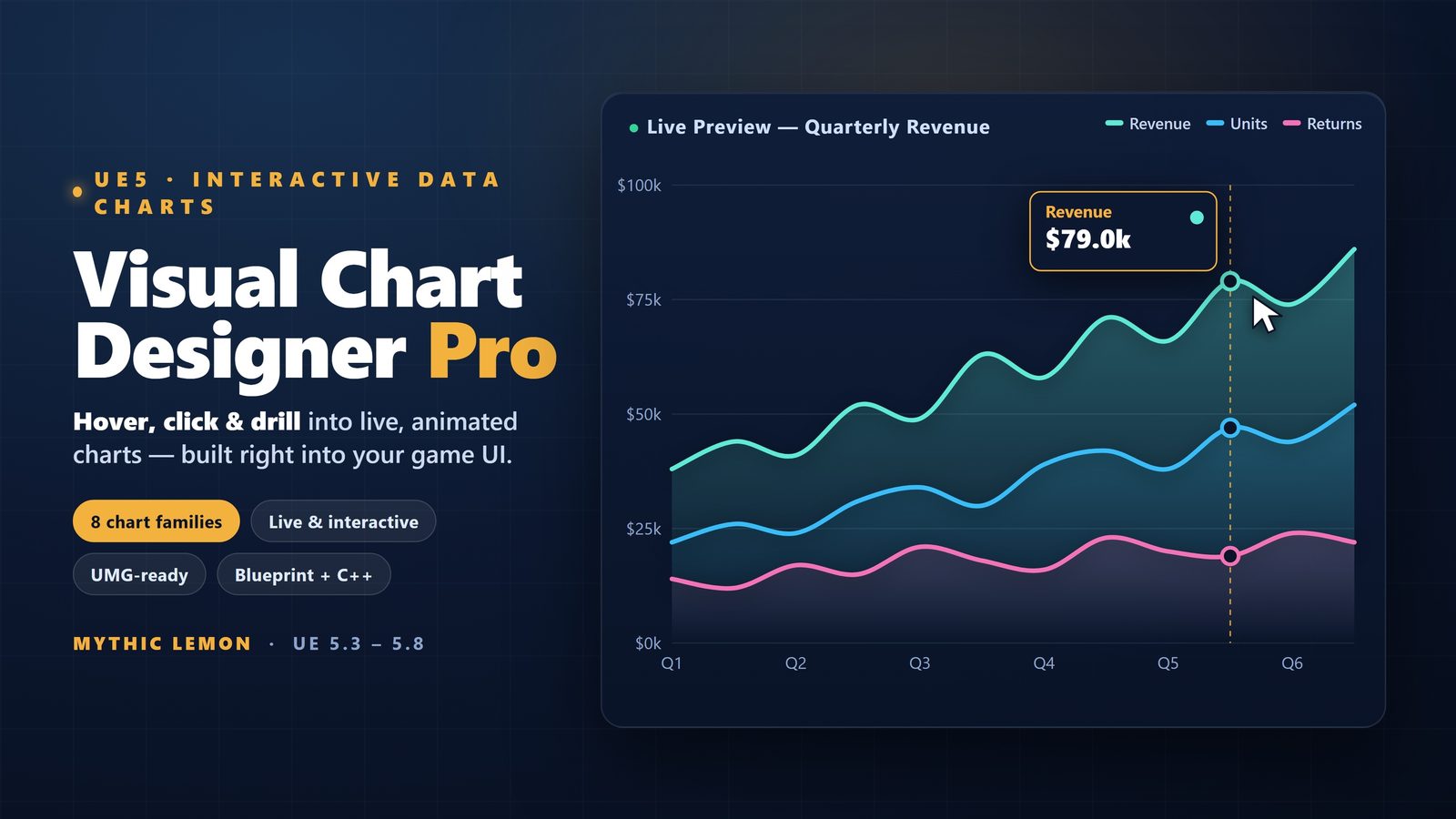
Visual Chart Designer Pro is an editor plugin whose centrepiece is a five-region, live-preview chart asset editor: a preview area, an outliner, a details panel, a simulation region and a toolbar. Rather than configuring a widget in place, you build a chart as an asset and watch it update live as you tune it, before it ever touches your UI. That authoring loop is the main thing the lighter widget set does not have.
The chart range is wider too. It ships eight chart families — Line, Area, Scatter, Bar, Pie, Donut, PolarArea and Radar — fed from 29 built-in data sources or your own CSV, JSON and DataTable imports. Seven themes ship, including the colour-blind-safe Okabe-Ito and Viridis palettes, on top of a curated palette library, so accessibility and house style are handled in the tool rather than left to you.
The bridge back to your game is a one-click 'Open in UMG' that live re-skins the bound widgets, so the chart you designed in the editor becomes the widget you ship in your HUD or dashboard. Under the hood it is organised as three modules — VisualChartDesigner (runtime), VisualChartDesignerEditor (editor) and VCDPFeedback (editor) — and ships 4 Widget Blueprints, 9 ChartDocument data assets and 4 demo maps, with 52 UObject classes and 96 reflected types. It is not network replicated, and it comes with a User Guide.
One feature worth being precise about: the AI styling assistant is optional and off by default. It only does anything if you opt in with your own OpenAI or Anthropic key, at which point it sends your typed prompt plus the current chart styling over HTTPS. There is also an optional Send Feedback panel that transmits only the text you type, plus the editor log if you choose to attach it. Nothing leaves your machine unless you turn one of these on.
Engine versions, platform and packaging
Engine coverage is one of the clearest separators. Fast Chart Widgets targets Unreal Engine 5.1 to 5.5, while Visual Chart Designer Pro targets Unreal Engine 5.3 to 5.8. The two ranges overlap at 5.3 to 5.5, so if your project sits in that band either product is an option; outside it, the version range narrows your choice for you. Check your engine version first — it is the fastest way to rule one in or out.
Platform is the other hard constraint. Visual Chart Designer Pro is Windows (Win64) only in v1.0, with no Mac support. If your authoring pipeline depends on macOS, that is a blocking consideration for the designer plugin specifically, and you should treat it as a firm limit rather than something to work around.
On packaging, the two reflect their different ambitions. Fast Chart Widgets is a widget set with a demo and a user-guide PDF. Visual Chart Designer Pro is a full plugin with three modules, 4 Widget Blueprints, 9 ChartDocument data assets, 4 demo maps and a User Guide. The heavier package is the cost of the live editor, the wider chart range and the theme and import systems.
Feature differences at a glance
The pattern across the specifications is consistent: Fast Chart Widgets gives you three blueprintable chart widgets that bind to data with no drawing code, and Visual Chart Designer Pro gives you a live chart designer with eight chart families, a data-import pipeline, a theme system and an 'Open in UMG' handoff. One is a drop-in; the other is an authoring tool.
The table below lays the verified facts side by side so you can compare them directly rather than from prose. Where a capability is simply not part of a product, the cell says so plainly rather than implying a like-for-like match.
Picking by workflow
Choose Fast Chart Widgets if you want a Line, Bar or Pie chart in your UMG UI quickly, your data is already to hand, and you are on Unreal Engine 5.1 to 5.5. It suits dashboards, stats screens and debug overlays where you need a clean graph without a separate design step, and it keeps you in the Blueprint-first workflow you already use. At $25.99 it is the lighter, less expensive entry point, and the three chart types cover a large share of everyday in-game UI.
Choose Visual Chart Designer Pro if you want to design charts visually — to build a chart as an asset, see it update live in a five-region editor, and reach for chart families beyond line, bar and pie (Area, Scatter, Donut, PolarArea and Radar as well). It is the right tool when you care about importing CSV, JSON or DataTable data, about themed and colour-blind-safe palettes out of the box, and about a one-click 'Open in UMG' that turns the design into the shipped widget. It targets Unreal Engine 5.3 to 5.8 and is Windows (Win64) only in v1.0, so confirm both before you buy. At $49.99 it is the heavier, more capable option for teams that want a real charting workflow rather than a drop-in widget.
A practical way to decide: if you can describe what you need as 'a line/bar/pie chart bound to this data', start with Fast Chart Widgets. The moment you find yourself wanting more chart types, a data-import step, themes you do not have to hand-build, or a live design loop, that is your signal to step up to Visual Chart Designer Pro — provided you are on Windows and within its 5.3 to 5.8 engine range.
Visual Chart Designer Pro vs Fast Chart Widgets
| Aspect | Visual Chart Designer Pro | Fast Chart Widgets |
|---|---|---|
| Type | Editor plugin with a live chart asset designer | Blueprintable UMG widget set |
| Chart types | 8 families: Line, Area, Scatter, Bar, Pie, Donut, PolarArea, Radar | 3: Line, Bar, Pie |
| Authoring | Five-region live-preview editor (preview, outliner, details, simulation, toolbar) | Configure the widget in UMG and bind to data |
| Data sources | 29 built-in, plus CSV / JSON / DataTable import | Binds to your own data (no drawing code) |
| Themes / palettes | 7 themes incl. Okabe-Ito and Viridis, plus a curated palette library | Not specified |
| UMG handoff | One-click Open in UMG with live re-skin of bound widgets | Widgets live directly in UMG |
| Optional AI assistant | Yes, off by default; opt-in with your own OpenAI / Anthropic key, sends over HTTPS | Not included |
| Modules / contents | 3 modules; 4 Widget Blueprints, 9 ChartDocument assets, 4 demo maps; 52 UObject classes (96 reflected types); User Guide | Widget set, demo, user-guide PDF |
| Network replicated | No | Not specified |
| Engine versions | UE 5.3 - 5.8 | UE 5.1 - 5.5 |
| Platform | Windows (Win64) only, v1.0 (no Mac) | Not specified |
| Price | $49.99 | $25.99 |
Verified facts from each product's listing and technical details. Both put charts into Unreal Engine 5 UI; they differ in workflow, chart range and engine support.
FAQ
What is the difference between Visual Chart Designer Pro and Fast Chart Widgets?
Visual Chart Designer Pro is an editor plugin built around a five-region live-preview chart designer with eight chart families, 29 built-in data sources plus CSV/JSON/DataTable import, seven themes and a one-click Open in UMG. Fast Chart Widgets is a lighter blueprintable UMG widget set with three chart types — Line, Bar and Pie — that bind straight to your data with no drawing code. One is an authoring tool, the other a drop-in widget.
Which one should I pick for a quick dashboard or debug overlay?
For dashboards, stats screens and debug overlays where you just need a line, bar or pie chart bound to data, Fast Chart Widgets is the lighter, lower-cost fit at $25.99 and stays inside your existing UMG and Blueprint workflow. Step up to Visual Chart Designer Pro when you want more chart types, data import, themes or a live design loop.
Which chart types does each product support?
Fast Chart Widgets supports three chart types: Line, Bar and Pie. Visual Chart Designer Pro supports eight chart families: Line, Area, Scatter, Bar, Pie, Donut, PolarArea and Radar.
What engine versions and platforms do they support?
Fast Chart Widgets targets Unreal Engine 5.1 to 5.5. Visual Chart Designer Pro targets Unreal Engine 5.3 to 5.8 and is Windows (Win64) only in v1.0, with no Mac support. The ranges overlap at 5.3 to 5.5, so check your engine version and platform before buying.
Does Visual Chart Designer Pro send my data anywhere?
Only if you choose to. The AI styling assistant is optional and off by default; it sends your typed prompt and current chart styling over HTTPS only when you opt in using your own OpenAI or Anthropic key. The optional Send Feedback panel transmits only the text you type, plus the editor log if you attach it. Nothing leaves your machine unless you enable one of these.
Visual Chart Designer Pro
Design charts visually in a five-region live-preview asset editor — preview, outliner, details, simulation and toolbar — then open the result straight in UMG with a one-click re-skin of bound widgets. Eight chart families (Line, Area, Scatter, Bar, Pie, Donut, PolarArea, Radar), 29 built-in data sources plus CSV / JSON / DataTable import, and seven themes including the colour-blind-safe Okabe-Ito and Viridis palettes. An optional AI styling assistant is off by default.
Related on Fab
Related reading