article · 2026-06-25
Keystone Lite: A Free Modular Building Generator for UE5
A free, no-AI slice of Keystone for Unreal Engine 5 — three presets, a true-to-scale 2D sketch canvas, parametric editing with live preview, and one-click baking to Nanite static meshes with collision you own.
A free way to generate buildings in the Unreal Editor
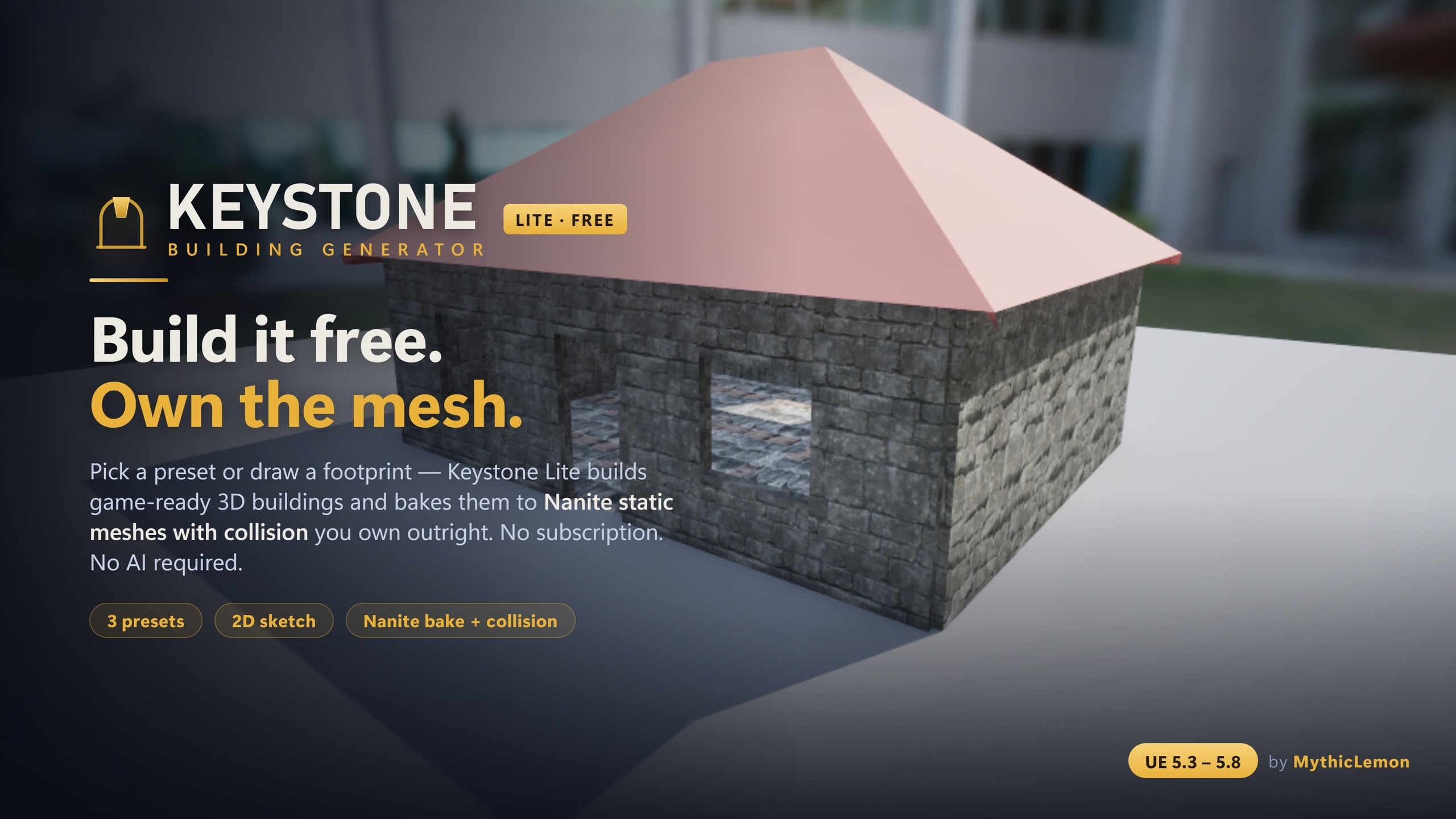
Keystone Lite is the free edition of Keystone — Modular Building Generator. It builds game-ready 3D buildings — walls, floors, roofs and approximate interiors — directly inside the Unreal Editor, then bakes them to Nanite static meshes with collision that you own outright. There is no subscription, no credit system and no usage fee, and there is no AI anywhere in it. It is a focused free slice of a paid tool, not a crippled demo.
The point of a free edition is to let you try the actual workflow on your own project, in your own engine version, with nothing to sign up for. You install the plugin, pick a preset or draw a footprint, tune some numbers in a live preview, and bake the result into your Content Browser. If it suits how you work, the full Keystone is there when you want more building types and more control; if the three free presets and the sketch canvas already cover what you need, you can simply keep using Lite.
This piece walks through exactly what the free edition gives you, explains why its output is grounded and predictable rather than a black box, and gives one honest section on what the paid Keystone adds — so you can decide with clear eyes rather than on marketing copy. It is worth saying up front that interiors are approximate rather than a furnished, room-by-room layout, and that the editor tool itself runs on Windows only.
What you get for free
Keystone Lite ships three starter presets — House, L-Shape and Gable Cottage. Each is a one-click starting point: spawn it in front of the viewport camera and you have a complete building to edit immediately, rather than a blank canvas to fight. Presets are the fastest path to a result, and for a lot of greyboxing and background-building work, three shapes go a long way.
When you want a specific footprint, the true-to-scale 2D Sketch canvas is included in full. It works in real Unreal units with snapping and orthogonal guides, so you draw at the size the building will actually be, not at some abstract grid scale. You place doors, windows and interior walls as you sketch, and the plan you draw is the plan you get. This is the same sketch canvas the full Keystone uses; it is not a reduced version.
Parametric editing and the live 3D preview are also included. An interactive editor panel lets you tune the building's parameters and watch a 3D preview update as you go, with one-click spawn in front of the viewport camera once you are happy. You set per-element materials, and the same seven material assets that ship with the full Keystone ship with Lite too. When the design is ready, you bake to Nanite static meshes with collision — and the baked building has no runtime dependency on the plugin. It is yours.
The same deterministic core, just a smaller slice
The most important thing to understand about the free edition is that it is built on the same engine as the paid one. Keystone Lite runs the same deterministic, test-covered geometry core and performs the same Nanite baking as the full Keystone. The free label describes the breadth of features, not the quality of the geometry: a wall, roof or floor baked from Lite is produced by exactly the same code that produces it in the paid tool.
Deterministic means the same inputs always produce the same building. There is no randomness sneaking into your output, and nothing is fetched from a server to assemble the mesh — the plugin has no external dependencies. That predictability is what makes a generator trustworthy in a real project: you can re-bake a building after tweaking a parameter and know that only the thing you changed will change.
Under the bonnet, Keystone Lite is a code plugin with four modules — BGCore and BGGeometry at runtime, plus BGEditor and BGFeedback in the editor — totalling around fifty-four public C++ classes, and it ships zero Blueprints because the output is static mesh assets rather than a Blueprint system. It is not network replicated; it is an editor authoring tool, and there is no runtime Blueprint API. The deliberate omission is AI: there are no AI features in Lite at all, which keeps the free edition entirely self-contained and offline.
A grounded modular building workflow, step by step
If you have never used a procedural building tool, the workflow is worth spelling out because it is genuinely quick. Start with a preset for speed or the sketch canvas for a specific footprint. With the canvas, draw the outer walls to scale, drop in interior walls to rough out rooms, and place door and window openings where you want them. Because the canvas snaps and works in real units, what you draw is the footprint you bake.
From there you move to the parametric panel. Wall heights, roof shape, openings and per-element materials are all parameters you adjust while watching the live preview, so you iterate by feel rather than by guessing and re-running. This is the part that rewards a few minutes of play: nudge a value, see the preview respond, and converge on the look you want before committing anything to disk.
When you bake, Keystone Lite writes Nanite static meshes with collision into your project. From that moment the building is an ordinary asset — you can place it, duplicate it, and it carries no dependency on the plugin into a packaged game. Two things are worth being honest about: interiors are approximate rather than a furnished, room-by-room layout, and the editor tool itself is Windows-only. The baked static meshes, however, ship to any target platform your project supports.
When to reach for the full Keystone
Here is the upgrade path, in one place and without pressure. The full Keystone is a one-time purchase at 29.99 USD with lifetime updates — no subscription, no credits, no usage fees. The first thing it adds is the optional AI inputs: Draft from Text and Draft from a Floor-Plan Image. These are bring-your-own-key and entirely optional; the AI only reads your words or your plan into editable parameters, it ships no AI-generated meshes, and the deterministic core still builds the geometry. Any data is sent only to the provider whose key you supply, and every non-AI workflow in the paid tool needs no key at all. The result is a first draft you then refine, not a finished building.
Beyond AI, the full library opens up: all eight presets rather than three, adding Castle, Setback Tower, Log Cabin and Round Tower to Lite's House, L-Shape and Gable Cottage. It adds multi-volume composition, so you can build castles, towers and wings from several volumes instead of single boxes. It adds Kit Mode, which tiles your own modular meshes onto the building's surfaces. It adds the full detailing toolkit — stacked-log and timber wall styles, crenellation and cornice detail bands, arcs and round towers, and a subtle stylize deformation. And it adds building-file JSON import and export for versioning and sharing designs across a team. Note that with the arcs feature, openings sit on straight edges rather than on the arc'd edges themselves.
The honest framing is this: if you mainly need straightforward rectangular and L-shaped buildings and cottages, baked cleanly to Nanite, Lite already does that with the same core. If you need fortified or round architecture, want to draft a first pass from a sentence or a floor plan, or want to tile your own kit and share editable building files, that is what the paid Keystone is for. Try Lite first; upgrade only when you hit one of those specific needs.
Who Keystone Lite suits
Keystone Lite is a good fit for solo developers and small teams who want to greybox or populate a scene with believable buildings without modelling each one by hand, and who would rather start from a free tool than commit money to an unfamiliar workflow. Because the output is plain static meshes you own, it slots into an existing pipeline without locking anything in.
It is also a sensible way to evaluate the whole Keystone approach. Since Lite shares the deterministic core and the Nanite baking with the paid edition, the quality and feel of the output you get free is representative of what the full tool produces — the difference is the range of building types and the depth of control, not the fidelity of a baked wall. You are testing the real thing, scoped down.
If you are weighing it up, the most useful next step is simply to install it against a real scene and bake one building. The combination of the sketch canvas, the live preview and one-click ownership of the result tends to make the workflow obvious faster than any description does, and it costs nothing to find out whether it fits.
Keystone Lite vs the full Keystone
| Capability | Keystone Lite (free) | Keystone (full, $29.99) |
|---|---|---|
| Presets | 3 starter presets | All 8 presets |
| 2D Sketch canvas | Yes | Yes |
| Parametric editing | Yes | Yes |
| Bake to Nanite + collision | Yes | Yes |
| AI inputs (Text & Floor-Plan Image) | No | Yes |
| Multi-volume composition (castles/towers/wings) | No | Yes |
| Kit Mode (your own meshes) | No | Yes |
| Full detailing (log/timber, detail bands, arcs, stylize) | No | Yes |
| Building file import / export (JSON) | No | Yes |
Capabilities from the Keystone User Guide. Both editions share the same deterministic geometry core and the same Nanite baking. The full Keystone is a one-time purchase with lifetime updates — no subscription, no credits, no usage fees.
FAQ
Is Keystone Lite really free, and is it a time-limited trial?
It is free, with no subscription, no credits and no usage fees, and it is a full edition rather than a time-limited trial. It includes three presets, the true-to-scale 2D sketch canvas, parametric editing with a live preview, per-element materials, and baking to Nanite static meshes with collision you own outright. You can keep using it indefinitely.
Does Keystone Lite use AI?
No. There are no AI features in Keystone Lite at all. It is fully deterministic and has no external dependencies. The optional AI inputs — Draft from Text and Draft from a Floor-Plan Image — exist only in the full Keystone, are bring-your-own-key, and only turn your words or plan into editable parameters; they never ship AI-generated meshes, and any data is sent only to the provider whose key you supply.
Is the geometry quality lower in the free edition?
No. Keystone Lite runs the same deterministic, test-covered geometry core and the same Nanite baking as the full Keystone. The difference between the editions is the range of building types and the depth of control, not the fidelity of the baked meshes. A wall, floor or roof baked from Lite is produced by the same code as in the paid tool.
Which Unreal Engine versions and platforms does it support?
Keystone Lite targets Unreal Engine 5.3 to 5.8, with a separate build per version. The editor tool is Windows (Win64) only. The static meshes you bake out are ordinary Unreal assets with no dependency on the plugin, so they ship to any target platform your project supports.
What does the full Keystone add over Lite?
The full Keystone ($29.99, one-time, lifetime updates) adds the optional bring-your-own-key AI text and floor-plan inputs (which produce an editable first draft, not a finished mesh), all eight presets (adding Castle, Setback Tower, Log Cabin and Round Tower), multi-volume composition for castles, towers and wings, Kit Mode for tiling your own meshes, the full detailing toolkit, and JSON import/export of building files. Try Lite first and upgrade only if you hit one of those specific needs.
Keystone Lite
Keystone Lite is the free edition of Keystone — Modular Building Generator. It builds game-ready 3D buildings (walls, floors, roofs and approximate interiors) right in the Unreal Editor: pick one of three starter presets or draw a footprint on a true-to-scale 2D canvas, tune the parameters in a live 3D preview, then bake to Nanite static meshes with collision that you own outright. It runs on the same deterministic, test-covered geometry core as the full Keystone — a focused free slice, with no AI, no credits and no subscription. Upgrade to the full Keystone for AI text/floor-plan input, multi-volume castles and towers, Kit Mode, the full detailing toolkit, and JSON import/export.
Related on Fab
Related reading